Page 2 - Discover your phone; Enter PIN code; First connect the headset!
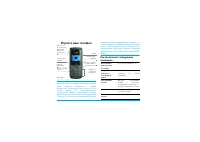
Discover your phone Philips continuously strives to improve its products.Therefore, Philips reserves the rights to revise this userguide or withdraw it at any time without prior notice.Philips provides this user guide «as is» and does not ac-cept, except as required by applicable law, liability fora...
Page 3 - The carousel
1 A carousel is a circular loop of icons displayed on thescreen. Each icon represents a feature or operation ofyour phone. All icons don’t fit within the screen; the hidden ones ap-pear when scrolling < or > . You access the main carousel by pressing , when in idle mode. Move < (anti clockw...
Page 4 - Events
2 Pressing < or > / + or - will alternate be- tween two options, such as Activate/Deactivate, On/Off, Increase/Decrease a value, etc. Browse carousels and lists until you reach the desiredfeature or option. When navigating in a list, a scroll barlocated on the right hand side of the screen sho...
Page 5 - Table of contents
Table of contents 3 Table of contents 1. Get started ......................................... 7 Insert the SIM card ...........................................7 Switch on the phone ........................................8 Set date and time ..............................................8 Copy the S...
Page 6 - Table of contents
4 Table of contents 6. Phonebook ....................................... 27 SIM card phonebook ..................................... 27 Phone’s phonebook ....................................... 28 Add names in the phonebook ..................... 28 In the SIM card .................................. ...
Page 9 - Get started; • Get started; Insert the SIM card
Get started 7 1 • Get started Read the safety instructions in the «Precautions» section be-fore use. To use your phone, you must insert a valid SIM cardsupplied by your GSM operator or retailer. The SIMcard contains your subscription, your mobile number,and memory in which you can store phone number...
Page 10 - To switch on the phone, press the; Switch on the phone
8 Get started 5. Remove the protective film covering the screenbefore using the phone. 1. To switch on the phone, press the ) key. 2. When you switch on the phone, you may beprompted to enter the PIN code, which is the 4to 8-digit secret code of your SIM card to protectit from unauthorised use. It i...
Page 11 - Phonebook; LEFT; hand socket at the base of the phone on one; Charge the battery
Get started 9 Phonebook > Phonebook settings > Phonebook select > In SIM card . Your phone is powered by a rechargeable battery. Anew battery is partially charged and an alarm will warnyou when the battery reaches low. We recommend that you do not remove the batterywhen the phone is switche...
Page 12 - Main features; • Main features; View Names List; Access and consult the phonebook; Answer and end a call
10 Main features 2 • Main features In idle mode, press - . Depending on the selected phonebook (in SIM or inphone), the content that appears on the screen may vary: see “Phonebook” page 27 for detailson this subject.To consult the phonebook during a call, press , , se- lect View Names List , press ,...
Page 13 - If already on the phone, press; Listen to the radio
Main features 11 carousel, then select Call handsfree and press , to dial the number. 2. If you selected the phonebook in your phone,proceed the same way to call the default number,or press < or > , select another number in the list, then press , and select Call handsfree . If already on the p...
Page 14 - mode as described above.
12 Main features If you want your phone to vibrate whenyou receive a call, you can activate the vi-bra alert as follows: 1. Press , , select Settings > Sounds > Vibra alert and press , . 2. Move + or - to select On or Off and press , to confirm. Activating the vibra doesn’t mute the ringer. If...
Page 15 - If you select; Clear the call list; Clear the phonebook
Main features 13 private. 1 min. is the maximum recording time avail-able (see “Sound recording” page 70). To record a conversation during a call: 1. While one or several simultaneous calls are inprogress, press , to access the call context car- ousel. If you select Mute , then Record dialogue , onl...
Page 16 - Menu tree; • Menu tree; External lights p36
14 Menu tree 3 • Menu tree The table below describe the complete menu tree (firstto third levels) of your mobile phone, as well as thepage reference you should refer to for more informa-tion concerning each feature or setting. Settings p34 Sounds p34 Silent / Ringer volume / Ringer / MessagesRinger ...
Page 17 - For each available mail box; Multimedia p69; List of available pictures
Menu tree 15 E-Mail p50 For each available mail box Settings / Open mailbox / Send mail Broadcast Message p58 Reception / Topics / District codes Instant message p58 MMS p59 Create an MMS / Receive an MMS / Managefolders / Settings Multimedia p69 Picture album p69 List of available pictures Sound al...
Page 18 - Call information p75; GSM counters / GPRS counters; Operator services p84
16 Menu tree Brick Game p74 Infrared p66 Call information p75 Call settings p75 Call forward / Mailboxes / Auto redial / Anykey answer / Call waiting / Caller ID Call list p76 Call list / Reset Call counters p77 GSM counters / GPRS counters Phonebook p27 View names list Phonebook settings Delete all...
Page 19 - Plug in the headset; FM radio; Switch; Do NOT unplug the headset.
Music & Mix 17 4 • Music & Mix Your mobile phone features an FM radio , that allows you to listen to the radio, memorize radio stations,record music and use these recordings as ringers andalarms. The other audio feature, BeDJ , will allow you to create, mix and share electronic music as well...
Page 20 - Turn on the radio; FM; Seek a station; Move the joystick key
18 Music & Mix The headset is activated by default and is also used asthe radio antenna. This is why you MUST plug in theheadset to listen to the radio, even when using the loud-speaker. Turn on the radio 1. Once the headset is plugged in, turn on the radioby pressing f , on the top left corner ...
Page 21 - Record music; On air; Receive a call
Music & Mix 19 any key to over write the saved information and presetanother radio station. 4. To rename a preset station, press the FM radio button while the radio is on to access the radioscreen, then press and hold the correspondingpreset key, enter the new name and press , to save it. Record...
Page 22 - BeDJ; Press
20 Music & Mix Help To access an on-screen reminder concerning the usethe radio features, press the FM radio button while the radio is on to access the radio screen, then press * to access the Help screen. Also press * to quit this screen, or press , to go to the radio main screen. The help scre...
Page 23 - Activate tracks; Off; Change track melodies and instruments; Melody
Music & Mix 21 Within BeDJ, the colour orange always shows the in-formation currently in use, or a selected item. Get started Activate tracks 1. Launch BeDJ by pressing the b button, on the top right corner of your mobile phone. 2. In the BeDJ screen that appears, the defaultmusic style is selec...
Page 24 - Change the tempo; You cannot change a; Record a mix; Start recording; for memory information.; Manage the recording
22 Music & Mix 2. Move - or + to select the next or previous instrument, then press , to select it. Change the tempo 1. Press # to activate the Tempo field. 2. The Tempo (displayed in bmp or «beats per minute») applies to all tracks. Press the high-lighted < or > keys to increase or decrea...
Page 25 - Create your own style and mix; From existing files; to
Music & Mix 23 The recording you save will appear under the name ofyour choice in Settings > Sounds > Ringer list as well as in Multimedia > Sound album . You can select it as a ring- er for incoming calls and new events. Create your own style and mix Advanced options allow you to creat...
Page 26 - Save your own styles; You can save your own
24 Music & Mix Save your own styles You can save your own Style in the BeDJ styles menu, and reuse it later to create another mix. This new stylewill contain all the tracks you have mixed, but withoutthe effects applied to the mix. Receive a call When receiving a call while BeDJ is activated, yo...
Page 27 - Text or number entry; • Text or number entry; Good; T9 ® text Input
Text or number entry 25 5 • Text or number entry Text can be entered in editing screens in two differentways: by using T9 ® predictive Text Input, or basic text input. Two other modes for numbers and punctuationmarks, are also available. Icons appearing on the screenshow the active text mode. What i...
Page 28 - MN; Basic text input
26 Text or number entry If you wish to access the basic text input, select «Abc»basic text input using * key. This method requires multiple key presses to reach the desired character: theletter «h» is the second letter on the 4 key, so you must press it twice to enter «h». Using thismode requires yo...
Page 29 - • Phonebook; The; SIM card phonebook
Phonebook 27 6 • Phonebook Your mobile phone has two phonebooks. The SIMphonebook is located on the SIM card and the numberof entries depends on the card capacity.The secondphonebook is built into the mobile’s memory and canhold up to 299 names. The SIM card capacity depends on the type of card youh...
Page 30 - Reset phonebook; In the SIM card; New; In the phone; Phone’s phonebook
28 Phonebook When you copy the contents of yourSIM phonebook into your phone, youcan still use the phonebook of your SIM card, even though it features less fields of information. Your mobile phone only manages one phonebook at atime and will ignore the information relative to theother one: e.g., if ...
Page 31 - Add a name field; Own numbers
Phonebook 29 Add a record in the phone’s phonebook Add a name field 1. Press - to enter the Phonebook , select <New> , and then press , . 2. Enter the last name of your contact and confirmby pressing , , then enter their first name and confirm by pressing , . One of the two name fields can be ...
Page 32 - and; Edit and manage names
30 Phonebook For that important person, why not set up a group justfor them. Use the camera to save their picture in the Pic- ture album and Sound recording to save their voice as a ringer. When they call, you will truly be able to see andhear them (for camera, see page 88 and for sound re-cording, ...
Page 33 - Add a field; Change a field content; Show; Change a field type; Change type; Delete; Make default
Phonebook 31 - If you cancelled the automatic copy of the SIM phonebook at the very first switch of your phone,you need to do it manually. In the phone Add a field 1. To add a new field to an existing record, selectthe name of your choice, select Show and press , . 2. Select <New> and press , ...
Page 34 - Emergency number; or; Other number; Enter a number; Pressing; Make calls
32 Phonebook fields list and is automatically called when pressing thepick-up key or when pressing , and selecting the Call , Call handsfree or Send SMS option. To change the default number (e.g. make the «Work» number defaultinstead of the «Home» number), repeat steps 1 to 3 ofthe “Change a field c...
Page 35 - Select a name; and press; Use Flash dial
Phonebook 33 Select a name 1. Press - and select the record of your choice. 2. If you selected the phonebook in your SIM card: - once the record is selected, simply press ( to call, or - press , twice to access the next carousel, then select Call or Call handsfree and press , to dial the number. 3. ...
Page 36 - Settings; • Settings; Sounds
34 Settings 7 • Settings The Settings menu allows you to customise your phone and change the settings related to each available option(sounds, time and date, security, etc.). The Profiles menu allows you to change several settings at once (seepage 45). Silent Allows you to set the Silence mode On or...
Page 37 - Display
Settings 35 Sounds Alerts Allows you to set alert beeps On or Off for the following items: - when an Event you programmed in your organiser is due, - when you have missed a call,- when the Battery is low and requires charging, - to manage the duration of your calls, first after 45 seconds, then ever...
Page 38 - Only JPEG type pictures can be used as Wallpapers.; External lights
36 Settings saver will start according to the time limit youhave set. 3. Then select the Display period and press , . The timing you have set will be applied between eachpicture of the slideshow. Animation Allows you to set the animation of thecarousel menus On or Off . When On , this option will al...
Page 40 - Subscription dependent; ALL
38 Settings Activates the Autonomy profile, which extends the battery autonomy (anima-tion off, vibra off, backlight off, ringervolume medium). Direct access to the Calculator . Redials the last number called. Redials the number of the last call re-ceived. Dials the emergency call number. Opens the ...
Page 41 - mail» and «Alarm clock».; Voice command; Voice dial
Settings 39 Instead of entering the various menusand browsing the lists, you can also set avoice tag that will activate a feature (e.g., launch the Calculator). You can associate a Voice command to all the functionssupported by the Hotkeys (see page 36), except for «Get mail» and «Alarm clock». 1. S...
Page 42 - values by pressing; Public names; Call restriction; Security
40 Settings eral numbers were stored for this name andpress , . 3. When Add voice tag? appears, press , and fol- low the instructions displayed on the screen.When prompted to record your voice tag, makesure you are in a quiet environment, choose ashort and simple word and clearly pronounce it. To us...
Page 43 - Call barring; Outgoing calls; Change codes
Settings 41 Public names Allows you to consult and modify your Public Names list. You can enter a new name, modify or delete a name in the list via PIN2 code. Use the <New> option to enter the name and phone number, then select the number type: Phone , Fax or Data . Names in this list can be c...
Page 44 - On; GPRS attach; Always on; Register again; Manual; Network
42 Settings PIN protection This allows you to set the PIN protec-tion On or Off . When On , you will be asked to enter your PIN code when switching your phone on. You cannot change your PIN code if this option is Off . This menu allows you to handle the connection be-tween the phone and the network,...
Page 45 - Change name
Settings 43 Preferred list Allows you to build a network list in or-der of preference. Once defined, thephone will try to register on a network,according to your preferences. Access settings This menu allows you to create severaldata profiles: when using WAP or whensending a multimedia message (MMS)...
Page 46 - Clock display; Time and date
44 Settings GPRS settings This allows you to change the GPRS set-tings, Login , Password and Inactivity time (the same fields and the same instruc- tions as for GSM settings, please refer to the previoussection). APN allows you to enter the address of the external data network you want to connect to...
Page 47 - activates; Language; Profiles
Settings 45 Daylight saving This setting only concerns countries in which time is setaccording to summer/winter time (e.g. Greenwich Me-ridian Time / British Summer Time). This option allows you to set thedaylight savings to On (in summer time) or Off (in winter time) by moving + or - . As this sett...
Page 48 - Personal
46 Settings Each box of the table refers to the settings as stored in the Personal menu (whether you have changed the settings or not). * personal setting When connecting an accessory, the settings describedin the table below also become available. When discon-necting the accessory, the phone goes b...
Page 49 - Messages; • Messages; feature is; Send a SMS; To a name in the list; To the number of your choice (phone name list only); To any other name; SMS
Messages 47 8 • Messages The Send SMS item of the Messages menu allows you to: • send a standard or customised short text messageto someone, • edit the last message sent and send it again, • add an iMelody, pre-defined sounds, an anima-tion or a picture to your message. The features above are not av...
Page 50 - Together with an attachment; Read SMS; Received Messages
48 Messages Together with an attachment This option allows you to attach a sound, icon or ani-mation to your message and press , to confirm and attach it to your message. Depending on the type of fileyou want to attach, select Add graphic to attach a bit- map image or an animation, and/or Add sound ...
Page 51 - or in the; Saved Messages; SMS centre
Messages 49 - Delete the selected message, - Store number of the sender if it is attached to the message, - Store melody if a melody was sent together with the SMS, - Store graphic(s) if one or several graphics and/or ani- mations were sent together with the message, - Extract a number included in t...
Page 52 - This feature is subscription dependent.; This feature is subscription dependent.; Delivery report; This feature is subscription dependent.; Auto save SMS; SMS Archive
50 Messages Validity period This feature is subscription dependent. Allows you to select the length of timeyour message is to be stored in your SMScentre. This is useful when the recipient is not connected to the network (and thus cannot re-ceive your message immediately). Reply path This feature is...
Page 53 - Network access; then; OR
Messages 51 To enter text and numbers, including specific signs suchas @ or %, see the characters table described page 26. Settings Network access This menu allows you to configure your phone and tohandle the connection to the network, whether GSMor GPRS, in order to then connect to the appropriate ...
Page 54 - mail server access
52 Messages Contact your ISP to know what type of number youshould select. Auto disconnection : allows you to select an inactivity time period after which the phone automatically dis-connects (if a connection was is progress) from the net-work. Press + or - to select a value from 3 to 10min. and pre...
Page 55 - Advanced; In most European countries, this menu should be set to; Write and send an e-mail; To one or several recipients
Messages 53 Advanced The menus described in this section feature advancedsettings that may have been pre-configured, so youshouldn’t have to change any of them. If the fields of these menus are empty, or if you encoun-ter connection problems, contact your ISP. Port POP3 : allows you to enter the POP...
Page 56 - menu before sending; With a sound or a picture; Receive and read e-mails
54 Messages 7. In the next window, enter the text of your e-mail(you can also leave this field empty). Press , when you are ready to send your e-mail. To learn how to enter text, see “Text or number entry”page 25. If you exit the Send e mail menu before sending your e-mail, its content is deleted ...
Page 57 - Connect to the server; Connection process; Download e; You can also press
Messages 55 Connect to the server Connection process 1. Press , and select Messages > E mail , then E- mail 1 or E-mail 2 depending on the one you wish to use. Select Open mailbox and press , . Mailboxes 1 and 2 feature the same settings and op-tions. Configuring them differently will allow you...
Page 58 - Get and store attachments; Picture album
56 Messages Get and store attachments If the e-mail you have received contains attachments(JPEG picture, text file or another e-mail), they arecharacterised by a specific icon: You must have stored a picture before being able toview it via the Picture album menu. See “Picture al- bum” page 69 for mo...
Page 60 - The Broadcast SMS feature is network-dependent.; Reception; to exit the first one or reply to it. The mobile; Broadcast Message; Instant message
58 Messages page 55). From the Forward to option, proceed as de- scribed above in “Reply to an e-mail”. In both cases (reply to an e-mail or forward it), yourphone will disconnect from the server when reachingthe network inactivity time out set in the Auto discon- nection menu (see “Bearer” page 51)...
Page 61 - Select the addressees; You can select one of the items and press; Design your message
Messages 59 Your mobile phone allows you to sendand receive MMS (multimedia messag-es), featuring texts, pictures and sounds, including music mixes you have created with BeDJ ormemos that you have recorded.A multimedia message can be made of one slide (in-cluding text, sound and image), or of severa...
Page 62 - if you don’t want to insert any picture.; Access the options
60 Messages take to send it.A copyright-protected picture cannot be sent. Select None if you don’t want to insert any picture. 3. The Text icon is automatically selected: press , to access the text editing screen, enter the text of your message (see “Text or number entry”page 25 for help). 4. The So...
Page 63 - Send your Message; menu, and identified as Not; Receive an MMS; Download and play an MMS
Messages 61 When browsing the lists, specific icons show the type ofthe selected message (read MMS, delivery report, tem-plate, etc.). The information about the message (sender,recipients, subject) scrolls horizontally automaticallywhen selected. Send your Message As described above, you can either:...
Page 65 - Messages you have saved can only be sent from the
Messages 63 Manage folders The MMS menu allows you to manage your messagesin 4 different folders. The default (active) folder is thelast one you selected. To change the active folder, press c to return to the main MMS menu and select the folder of your choice: Messages you have saved can only be sen...
Page 66 - If selecting; Retrieval mode; , without you having to launch
64 Messages from your operator the information items described inthe present section and enter them as given.With some operators, access parameters can be set «overthe air». Please check directly by your operator. Network account Allows you to choose a data profile from the ones youhave set (see “Ac...
Page 68 - Infrared; • Infrared; Select an item; Send; Position of devices
66 Infrared 9 • Infrared Your mobile phone integrates the infrared technology(also called IrDA), that allows you to send or receivedata to and from other IrDA-compliant devicesthrough a wireless link (e.g., another mobile phone, aPC or PDA, a printer etc.). Instead of sending a mes-sage, you can dec...
Page 69 - Activate IrDA; key to cancel the process.; Save the data received; Names; Receive data
Infrared 67 Send the selected item As soon as your phone finds another IrDA-compliantdevice to communicate with, the sending automatical-ly takes place. Messages are displayed on the screen, foryou to follow the process.If the phone finds several IrDA devices, a list is dis-played on the screen, for...
Page 70 - Macintosh
68 Infrared Press , Gives you access to the options menu, from which thefollowing options are available: Use the phone as a modem You can also use your mobile phone to-gether with a PC or a PDA, e.g. to surfthe Internet or send faxes. To fully benefit from the services available via IrDA(send and re...
Page 71 - Multimedia; 0 • Multimedia; Pictures in the; Sound album
Multimedia 69 10 • Multimedia JPEG pictures must have the correct size and formatfor your mobile phone to store and display them cor-rectly. Please check “Get and store attachments”page 56 for complete information on this subject. This menu allows you to manage anddisplay the pictures stored in your...
Page 72 - Memory Status
70 Multimedia This menu allows you to display the per-centage of memory available in yourphone. Several features share the mobile capacity: pictures and sound album, recorded memosand voice tags for voice commands, messages you havestored in the phone, phonebook and organiser entries,games, etc. You...
Page 74 - Create a new event; This menu only applies to; Modify an event; Change an event; an event, these further options become available.
72 Games & Appli. Create a new event The Events menu allows to create events and store them in your organiser. Eventscan be Meetings , Holidays or ToDos . When the organiser alert is On (see page 35), a beepalerts you when an event is due. 1. Select Organiser > Events > <New> and pre...
Page 75 - Deleting an event; Deleting a single event; Views of events
Games & Appli. 73 1. To change an event, select the event of yourchoice and press , . 2. When your phone displays the details of theselected event, press , , select Change and press , again. Changing a repeated event will also modify all instanc-es of this event: in this case, press , to confirm...
Page 77 - Call information; 2 • Call information; Call forward; Unconditional; (you haven’t replied to the; Status; Mailboxes
Call information 75 12 • Call information This menu allows you to set all the calloptions (call forward, waiting, etc.). Call forward Allows you to divert incoming calls ei-ther to your mailbox or to a number(whether in your Phonebook or not) and applies to: Data calls , Voice calls and Fax calls . ...
Page 78 - The time between redials increases with each attempt.; Any key answer; With GSM call; Caller ID; Call list
76 Call information Auto redial Allows you to set the auto redial On or Off . When On and if the person you are calling is busy, your phone automatically redials this number until a successful connection ismade, or until the maximum number of attempts isreached (10). The phone emits one beep at the ...
Page 79 - Total duration; Call counters
Call information 77 Call list From the main carousel, press , then select Call Info > Call list > Call list to dis- play the call list. Use + and - ar- rows to scroll the list and press , again to consult the date, time, number, call status of any selected calland to know if it was sent or rec...
Page 80 - Info at call end; Total cost; GPRS counters; This feature is subscription and network dependent.; Last mobile session; Total
78 Call information Info at call end This feature is subscription dependent. Allows you to activate or deactivate thesystematic display of the length and/orcost of each call when hanging up. Total cost This feature is subscription dependent. Allows you to display the accumulatedcost and to set the c...
Page 81 - You can also select; End a WAP session; Homepage; Internet services
WAP 79 13 • WAP Your mobile phone supports servicesbased on the Wireless Application Proto-col (WAP). The built-in WAP browser allows you to access services supplied with your net-work, such as news, sports, weather, etc. Your mobile phone readily supports the WAP functionif it is included in your s...
Page 82 - This can also be done while browsing: press; Add bookmarks; Enter address; to reconnect to the corresponding page,; Edit Homepage
80 WAP Bookmarks This menu allows you to store your favourite WAP siteaddresses, rename them if desired and access themquickly from the list. This can also be done while browsing: press @ to ac- cess the Options , then select Bookmarks . In this case, the Name and URL fields will be automatically fi...
Page 83 - Connection; Press and hold
WAP 81 of your choice, then press < or > to select / deselect it and press , to confirm. All connection settings described below will apply to theselected profile, which you can then rename for easieridentification. Connection Select connection Allows you to select one of the data profiles you...
Page 84 - Rename Profile; Push inbox; The menus that are common to both; Options
82 WAP Current certificate Allows you to display the currently used security certif-icate. Press c to go back one page. Rename Profile This menu allows you to rename the currently selectedprofile: enter the new name (an edit screen automati-cally appears), then press , to save the name you entered. ...
Page 86 - Operator services; 4 • Operator services; GSM strings; book; Pause and wait characters; Other services
84 Operator services 14 • Operator services Most items of the Operator Services menu (e.g. Servicenumbers, Services +) are subscription-dependent andspecific to operators: your mobile phone readily sup-ports them if they are included in your subscription.Consequently, the menus shown following may o...
Page 87 - For example: access your answering machine; Make a second call; Switch calls; Answer a second call; Call
Operator services 85 a wait character, your phone dials the first part (thephone number) and then waits for the call to be con-nected before sending the rest of the digits as DTMFtones. Any subsequent pause character is an ordinarypause that generates a delay of 2.5 seconds. For example: access your...
Page 88 - Answer a third call; Conference call
86 Operator services To receive a second call, you must have:- subscribed to this feature,- deactivated the Call forward option for voice calls (seepage 74),- activated the Call waiting option (see page 75). If you receive a second call, press , , then you can: • accept the second call: the first on...
Page 89 - Explicit call transfer
Operator services 87 If there is an incoming call during the conference calland there are less than five members, you can acceptthis new call by pressing , . Press , again and then select Conference to add this member to the con- ference call. If there is an incoming call during a con-ference with f...
Page 90 - Taking pictures; 5 • Taking pictures; key will cancel any current action and bring; Camera management; key to reactivate it.
88 Taking pictures 15 • Taking pictures The camera is an accessory, that is NOT included asstandard in the package when purchasing the phone.Please contact you local dealer to buy a camera.None of the settings, features or options described in thepresent chapter will be available if you’re not using...
Page 91 - The lens of the camera is automatically focused.; General principles; Camera mode; Pictures shots
Taking pictures 89 Plug in the camera Simply plug the camera jack into the headset socket onthe mobile phone (right hand side), as shown below.Then press m to display the camera preview screen, and rotate the camera right or left to get the shot youwant. The lens of the camera is automatically focus...
Page 92 - With the; to stop the timer and go back; Number of pictures
90 Taking pictures The zoom icon is highlighted when the zoom is activat-ed. Zoom out is available only after a zoom in. Self-timer This option allows you to set the Self-timer option On or Off (see below for details). Take a picture With the m key 1. If the self-timer option is Off , press the m ke...
Page 93 - to check; Review the pictures
Taking pictures 91 A message will warn you if there isn’t enough memoryto store the picture you have just taken. In this case, youmust delete data (sounds, images, etc.) before storing anew picture. Select Multimedia > Memory status to check the memory available in your phone. Review the pictures...
Page 95 - Troubleshooting
Troubleshooting 93 Troubleshooting The phone does not switch on Remove and reinstall the bat-tery (see page 7). Then chargethe phone until the batteryicon has stopped flashing. Fi-nally, unplug from the charg-er and try to switch themobile on. The display shows BLOCKED when you switch on Somebody tr...
Page 97 - Your phone doesn’t
Troubleshooting 95 Your phone doesn’t work well in your car A car contains many metallicparts that absorb electromag-netic waves which can affectthe phone’s performances. Acar kit is available to provideyou with an external antennaand enables you to make andreceive phone calls withouthandling the ha...
Page 98 - Precautions; Your cellular mobile phone is a; dio transmitter and receiver; Your cellular mobile phone is your; responsibility; local recommendations and regula-; when using your cellular phone both at home; Regulations on the use of cellular; Radio waves
96 Precautions Precautions Your cellular mobile phone is a low power ra- dio transmitter and receiver . When it is op- erating, it sends and receives radio waves. Theradio waves carry your voice or data signal to a base station that is connected to the telephone net-work. The network controls the po...
Page 99 - Always switch off your phone
Precautions 97 phone complies with all applicable safety standards and the Radio Equipment and TelecommunicationsTerminal Equipment Directive 1999/5/EC. Inadequately protected or sensitive electronic equip- ment may be affected by radio energy. This interfer- ence can lead to accidents. Before board...
Page 100 - improve the performance of your phone; Performance improvement
98 Precautions In order to improve the performance of your phone , reduce radio energy emission, reduce battery con- sumption and ensure safe operation adhere to the fol-lowing guidelines: For the optimal and satisfactory operation ofthe phone you are recommended to use thephone in the normal operat...
Page 101 - Do not use your phone while driving
Precautions 99 It lowers concentration, which can be danger-ous. Adhere to the following guidelines:Give your full attention to driving. Pull offthe road and park before using the phone. Respect the local regulations in countries where youdrive and use your GSM phone.If you want to use your phone in...
Page 102 - option is set to
100 Icons & symbols Icons & symbols In idle mode, several symbols can be displayed simul-taneously. If the network symbol isn’t displayed, the network isnot currently available. You may be in a bad receptionarea: move to a different location. Silent - Your phone will not ring whenreceiving a...
Page 103 - Philips authentic accessories; Philips authentic; Universal car kit; Charger
Philips authentic accessories 101 Philips authentic accessories Charges your battery in any AC outlet. Small enoughto carry in a briefcase/handbag. Universal car kit Designed to operate your Philips mobile phone hands-free and easy to use, this compact hands-free solutionoffers a high audio quality....
Page 104 - declare under our sole responsibility that the product
Declaration of conformity We, Philips FranceMobile Telephony Business Creation TeamRoute d’Angers72081 Le Mans cedex 9FRANCE declare under our sole responsibility that the product Philips 530CT 5398 Cellular Mobile Radio GSM 900/GSM 1800TAC: 351698 to which this declaration relates, is in conformity...