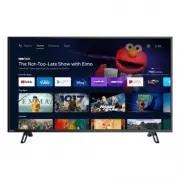
Page 2 - Contents
Contents 1 Notice .................................................................................................................. 5 2 Getting started ...................................................................................... 8 Features 8 Included accessories 8 Symbols used in this use...
Page 3 - Know these; safety; symbols; RISK OF ELECTRIC SHOCK; CAUTION; to get the most benefits from your purchase.; *Product safety notification; PROPER TELEVISION PLACEMENT MATTERS; THE CONSUMER ELECTRONICS INDUSTRY CARES
Know these safety symbols The lightning flash with arrowhead symbol, within an equilateral triangle, is intended to alert the user to the presence of uninsulated “dangerous voltage” within the apparatus's enclosure that may be of sufficient magnitude to constitute a risk of electric shock to persons...
Page 4 - Important safety instructions; Note to the CATV system installer:
Important safety instructions Read these instructions.Keep these instructions.Heed all warnings.Follow all instructions.Do not use this apparatus near water.Clean only with dry cloth.Do not block any ventilation openings. Install in accordance with the manufacturer's instructions.Do not install near...
Page 5 - Notice
1 Notice Trademarks are the property of Koninklijke Philips N.V. or theirrespective owners.Funai Corporation reserves the right to change products at any timewithout being obliged to adjust earlier supplies accordingly.The material in this Owner's manual is believed adequate for theintended use of t...
Page 8 - Getting started; Features; Included accessories; Symbols used in this user manual; Digital TV operation
2 Getting started Features ● Google Assistant™ on Android TV™ Press the Google Assistant button on your remote to do more on your TV withyour voice. Ask Google to search for the latest blockbuster, stream shows, oropen multiplayer games. Have it dim the lights by connecting smart homedevices. Manage...
Page 9 - Unpacking
Unpacking Cover a table top with a cloth or blanket to avoid damage to the TVscreen. Hold both sides of the TV set to place on the table. 1 Open the top flaps of the box. 2 Remove all accessories. 3 4 Note(s) ● Carefully lay the TV set, with the screen side down, on the table so as notto deform or d...
Page 11 - Remote
Remote de b a g f i h j l m s q t u p r o k n c a Microphone b (POWER) Turn the TV on/off into Quick Start Standby. Holding the buttonfor 1 second or more will put the TV into Low Power Standby. c SAP Selects audio mode (MONO / STEREO / SAP) / audio language. d v (FORMAT) Adjusts the picture size on...
Page 13 - Connecting antenna or cable / satellite /; ray DiscTM / DVD recorder via composite connectors; Plugging in the AC power cord
Connecting antenna or cable / satellite / IPTV set-top box Be sure your antenna or another device is connected properly beforeplugging in the AC power cord. If connecting to an antenna through an RF cable Any DTV programs that are broadcast in your area can be received forfree through an antenna con...
Page 14 - Selecting your connection quality; HDMI - Highest quality; Connecting your devices; HDMI digital connection
No included cables are used with these connections: ● Please purchase the necessary cables at your local store. Before you connect the AC power cord: Be sure other devices are connected properly before plugging in theAC power cord. Selecting your connection quality HDMI - Highest quality Supports hi...
Page 15 - HDMI EDID Version; Digital audio output connection
HDMI-ARC connection HDMI-ARC allows you to use HDMI control to output TV audio directlyto a connected audio device, without the need for an additional digitalaudio cable. HDMI cable Digital home theater amplifier that supports HDMI-ARC HDMI 2 IN only OUT Note(s) ● The HDMI 2 connector is HDMI Audio ...
Page 17 - Use your TV; Switching on your TV and putting it in; Adjusting volume; Switching channels
3 Use your TV Switching on your TV and putting it in standby mode TV Remote Turns the TV on and off of standby. ● Press (POWER) on the TV or the remote, then TV will go to suspend standby. ● Press and hold (POWER) on the TV or the remote, then TV will go to standby mode completely. Note(s) ● Energy ...
Page 18 - Guide to Home menu
Watching channels from an external device Switching each input mode can easily switch with the remotebetween TV and external devices when they are connected to theunit. 1 Turn on the set-top box or the connected device. ① Press w (INPUT) and use H I to select the set-top box or the connected device ...
Page 19 - How to use Google Assistant with your remote; Google Duo
Apps You can download the apps. 1 Press a (HOME) and use H I J K to select Apps tab , then press OK . 2 Select Open the Google Play store to open the Google Play Store apps. 3 Search for the app or type of app you want to install. 4 Select the app. 5 Select install. Google Assistant Press the Google...
Page 20 - Picture style
Picture format Display modes can be selected when your TV receives a 16:9 or 4:3video signal. Press v (FORMAT) repeatedly to switch the TV aspect ratio. Automatic Displays a picture at maker recommended picrureformat setting. Full Displays a picture that is stretched out ofproportion to fill the scr...
Page 21 - Settings
Multi audio ¡ English , Espanol , Francais This item is displayed when DTV broadcasting is received. ¡ Mono ¡ Stereo ¡ SAP This item is displayed when ATV broadcasting is received. Speakers ¡ TV Speakers ¡ External Audio System Power Sleep time ¡ Off ¡ 10 minutes ¡ 20 minutes ¡ 30 minutes ¡ 40 minut...
Page 22 - Channel
4 Getting more from your TV This section describes the overview of the Settings menu displayed when you press a (HOME) and use H I J K to Select Settings . The Settings menu consists of the function setting items below. 1 Press a (HOME) to display the Home menu. 2 Use H I J K to select Settings , th...
Page 24 - Setting TV and film ratings
Channel Be sure the RF cable is correctly connected to this unit and you areregistered with your cable TV provider when you install cablechannels. 1 When watching Live TV, then press y (OPTIONS) . 2 Use H I J K to select Settings , then press OK . 3 Use H I J K to select Channel , then press OK . Cu...
Page 25 - Canadian English or Canadian French ratings; Inputs Blocked; Multi audio
Canadian English or Canadian French ratings You can select the rating for Canadian English or Canadian Frenchbroadcasting. Program Restrictions > Rating Systems and check the Other Countries and Other Countries (French) checkboxes from the list.Otherwise Canada's rating will not be effective. 3 U...
Page 26 - Apps
Accounts & sign-in Register your Google Account.You can use multiple Google Accounts on your TV. Unleash your television's true potential. With a Google ® account you can effortlessly expand your entertainment library via the Google PlayStore and Google Play app and also keep apps up-to-date.Whi...
Page 27 - Timer
Device Preferences About You can check system update and TV registration information. System update Check for update Device name Naming your television will help you identify it and distinguish it fromother devices for casting. Example: “Living Room TV” Restart Restart the TV. Status Network,serial ...
Page 28 - Inputs
Inputs Connected Input(s) / Standby Input(s) Consumer Electronic Control (CEC) HDMI control Allow the TV to control HDMI devices. Device auto power off Power off HDMI devices with the TV. TV auto power on Power on the TV with HDMI devices. HDMI EDID Version Version of HDMI EDID. Select EDID 2.0 for ...
Page 29 - Picture
Picture ¡ Picture style User Picture style setting is changed to User whenyou adjust the picture settings. Standard For normal TV viewing. Vivid Enhanced picture contrast and sharpness forviewing in a well-lit room. Sports Brilliant picture settings for high action. Movie Deep picture settings for a...
Page 32 - Captions; Audio Description
Captions Display Off Closed caption is not displayed. On Closed caption is alwaysdisplayed. You can choose the size, font, color, background and othercharacteristics of the caption text. Language ¡ Default ¡ English ¡ Español ¡ Français Text size ¡ Very small ¡ Small ¡ Normal ¡ Large ¡ Very large Pi...
Page 33 - Text to speech; Accessibility shortcut; TalkBack; Reset
Text to speech Text to speech output settings. To set On / Off of this function, select and set TalkBack . Accessibility shortcut When Enable accessibility shortcut is On , you can switch the setting value of Shortcut service by holding down I and 3 (BACK) for few seconds. Enable accessibility short...
Page 34 - Useful tips; FAQ
5 Useful tips FAQ Question Answer My remote does not work. What should I do? ● Check the antenna or cable connection to the main unit. ● Check the batteries on the remote. ● Check if there is an obstacle between the infrared sensor window and the remote. ● Test the IR signal output use IR signal che...
Page 35 - Troubleshooting tips
Troubleshooting tips If the unit does not perform properly when operated as instructed in this manual, Please check the following Troubleshooting tips and all connections once before calling for service. Power No power ● Make sure the AC power cord is plugged in. ● Make sure that the AC outlet suppl...
Page 37 - Information; Glossary; Maintenance
6 Information Glossary Analog TV (NTSC) Acronym that stands for National Television Systems Committee and thename of analog broadcasting standards.Off the air analog TV signals are no longer being sent by majorbroadcasting stations in the USA. ARC (Audio Return Channel) (HDMI 2 only) HDMI-ARC allows...
Page 38 - Specifications
7 Specifications Model # 43PFL5766 PictureType UHD (Ultra HD) (3840 x 2160 pixels 60 Hz) Diagonal screen size / Aspect ratio 42.5 ”/ 16:9 Viewing angles 178° (V) by 178° (H) Built-in digital / analog tuner ATSC (digital) / NTSC (analog) SoundMono / Stereo Mono, Stereo Power output (RMS watts) 8 W x ...
Page 39 - Warranty; Limited warranty
8 Warranty This warranty gives you specific legal rights. You may have other rights which vary from state/province to state/province. Funai Service Corporation, 2425 Spiegel Drive, Groveport, OH 43125, USA Limited warranty one (1) year Warranty coverage : This warranty obligation is limited to the t...
Page 40 - License
License Funai Corporation, Inc. hereby offers to deliver, upon request, a copyof the complete corresponding source code for the copyrighted opensource code packages, on an “AS IS” basis, used in this product forwhich such offer is requested by the respective licenses. This offer isvalid up to three ...