Philips 272E1GAEZ/00 - User Manual
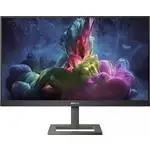
Philips 272E1GAEZ/00 Monitor – User Manual, read for free online in PDF format. We hope this helps you resolve any issues you may have. If you have further questions, please contact us through the contact form.


Table of Contents:
- Page 2 – Table of Contents; Safety precautions and
- Page 3 – Warnings
- Page 4 – Maintenance
- Page 5 – Notational Descriptions; Notes, Cautions and Warnings
- Page 7 – Setting up the monitor; Package contents; Start; Note
- Page 8 – Connecting to your PC; Operating the monitor; Front view product description
- Page 9 – Adjust the speaker volume.
- Page 11 – Warning; Remove the Base Assembly; Place the monitor face down on a
- Page 13 – How to ena; Image Optimization
- Page 15 – Adaptive Sync; Operating system
- Page 16 – Technical Specifications; Connectivity
- Page 17 – Stand
- Page 18 – Weight
- Page 19 – Maximum Resolution
- Page 21 – Customer care and warranty; Customer care and; Philips’ Flat Panel Monitors; subpixel; Pixels and Sub pixels
- Page 24 – Philips Customer Care Center number listed below.
- Page 25 – FAQs; Common Problems
Gaming monitor
272E1
EN
User
manual
1
Customer care and warranty
Troubleshooting & FAQs
"Loading the manual" means you need to wait until the file loads and becomes available for online reading. Some manuals are very large, and the time they take to appear depends on your internet speed.
Other Manuals for Philips 272E1GAEZ/00
Summary
Table of Contents 1. Important ....................................... 1 1.1 Safety precautions and maintenance .................................. 1 1.2 Notational Descriptions ............. 31.3 Disposal of product and packing material ........................................... 4 2. Setting up the...
1 1. Important 1. Important This electronic user’s guide is intended for anyone who uses the Philips monitor. Take time to read this user's manual before you use your monitor. It contains important information and notes regarding the operation of your monitor. The Philips guarantee applies provided ...
2 1. Important • Excessive usage of monitor can cause eye discomfort, it’s better to take shorter breaks more often at your workstation than longer breaks and less often; for example a 5-10 minute break after 50-60-minute continuous screen use is likely to be better than a 15-minute break every two ...