Philips 26PFL5403D/10 - User Manual
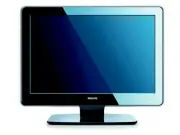
Philips 26PFL5403D/10 – User Manual, read for free online in PDF format. We hope this helps you resolve any issues you may have. If you have further questions, please contact us through the contact form.


Table of Contents:
- Page 3 – Table of contents
- Page 5 – Important; Safety
- Page 6 – Recycling your packaging
- Page 7 – Your TV; overview; Side controls and indicators; Standby indicator/remote control sensor; Side connectors; For more information about
- Page 8 – Colour keys; OK; Navigation or cursor keys; MENU; Program up or down; Remote control
- Page 9 – started; Quick Start Guide; the; WARNING: Wall mounting of the; Step 2 Connect cables
- Page 12 – Use your TV; Section 5 Use more of your; Switch your TV on/off or to
- Page 13 – MUTE; Watch connected devices; SOURCE; Use teletext; TELETEXT; Section 5.5 Use advanced teletext features
- Page 14 – Use more of your TV; Remote control overview
- Page 15 – Use TV menus
- Page 17 – Change picture format
- Page 19 – Change to Shop or Home
- Page 20 – Section 5.8 Subtitles; Use Electronic Programme
- Page 21 – Adjust feature settings
- Page 23 – subtitles; Listen to digital radio; Section 6.3 Rearrange the channels; Update your TV software
- Page 24 – install
- Page 25 – Manually install channels
- Page 28 – Connect devices; Connection overview; or a computer. To display images using the
- Page 29 – devices; Quick
- Page 31 – Use Philips EasyLink; Assign devices to connectors; Prepare TV for digital
- Page 32 – on the remote control and; TV menu
- Page 34 – Troubleshooting; General TV issues
- Page 35 – Sound issues; Sound; HDMI connection issues; WARNING: Do not attempt to repair
Register your product and get support at
www.philips.com/welcome
EN USER
MANUAL
"Loading the manual" means you need to wait until the file loads and becomes available for online reading. Some manuals are very large, and the time they take to appear depends on your internet speed.
Was this manual helpful?
About this manual
- Brand
- Philips
- Model
- 26PFL5403D/10
- Document type
- User Manual
- Language(s)
- English
- Pages
- 38
- File size
- 4.2 MB
- Format
Other Manuals for Philips 26PFL5403D/10
Summary
Table of contents 1 Important . . . . . . . . . . . . . . . . . . . . . 3 1.1 Safety . . . . . . . . . . . . . . . . . . . . . . . . . . 3 1.2 Screen care . . . . . . . . . . . . . . . . . . . . . 4 1.3 Environmental care . . . . . . . . . . . . . . . 4 2 Your TV . . . . . . . . . . . . . . . . . . ...
EN-3 EN Important 1 Congratulations on your purchase and welcome to Philips! Read this user manual before you start to use this product. Pay close attention to this section and follow the safety and screen care instructions. The product warranty does not apply if damage is caused by failing to follo...
EN-4 Turn off the TV, then the mains power • (if available). Unplug the mains cord from the mains • socket outlet. Unplug the mains cord from the power • connector at the back of the TV. Always pull the mains cord by the plug. Do not pull the mains cord 1.2 Screen care Turn off and unplug the mains ...
Ask a question
Related manuals
Popular Philips Other


More Philips Other models
 Philips 25PT5125 Manual
 Philips 26PF5321/10 User Manual
 Philips 26PFL3404/12 Quick Guide
 Philips 26PFL3405/12 Manual
 Philips 26PFL3606H/12 User Manual
 Philips 26PFL5322/12 Quick Guide
 Philips 26PFL5522D/12 Quick Guide
 Philips 26PFL5604H/12 Quick Guide
 Philips 26PFL7532D/12 User Manual
 Philips 26PW6341 Manual
 Philips 26PW8402/37, 30PW8402/37, 34PW8402/37, 30PW8502/37, 34PW8502/37, 30PW850H Manual
 Philips 27B1N3800/00 User Manual