Philips 27B1N3800/00 - User Manual
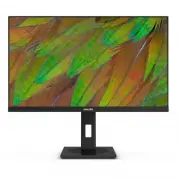
Philips 27B1N3800/00 – User Manual, read for free online in PDF format. We hope this helps you resolve any issues you may have. If you have further questions, please contact us through the contact form.


Table of Contents:
- Page 2 – Table of Contents; Safety precautions and; Technical Specifications; Philips’ Flat Panel Monitors Pixel
- Page 3 – procedures other than those specified
- Page 5 – Notational Descriptions
- Page 6 – locations for dropping off such waste,
- Page 7 – Setting up the monitor; Package contents; *Different according to region
- Page 8 – of the monitor firmly.
- Page 9 – USB charging; efficiency of radio transmission of USB; Operating the monitor; Description of the control buttons
- Page 10 – Resolution notification
- Page 12 – * Display design may differ from those
- Page 13 – Image Optimization; optimize display for different types
- Page 14 – certification, you can have this mode by
- Page 16 – Connectivity
- Page 20 – Display Input Format; lower resolutions 8bits/10bits; Note
- Page 21 – Power Management Definition; Off mode
- Page 22 – Philips’ Flat Panel Monitors; in flat panel m; subpixel; Pixels and Sub pixels
- Page 26 – FAQs; Common Problems
27B1N3800
Register your product and get support at www.philips.com/welcome
EN
User manual
Customer care and warranty
Troubleshooting and FAQs
Business
Monitor
3000
Series
"Loading the manual" means you need to wait until the file loads and becomes available for online reading. Some manuals are very large, and the time they take to appear depends on your internet speed.
Was this manual helpful?
About this manual
- Brand
- Philips
- Model
- 27B1N3800/00
- Document type
- User Manual
- Language(s)
- English
- Pages
- 31
- File size
- 4.7 MB
- Format
Other Manuals for Philips 27B1N3800/00
Summary
Table of Contents 1. Important ����������������������������������������� 1 1.1 Safety precautions and maintenance ...................................1 1.2 Notational Descriptions ................3 1.3 Disposal of product and packing material .............................................4 2� Setting ...
1 1. Important This electronic user’s guide is intended for anyone who uses the Philips monitor. Take time to read this user manual before you use your monitor. It contains important information and notes regarding the operation of your monitor.The Philips guarantee applies provided that the product...
3 • “Burn-in”, “after-imaging”, or “ghost imaging” is a well-known phenomenon in LCD panel technology. In most cases, the “burn-in”, “after-imaging” or “ghost imaging” will disappear gradually over some time after the power has been switched off. Warning It is highly recommended that you always turn...
Ask a question
Related manuals
Popular Philips Other


More Philips Other models
 Philips 26PFL5403D/10 User Manual
 Philips 26PFL5522D/12 Quick Guide
 Philips 26PFL5604H/12 Quick Guide
 Philips 26PFL7532D/12 User Manual
 Philips 26PW6341 Manual
 Philips 26PW8402/37, 30PW8402/37, 34PW8402/37, 30PW8502/37, 34PW8502/37, 30PW850H Manual
 Philips 27B1U3900/00 User Manual
 Philips 27B1U5601H/00 User Manual
 Philips 27B1U7903/00 User Manual
 Philips 27B2G5500/00 Quick Guide
 Philips 27B2G5601/00 User Manual
 Philips 27B2U6903/00 User Manual