Page 2 - Contents; Button operations; Quick Start Guide
2 EN Contents Test out the functions of the camera buttons by following along with the illustrations. Learn how to print pictures you have taken. Learn how to transfer and save pictures to a computer. Find out more about camera operations and how to take better pictures. Read about convenient functi...
Page 3 - Pull the strap tight so that it does not come loose.; Attach the strap
Quick Start Guide EN 3 Gather these items (box contents) ( Pull the strap tight so that it does not come loose. Digital Camera Strap Lithium Ion Battery (LI-42B) USB Cable AV Cable OLYMPUS Master 2 CD-ROM Items not shown: Instruction Manual (this manual), warranty card. Contents may vary depending o...
Page 4 - Prepare the camera; Battery comes partially charged.; AC Wall
Quick Start Guide 4 EN Prepare the camera a. Charge the battery. ( Battery comes partially charged. b. Insert the battery and the xD-Picture Card (optional) into the camera. 2 1 3 Red light on: ChargingLight off: Charging complete(Charging time: Approx. 5 hours) AC Wall Outlet Power Cable Battery Ch...
Page 6 - Turn the camera on; a. Set the mode dial to; Still picture shooting modes; To turn off the camera, press the; CANCEL; Hint; ON
Quick Start Guide 6 EN Turn the camera on This explains how to turn on the camera in shooting mode. a. Set the mode dial to h . Still picture shooting modes b. Press the o button. ( To turn off the camera, press the o button once again. h The camera determines the optimum settings for shooting pictu...
Page 7 - Set the date and time; and
Quick Start Guide EN 7 Set the date and time a. Press the O F / < and N Y buttons to select [Y]. • The first two digits of the year are fixed. b. Press the Y # button. c. Press the O F / < and N Y buttons to select [M]. About the date and time setting screen MENU TIME TIME D M Y ---- ---- .--....
Page 8 - SET; HQ
8 EN Set the date and time Quick Start Guide d. Press the Y # button. e. Press the O F / < and N Y buttons to select [D]. f. Press the Y # button. g. Press the O F / < and N Y buttons to select the hours and minutes. • The time is displayed in the 24-hour format. h. Press the Y # button. i. Pr...
Page 9 - Take a picture; Horizontal grip; Shutter Button
Quick Start Guide EN 9 Take a picture a. Hold the camera. c. Shoot. Horizontal grip Vertical grip b. Focus. HQ HQ 3072 3072 ×2304 2304 [ I N I N ] 44 [ ] 1/1000 1/1000 F2.7 F2.7 Shutter Button (Press Halfway) When the focus and exposure are locked, the green lamp lights up, and the shutter speed and...
Page 10 - Review your pictures
Quick Start Guide 10 EN Review your pictures a. Press the q button. a. Press the X & and Y # buttons to display the picture you want to erase. b. Press the / S button. c. Press the O F / < button, select [YES], and press H . Arrow pad Displays the next image Displays the previous image q bu...
Page 11 - Shooting still pictures; Turning the camera on and off; Shutter button; Shooting pictures/movies
Button operati o ns EN 11 Button operations Shooting still pictures Set the mode dial to a setting other than n , and lightly press the shutter button (halfway). The green lamp lights when the focus and exposure are locked (focus lock), and the shutter speed and aperture value are displayed (only wh...
Page 12 - Selecting playback mode/Turning the camera on; Mode dial; Switching shooting modes; Shooting pictures with automatic settings
Button operations 12 EN The last picture taken is displayed.• Press the arrow pad to view other pictures.• Use the zoom lever to switch between close-up playback and index display.• Press H to delete the information display shown for 3 seconds during single-frame playback. This function is used to s...
Page 13 - Shooting mode: Changing picture brightness; XY; Playback mode: Printing pictures; Follow the shooting guide for setting; button; Printing pictures
Button operati o ns EN 13 Follow the shooting guide displayed on the screen to set the target items.• Press m to display the shooting guide again. • To change the setting without using the shooting guide, set the shooting mode to another one. • The content set using the shooting guide will change to...
Page 14 - Shooting pictures close to the subject (Macro mode)
Button operations 14 EN Press X & in shooting mode to select the macro mode. Press H for setting. Press N Y in shooting mode to select on or off for the self-timer. Press H for setting. • After setting the self-timer, press the shutter button completely. Then, the self-timer lamp lights for appr...
Page 15 - Zoom bar; Index display
Button operati o ns EN 15 Shooting mode: Zooming in on your subject Optical zoom: 4×Digital zoom: 4× (optical zoom × digital zoom: Max. 16×) Playback mode: Switching the picture display Zoom lever Zooming while shooting/Close-up playback d Zoom out: Turn the zoom lever to the W-side. Zoom in:Turn th...
Page 16 - Menu operations; About the menus; BACK; EXIT
Menu operations 16 EN Menu operations Press m to display the top menu on the monitor. • The contents displayed on the top menu differ according to the mode. • Select [CAMERA MENU], [PLAYBACK MENU] or [SETUP] and press H . The screen for selecting the menu item is then displayed. • When the mode dial...
Page 17 - This explains how to use the menus with the [; Using the menus
Menu operations EN 17 This explains how to use the menus with the [ 8 ] (warning sound) setting as an example. 1 Set the mode dial to a setting other than R . 2 Press m to display the top menu. Press Y to select [SETUP], and press H . • [ 8 ] is on a menu in [SETUP]. 3 Press ON to select [ 8 ], and ...
Page 18 - • Some functions are not available according to the selected mode.; Still picture image quality and their applications; Shooting mode menu; IMAGE QUALITY; Changing the image quality
Menu operations 18 EN • Some functions are not available according to the selected mode. g “Functions available in shooting modes and scenes” (P. 47) g “SETUP menus” (P. 24) • The factory default settings are displayed in gray ( ). Still picture image quality and their applications Movie image quali...
Page 19 - Changing the shooting functions back to default settings; CAMERA MENU
Menu operations EN 19 Functions for returning the settings to the original when the reset function is executed The scene selection screen displays sample images and the shooting mode to best suit the situation. This can be set only when the mode dial is set to f . • By switching to another scene, mo...
Page 20 - • Press; PANORAMA; Muting operational sounds; Playback mode menu; When a still picture is selected
Menu operations 20 EN Panorama shooting lets you create a panoramic picture, using the OLYMPUS Master software on the provided CD-ROM. An Olympus xD-Picture Card is required for panorama shooting. Use the arrow pad to specify at which edge you want to connect the pictures; and then compose your shot...
Page 21 - Playing back pictures automatically; Playing back movies; PLAYBACK MENU
Menu operations EN 21 Press H to start the slideshow. • Only the first frame of each movie is displayed.• To cancel the slideshow, press H or m . Select [MOVIE PLAY] from the top menu, and press H to play back the movie. Another option is to select a picture with the movie icon ( n ) and press H to ...
Page 22 - Select a picture with; Note; RESIZE; Changing the size of pictures; MY FAVORITE; Viewing and registering pictures in My Favorite
Menu operations 22 EN Select a picture with XY , and select [+90°]/[0°]/[-90°] with ON to rotate pictures. You can rotate several frames in succession. Registers and plays back your favorite still pictures as new ones in the internal memory.Up to 9 pictures can be registered.• Registered pictures wi...
Page 23 - Registering favorite pictures; ERASE; Erasing selected pictures/Erasing all pictures; ALL ERASE
Menu operations EN 23 • Select [VIEW FAVORITE] to display pictures registered in MY FAVORITE. Use the arrow pad to browse pictures. • Press m to select [ADD FAVORITE] or [SLIDESHOW]. Erasing pictures registered in MY FAVORITE • Select a picture with XY , and press H . Protected pictures cannot be er...
Page 24 - must format them with this camera.; PRINT ORDER; SETUP menus; Playback mode
Menu operations 24 EN This function allows you to save printing data (the number of prints and the date and time information) with the pictures stored on the card. g “Print settings (DPOF)” (P. 30) All existing data, including protected pictures, are erased when the internal memory or card is format...
Page 25 - PIXEL MAPPING; or
Menu operations EN 25 The pixel mapping feature allows the camera to check and adjust the CCD and image processing functions. It is not necessary to operate this function frequently. Approximately once a year is recommended. Wait at least one minute after taking or viewing pictures to allow the pixe...
Page 26 - POWER SAVE; Settings on the TV
Menu operations 26 EN The date and time is saved with each image, and is used in the file name. If the date and time are not set, the [ X ] screen is displayed each time the camera is turned on. To play back camera images on a TV, set the video output according to your TV’s video signal type.• TV vi...
Page 27 - STANDARD; Using the direct printing function; to the instruction manual for your printer.; EASY PRINT
Printing pi ctures EN 27 Printing pictures By connecting the camera to a PictBridge-compatible printer, you can print out pictures directly. Select the pictures you want to print and the number of prints on the camera’s monitor.To find out if your printer is compatible with PictBridge, refer to the ...
Page 28 - Disconnect the USB cable from the camera.; EASY PRINT START; U S B
Printing pictures 28 EN 3 Press O F / < . • Printing starts. • When printing is finished, the picture selection screen is displayed. To print another picture, press XY to select a picture, and press O F / < . • When you are finished, disconnect the USB cable from the camera with the picture se...
Page 29 - Press; Selecting a print mode
Printing pi ctures EN 29 Note • If the [PRINTPAPER] screen is not displayed, [SIZE], [BORDERLESS] and [PICS/SHEET] are set to [STANDARD]. Press XY to select the picture you want to print. You can also turn the zoom lever and select a picture from the index display. Selecting a print mode Setting the...
Page 30 - Printing using a DPOF-compatible photo store; You can print pictures using the print reservation data.; Printing using a DPOF-compatible printer
Printing pictures 30 EN 4 Select [PRINT], and press H . • Printing starts.• When printing is finished, the [PRINT MODE SELECT] screen is displayed. To cancel printing 5 In the [PRINT MODE SELECT] screen, press m . • A message is displayed. 6 Disconnect the USB cable from the camera. 7 Disconnect the...
Page 33 - Using OLYMPUS Master; Overview; What is OLYMPUS Master?; Prepare the following items
Using OLYMPUS Master EN 33 Using OLYMPUS Master Using the USB cable provided with your camera, you can connect the camera and computer and download (transfer) the images to your computer using the OLYMPUS Master software, also provided with the camera. OLYMPUS Master is a software application for ma...
Page 34 - Mac versions earlier than OS X 10.3 are not supported.; Install the OLYMPUS Master software
Using OLYMPUS Master 34 EN Before installing the OLYMPUS Master software, please confirm that your computer is compatible with the following system requirements.For newer operating systems, please refer to the Olympus web site as shown on the back cover of this manual. Operating environmentWindows O...
Page 35 - Click “Next” and follow the on-screen instructions.; When the setup type selection screen is displayed, click “Install”.
Using OLYMPUS Master EN 35 Windows 1 Insert the CD-ROM into the CD-ROM drive. • The OLYMPUS Master setup screen is displayed.• If the screen is not displayed, double-click the “My Computer” icon and click the CD-ROM icon. 2 Select the display language and click the “OLYMPUS Master 2” button. • When ...
Page 36 - Windows; Connecting the camera to a computer
Using OLYMPUS Master 36 EN 1 Make sure the camera is turned off. • The monitor is off.• The lens is retracted. 2 Connect the multi-connector on the camera to the USB port on the computer using the provided USB cable. • Refer to your computer’s instruction manual to locate the position of the USB por...
Page 37 - Displaying camera images on a computer
Using OLYMPUS Master EN 37 1 Click “Transfer Images” on the browse window, and then click “From Camera” . • The window for selecting the pictures you want to transfer from the camera is displayed. All the images in the camera are displayed. 2 Select “New Album” and enter an album name. 3 Select the ...
Page 38 - To view a movie; Viewing still pictures and movies; Thumbnail
Using OLYMPUS Master 38 EN 1 Click the “Album” tab on the browse window and select the album that you want to view. • The selected album image is displayed in the thumbnail area. 2 Double-click the still picture thumbnail that you want to view. • OLYMPUS Master switches to the image edit window and ...
Page 39 - Please take care that your battery is fully charged!; Make sure that your computer is connected to the Internet.; Click; To increase the number of languages
Using OLYMPUS Master EN 39 Please take care that your battery is fully charged! 1 Make sure that your computer is connected to the Internet. 2 Plug the USB cable into the USB port on the computer. 3 Plug the other end of the USB cable into the camera’s USB connector. • The camera turns on automatica...
Page 40 - Getting to know your camera better; Shooting tips and information; Tips before you start taking pictures
Getting to know your camera better 40 EN Getting to know your camera better The battery is not charged • Charge the battery with the charger. The battery is temporarily unable to function because of the cold • Battery performance declines in low temperatures, and the charge may not be sufficient to ...
Page 41 - There are several ways to focus, depending on the subject.; When the subject is not in the center of the frame; The subject is moving quickly; The factors that can cause the picture to blur are as follows:; Shooting tips
Getting to know your camera better EN 41 There are several ways to focus, depending on the subject. When the subject is not in the center of the frame • Place the subject in the center of the frame, lock the focus on the subject, and then recompose your picture. g “Shutter button Shooting pictures/m...
Page 42 - Using the digital zoom to take close-up pictures; The picture is too grainy
Getting to know your camera better 42 EN There are several factors that can cause the picture to appear grainy. Using the digital zoom to take close-up pictures • With the digital zoom, part of the image is cropped and enlarged. The greater the magnification, the grainier the picture appears. Increa...
Page 43 - There are two ways to record the pictures you take with this camera.; Recording pictures to the internal memory; Still pictures; Additional shooting tips and information
Getting to know your camera better EN 43 There are two ways to record the pictures you take with this camera. Recording pictures to the internal memory • Pictures are recorded to the internal memory, and when the number of storable still pictures reaches 0, you connect the camera to a computer to do...
Page 44 - This camera uses several lamps to indicate the camera status.; To send as an e-mail attachment or post on a web site; Lamp indicators
Getting to know your camera better 44 EN This camera uses several lamps to indicate the camera status. • Performing any of the following operations when not actually taking pictures can deplete the battery power. • Repeatedly pressing the shutter button halfway• Repeatedly using the zoom • To save b...
Page 45 - View the picture using image browsing software
Getting to know your camera better EN 45 • To return the changed shooting settings to default settings while shooting, set [RESET] to [YES]. g “RESET Changing the shooting functions back to default settings” (P. 19) • All shooting settings except for P mode, [IMAGE QUALITY] and the selected scene mo...
Page 47 - Functions available in shooting modes and scenes
Getting to know your camera better EN 47 Some functions cannot be set in certain shooting modes. For more details, refer to the table below. Functions available in shooting modes *1 Shooting mode is fixed at [ & ]. *2 [IMAGE QUALITY] is fixed at [640 × 480]. Functions available in shooting modes...
Page 48 - Appendix; Camera care; Cleaning the camera; Battery and charger
Appendix 48 EN Appendix Exterior: • Wipe gently with a soft cloth. If the camera is very dirty, soak the cloth in mild soapy water and wring well. Wipe the camera with the damp cloth and then dry it with a dry cloth. If you have used the camera at the beach, use a cloth soaked in clean water and wru...
Page 50 - Pictures can be recorded on the optional card.; Useful use of the accessories; Shooting mode
Appendix 50 EN Pictures can be recorded on the optional card. The internal memory and card are the camera’s media for recording pictures, similar to film in a film camera.Pictures recorded to the internal memory or card can be easily erased on the camera or processed using a computer.Unlike portable...
Page 51 - SAFETY PRECAUTIONS; General Precautions; CAUTION
Appendix EN 51 Read All Instructions — Before you use the product, read all operating instructions. Save all manuals and documentation for future reference. Cleaning — Always unplug this product from the wall outlet before cleaning. Use only a damp cloth for cleaning. Never use any type of liquid or...
Page 52 - WARNING; DANGER
Appendix 52 EN WARNING ( Do not use the camera near flammable or explosive gases. ( Do not use the flash and LED on people (infants, small children, etc.) at close range. • You must be at least 1 m (3 ft.) away from the faces of your subjects. Firing the flash too close to the subject’s eyes could c...
Page 53 - Caution for Usage Environment
Appendix EN 53 • Never store batteries where they will be exposed to direct sunlight, or subjected to high temperatures in a hot vehicle, near a heat source, etc. • To prevent causing battery leaks or damaging their terminals, carefully follow all instructions regarding the use of batteries. Never a...
Page 54 - Battery Handling Precautions
Appendix 54 EN • This camera uses a lithium ion battery specified by Olympus. Do not use any other type of battery. For safe and proper use, read the battery’s instruction manual carefully before using it. • If the battery’s terminals get wet or greasy, camera contact failure may result. Wipe the ba...
Page 55 - Warning
Appendix EN 55 Unauthorized photographing or use of copyrighted material may violate applicable copyright laws. Olympus assumes no responsibility for unauthorized photographing, use or other acts that infringe upon the rights of copyright owners. All rights reserved. No part of these written materia...
Page 56 - For customers in USA; For customers in Canada
Appendix 56 EN • IBM is a registered trademark of International Business Machines Corporation.• Microsoft and Windows are registered trademarks of Microsoft Corporation.• Macintosh is a trademark of Apple Inc.• xD-Picture Card™ is a trademark.• All other company and product names are registered trad...
Page 57 - SPECIFICATIONS; Camera
Appendix EN 57 SPECIFICATIONS ( Camera Product type : Digital camera (for shooting and displaying) Recording system Still pictures : Digital recording, JPEG (in accordance with Design rule for Camera File system (DCF)) Applicable standards : Exif 2.2, Digital Print Order Format (DPOF), PRINT Image M...
Page 58 - Design and specifications subject to change without notice.
Appendix 58 EN Design and specifications subject to change without notice. ( Lithium ion battery (LI-42B) Product type : Lithium ion rechargeable battery Standard voltage : DC 3.7 V Standard capacity : 740 mAh Battery life : Approx. 300 full charges (varies on usage) Operating environment Temperatur...
Page 59 - Names of Parts
Appendix EN 59 Names of Parts Camera Flash g P. 14 Lens Mode dial g P. 12 O F / < button (Exposure Compensation/Print) g P. 13 X & button (Macro mode) g P. 14 N Y button (Self-timer) g P. 14 Strap eyelet g P. 3 Battery/card compartment cover g P. 4 / S button (Backlight boost/ Erase) g P. 1...
Page 60 - Shooting Mode; Monitor Symbols & Icons; Movies
Appendix 60 EN ( Shooting Mode Monitor Symbols & Icons Item Indications Ref. Page 1 Shooting mode P , P , B , F , U , A , C etc. P. 11 2 Self-timer Y P. 14 3 Shutter speed 1 – 1/2000 P. 9 4 Aperture value F2.7, etc. P. 9 5 Exposure compensation -2.0 – +2.0 P. 13 6 Battery check e = full power, f...
Page 61 - Playback Mode
Appendix EN 61 ( Playback Mode Item Indications Ref. Page 1 Battery check e = full power, f = charge the battery – 2 Current memory [IN] (Playing back the picture in the internal memory),[xD] (Playing back the picture in the card) P. 50 3 Print reservation/Number of printsMovie < ×10 n P. 30 P. 2...
Page 62 - Index; AUTO
62 EN Index K / q ....................................................... 25 h (AUTO) ........................................ 6, 12 / S button (backlight boost/erase)... 10, 14 Y # button (flash mode) ........................... 14 X & button (macro) ................................... 14 H b...
Page 64 - Memo
64 EN Memo d4347_e_0000_7.book Page 64 Tuesday, July 17, 2007 11:23 AM



 Olympus E-520 User Manual
 Olympus E-600 User Manual
 Olympus E-620 Manual
 Olympus FE-20 Manual
 Olympus FE-47 Manual
 Olympus FE-120 Manual
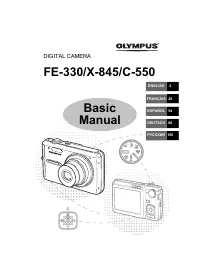 Olympus FE-330 Manual
 Olympus FE-370 Manual
 Olympus FE-4030 Manual
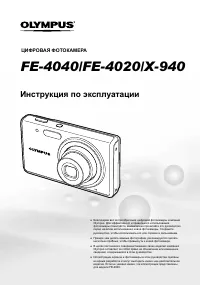 Olympus FE-4040 Manual
 Olympus FE-4050 Manual
 Olympus MJU 600 Digital User Manual
 Olympus OM-D E-M10 User Manual
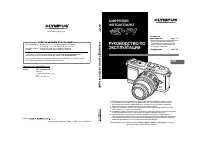 Olympus Pen E-P1 User Manual