Netgear GS324 24xGE (GS324-200EUS) - User Manual
Netgear GS324 24xGE (GS324-200EUS) Switch – User Manual, read for free online in PDF format. We hope this helps you resolve any issues you may have. If you have further questions, please contact us through the contact form.
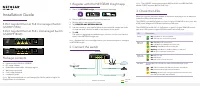
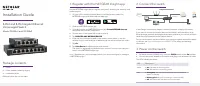
Installation
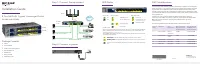
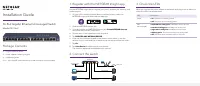
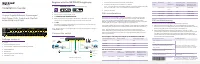
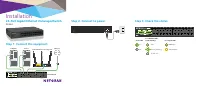
Step 1. Connect the equipment.
Server
24-Port Gigabit Ethernet Unmanaged Switch
GS324
Step 2. Connect to power.
Step 3. Check the status.
Power LED
Port Number LEDs
(Link/Activity)
Port Speed LEDs
On
Link
1000 Mbps
Off
Activity (blinking)
100/10 Mbps.
No link (off )
GS324 switch
Optional wireless access point
Computer
Internet
"Loading the manual" means you need to wait until the file loads and becomes available for online reading. Some manuals are very large, and the time they take to appear depends on your internet speed.