NAD C368 - User Manual
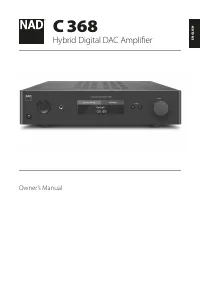
NAD C368 Amplifier – User Manual, read for free online in PDF format. We hope this helps you resolve any issues you may have. If you have further questions, please contact us through the contact form.


Table of Contents:
- Page 2 – IMPORTANT SAFETY INSTRUCTIONS
- Page 4 – INTRODUCTION; GETTING STARTED
- Page 5 – IDENTIFICATION OF CONTROLS; FRONT PANEL
- Page 6 – REAR PANEL
- Page 9 – SR 9 REMOTE CONTROL
- Page 12 – IDENTIFICATION OF CONTROLS; NAD REMOTE APP
- Page 13 – OPERATION; Optical 1; Vol Control; Optical 1; Enabled; Optical 1; Name
- Page 14 – Balance; Tone Controls; On; Filters; High Pass; Bass; Treble
- Page 15 – Speaker Channel
- Page 16 – IR Channel; Channel 0; Auto Sense; Off
- Page 17 – IR Learning Device; AMP; VOLUME UP; Learned; BT Work Mode; Sink
- Page 18 – Volume Display Mode; Decibel; Connectable
- Page 19 – BluOs; Firmware Upgrade; VFD Upgrade; Firmware Version
- Page 20 – REFERENCE; SPECIFICATIONS
ENGLISH
FR
ANÇ
AIS
ESP
AÑOL
IT
ALIANO
DEUT
SCH
NEDERL
ANDS
SVENSK
A
РУ
ССКИЙ
®
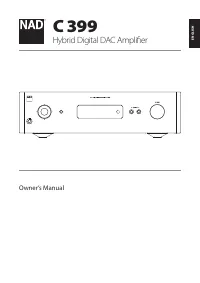
Owner’s Manual
C 368
Hybrid Digital DAC Amplifier
"Loading the manual" means you need to wait until the file loads and becomes available for online reading. Some manuals are very large, and the time they take to appear depends on your internet speed.
Was this manual helpful?
Helpful for 3 of 3 readers
About this manual
- Brand
- NAD
- Model
- C368
- Document type
- User Manual
- Category
- Amplifier
- Language(s)
- English
- Pages
- 22
- File size
- 2.3 MB
- Format
Summary
1. Read instructions - All the safety and operating instructions should be read before the product is operated. 2. Retain instructions - The safety and operating instructions should be retained for future reference. 3. Heed Warnings - All warnings on the product and in the operating instructions sho...
INTRODUCTION GETTING STARTED WHAT’S IN THE BOX Packed with your C 368 you will find • Two detachable mains power cord • SR 9 remote control with 2 AA batteries • Bluetooth antenna • Quick Setup Guide SAVE THE PACKAGING Please save the box and all of the packaging in which your C 368 arrived. Should ...
IDENTIFICATION OF CONTROLS FRONT PANEL 1 POWER INDICATOR • This indicator will be amber when the C 368 is in standby mode. • When the C 368 is powered up from standby mode, this indicator will change from amber to blue color. 2 STANDBY BUTTON • Press Standby button to switch ON the C 368 from standb...