Page 3 - Contents; IMPORTANT SAFETY INSTRUCTIONS
Contents 3 IMPORTANT SAFETY INSTRUCTIONS ............................................................ 7 Guide to the appliance ...................................................................................... 18 Appliance overview ...................................................................
Page 4 - Caring for the environment
Contents 4 Display ................................................................................................................. 46 Brightness ...................................................................................................... 46Color scheme ......................................
Page 6 - Optional accessories
Contents 6 Appliance warranty and product registration ...................................................... 115 Optional accessories ........................................................................................ 116 Installation ..............................................................
Page 8 - Appropriate use
IMPORTANT SAFETY INSTRUCTIONS 8 Appropriate use This dishwasher is intended for use in the home and in similar en- vironments, for example– in shops, offices, and similar work settings– on agricultural estates– by guests in hotels, motels, bed and breakfasts, and other typicalhome settings. This...
Page 9 - Safety with children
IMPORTANT SAFETY INSTRUCTIONS 9 Safety with children Children must be kept away from the dishwasher unless they are constantly supervised. Children must not be allowed to clean or maintain the appliance. Children should be supervised in the vicinity of the dishwasher. Never allow children to p...
Page 10 - Technical safety; Unauthorized installation, maintenance, and repairs can cause
IMPORTANT SAFETY INSTRUCTIONS 10 Technical safety Unauthorized installation, maintenance, and repairs can cause considerable danger for the user. Installation, maintenance, and re-pairs should only be carried out by a Miele authorized technician. Damage to the dishwasher can compromise your safe...
Page 13 - Correct installation
IMPORTANT SAFETY INSTRUCTIONS 13 If the power cord is damaged, it must only be replaced with a spe- cific cord of the same type (available from Miele Customer Service).For safety reasons, this must only be done by Miele Customer Ser-vice or a service technician authorized by Miele. Do not place ...
Page 14 - The dishwasher must be correctly aligned horizontally to ensure; Correct use; Do not use solvents in the dishwasher. There is a danger of explo-
IMPORTANT SAFETY INSTRUCTIONS 14 The dishwasher must be correctly aligned horizontally to ensure problem-free operation. In order to ensure stability, built-under and integrated dishwashers must only be installed under a continuous countertop which is se-cured to adjacent cabinetry. A sink in ...
Page 16 - Accessories and parts
IMPORTANT SAFETY INSTRUCTIONS 16 In dishwashers with a cutlery basket (depending on model), knives and forks should be placed with the handles upwards in the basketfor safety reasons. Knives and forks placed with the handles down-wards pose a danger of injury. However, cutlery placed handle downin...
Page 17 - Disposal of your old dishwasher
IMPORTANT SAFETY INSTRUCTIONS 17 Disposal of your old dishwasher Remove the door of the dishwasher so that children cannot be- come trapped inside. California Proposition 65 WARNING This product can expose you to chemicals mineral oils 1 , Nickel (Metallic) 1 , Diisononyl phthalate (DINP) 1 and ...
Page 18 - Guide to the appliance; Appliance overview
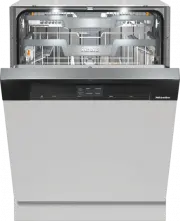
Guide to the appliance 18 Appliance overview a Door locking pins b Top spray arm c 3D MultiFlex Cutlery Tray (dependingon model) d Upper basket (depending on model) e Middle spray arm f Aeration valve g Bottom spray arm h Filter combination i Salt reservoir j Data plate k Rinse aid reservoir l Deter...
Page 19 - Control panel; sensor button
Guide to the appliance 19 Control panel a On/Off sensor button For turning the dishwasher on andoff. b Optical interfaceFor Miele Customer Service. c Remote sensor button For activating/deactivating the Re-mote start option (depending onmodel). d Touch displayFor further information, see “Displ...
Page 20 - Display functions; OK
Guide to the appliance 20 Display functions The display is used to select or set thefollowing: - the program - any Options - the Timer - the Settings The display can show the following: - the program name - the program stage - The estimated time left for the pro- gram to run - Any relevant fault mes...
Page 21 - Main menu; Option lists; Numerical values; Use the
Guide to the appliance 21 Examples of how to operate the ap-pliance Main menu Use the Back sensor button to switch from the Programs menu to the mainmenu. 11:02 Settings Programs In the main menu, you can choose thePrograms menu to select programs aswell as the Settings menu. You can alter t...
Page 22 - Normal; not connected) are displayed; sensor
Guide to the appliance 22 Roll-down menu The roll-down menu can be used to dis-play information about the selected pro-gram. 11:02 Normal 2:59 h Options Timer Extra Clean Extra Dry AutoDos Express IntenseZone To open the roll-down menu, touch theorange bar at the top edge of thescreen and swip...
Page 23 - Disposal of your old appliance
Caring for the environment 23 Disposal of the packing mate-rial The cardboard box and packing materi-als protect the appliance during ship-ping. They have been designed to bebiodegradable and recyclable. Ensure that any plastic wrappings,bags, etc. are disposed of safely andkept out of the reach of ...
Page 24 - Before using for the first time; Opening the door; Risk of scalding due to hot wa-
Before using for the first time 24 Every dishwasher is tested at the fac-tory. There will be residual water in themachine from this test. It is not an in-dication that the dishwasher has beenused previously. Opening the door In some programs the door automati-cally opens slightly to assist the dryin...
Page 25 - Closing the door; Risk of crushing due to the door; Activating the safety lock
Before using for the first time 25 Closing the door Push the baskets in. Raise the door upward until the catchengages. At the end of the program, if the Au-toOpen function is on, the door lock-ing rail must be fully retracted beforethe door is closed. Otherwise, thedoor locking rail will cause t...
Page 26 - Availability of the WiFi connection
Before using for the first time 26 Miele@home (depending onmodel) Your dishwasher is equipped with anintegrated WiFi module. To use this feature, you will need: - A WiFi network - The Miele app - A Miele user account. The user ac- count can be created via the Mieleapp The Miele app will guide you as...
Page 27 - Basic settings; Turning on the dishwasher
Before using for the first time 27 Basic settings Turning on the dishwasher Turn the dishwasher on using the sensor button. The welcome screen will appear whenthe dishwasher is turned on and thewelcome melody will sound. For further information about the dis-play functionality, see “Display fun...
Page 28 - Setting the time
Before using for the first time 28 Setting the time The time is updated automatically if aconnection is established with theWiFi network. The display will then change to thescreen for setting the time. The current time of day must be set be-fore you can use the timer option. Set the hours and the ...
Page 29 - Activating AutoDos; and; Select
Before using for the first time 29 Activating AutoDos The display changes to the settingsscreen for AutoDos (see “Automatic dis-pensing/AutoDos” under “Detergent”). Even if you do not wish to use Auto-Dos, you must remove the transportlocking device from the PowerDiskcompartment before running the f...
Page 30 - Reactivation salt; lower than 5 gpg
Before using for the first time 30 Reactivation salt In order to achieve good cleaning re-sults, the dishwasher needs to operatewith soft water. Hard water results inthe build-up of calcium deposits ondishes and on the inner surfaces of themachine. Domestic water with a hardness levelhigher than 5 g...
Page 31 - Filling the salt reservoir
Before using for the first time 31 Filling the salt reservoir Before filling the salt reservoir for thefirst time, you must fill it with approx.1/2 gallon (2 l) of water to enable thesalt to dissolve. Once the dishwasher has been usedonce, there is always sufficient waterin the salt reservoir. Rem...
Page 32 - Refilling the salt
Before using for the first time 32 Refilling the salt Fill the salt reservoir with reactivationsalt when Refill salt and start the “QuickIntenseWash” program with the“Express” option without a load appears in the display. Confirm with OK . The salt refill indicator will go out. Danger of c...
Page 33 - Rinse aid; Liquid dish soap or detergent
Before using for the first time 33 Rinse aid Rinse aid is necessary to ensure thatwater does not cling and leave markson dishes during the drying phase, andhelps dishes dry faster after they havebeen washed. Rinse aid is poured into the containerand the amount set is dispensed auto-matically. Liqu...
Page 34 - Adding rinse aid
Before using for the first time 34 Adding rinse aid Press the yellow button on the lid of the rinse aid reservoir. The lid will spring open. Fill with rinse aid until the filling levelindicator (arrow) changes to a darkcolor while the door is horizontallyopen. The rinse aid reservoir holds ap...
Page 35 - Opening the settings menu; Changing settings; Closing the settings menu; Back
Settings 35 You can alter the dishwasher’s con-trols to suit changing requirements byadjusting the settings (depending onmodel). The settings can be altered at anytime. Opening the settings menu Turn the dishwasher on using the sensor button. The Programs menu will appear in thedisplay. For fur...
Page 36 - Language; The flag after the word; Time; Setting the clock format
Settings 36 Language The display can be set to appear in oneof several different languages. You can change the language used inthe display and also the country via the Language sub-menu. The flag after the word Language serves as a guide if a language thatyou do not understand has been set.I...
Page 37 - Water hardness; - Your local water authority will be able
Settings 37 Water hardness Your dishwasher is fitted with a watersoftener. - The dishwasher must be pro- grammed to the correct water hard-ness for your area. - Your local water authority will be able to advise you of the water hardnesslevel in your area. - Where the water hardness fluctuates, e.g.,...
Page 38 - Setting the water hardness; tion and confirm with
Settings 38 Setting the water hardness Select the water hardness level inyour area and confirm with OK . AutoDos (AutoDos) AutoDos automatically adjusts theamount of detergent to the selectedprogram. In the Auto program, the quantity is adjusted depending on thedegree of soiling of the dishware. I...
Page 41 - Deactivate
Settings 41 Deactivate If you do not wish to use the WiFi mod-ule of your dishwasher, you can turn itoff. Select the Deactivate menu option and confirm with OK . In the Miele@home menu, the menu op- tion Activate will now be displayed in- stead of Deactivate . Activate If you wish to connect your ...
Page 42 - Set up again
Settings 42 Set up again This menu option only appears if youhave already connected your dish-washer to your WiFi network. Connecting via the app Select the App menu option and con- firm with OK . Follow the instructions in the app. Connecting via WPS Select the WPS menu option and confirm wit...
Page 43 - Activating/deactivating
Settings 43 Remote control (depending onmodel) This menu option will only be dis-played if you have connected yourdishwasher to your WiFi network (see“Miele@home” under “Settings”). If you wish to permanently turn off the Remote control option, you can do this under this menu option. The sensor b...
Page 44 - Running RemoteUpdate
Settings 44 Running RemoteUpdate Information about the content andscope of a RemoteUpdate will be pro-vided in the Miele app. A message will appear in your dish-washer display if a software update isavailable. You can install the update immediatelyor postpone this until later. When theappliance is t...
Page 45 - Setting the electricity-rate times
Settings 45 EcoStart This option is not available in all areas. In order to run your dishwasher in themost economical way, you can use the EcoStart option to take advantage of your electricity supplier’s cheaper en-ergy tariffs (see “Timer” under “Op-tions”). With this option selected, your dish-was...
Page 46 - Changing the electricity-rate times; Temperature; Brightness
Settings 46 Changing the electricity-rate times You can change the start, finish, or pri-ority of an electricity-rate time. Select an electricity rate time fromR1–R3 to change. Select the Change option. Change the times if necessary andconfirm with OK . Change the priority if necessary. The ...
Page 47 - Volume; Audible signals in the event of a fault; When the; function is switched; Refill indicators
Settings 47 Volume A sequence of audible signals willsound at the end of the program or ifthere is a fault, provided that the audi-ble signals have been activated. Audible signals in the event of a fault In the event of a fault, the alarm tonewill sound 4 times at intervals with ashort pause between...
Page 48 - AutoOpen; Risk of damage due to steam.; nd interim rinse
Settings 48 AutoOpen In some programs the door automati-cally opens slightly to assist the dryingprocess. This function can be deactivated if youwish. Risk of damage due to steam. Steam from the dishwasher coulddamage the edges of delicate coun-tertops when you open the door atthe end of the progr...
Page 49 - System Lock; symbol will appear in the; Software version
Settings 49 System Lock The system lock prevents your dish-washer being used without your knowl-edge. If an attempt is made to turn the dish-washer on when the system lock is acti-vated, the symbol will appear in the display. The lock must be deactivated beforethe dishwasher can be used. The appl...
Page 50 - in the device/appliance for the
Settings 50 Copyrights and licenses foroperator and control software Miele uses their own and third partysoftware which is not subject to any so-called open source license for the oper-ation and control of the device/appli-ance. This software/these softwarecomponents are protected by copy-right. The...
Page 51 - Showroom; For demonstration purposes only.; Factory default; option and confirm
Settings 51 Showroom For demonstration purposes only. The dishwasher is equipped with ademo mode for showroom use. Factory default You can reset all dishwasher settings tothe factory default settings. WiFi module settings (where applicable)have to be reset separately (see“Miele@home” under “Settings...
Page 52 - Energy-saving dishwashing
Caring for the environment 52 Energy-saving dishwashing This dishwasher is exceptionally eco-nomical in its use of water and electric-ity. You can make the most of your ma-chine by following these tips: - Washing in a dishwasher generally uses less water and energy thanwashing by hand. - There is no...
Page 53 - Loading the dishwasher; General information
Loading the dishwasher 53 General information Remove coarse food residues fromdishes. There is no need to pre-rinse items un-der running water. Damage can be caused by ash, sand, wax, lubricating grease, orpaint.These substances will contaminatethe dishwasher and can then nolonger be removed.Do no...
Page 54 - Silver
Loading the dishwasher 54 Wash items not suitable for dish-washers: - Wooden cutlery and dishes or items with wooden parts. These may dis-color and fade. The glue used inthese items is not dishwasher-proofand wooden handles may comeloose after being washed in a dish-washer. - Craft items, antiques, ...
Page 55 - Loading examples; Loading for 10 standard place settings with cutlery tray; Upper basket
Loading the dishwasher 55 Loading examples Loading for 10 standard place settings with cutlery tray Upper basket Lower basket Cutlery tray
Page 56 - Loading for 16 standard place settings with cutlery tray
Loading the dishwasher 56 Loading for 16 standard place settings with cutlery tray Upper basket Lower basket Cutlery tray
Page 57 - Loading the upper basket; Loading the FlexCare cup rack
Loading the dishwasher 57 Upper basket Loading the upper basket Risk of damage due to water leakage.If you run the dishwasher without theupper basket, water can leak out ofthe dishwasher.Only run the dishwasher with the up-per basket in place (except duringthe Tall items program, if available). ...
Page 58 - Adjusting the FlexCare cup rack
Loading the dishwasher 58 Adjusting the FlexCare cup rack You can set the height and depth of thecup rack at 2 different levels so that itcan accommodate larger cups and sothat taller items can be placed under-neath it. Pull the cup rack upwards and click itinto the desired position (see arrow). L...
Page 59 - Lowering the spikes
Loading the dishwasher 59 Lowering the spikes On both right-hand rows of spikes, youcan lower every other spike to make iteasier to arrange larger dishes, like ce-real bowls. Press the yellow lever downwards , and then lower the dark grayspikes . Place the bowls vertically in the rowof spi...
Page 60 - Adjusting the upper basket; Pull out the upper basket.
Loading the dishwasher 60 Adjusting the upper basket In order to gain more space for talleritems in the lower basket or upper bas-ket, the upper basket can be adjustedon 3 levels with 3/4" (2 cm) betweeneach level. The upper basket can also be set at anangle so that water can run off freelyfrom ...
Page 61 - Lower basket; Loading the lower basket
Loading the dishwasher 61 Lower basket Loading the lower basket Place larger and heavier items suchas plates, serving platters,saucepans, bowls, etc., in the lowerbasket. Glasses, cups, and small plates andsaucers can also be placed in thelower basket. Loading the MultiComfort area The rear sectio...
Page 62 - Fold up the MultiClips.
Loading the dishwasher 62 Loading the FlexCare glass holderwith MultiClips The silicone elements in the glassholder provide a stable and secure holdfor delicate stemware. Stemware such as wine glasses,champagne flutes, and beer glassescan be leaned against the glassholder or suspended from it. T...
Page 63 - Loading the glassware rail
Loading the dishwasher 63 Loading the glassware rail This rail is designed to hold tall glassesand glasses with stems securely. Lower the rail and lean tall glassesagainst it. Lowering the bottle holder The bottle holder can be used to keepnarrow items such as milk and babybottles secure during a ...
Page 64 - Select the; program for optimum
Loading the dishwasher 64 Filters You can also wash Miele Ventilation-Hood Filters. Select the Filters program for optimum dishwashing results. Damage caused by protruding parts.Protruding parts can damage thedishwasher.Load the filters in such a way that nocorners protrude over the side of thebas...
Page 65 - Cutlery tray; Loading the 3D MultiFlex Tray
Loading the dishwasher 65 Cutlery tray Load the cutlery into the 3D MultiFlexTray. Loading the 3D MultiFlex Tray To make unloading easier, utensilsshould be grouped in zones, one forknives, one for forks, one for spoons,etc. Spoon heads should be placed in con-tact with at least one of the serrate...
Page 66 - Detergents; Active ingredients
Detergents 66 Active ingredients Damage caused by using unsuit- able cleaning agents.Cleaning agents that are not suitablefor domestic dishwashers can causedamage to the dishwasher or to thewash items.Only use cleaning agents formulatedfor domestic dishwashers. Modern cleaning agents contain vario...
Page 67 - Risk of chemical burns from de-; Detergent dispensing
Detergents 67 Risk of chemical burns from de- tergent.Dishwasher detergents can causeburning on the skin and in the eyes,nose, mouth, and throat.Avoid contact with detergents. Do not inhale or ingest powder de-tergents. Do not swallow dishwasherdetergents. Seek medical attentionimmediately if dete...
Page 68 - Automatic dispensing/AutoDos; Risk of chemical burns from; will
Detergents 68 Automatic dispensing/AutoDos Before you can use AutoDos, you mustinsert a PowerDisk containing powderdetergent into the PowerDisk compart-ment. One PowerDisk contains enough deter-gent for approx. 20 rinse cycles, de-pending on the chosen program. PowerDisks are available to order di-r...
Page 69 - Inserting a PowerDisk; Turn the AutoDos lid to; Remove the empty PowerDisk.
Detergents 69 Inserting a PowerDisk Turn on the dishwasher before you re-place the PowerDisk so that the dish-washer recognizes it. Only replace the PowerDisk when themessage PowerDisk empty. Deactivate AutoDos with OK. appears. Turn the AutoDos lid to and open it. The message AutoDos lid open w...
Page 70 - AutoDos
Detergents 70 Close the AutoDos lid and turn it untilthe lid handle is directly below the symbol. If the PowerDisk is not in the correctstarting position, it will be rotated auto-matically and the AutoDos function will be activated. Wait until this procedure ends beforeyou start a program. The ...
Page 71 - Manual detergent dispensing
Detergents 71 Manual detergent dispensing Detergent must be manually dispensedif you have deactivated AutoDos in aprogram's Options menu. Detergent dispensing The detergent compartment holds amaximum of 3 1/2" tablespoons. There are marks in the detergent com-partment to aid with dispensing: 1 1...
Page 73 - Operation; Tap the; Selecting a program; To select a different program, touch the
Operation 73 Turning on the dishwasher Make sure the spray arms can rotatefreely. Close the door. Turn on the water supply if it is turnedoff. Tap the sensor button. If the dishwasher has been turned offfor longer than 1 minute, you willneed to hold the sensor button for a bit longer (...
Page 74 - Display of program duration; Touch the
Operation 74 Display of program duration The estimated duration of the selectedprogram appears on the display beforethe program begins. During the programsequence, the time left until the end ofthe program and the current programstage are displayed. The displayed duration may vary for thesame progra...
Page 75 - End of program; Energy management; sensor button for a bit
Operation 75 End of program The audible signal might sound at theend of the program. The program has ended when the dis-play shows the message Finished . In some programs, if the AutoOpenfunction is activated, the door will auto-matically open slightly (see “AutoOpen”under “Settings”). This impr...
Page 76 - Turning off the dishwasher; Confirm the query; Risk of damage from leaking wa-; Unloading the dishwasher
Operation 76 Turning off the dishwasher The dishwasher can be turned off atany time using the sensor button. Confirm the query Turn appliance off? with Yes . Turning the dishwasher off during a pro-gram stops the program. You can also do this to stop an ongoingtimer. Risk of damage from lea...
Page 77 - Interrupting a program; Start
Operation 77 Interrupting a program A program will be interrupted as soonas the door is opened. Close the door and press the Start sensor button. The program will continue from thepoint at which it was interrupted. Risk of scalding due to hot wa- ter.During operation, water in the dish-washer ma...
Page 78 - Timer; Activating the timer
Options 78 Timer The timer gives you several options for starting a program at a later time.The start or finish time of a program canbe delayed. You can also use the EcoStart or SmartStart functions to bene- fit from cheaper energy rates at night. During manual detergent dispensing,the deterge...
Page 79 - Setting “Start at”
Options 79 Setting “Start at” With the Start at function, you set the exact time at which you want the pro-gram to start. Set the start time and confirm with OK . The saved start time for the selectedprogram will appear in the display forseveral minutes. When the set time is reached, the pro-gram ...
Page 80 - Setting SmartStart
Options 80 Setting SmartStart The SmartStart function is used for start- ing your dishwasher automatically at atime when your energy costs are mosteconomical. To use this function you may need fur-ther technical accessories. If you have activated the SmartStart function in the Settings menu, the Tim...
Page 81 - Remote
Options 81 Activating Remote start (de-pending on model) You can start your dishwasher remotelyusing the Miele app. To do this, you firstneed to install the app on your mobiledevice, connect the dishwasher to yourWiFi network (see “Miele@home” under“Settings”), and, if applicable, activatethe Remote...
Page 82 - Program overview; Program When to use; This program is used for energy labeling purposes.
Program overview 82 Program When to use Program sequence Pre- wash Main wash Interim rinse Finalrinse Drying °F/°C °F/°C Normal 1 Program for regular use to completelywash a full load of normally soiled disheswith the ability to adjust energy and wa-ter consumption based on the soil loadof the dishe...
Page 83 - Consumption
Program overview 83 Consumption 2 Duration 2 Energy Water Cold water Hot water Gallons/Liters Cold water Hot water 50°F/10°C 120°F/49°C 50°F/10°C 120°F/49°C kWh kWh h:min h:min 1.06 1.20 3.2/12.1 3:04 2:43 1.40 1.55 3.4/13.0 3:29 3:11 0.90 1.05 3.3/12.5 2:45 2:25 1.10 1.15 2.9/11.0 1:13 0:58 1.45 1....
Page 85 - Part load with light soiling
Program overview 85 Consumption 2 Duration 2 Energy Water Cold water Hot water Gallons/Liters Cold water Hot water 50°F/10°C 120°F/49°C 50°F/10°C 120°F/49°C kWh kWh h:min h:min 0.70 0.80 2.4/9.0 4:03 3:53 - 0.05 7.0/26.5 - 2:47 1.55 1.70 3.3/12.5 3:51 3:35 1.75 2.00 5.0/19.0 2:37 2:07 0.85–1.25 3, 4...
Page 86 - Selecting options; Turn the dishwasher on using the
Options 86 Selecting options You can use options to adjust the pro-grams. To do this, you can select or deselectthe options in the Options menu of aselected program before running it. Turn the dishwasher on using the sensor button. Select a different program as re-quired. All available Option...
Page 87 - Express
Options 87 Express The Express option reduces the pro- gram cycle time. In order to achieve optimum cleaningresults, the temperature, and thereforethe energy consumption, will increasewith this option. The time by which the program cycletime is shortened varies according tothe selected program. Sele...
Page 88 - Cleaning and care; Damage due to unsuitable clean-; Cleaning the wash cabinet; program to clean the
Cleaning and care 88 Check the condition of your dish-washer regularly (approx. every 4–6 months). This helps to avoid faultsand problems. Damage due to unsuitable clean- ing agents.All surfaces are susceptible toscratching. Contact with unsuitablecleaning agents can alter or discolorall surfaces....
Page 89 - Hygiene cycle; Intensive; Cleaning the control panel; The control panel should
Cleaning and care 89 Hygiene cycle The frequent use of low-temperaturewash programs increases the risk ofcontamination and odors inside thewash cabinet. If you repeatedly uselow-temperature programs, you shouldregularly run a high-temperature pro-gram. This is to prevent contaminationand odors. You ...
Page 90 - - cleaning agents containing lime scale
Cleaning and care 90 To avoid damaging the external sur-faces, do not use the following: - cleaning agents containing soda, am- monia, acids, or chloride - cleaning agents containing lime scale remover - abrasive cleaning agents, such as scouring powder, scouring liquid, orpumice stones - cleaning a...
Page 93 - Cleaning the spray arms
Cleaning and care 93 Cleaning the spray arms Particles of food can get stuck in thespray arm jets and bearings. The sprayarms should therefore be inspected reg-ularly (approx. every 2–4 months). Never run a wash program withoutusing the spray arms. Damage due to soiling entering the circulation sy...
Page 94 - Removing the upper spray arm
Cleaning and care 94 Removing the upper spray arm Push the upper spray arm upward to engage the inner ratchet. Then un-screw the spray arm by rotating thescrew thread counterclockwise . Removing the middle spray arm Rotate the screw thread of the middlespray arm clockwise and remove the...
Page 95 - Inserting the upper spray arm
Cleaning and care 95 Inserting the upper spray arm Reinstall the upper spray arm andtighten it by hand. Inserting the middle spray arm Replace the middle spray arm andturn the screw thread counterclock-wise until it engages. Make sure thatthe recesses in the lock line up. Inserting the lower spr...
Page 96 - Cleaning the filters
Cleaning and care 96 Checking the filters in thewash cabinet The filter combination in the base of thewash cabinet retains coarse soil fromthe suds solution. This prevents soilinggetting into the circulation system andre-entering the wash cabinet throughthe spray arms. Damage due to soiling enteri...
Page 97 - Damage due to soiling entering
Cleaning and care 97 In order to clean the inside of the fil-ter, pull the microfilter on the plasticring downwards and away from thefilter combination. Rinse all of the filters under runningwater. If necessary, use a soft cleaningbrush to remove soiling. Insert the microfilter back into the f...
Page 98 - Cleaning the drain pump
Cleaning and care 98 Cleaning the drain pump If water remains in the wash cabinet af-ter the end of a program, the water hasnot been pumped away. The drainpump may be blocked by foreign ob-jects. These foreign objects are easy toremove. Disconnect the dishwasher from thepower supply. To do this, t...
Page 99 - Risk of injury from glass splin-
Cleaning and care 99 The drain pump (see arrow) is under-neath the cover. Risk of injury from glass splin- ters.It is especially difficult to see glasssplinters in the drain pump.Take care when cleaning the drainpump. Carefully remove all foreign objectsfrom the drain pump. Check the drainpump i...
Page 100 - Frequently asked questions; Technical faults; Problem
Frequently asked questions 100 Many malfunctions and faults that can occur in daily operation can be easily reme-died. You can save time and money in many cases, as you do not need to contactMiele Customer Service. Information to help you rectify faults yourself can be found at www.miele.com/ser-vic...
Page 101 - Fault messages
Frequently asked questions 101 Fault messages Problem Possible cause and solution The alarm tone issounding. One of the followingfaults appears in thedisplay: Before remedying the fault: Turn off the dishwasher. Fault FXX: Technical fault. Switch the applianceoff and back on again. Readthe Ope...
Page 102 - Door release
Frequently asked questions 102 Door release Problem Possible cause and solution The alarm tone issounding. The following fault is in-dicated via the display: Before remedying the fault: Turn off the dishwasher. Door opening fault. Switch the appliance off andback on again. Read theOperating In...
Page 103 - Water intake fault
Frequently asked questions 103 Water intake fault Problem Possible cause and solution The alarm tone issounding. One of the followingmessages appears inthe display: Open the water supply The water supply is turned off. Open the water supply all the way. Insufficient water. Open the water s...
Page 104 - Water drainage fault; Before remedying the fault:
Frequently asked questions 104 Water drainage fault Problem Possible cause and solution The alarm tone issounding. The following messageappears on the display: Water was not pumped away, see Operating In-structions Before remedying the fault: Turn off the dishwasher. Water-drainage fault.There...
Page 105 - Fault in the AutoDos (automatic dispensing); The AutoDos lid has not been closed properly.
Frequently asked questions 105 Fault in the AutoDos (automatic dispensing) Problem Possible cause and solution The following messageappears on the display: Insert PowerDisk or deacti-vate AutoDos with OK. The AutoDos function is active but no PowerDisk has been inserted. Insert a PowerDisk (see “A...
Page 107 - Spray arm fault
Frequently asked questions 107 Spray arm fault Problem Possible cause and solution During the program andat the end of the pro-gram, the display showsthe following message: Check spray arms The dishwasher doesnot turn off at the endof the program. The dishware may notbe clean because nodetergent was...
Page 108 - General dishwasher problems
Frequently asked questions 108 General dishwasher problems Problem Possible cause and solution The indicator lights andthe display are dark. The dishwasher has turned off automatically to saveenergy. Turn the dishwasher back on using the sensor button. The wash cabinet light-ing does not come o...
Page 110 - Noises
Frequently asked questions 110 Noises Problem Possible cause and solution There is a knockingnoise in the wash cabi-net. A spray arm is knocking against a wash item. Carefully open the door and rearrange the washitems that are obstructing the spray arm. There is a rattling noisein the wash cabinet...
Page 111 - Poor cleaning results
Frequently asked questions 111 Poor cleaning results Problem Possible cause and solution The dishware is notclean. The dishware was not loaded correctly. See notes under “Loading the dishwasher”. The program was not powerful enough. Select a more powerful program (see “Programoverview”). Activ...
Page 115 - Customer Service; Contact in the event of a fault
Customer Service 115 Information to help you rectify faultsyourself and about Miele spare partscan be found at www.miele.com/ser-vice. Contact in the event of a fault In the event of a fault which you cannotremedy yourself, please contact yourMiele dealer or Miele Customer Service. You can book a Mi...
Page 116 - PowerDisk
Optional accessories 116 Dishwasher detergent, rinse aid, andcleaning and care products are avail-able for this dishwasher, as are optionalaccessories. All the products have been designed forMiele appliances. These and many other useful productscan be ordered directly from Miele’s on-line store, Mie...
Page 117 - Appliance care; Dishwasher cleaner; Descaling agent
Optional accessories 117 Appliance care Miele cleaning and care products pro-vide optimum care for your dishwasher. Dishwasher cleaner - For use with the Clean Machine pro- gram without detergent dispensing - Cleans the dishwasher effectively and thoroughly - Removes grease, bacteria, and asso- ciat...
Page 118 - Installation; Water inlet; Risk to health due to wash water.
Installation *INSTALLATION* 118 Water inlet Risk to health due to wash water. Water in the dishwasher must not beused as drinking water.Do not drink any water from the dish-washer. Risk to health and risk of dam- age due to contaminated incomingwater.The quality of the incoming watermust corresp...
Page 120 - Water drainage; The drain hose must not be shortened.
Installation *INSTALLATION* 120 Water drainage The appliance drainage system has anon-return valve, which prevents dirtywater from flowing back into the dish-washer via the drain hose. The dishwasher is supplied with approx.5 ft (1.5 m) of flexible drain hose with aninternal diameter of 7/8" (22...
Page 121 - Venting the water drainage
Installation *INSTALLATION* 121 Venting the water drainage If the on-site drainage connection is sit-uated lower than the guide path for thelower basket rollers in the open door,the drainage system must be vented.Otherwise, a siphoning effect during aprogram can cause the appliance toempty itself of...
Page 122 - Electrical connection; Installation, repairs and other
Installation *INSTALLATION* 122 Electrical connection Installation, repairs and other work by unqualified persons couldbe dangerous.Check that the voltage, frequencyand fuse rating shown on the dataplate match the household powersupply.The power outlet must be accessibleafter installation. Do not ...
Page 123 - Hardwired electrical connection
Installation *INSTALLATION* 123 Hardwired electrical connection It is possible to hardwire this applianceto an existing power cable. CAUTION: Before servicing, dis- connect the power supply by eitherremoving the fuse, shutting off thepower main or manually “tripping”the circuit breaker.Installatio...
Page 124 - Sound emission testing; Prerequisites for sound emission tests; Load the dishwasher with; Setup for sound emission tests; Install the dishwasher into an analyzing unit.
Sound emission testing 124 Prerequisites for sound emission tests Load the dishwasher with 16 standard place settings and use the Normal pro- gram. Setup for sound emission tests The dishwasher must be set up according to the following specifications. Install the dishwasher into an analyzing unit....
Page 127 - National Headquarters; Canada; Headquarters and Miele Centre; International Headquarters
9 Independence WayPrinceton, NJ 08540www.mieleusa.com U.S.A. Miele, Inc. National Headquarters Please have the model and serial numberof your appliance available whencontacting Customer Service. Canada ImporterMiele Limited Headquarters and Miele Centre Customer Support Phone: 888-99-MIELE (64353)[e...


 Miele WWD380 WCS PWash&Steam&9kg User Manual
 Miele W 1614 Manual
 Miele G 5266 SCVi SFP Active Plus User Manual
 Miele Classic C1 Turbo Team PowerLine - SBAN0 User Manual
![Miele PDR 307 [EL]](https://manualsarea.com/img/product/thumbs/48/ba/fd/bafde84806e8abc8b420f34eaf8fcd6e.webp) Miele PDR 307 [EL] User Manual
Miele PDR 307 [EL] User Manual Miele F 1911 Vi Manual
![Miele PDR 908 [EL MAR 3N AC 400V 50-60Hz]](https://manualsarea.com/img/product/thumbs/48/05/b7/05b705998b251f92b271e908423e1ecb.webp) Miele PDR 908 [EL MAR 3N AC 400V 50-60Hz] Installation Manual
Miele PDR 908 [EL MAR 3N AC 400V 50-60Hz] Installation Manual Miele K 9757 iD Manual
 Miele G 7766 SCVi AutoDos User Manual
 Miele G 7856 Manual
 Miele G7859 Manual
 Miele G 7860 Manual
 Miele G 7883 Manual
 Miele G 7883 CD Manual
 Miele G 7980 SCVi AutoDos K2O User Manual
 Miele G 7985 SCVi XXL AutoDos K2O User Manual
 Miele G 7986 SCVi AutoDos K2O User Manual
 Miele Gas Cooktop Manual
 Miele Guard L1 User Manual
 Miele Guard L1 Allergy User Manual