Page 2 - Contents
Contents 2 Warning and Safety instructions ...................................................................... 7 Caring for the environment .............................................................................. 19 Guide to the appliance .......................................................
Page 3 - Before using for the first time
Contents 3 Oven interior lighting ........................................................................................... 38 Before using for the first time .......................................................................... 39 Miele@home .....................................................
Page 4 - Operation
Contents 4 Main and sub-menus ........................................................................................ 63 Operation ............................................................................................................ 64 Changing values and settings for a cooking programme.......
Page 7 - Warning and Safety instructions
Warning and Safety instructions 7 The steam oven with microwave is referred to in the following instructions as asteam oven. This steam oven complies with all applicable safety requirements.Inappropriate use can, however, lead to personal injury and mater-ial damage. Read the operating and installat...
Page 8 - Correct application
Warning and Safety instructions 8 Correct application This steam oven is intended for use in domestic households and similar working and residential environments. This steam oven is not intended for outdoor use. The steam oven is intended for domestic use only to steam-cook, defrost, reheat an...
Page 9 - Safety with children
Warning and Safety instructions 9 Safety with children Activate the system lock to ensure that children cannot switch on the steam oven inadvertently. Children under 8 years of age must be kept away from the steam oven unless they are constantly supervised. Children aged 8 and older may only u...
Page 10 - Technical safety
Warning and Safety instructions 10 Technical safety Unauthorised installation, maintenance and repairs can cause considerable danger for the user. Installation, maintenance and re-pairs must only be carried out by a Miele authorised technician. Radiation by microwaves: Service or repairs which n...
Page 13 - Correct use
Warning and Safety instructions 13 Correct use Risk of injury caused by hot surfaces and steam. The steam oven gets hot during operation. You could burn yourself on the oven com-partment, side runners, accessories, food or steam. Wear oven gloves when placing hot food in the oven or removing itand...
Page 14 - Microwave function
Warning and Safety instructions 14 The door can support a maximum weight of 8 kg. Do not sit on or lean against an open door, and do not place heavy objects on it.Also make sure that nothing can get trapped between the door andthe oven cavity. The steam oven could get damaged. When using a small...
Page 15 - This
Warning and Safety instructions 15 Risk of injury caused by hot food. When heating food up, the heat is created directly in the food itself. For this reason the crockery willremain cooler than the food (except when using oven-proof stone-ware). The crockery is only warmed by the heat of the food.B...
Page 18 - Cleaning and care
Warning and Safety instructions 18 Cleaning and care Risk of injury due to electric shock. The steam from a steam cleaning appliance could reach live electrical components and causea short circuit. Do not use a steam cleaner to clean the appliance. Scratches on the door glass can result in the g...
Page 19 - Caring for the environment
Caring for the environment 19 Disposing of the packagingmaterial The packaging material is used forhandling and protects the appliancefrom transport damage. The packagingmaterial used is selected from materialswhich are environmentally friendly fordisposal and can generally be recycled. Recycling th...
Page 20 - Guide to the appliance; Steam oven
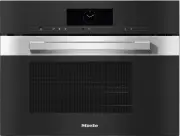
Guide to the appliance 20 Steam oven a Control elements b Ventilation outlet c Automatic door release for steam reduction d LED oven interior lighting e Side runners with 4 shelf levels f Steam inlet g Drip channel h Door seal i Water container with removable spill guard j Suction tube k Compartment...
Page 21 - Data plate; always
Guide to the appliance 21 A list of the models described in theseoperating and installation instructionscan be found on the back page. Data plate The data plate is located on the frontframe, visible when the door is open. The data plate states the model num-ber, the serial number as well as con-nect...
Page 22 - not; rack for placing your own crockery on
Guide to the appliance 22 The cooking containers provided andthe rack are not suitable for use with the Microwave function. DGG 1/2-80L 1 solid cooking container Gross capacity 4.2 litres /Usable capacity 3.6 litres375 x 197 x 80 mm (W x D x H) DGG 1/2-40L 1 solid cooking containerGross capacit...
Page 23 - Controls
Controls 23 a Recessed On/Off sensor control For switching the steam oven on andoff b Optical interface(For Miele Service only) c sensor control For controlling the steam oven viayour mobile device d sensor control For starting the Quick MW function e sensor control For starting the Popc...
Page 24 - On/Off sensor control; The; Movement sensor; sensor
Controls 24 On/Off sensor control The On/Off sensor control is re- cessed and reacts to touch. Use this sensor control to switch thesteam oven on and off. Movement sensor The movement sensor is located underthe touch display next to the sensor control. The movement sensor detectswhen you appro...
Page 25 - Sensor controls; Sensor
Controls 25 Sensor controls The sensor controls react to touch. Every touch of a sensor control is confirmedwith an audible tone. This audible tone can be switched off by selectingthe Volume | Keypad tone | Off setting. If you want the sensor controls to respond even when the steam oven is switc...
Page 26 - Touch display; header; centre; OK
Controls 26 Touch display The sensitive surface of the touch display can be scratched by pointed or sharpobjects, e.g. pens.Only touch the display with your fingers.Make sure that water cannot get behind the touch display. The touch display is split into multiple areas. Oven functions 12:00 Automati...
Page 27 - Symbols; The following symbols may appear in the display:
Controls 27 Symbols The following symbols may appear in the display: Symbol Meaning This symbol indicates that there is additional information and ad-vice about using the appliance. Press the OK sensor control to confirm the information. Alarm Minute minder Some settings, e.g....
Page 28 - Using the appliance; orange; Selecting a menu option; Changing a value or setting; Changing a setting in a list
Using the appliance 28 You operate the steam oven via thetouch display by touching the desiredmenu option. Each time you touch a possible option,the relevant characters (word and/orsymbol) light up orange . Fields for confirming an operating stepare highlighted in green (e.g. OK ). Selecting a menu ...
Page 29 - Entering letters
Using the appliance 29 Changing the setting with a segmentbar Some settings are represented by a bar with seven segments. If all of the segments are illuminated, themaximum value is selected. If none of the segments are illuminatedor if only one is, the minimum value isselected or th...
Page 30 - Displaying the pull-down menu; Activating MobileStart
Using the appliance 30 Displaying the pull-down menu During a cooking programme, you canswitch the WiFi function on or off. Use the orange line under the headerto drag the pull-down menu down. Touch the WiFi function symbol to switch the function on or off.The active setting is highlighted...
Page 31 - Description of functions; Steam cooking mode; Water container
Description of functions 31 Steam cooking mode Water container The maximum filling volume is 1.5 litresand the minimum is 0.5 litres. There aremarkings on the water container. Theupper marking must never be ex-ceeded. Water consumption depends on thetype of food and the duration of cook-ing. The wat...
Page 32 - and the rising oven; will appear on the
Description of functions 32 Heating-up phase While the steam oven is being heatedup to the set temperature, the displaywill show Heating-up and the rising oven compartment temperature. When cooking with steam, the durationof the heating-up phase will depend onthe quantity and the temperature of thef...
Page 33 - Microwave power; How it works
Description of functions 33 Microwave power How it works The steam oven contains a magnetronthat converts electrical energy into elec-tromagnetic waves (microwaves). Thesemicrowaves are distributed evenlythroughout the oven compartment, andare reflected off the metal appliancewalls. The microwaves p...
Page 34 - Suitable crockery
Description of functions 34 Suitable crockery Fire hazard due to inflammable materials.Disposable containers made out ofplastic, paper or other inflammablematerials can ignite, causing damageto the steam oven.Do not leave the steam oven unat-tended when reheating or cookingfood in disposable conta...
Page 36 - - Crockery with hollow handles
Description of functions 36 - Crockery with hollow handles - Plasticware made of melamine Melamine absorbs microwave energyand gets hot.When purchasing plasticware, makesure that it is suitable for use in amicrowave oven. - Non-heat-resistant plastic containers and bags - Wooden dishes Water contain...
Page 37 - Cover
Description of functions 37 Cover Tip: Covers are available from retail out- lets. - A cover prevents too much steam es- caping, especially when reheatingfoods over a longer period of time. - It speeds up the heating process of the food. - It prevents food from drying out. - It keeps the oven compar...
Page 38 - Glass tray; Always; Oven interior lighting; button
Description of functions 38 Glass tray Functions/applications involving steam:When using perforated containers,place the glass tray on shelf level 1.This collects any drops of liquid and al-lows it to be removed easily. The condensate cannot evaporateproperly if the glass tray is on thefloor of the ...
Page 39 - Availability of the WiFi connection
Before using for the first time 39 Miele@home Your steam oven is equipped with anintegrated WiFi module. In order to use it, you will need: - a WiFi network, - the Miele app, and - a Miele user account, which can be created from the Miele app. The Miele app will guide you as youconnect your steam ov...
Page 40 - Basic settings; Setting the language; Setting the date
Before using for the first time 40 Basic settings The following settings must be madebefore starting up for the first time. Youcan change these settings again at alater time (see “Settings”). Risk of injury caused by hot sur- faces.The steam oven gets hot during op-eration.For safety reasons, the ...
Page 41 - Setting the water hardness level; Cleaning for the first time; Cleaning the water container
Before using for the first time 41 Setting the water hardness level Contact your local water supplier tofind out the hardness of the water inyour area. More information can be found under“Settings – Water hardness”. Select your local water hardness onthe appliance. Confirm with OK . Completing ...
Page 42 - This procedure; described in “Operation”.
Before using for the first time 42 Set the correct boiling point forwater Before cooking food for the first time,you must adjust the steam oven to theboiling temperature of the water, whichvaries depending on the altitude ofwhere the steam oven is located. Thisprocess also flushes out the compon-ent...
Page 43 - Settings; Settings overview; Menu option
Settings 43 Settings overview Menu option Available settings Language ... | deutsch | english | ... Location Time Display On * | Off | Night dimming Clock type Analogue * | Digital Clock format 24 h * | 12 h (am/pm) Set DateLighting On“On” for 15 seconds * Off Start screen Main menu * Oven func...
Page 46 - Opening the “Settings” menu; Display
Settings 46 Opening the “Settings” menu In the Settings menu, you can per- sonalise your steam oven by adjustingthe factory default settings to suit yourrequirements. You are in the main menu. Select Settings . Select the desired setting. You can check settings or change them. Settings c...
Page 47 - Clock type; Date
Settings 47 Clock type The time of day can be displayed as Analogue (with a clock face) or Digital (h:min) format. With the digital display, the date is alsoshown. Clock format The time of day can be displayed in the24 or 12-hour format ( 24 h or 12 h (am/ pm) ). Set Set the hours and the minutes....
Page 48 - Brightness
Settings 48 Display Brightness The display brightness is representedby a bar with seven segments. - Maximum brightness - Minimum brightness Colour scheme Choose between a light or dark colourscheme for the display. - Bright The display has a light backgroundwith dark ...
Page 49 - Volume; Buzzer tones; Units; Weight; Temperature
Settings 49 Volume Buzzer tones If buzzers are switched on, a buzzer willsound when the set temperature isreached and at the end of a set time. The volume of the buzzers is represen-ted by a bar with seven segments. - Maximum volume - Buzzers are switched off Keypad t...
Page 50 - Quick MW; Popcorn
Settings 50 Quick MW The maximum microwave power levelof 1000 W and the maximum cookingduration of 1 minute are pre-set forstarting the microwave oven immedi-ately. - Power level The following microwave powerlevels can be selected: 80 W, 150 W,300 W, 450 W, 600 W, 850 W or1000 W. - Duration The maxi...
Page 51 - Keeping warm function; Steam cooking
Settings 51 Keeping warm function Using the Keeping warm function you can keep food warm after cooking.Food is kept warm at a pre-set temper-ature or microwave power for a max-imum of 15 minutes. You can cancel thekeeping warm process by opening thedoor or touching the sensor controls. Please note t...
Page 52 - Recommended temperatures; Select the relevant operating mode.; Recommended power levels; and; Select the desired function.
Settings 52 Recommended temperatures If you often cook with different temper-atures, it makes sense to change the re-commended temperatures. After selecting this menu option, a listof operating modes will appear in thedisplay. Select the relevant operating mode. The recommended temperatures aredis...
Page 53 - Water hardness; You can set the hardness level between
Settings 53 Water hardness The steam oven must be adjusted tothe local water hardness level to ensurethat it works correctly and to ensurethat descaling is carried out at the cor-rect interval. The harder the water is,the more frequently the steam ovenneeds to be descaled. Contact your local water s...
Page 54 - Switch the light on
Settings 54 Movement sensor The movement sensor detects whenyou approach the touch display, e.g.with your hand or body. If you want the movement sensor torespond even when the steam oven isswitched off, select the Display | Quick- Touch | On setting. Switch the light on - during cooking process As...
Page 55 - Safety; System lock; symbol
Settings 55 Safety System lock The system lock prevents the steamoven being switched on by mistake. You can still set an alarm and a minuteminder as well as use the MobileStartfunction when the system lock is active. The system lock will remain activatedeven after a mains outage. - On The system l...
Page 56 - Furniture front recognition
Settings 56 Furniture front recognition - On The furniture front detection is activ-ated. Using the movement sensor,the steam oven automatically detectswhether the furniture door is closed. If the furniture door is closed, thesteam oven switches off automatic-ally after a certain period. - Off The f...
Page 58 - SuperVision display
Settings 58 SuperVision The steam oven is a Miele@home-compatible appliance withSuperVision functionality for monitor-ing other household appliances in theMiele@home system. The SuperVision function cannot be ac-tivated until the Miele@home systemhas been set up. SuperVision display - On The SuperVi...
Page 59 - Activating/deactivating
Settings 59 RemoteUpdate The RemoteUpdate menu option is only displayed and can only be selected ifthe requirements for usingMiele@home have been met (see “Be-fore using for the first time –Miele@home”). The RemoteUpdate function is used forupdating the software in your steamoven. If an update is a...
Page 60 - Software version; Legal information; Showroom programme; Demo mode; Factory default
Settings 60 Software version The software version is intended for theMiele Customer Service Department.You do not need this information for do-mestic use. Confirm with OK . Legal information You can find an overview of the integ-rated Open Source components under Open source licences . Confirm ...
Page 61 - Alarm + minute minder; Using the Alarm function; Setting the alarm
Alarm + minute minder 61 Using the sensor control, you can set a minute minder, e.g. for boiling eggs,or an alarm for a specific time. Two alarms can be set simultaneously;two minute minder durations or analarm and a minute minder duration. Using the Alarm function The alarm can be used to spe...
Page 62 - Setting the minute minder
Alarm + minute minder 62 Using the Minute minder func-tion The minute minder can be used to time other activities in the kitchen,e.g. boiling eggs. The minute minder can also be used atthe same time as a cooking programmefor which the cooking duration start andfinish times have been set (e.g. as ...
Page 64 - Only use cold, fresh tap water
Operation 64 Switch the steam oven on. The main menu will appear. If you want to cook using a steamfunction, fill the water container andfit it back in place. Distilled water, carbonated water andother liquids may damage the steamoven. Only use cold, fresh tap water (be- low 20 °C). Place the ...
Page 65 - Cleaning the steam oven
Operation 65 Cleaning the steam oven Risk of injury caused by hot wa- ter.At the end of a steam cooking pro-gramme, hot water left in the steamgenerator is pumped back into thewater container.Take care not to tip the water con-tainer when taking it out of the appli-ance. Remove the water contain...
Page 66 - Changing the microwave power level
Operation 66 Changing the microwave power level Go to Settings | Recommended power levels to permanently set the recom- mended power level to suit your per-sonal cooking preferences. Touch the microwave power level dis-play. Change the microwave power level. Select Start . The programme will...
Page 67 - Changing the set cooking durations
Operation 67 Changing the set cooking durations Select , the duration or Timer . Select the desired time and change it. Confirm with OK . These settings will be deleted in theevent of a power failure. Deleting the set cooking durations Select , the duration or Timer . Select the des...
Page 68 - Risk of injury caused by hot
Operation 68 Interrupting the cooking pro-cess for functions involvingsteam In functions involving steam, openingthe door will interrupt the cooking pro-gramme. The oven heating switches off.Set cooking durations will be saved. Risk of injury caused by hot steam.A great deal of hot steam can escap...
Page 69 - Changing the function
Operation 69 Cancelling a cooking pro-gramme If you cancel a cooking programme, theoven heating and lighting will switch off.Any cooking durations set will be de-leted. Cancelling a cooking programmewithout a set cooking duration Select Finish . The main menu will appear. Cancelling a cooking pro...
Page 70 - Quick MW and Popcorn
Quick MW and Popcorn 70 These functions can only be usedwhen no other cooking programmesare in use. Always use the glass tray. Quick MW If you select the sensor control, the microwave oven starts with a set micro-wave power level and cooking duration,e.g. to reheat a drink. The maximum microwave ...
Page 72 - General notes on steam cooking; Suitable containers; Cooking containers
General notes on steam cooking 72 This section contains general informa-tion on steam cooking. You will findmore detailed information about partic-ular foods and how to cook them in theother sections. The advantages of cookingwith steam Almost all vitamins and minerals are re-tained as the food is n...
Page 74 - You can use the; Notes on the cooking tables; Selecting the
Steam cooking 74 Eco Steam cooking You can use the Eco Steam cooking function to save energy during steamcooking. This function is suitable mainlyfor cooking fish and vegetables. We recommend following the cookingdurations and temperatures from thetables specified in “Steam cooking”. You can cook ...
Page 75 - Vegetables
Steam cooking 75 Vegetables Fresh Prepare fresh vegetables in the usualway, i.e. wash, clean and cut them up. Frozen food Frozen vegetables do not need to bedefrosted beforehand, unless they havebeen frozen together in a block. Frozen and fresh vegetables which takethe same length of time to cook ca...
Page 78 - Fish
Steam cooking 78 Fish Fresh Prepare fresh fish in the usual way, i.e.clean, gut and fillet. Frozen food Fish does not need to be fully defrostedbefore cooking. Defrost so that the sur-face is sufficiently thawed to take herbsand seasoning. Depending on the thick-ness of the fish, 2 - 5 minutes shoul...
Page 79 - Tips
Steam cooking 79 Tips - Adding herbs and spices, such as dill, will help bring out the full flavourof the fish. - Cook large fish in swimming position. To help maintain the shape of thefish, place a small cup or similar up-side down in the cooking container,and arrange the fish belly-side downover t...
Page 81 - Meat; Prepare the meat in the usual way.
Steam cooking 81 Meat Fresh Prepare the meat in the usual way. Frozen food Meat should be thoroughly defrostedbefore cooking in the steam oven (see“Defrosting with steam”). Preparation For meat which needs to be seared be-fore being cooked, e.g. for a stew, searthe meat in a pan on the hob first. Du...
Page 83 - Rice; Cooking container
Steam cooking 83 Rice Rice swells when cooked and needs tobe cooked in liquid. The proportion ofrice to liquid will vary depending on thetype of rice. The rice absorbs all the liquid during thecooking process and so none of the nu-trients are lost. Cooking container Use a solid cooking container. Al...
Page 84 - Grain; Ratio
Steam cooking 84 Grain Grains swell when cooked and need to be cooked in liquid. The proportion ofgrains to liquid depends on the type of grain. Grains can be cooked whole or cracked. Settings Automatic programmes | Grain | ... | or Oven functions | Steam cooking Temperature: 100 °CCooki...
Page 85 - Pasta; Dry pasta; Fresh
Steam cooking 85 Pasta Dry pasta Dry pasta swells when it is cooked and needs to be cooked in liquid. The liquidmust cover the pasta. Using hot liquid gives better results. Increase the cooking time stated by the manufacturer by approx. ¹/₃. Fresh food Fresh pasta, such as the kind you can buy from ...
Page 86 - Dumplings; Cook fresh dumplings in a greased, perforated container.; Sweet dumplings
Steam cooking 86 Dumplings Ready made boil-in-the-bag dumplings need to be well covered with water as oth-erwise they can fall apart. This is because even though they have been soaked inwater beforehand they will not absorb enough moisture. Cook fresh dumplings in a greased, perforated container. Se...
Page 87 - Dried pulses; Lentils; Soaked
Steam cooking 87 Dried pulses Soak pulses for at least 10 hours in cold water before cooking. Soaking makes thepulses more digestible and shortens the cooking duration required. Soaked pulsesmust be covered with liquid during cooking. Lentils do not need to be soaked before cooking. With unsoaked pu...
Page 88 - Unsoaked
Steam cooking 88 Unsoaked Ratio Pulses : Liquid [min] Beans Kidney beans 1 : 3 130–140 Adzuki beans 1 : 3 95–105 Black beans 1 : 3 100–120 Pinto beans 1 : 3 115–135 Haricot beans 1 : 3 80–90 Lentils Brown lentils 1 : 2 13–14 Red lentils 1 : 2 7 Peas Yellow split peas 1 : 3 110–130 Green split peas...
Page 89 - Use a perforated container to boil eggs.; Small
Steam cooking 89 Hen's eggs Use a perforated container to boil eggs. The eggs do not need to be pierced before cooking as they are gradually warmedduring the heating up phase and so do not burst when they are cooked withsteam. When using a solid container for making egg dishes such as scrambled eggs...
Page 90 - Fruit; Sausages
Steam cooking 90 Fruit Cook fruit in a solid container so thatnone of the juice is lost. If you wish tocook fruit in a perforated container,place a solid container directly under-neath it to collect the juice. Tip: You can use the juice which has collected in the solid container to makea glaze for a...
Page 91 - Shellfish; Preparation
Steam cooking 91 Shellfish Preparation Defrost frozen shellfish before cooking with steam. Peel, remove and discard the intestines, and then wash the shellfish. Cooking containers If using a perforated container, grease it first. Duration The longer shellfish are cooked, the tougher they become. Use...
Page 92 - Mussels; Fresh food
Steam cooking 92 Mussels Fresh food Danger of food poisoning from spoiled mussels. Spoiled mussels can cause food poisoning.Only cook mussels which are closed.Do not eat mussels which have not opened after being cooked. Steep fresh mussels in water for a few hours before cooking to rinse out any s...
Page 93 - Shelf level
Steam cooking 93 Menu cooking (cooking wholemeals) - manually Before cooking meals with themanual menu cooking function,switch off steam reduction (see “Set-tings – Steam reduction”). When cooking a menu, you can com-bine different foods with different cook-ing durations, e.g. fish fillet with ricea...
Page 94 - Cooking a whole menu
Steam cooking 94 Cooking a whole menu Place the rice in the oven compart-ment first. Set the 1st cooking duration:18 minutes. After the 18 minutes, place the fishinto the appliance. Set the 2nd cooking duration:2 minutes. After the 2 minutes, place the broc-coli into the appliance. Set t...
Page 96 - Important usage notes
Sous-vide (vacuum) cooking 96 Important usage notes For best cooking results, follow the in-structions below: - Use herbs and spices more sparingly than with conventional cooking meth-ods because the impact on the tasteof the food will be stronger.You can also cook the food un-seasoned and add seaso...
Page 101 - Reheating
Sous-vide (vacuum) cooking 101 Reheating Only reheat brassicas, such as kohlrabiand cauliflower, in combination with asauce. Without sauce, an unpleasantcabbage-like taste and grey-brown col-our may develop. Food with a short cooking duration orwhich continues cooking during re-heating, such as fish...
Page 102 - Reheating with the Sous-vide function
Sous-vide (vacuum) cooking 102 Reheating with the Sous-vide function The durations specified in the table are guidelines only. You can increase the dura-tion if necessary. The cooking duration only begins when the set temperature isreached. Food [°C] 2 [min] Medium 1 Done 1 Meat Saddle of lamb 5...
Page 103 - Special applications; Reheating with steam
Special applications 103 Reheating with steam To reheat food which was cooked us-ing the sous-vide method, use the Sous-vide function (see “Sous-vide – Reheating”). The steam oven is very effective at re-heating food gently, without drying itout or cooking it further. The food willreheat evenly ...
Page 106 - Defrosting with steam
Special applications 106 Defrosting with steam It is much quicker to defrost food in thesteam oven than at room temperature. Risk of infection from bacteria. Bacteria such as salmonella cancause life-threatening food poison-ing.It is particularly important to observefood hygiene rules when defrost...
Page 109 - Blanching; Bottling; Glass jars
Special applications 109 Blanching Blanch vegetables before freezingthem. Blanching helps maintain thequality of the produce when it is frozen. Blanching vegetables also helps themretain their original colour. Put the prepared vegetables into aperforated cooking container. Once blanched, plunge ...
Page 110 - Fill volume
Special applications 110 Fill volume Fill the glass jars with produce up to amaximum of 3 cm below the rim. Donot pack it down as this will damagethe cell walls of the produce. Tap the jargently onto a cloth to help distribute thecontents evenly. Fill the jars with liquid.The produce must be complet...
Page 111 - Food to be bottled
Special applications 111 Food to be bottled [°C] * [min] Berries Currants 80 50 Gooseberries 80 55 Cranberries 80 55 Fruit with stones Cherries 85 55 Mirabelle plums 85 55 Plums 85 55 Peaches 85 55 Greengages 85 55 Fruit with pips Apples 90 50 Apple sauce 90 65 Quinces 90 65 Vegetables Beans 100...
Page 112 - Prove dough; Disinfect items
Special applications 112 Prove dough Prepare the dough according to therecipe. Place the dough, uncovered, in abowl on the rack. Settings Special applications | Prove dough Duration: as per recipe instructions or Oven functions | Steam cooking Temperature: 40 °CDuration: as per recip...
Page 113 - Menu cooking – automatic
Special applications 113 Menu cooking – automatic When cooking a menu automatically,you can combine up to 3 different foodsin a single menu, e.g. fish fillet with riceand vegetables. With menu cooking, the food is placedin the steam oven compartment at dif-ferent times so that each item is readyat t...
Page 114 - Heating damp flannels; Dissolve gelatine; gelatine leaves
Special applications 114 Heating damp flannels Moisten the flannels and then rollthem up. Place them beside one another in aperforated cooking container. Settings Automatic programmes | Special | Heat damp flannels or Oven functions | Steam cooking Temperature: 70 °CCooking duration:...
Page 115 - Decrystallise honey; Melt chocolate
Special applications 115 Decrystallise honey Loosen the lid and place the jar ofhoney in a perforated cooking con-tainer. Stir the honey once during the cook-ing duration. When liquefying (decrystallising) honeyat a temperature of 60 °C, the mainaim is to achieve a spreadable con-sistency again....
Page 116 - Make yoghurt; When using yoghurt enzyme,
Special applications 116 Make yoghurt To make yoghurt, you will need eitherfresh live yoghurt or yoghurt culture,obtainable from health food shops. Use natural yoghurt with live culture andwithout additives. Heat-treated yoghurtis not suitable. The yoghurt must be fresh (short stor-age time). You ca...
Page 117 - Cook bacon; The bacon does not brown.; Sweat onions
Special applications 117 Cook bacon The bacon does not brown. Place the bacon (diced or rashers) ina solid cooking container. Cover the container with foil that istemperature-resistant up to 100 °Cand resistant to steam. Settings Automatic programmes | Special | Render fat or Oven functions ...
Page 118 - Extracting juice with steam
Special applications 118 Extracting juice with steam This appliance is ideal for extractingjuice from soft, firm and hard fruit. It is best to use overripe fruit, as theriper the fruit, the greater the quantity ofjuice produced. Very ripe fruit will alsoproduce a more intense flavour. Preparation So...
Page 119 - Skinning vegetables and fruit; Conserving apples; Making eierstich
Special applications 119 Skinning vegetables and fruit Cut a cross in the top of tomatoes,nectarines, etc. This will allow theskin to be removed more easily. Place the fruit/vegetables in a perfor-ated cooking container. To blanch almonds, it is important toplunge them into cold water as soona...
Page 120 - Defrosting and reheating with the Rapid steam cooking function
Rapid steam cooking 120 You can defrost, reheat and cook food with a combination of steam and micro-wave power with the Rapid steam cooking function. During the heating-up phase, the oven compartment is initially heated to the settemperature using just steam power. As soon as this temperature ha...
Page 121 - Place the glass tray on shelf level 1.
Rapid steam cooking 121 Cooking new potatoes (waxy) Place the glass tray on shelf level 1. Place the washed new potatoes adjacent to each other in a perforated cookingcontainer. Settings Automatic programmes | Vegetables | Potatoes | Unpeeled potatoes | Firm | ... | Rapid steam cooking or Ov...
Page 122 - Cooking rice
Rapid steam cooking 122 Cooking rice Rice swells when cooked and needs to be cooked in liquid. The proportion of riceto liquid will vary depending on the type of rice. The rice absorbs all the liquid during the cooking process and so none of the nutri-ents are lost. Cooking containers Use a solid co...
Page 123 - Microwave defrosting and reheating; Defrosting
Microwave defrosting and reheating 123 We recommend using the following microwave power levels to defrost or reheatfoods: [W] Defrosting 80 Very delicate food: cream, butter, gateaux and filled sponge cakes, cheese 150 All other types of food Reheating 450 Food for babies and children 600 Various ...
Page 124 - Defrost
Microwave defrosting and reheating 124 Defrost Gentle defrosting of frozen goodsmeans that the vitamins and mineralsare generally retained. Risk of infection from bacteria. Bacteria such as salmonella cancause serious food poisoning.It is particularly important to observefood hygiene rules when de...
Page 125 - Defrosting in microwave mode
Microwave defrosting and reheating 125 Defrosting in microwave mode Frozen food Quantity [W] [min] [min] Stir/turn/ rearrange Cover Dairy products Cream 250 ml 80 14 10–15 Every 5 minutes Yes Butter 250 g 80 12–14 5–10 At the halfway stage Yes Cheese slices 250 g 80 6–7 10–15; Fan out the chee...
Page 127 - Reheat; function, the boiling point
Microwave defrosting and reheating 127 Reheat It is essential that the section entitled“Correct use” in the “Warning andsafety instructions” is observed. Risk of injury caused by hot food.If food for babies and children isheated at too high a temperature,they can burn themselves.Only heat food for...
Page 129 - Heating in microwave operating mode
Microwave defrosting and reheating 129 Heating in microwave operating mode Food Quantity [W] [min:s] [min] Stir/turn/ rearrange Cover Drinks 1 Coffee, drinking tem-perature 60–65 °C 1 cup (200 ml) 1000 1:10–1:20 – Before heating No Milk, drinking tem-perature 60–65 °C 1 cup/mug (200 ml) 1000 1...
Page 131 - Categories
Automatic programmes 131 The wide range of automatic pro-grammes enables you to achieve excel-lent results with ease. Categories The automatic programmes are sor- ted into categories to provide a betteroverview. Simply select the appropriateprogramme for the type of food you arecooking and follow...
Page 132 - Search
Automatic programmes 132 - When you place food into the hot oven compartment, be careful whenopening the door. Hot steam may es-cape. Step back and wait until thesteam has dissipated. Avoid contactwith hot steam, and do not touch thehot oven compartment walls. Dangerof burning and scalding. - If the...
Page 133 - MyMiele; Adding entries; Deleting entries
MyMiele 133 Under MyMiele , you can save fre- quently used applications. It is particularly useful with automaticprogrammes as you do not need towork through every menu level in orderto start your programme. Tip: You can also set menu options that you have entered in MyMiele as your start screen...
Page 134 - Creating user programmes
User programmes 134 You can create and save up to 20 ofyour own programmes. - You can combine up to 9 cooking stages to accurately programme yourfavourite or most frequently used re-cipes. In each cooking stage, youcan select settings such as the func-tion, temperature and cooking dura-tion. - You c...
Page 135 - Starting user programmes
User programmes 135 Confirm with OK . You can start the saved programme im-mediately, delay the start or change thecooking stages. Starting user programmes Place the food in the oven compart-ment. Select User programmes . Select the desired programme. Depending on the programme settings...
Page 136 - Renaming User programmes; Deleting User programmes
User programmes 136 Renaming User programmes Select User programmes . Touch the programme you want tochange and keep your finger on it un-til the context menu appears. Select Rename . Change the programme name usingthe keyboard. You can add a line break for longerprogramme names using ...
Page 137 - Note for test institutes; Menu cooking test food
Note for test institutes 137 Test food in accordance with EN 60350-1 (steam cooking func-tion ) Test food Cooking container(s) Quantity [g] 1 2 [°C] [min] Steam replenishment Broccoli (8.1) 1x DGGL 1/2-40L 300 Any 100 3 Steam distribution Broccoli (8.2) 2x DGGL 1/2-40L max. Any 3 100 3 Ap...
Page 140 - Risk of injury caused by hot sur-
Cleaning and care 140 Risk of injury caused by hot sur- faces.The steam oven gets hot during op-eration. You could burn yourself onthe oven compartment, side runnersor accessories.Allow the oven compartment, siderunners and accessories to cool be-fore cleaning. Risk of injury due to electric sho...
Page 141 - Unsuitable cleaning agents
Cleaning and care 141 Unsuitable cleaning agents To avoid damaging the surfaces of yourappliance, do not use: - Cleaning agents containing soda, ammonia, acids or chlorides - Cleaning agents containing descaling agents - Abrasive cleaning agents (e.g. powder cleaners, scouring milk,scouring pads) - ...
Page 142 - sorbent cloth; Remove the spill guard.; Cleaning accessories
Cleaning and care 142 Cleaning the oven compart-ment The oven compartment, the door seal,the inside of the door and the dripchannel should be cleaned and driedafter each use. Remove: - Condensate using a sponge or ab- sorbent cloth - Light, greasy soiling with a clean sponge and a solution of wash...
Page 143 - Cleaning the side runners; Reassemble; Maintenance; Descaling the steam oven
Cleaning and care 143 Cleaning the side runners The side runners are suitable forcleaning in a dishwasher. Pull the side runners out of holder (1.)from the front and remove them (2.). The side runners can be washed inthe dishwasher or by hand with asolution of warm water and a littlewashing-up l...
Page 145 - Problem solving guide; Messages in the display; Problem
Problem solving guide 145 Many malfunctions and faults that can occur in daily operation can be easilyremedied. You can save time and money in many cases, as you do not need to callthe Miele Customer Service Department. Information to help you rectify faults yourself can be found at www.miele.com/se...
Page 146 - Unexpected behaviour
Problem solving guide 146 Unexpected behaviour Problem Cause and remedy The oven compartmentdoes not heat up. Demo mode is activated.The steam oven can be operated, however the heat-ing elements will not work. Deactivate demo mode (see “Settings – Show-room programme”). The oven compartment has be...
Page 148 - Noises
Problem solving guide 148 Noises Problem Cause and remedy A humming sound canbe heard during opera-tion and after switchingoff the steam oven. This noise does not indicate incorrect operation oran appliance fault. The noise is made by water be-ing pumped through the system. The fan can still beheard...
Page 149 - Unsatisfactory results
Problem solving guide 149 Unsatisfactory results Problem Cause and remedy The food is not suffi-ciently heated or is notcooked at the end of aset duration when usingthe microwave function. The microwave oven was not restarted after inter-rupting a cooking programme. Restart the cooking programm...
Page 150 - General problems or technical faults
Problem solving guide 150 General problems or technical faults Problem Cause and remedy You cannot switch theappliance on. The fuse has tripped. Reset the trip switch in the fuse box or replace thefuse in the plug (see data plate for minimum fuserating). There may be a technical fault. Disconnec...
Page 151 - Optional accessories; Containers; Cleaning and care products
Optional accessories 151 Miele offer a comprehensive range ofuseful accessories as well as cleaningand conditioning products for yourMiele appliances. These products can be ordered throughthe Miele Webshop. They can also be ordered from Miele(see end of this booklet for contact de-tails) or from you...
Page 152 - Service; Contact in the event of a fault
Service 152 Information to help you rectify faultsyourself and about Miele spare partscan be found at www.miele.com/ser-vice. Contact in the event of a fault In the event of any faults which youcannot remedy yourself, please contactyour Miele dealer or the Miele CustomerService Department. You can b...
Page 153 - Installation; Safety instructions for installation
Installation *INSTALLATION* 153 Safety instructions for installation Risk of damage from incorrect installation. Incorrect installation can cause damage to the steam oven. The steam oven must only be installed by a qualified person. The connection data (frequency and voltage) on the steam oven’s...
Page 154 - Building-in dimensions; All dimensions are given in mm.
Installation *INSTALLATION* 154 Building-in dimensions All dimensions are given in mm. Installation in a tall unit The furniture housing unit must not have a back panel fitted behind the build-ing-in niche.
Page 155 - Installation in a base unit
Installation *INSTALLATION* 155 Installation in a base unit The furniture housing unit must not have a back panel fitted behind the build-ing-in niche. When building the steam oven into a base unit underneath an electric or induc-tion hob, please also observe the installation instructions for the ho...
Page 156 - Side view
Installation *INSTALLATION* 156 Side view A Glass front: 22 mm Metal front: 23.3 mm
Page 157 - Connection and ventilation
Installation *INSTALLATION* 157 Connection and ventilation a Front view b Mains connection cable, L = 2000 mm c Ventilation cut-out, min. 180 cm 2 d No connections permitted in this area
Page 158 - Installing the steam oven
Installation *INSTALLATION* 158 Installing the steam oven Connect the mains cable to thesteam oven. Risk of damage from incorrect trans-portation.Lifting the steam oven by the doorhandle could cause damage to thedoor.Use the handle cut-outs on the sideof the casing to lift the appliance. The steam...
Page 159 - Electrical connection; Risk of fire from overheating.
Installation *INSTALLATION* 159 Electrical connection The steam oven is supplied with amains cable with moulded plug readyfor connection to a suitable earthedsocket. The socket must be easily accessibleafter the steam oven has been installed.If the socket is not easily accessible,ensure that a suita...
Page 160 - Conformity declaration; EU Conformity declaration
Conformity declaration 160 EU Conformity declaration Miele hereby declares that this steamoven with microwave complies with Dir-ective 2014/53/EU. The complete text of the EU declarationof conformity is available from one ofthe following internet addresses: - Products, Download from www.miele.ie - F...
Page 161 - Copyrights and Licences; in the appliance for the Open Source components contained
Copyrights and Licences 161 Miele uses their own and third party software which is not subject to any so-calledOpen Source Licence for the operation and control of the appliance. This software/these software components are protected by copyright. The copyright powers ofMiele and third parties have t...
Page 162 - Copyrights and licences for the communication module
Copyrights and licences for the communication module 162 For the purpose of operating and con-trolling the communication module,Miele uses proprietary or third-partysoftware that is not covered by opensource licensing terms. These items ofsoftware/software components are pro-tected by copyright. The...
Page 163 - United Kingdom
United Kingdom Miele Co. Ltd., Fairacres, Marcham Road, Abingdon, Oxon, OX14 1TWTel: 0330 160 6600, Internet: www.miele.co.uk, E-mail: [email protected] Australia Miele Australia Pty. Ltd.ACN 005 635 398ABN 96 005 635 398Level 4, 141 Camberwell RoadHawthorn East, VIC 3123Tel: 1300 464 353Internet: w...


 Miele WWD380 WCS PWash&Steam&9kg User Manual
 Miele W 1614 Manual
 Miele G 5266 SCVi SFP Active Plus User Manual
 Miele Classic C1 Turbo Team PowerLine - SBAN0 User Manual
![Miele PDR 307 [EL]](https://manualsarea.com/img/product/thumbs/48/ba/fd/bafde84806e8abc8b420f34eaf8fcd6e.webp) Miele PDR 307 [EL] User Manual
Miele PDR 307 [EL] User Manual Miele F 1911 Vi Manual
![Miele PDR 908 [EL MAR 3N AC 400V 50-60Hz]](https://manualsarea.com/img/product/thumbs/48/05/b7/05b705998b251f92b271e908423e1ecb.webp) Miele PDR 908 [EL MAR 3N AC 400V 50-60Hz] Installation Manual
Miele PDR 908 [EL MAR 3N AC 400V 50-60Hz] Installation Manual Miele K 9757 iD Manual
 Miele DGC 7865 HCX Pro User Manual
 Miele DGC 7870 User Manual
 Miele DGC 7880 User Manual
 Miele DGM 7340 User Manual
 Miele DGM 7440 User Manual
 Miele DGM 7640 User Manual
 Miele DGM 7845 User Manual
 Miele DGSB 1 Manual
 Miele dishwashers Manual
 Miele DKF 12-1 Installation Manual
 Miele DKF 13-P User Manual
 Miele DKF 19-P User Manual