Page 2 - Contents
Contents 2 Warning and Safety instructions ............................................................................... 7 Caring for the environment ......................................................................................... 18 Guide to the appliance ...................................
Page 3 - Before using for the first time; Language; Alarm + minute minder
Contents 3 Before using for the first time ..................................................................................... 35 Miele@home .................................................................................................................. 35 Basic settings............................
Page 4 - Operation
Contents 4 Operation ........................................................................................................................ 56 Changing values and settings for a cooking programme .......................................... 57 Changing the temperature ..................................
Page 7 - Warning and Safety instructions
Warning and Safety instructions 7 The steam oven with microwave is referred to in the following instructions as asteam oven. This steam oven complies with all applicable safety requirements.Inappropriate use can, however, lead to personal injury andmaterial damage.Read the operating and installation...
Page 8 - Correct application
Warning and Safety instructions 8 Correct application This steam oven is intended for use in domestic households and similar working and residential environments. This steam oven is not intended for outdoor use. The steam oven is intended for domestic use only to steam-cook, defrost, reheat an...
Page 9 - Safety with children
Warning and Safety instructions 9 Safety with children Activate the system lock to ensure that children cannot switch on the steam oven inadvertently. Children under 8 years of age must be kept away from the steam oven unless they are constantly supervised. Children aged 8 and older may only u...
Page 10 - Technical safety
Warning and Safety instructions 10 Technical safety Unauthorised installation, maintenance and repairs can cause considerable danger for the user. Installation, maintenance andrepairs must only be carried out by a Miele authorised technician. Radiation by microwaves: Service or repairs which nec...
Page 13 - Correct use
Warning and Safety instructions 13 Correct use Risk of injury caused by hot surfaces and steam. The steam oven gets hot during operation. You could burn yourself on the ovencompartment, side runners, accessories, food or steam. Wear oven gloves when placing hot food in the oven or removing itand w...
Page 14 - Microwave function; This is
Warning and Safety instructions 14 When using a small electrical appliance, e.g. a hand-held blender, near the steam oven, care should be taken that the cable of theappliance cannot get trapped by the steam oven door. The insulationon the cable could become damaged, giving rise to an electric shoc...
Page 16 - Always
Warning and Safety instructions 16 Containers and lids with hollow handles or knobs can collect moisture in the hollow spaces. When the moisture evaporates,pressure can build up and the item can explode. If the hollow recessis sufficiently ventilated, the item can be used.Do not use crockery with ...
Page 17 - Cleaning and care; Risk of injury due to electric shock. The steam from a steam; Accessories; Only use genuine original Miele accessories and spare parts with
Warning and Safety instructions 17 Cleaning and care Risk of injury due to electric shock. The steam from a steam cleaning appliance could reach live electrical components and causea short circuit. Do not use a steam cleaner to clean the appliance. Scratches on the door glass can result in the g...
Page 18 - Caring for the environment; Disposing of your old appliance
Caring for the environment 18 Disposing of the packagingmaterial The packaging material is used forhandling and protects the appliancefrom transport damage. The packagingmaterial used is selected from materialswhich are environmentally friendly fordisposal and can generally be recycled.Recycling the...
Page 19 - Guide to the appliance; Steam oven
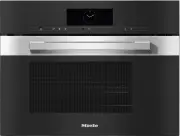
Guide to the appliance 19 Steam oven a Control elements b Ventilation outlet c Automatic door release for steam reduction d LED oven interior lighting e Side runners with 4 shelf levels f Steam inlet g Drip channel h Door seal i Water container with removable spill guard j Suction tube k Compartment...
Page 20 - Data plate; use the glass tray with the
Guide to the appliance 20 A list of the models described in theseoperating and installation instructionscan be found on the back page. Data plate The data plate is located in thecompartment for the water container. The data plate states the modelidentifier, the serial number as well asconnection dat...
Page 21 - not; Rack
Guide to the appliance 21 Using racks and cookware made frommetal in the Microwave operating mode can lead to sparking. This candamage the steam oven.Do not use the rack or the steam cooking containers in the Microwave operating mode. You can use the rack and the steamcooking containers in...
Page 22 - Controls
Controls 22 a Recessed On/Off sensor control For switching the steam oven on andoff b Optical interface(For Miele Service only) c sensor control For controlling the steam oven viayour mobile device d sensor control For starting the Quick MW function e sensor control For starting the Popc...
Page 23 - On/Off sensor control; The; Movement sensor; sensor
Controls 23 On/Off sensor control The On/Off sensor control is recessed and reacts to touch.Use this sensor control to switch thesteam oven on and off. Movement sensor The movement sensor is located underthe touch display next to the sensor control. The movement sensor detectswhen you approach...
Page 24 - Sensor controls; Sensor; setting and touch this sensor control. The sensor control
Controls 24 Sensor controls The sensor controls react to touch. Every touch of a sensor control is confirmedwith an audible tone. This audible tone can be switched off by selectingthe Volume | Keypad tone | Off setting. If you want the sensor controls to respond even when the steam oven is switc...
Page 25 - Touch display; header; centre; OK
Controls 25 Touch display The sensitive surface of the touch display can be scratched by pointed or sharpobjects, e.g. pens.Only touch the display with your fingers.Make sure that water cannot get behind the touch display. The touch display is split into multiple areas. Oven functions 12:00 Automati...
Page 26 - Symbols; The following symbols may appear in the display:; Symbol
Controls 26 Symbols The following symbols may appear in the display: Symbol Meaning This symbol indicates that there is additional information andadvice about using the appliance. Press the OK sensor control to confirm the information. Alarm Minute minder Some settings, e.g. d...
Page 27 - Using the appliance; orange; Selecting a menu option; Changing a setting in a list
Using the appliance 27 You operate the steam oven via thetouch display by touching the desiredmenu option.Each time you touch a possible option,the relevant characters (word and/orsymbol) light up orange . Fields for confirming an operating stepare highlighted in green (e.g. OK ). Selecting a menu o...
Page 29 - Description of functions; Steam cooking mode; and the rising oven; will appear on
Description of functions 29 Steam cooking mode Water container Water is pumped into the watercontainer and then into the steamgenerator.At the end of a cooking programme, hotwater left in the steam generator ispumped back into the water container.The water container must be emptiedafter each use inv...
Page 30 - Microwave power; How it works; Selecting crockery
Description of functions 30 Microwave power How it works The steam oven contains a magnetronthat converts electrical energy intoelectromagnetic waves (microwaves).These microwaves are distributedevenly throughout the ovencompartment, and are reflected off themetal appliance walls. The microwaves pen...
Page 31 - Suitable crockery; rack
Description of functions 31 Suitable crockery Fire hazard due to inflammable materials.Disposable containers made out ofplastic, paper or other inflammablematerials can ignite, causing damageto the steam oven.Do not leave the steam ovenunattended when reheating orcooking food in disposablecontaine...
Page 32 - Unsuitable crockery
Description of functions 32 - Aluminium foil trays without lids for defrosting and reheating ready mealsThe food is only heated from the top.If you remove the food from thealuminium foil container and transfer itto crockery suitable for use in amicrowave oven, the heat distributionwill generally be ...
Page 33 - Cover
Description of functions 33 Placing the dish in the ovencompartment Place the glass tray on shelf level 1. The dish containing the food shouldbe placed in the middle of the glasstray. Cover Tip: Covers are available from retail outlets. - A cover prevents too much steam escaping, especially when...
Page 34 - Glass tray; use the glass tray on shelf; Oven interior lighting; button
Description of functions 34 Glass tray Operating modes/applications involvingsteam:When using perforated cookingcontainers, place the glass tray on shelflevel 1.This collects any excess moisture andallows it to be removed easily. The condensate cannot evaporateproperly if the glass tray is on theflo...
Page 35 - Availability of the WiFi connection
Before using for the first time 35 Miele@home Your steam oven is equipped with anintegrated WiFi module. In order to use it, you will need: - a WiFi network,- the Miele app, and- a Miele user account, which can be created from the Miele app. The Miele app will guide you as youconnect your steam oven...
Page 36 - Basic settings
Before using for the first time 36 Basic settings The following settings must be madebefore starting up for the first time. Youcan change these settings again at alater time (see “Settings”). Risk of injury caused by hot surfaces.The steam oven gets hot duringoperation.For safety reasons, the stea...
Page 37 - Cleaning for the first time; Cleaning the water container
Before using for the first time 37 Cleaning for the first time Remove any protective wrapping andstickers from the steam oven andaccessories. The appliance has undergone afunction test in the factory. Residualwater from this testing may havetrickled back into the cabinet duringtransportation. Clea...
Page 38 - Settings; Settings overview; Menu option; * Factory default setting
Settings 38 Settings overview Menu option Available settings Language ... | deutsch | english | ... Location Time Display On * | Off | Night dimming Clock type Analogue * | Digital Clock format 24 h * | 12 h (am/pm) Set DateLighting On“On” for 15 seconds * Off Start screen Main menu * Oven func...
Page 41 - Opening the “Settings” menu; Display
Settings 41 Opening the “Settings” menu In the Settings menu, you can personalise your steam oven byadjusting the factory default settings tosuit your requirements. You are in the main menu. Select Settings . Select the desired setting. You can check settings or change them. Settings can...
Page 42 - Set; Date
Settings 42 Set Set the hours and the minutes. Tip: If no cooking programme is in progress, touch the time in the headerto change it.If there is a power cut, the current timeof day will reappear once power hasbeen restored. The time of day is savedfor approx. 150 hours. If the steam oven has been co...
Page 44 - Units; Weight; Quick MW; Steam cooking
Settings 44 Units Weight For automatic programmes, you can setthe weight of food in grams ( g ), pounds/ ounces ( lb ) or pounds ( lb/oz ). Temperature You can set the temperature in degreesCelsius ( °C ) or degrees Fahrenheit ( °F ). Quick MW The maximum microwave power level of1000 W and the maxim...
Page 45 - Recommended power levels
Settings 45 Steam reduction - On If you are cooking at a temperature ofapprox. 80 °C or above, the steamoven door will automatically open alittle shortly before the end of thecooking duration. The function stopsexcessive steam escaping when thedoor is opened. The door closes againautomatically. - Of...
Page 46 - Water hardness; You can set the hardness level between
Settings 46 Water hardness The steam oven must be adjusted to thelocal water hardness level to ensure thatit works correctly and to ensure thatdescaling is carried out at the correctinterval. The harder the water is, themore frequently the steam oven needsto be descaled. Contact your local water sup...
Page 47 - Switch the light on; sensor control; Switch the appliance on
Settings 47 Movement sensor The movement sensor detects whenyou approach the touch display, e.g.with your hand or body. If you want the movement sensor torespond even when the steam oven isswitched off, select the Display | QuickTouch | On setting. Switch the light on - during cooking process As s...
Page 48 - Safety; System lock; symbol; Sensor lock; The sensor lock is activated. Touch; Furniture front recognition
Settings 48 Safety System lock The system lock prevents the steamoven being switched on by mistake.You can still set an alarm and a minuteminder as well as use the MobileStartfunction when the system lock is active. The system lock will remain activatedeven after a mains outage. - On The system lo...
Page 50 - Activating MobileStart; SuperVision display
Settings 50 Remote control If you have installed the Miele app onyour mobile device, have access to theMiele@home system and haveactivated the remote control function( On ), you can use the MobileStart function and for example retrieveinformation about steam oven cookingprocesses that are in progres...
Page 51 - Activating /deactivating
Settings 51 RemoteUpdate The RemoteUpdate menu option is only displayed and can only be selected ifthe requirements for usingMiele@home have been met (see“Before using for the first time –Miele@home”). The RemoteUpdate function is used forupdating the software in your steamoven. If an update is ava...
Page 52 - Software version; Legal information; Showroom programme; Demo mode; Factory default
Settings 52 Software version The software version is intended for theMiele Customer Service Department.You do not need this information fordomestic use. Confirm with OK . Legal information You can find an overview of theintegrated Open Source componentsunder Open source licences . Confirm with ...
Page 53 - Using the Alarm function; Setting the alarm
Alarm + minute minder 53 Using the sensor control, you can set a minute minder, e.g. for boiling eggs, oran alarm for a specific time. Two alarms can be set simultaneously;two minute minder durations or analarm and a minute minder duration. Using the Alarm function The alarm can be used to spe...
Page 54 - Setting the minute minder
Alarm + minute minder 54 Using the Minuteminder function The minute minder can be used to time other activities in the kitchen,e.g. boiling eggs.The minute minder can also be used atthe same time as a cooking programmefor which the cooking duration start andfinish times have been set (e.g. as are...
Page 56 - do
Operation 56 Switch the steam oven on. The main menu will appear. Place the food in the ovencompartment. Select Oven functions . Select the desired function. The function will appear in the display.Based on the function you have chosen,the recommended power level, cookingduration and rec...
Page 57 - Cleaning the steam oven; Changing the microwave power level
Operation 57 Cleaning the steam oven Risk of injury caused by hot water.At the end of a steam cookingprogramme, hot water left in thesteam generator is pumped back intothe water container.Take care not to tip the watercontainer when taking it out of theappliance. Remove the water container asreq...
Page 58 - Setting cooking durations; Changing the set cooking durations; Deleting the set cooking durations
Operation 58 Setting cooking durations Cooking results can be impaired ifthere is a long delay between thefood being placed in the oven and thestart of cooking. Fresh food canchange colour and even spoil.Select as short as possible a timeuntil the cooking programme starts. You have placed the food i...
Page 60 - Changing the function
Operation 60 Cancelling a cookingprogramme If you cancel a cooking programme, theoven heating and lighting will switch off.Any cooking durations set will bedeleted. Cancelling a cooking programmewithout a set cooking duration Select Finish . The main menu will appear. Cancelling a cooking program...
Page 61 - Quick MW and Popcorn
Quick MW and Popcorn 61 These functions can only be usedwhen no other cooking programmesare in use.Always use the glass tray. Quick MW If you select the sensor control, the microwave oven starts with a setmicrowave power level and cookingduration, e.g. to reheat a drink.The maximum microwave powe...
Page 62 - General notes on steam cooking; Suitable containers; Cooking containers; - Place the cooking container on the
General notes on steam cooking 62 This section contains generalinformation on steam cooking. You willfind more detailed information aboutparticular foods and how to cook themin the other sections. The advantages of cooking withsteam Almost all vitamins and minerals areretained as the food is not imm...
Page 64 - You can use the; Notes on the cooking tables; Selecting the
Steam cooking 64 Eco Steam cooking You can use the Eco Steam cooking function to save energy during steamcooking. This function is suitable mainlyfor cooking fish and vegetables.We recommend following the cookingdurations and temperatures from thetables specified in “Steam cooking”. You can cook f...
Page 65 - Vegetables
Steam cooking 65 Vegetables Fresh Prepare fresh vegetables in the usualway, i.e. wash, clean and cut them up. Frozen food Frozen vegetables do not need to bedefrosted beforehand, unless they havebeen frozen together in a block.Frozen and fresh vegetables which takethe same length of time to cook can...
Page 68 - Fish
Steam cooking 68 Fish Fresh Prepare fresh fish in the usual way, i.e.clean, gut and fillet. Frozen food Fish does not need to be fully defrostedbefore cooking. Defrost so that thesurface is sufficiently thawed to takeherbs and seasoning. Depending on thethickness of the fish, 2 - 5 minutesshould be ...
Page 69 - Tips; . Place the fish scraps together; au bleu; is a method
Steam cooking 69 Tips - Adding herbs and spices, such as dill, will help bring out the full flavour ofthe fish. - Cook large fish in swimming position. To help maintain the shape of the fish,place a small cup or similar upsidedown in the cooking container, andarrange the fish belly-side down overthe...
Page 71 - Meat; Prepare the meat in the usual way.
Steam cooking 71 Meat Fresh Prepare the meat in the usual way. Frozen food Meat should be thoroughly defrostedbefore cooking in the steam oven (see“Defrosting with steam”). Preparation For meat which needs to be searedbefore being cooked, e.g. for a stew,sear the meat in a pan on the hob first. Dura...
Page 73 - Rice; Cooking container
Steam cooking 73 Rice Rice swells when cooked and needs tobe cooked in liquid. The proportion ofrice to liquid will vary depending on thetype of rice.The rice absorbs all the liquid during thecooking process and so none of thenutrients are lost. Cooking container Use a solid cooking container.Altern...
Page 74 - Grain; Ratio
Steam cooking 74 Grain Grains swell when cooked and need to be cooked in liquid. The proportion of grainsto liquid depends on the type of grain.Grains can be cooked whole or cracked. Settings Automatic programmes | Grain | ... | or Oven functions | Steam cooking Temperature: 100 °CCookin...
Page 75 - Pasta; Dry pasta; Fresh
Steam cooking 75 Pasta Dry pasta Dry pasta swells when it is cooked and needs to be cooked in liquid. The liquidmust cover the pasta. Using hot liquid gives better results.Increase the cooking time stated by the manufacturer by approx. ¹/₃. Fresh food Fresh pasta, such as the kind you can buy from t...
Page 76 - Dumplings; Sweet dumplings
Steam cooking 76 Dumplings Ready made boil-in-the-bag dumplings need to be well covered with water asotherwise they can fall apart. This is because even though they have been soakedin water beforehand they will not absorb enough moisture.Cook fresh dumplings in a greased, perforated container. Setti...
Page 77 - Dried pulses; Lentils; Soaked
Steam cooking 77 Dried pulses Soak pulses for at least 10 hours in cold water before cooking. Soaking makes thepulses more digestible and shortens the cooking duration required. Soaked pulsesmust be covered with liquid during cooking. Lentils do not need to be soaked before cooking. With unsoaked pu...
Page 78 - Unsoaked
Steam cooking 78 Unsoaked Ratio Pulses : Liquid [min] Beans Kidney beans 1 : 3 130–140 Adzuki beans 1 : 3 95–105 Black beans 1 : 3 100–120 Pinto beans 1 : 3 115–135 Haricot beans 1 : 3 80–90 Lentils Brown lentils 1 : 2 13–14 Red lentils 1 : 2 7 Peas Yellow split peas 1 : 3 110–130 Green split peas...
Page 79 - Small
Steam cooking 79 Hen's eggs Use a perforated container to boil eggs.The eggs do not need to be pierced before cooking as they are gradually warmedduring the heating up phase and so do not burst when they are cooked with steam.When using a solid container for making egg dishes such as scrambled eggs,...
Page 80 - Fruit; Sausages
Steam cooking 80 Fruit Cook fruit in a solid container so thatnone of the juice is lost. If you wish tocook fruit in a perforated container,place a solid container directlyunderneath it to collect the juice. Tip: You can use the juice which has collected in the solid container to makea glaze for a f...
Page 81 - Shellfish; Preparation
Steam cooking 81 Shellfish Preparation Defrost frozen shellfish before cooking with steam.Peel, remove and discard the intestines, and then wash the shellfish. Cooking containers If using a perforated container, grease it first. Duration The longer shellfish are cooked, the tougher they become. Use ...
Page 82 - Mussels; Fresh food
Steam cooking 82 Mussels Fresh food Danger of food poisoning from spoiled mussels. Spoiled mussels can cause food poisoning.Only cook mussels which are closed.Do not eat mussels which have not opened after being cooked. Steep fresh mussels in water for a few hours before cooking to rinse out any s...
Page 83 - Shelf level
Steam cooking 83 Menu cooking (cooking wholemeals) - manually Before cooking meals with themanual menu cooking function,switch off steam reduction (see“Settings – Steam reduction”). When cooking a menu, you cancombine different foods with differentcooking durations, e.g. fish fillet withrice and bro...
Page 84 - Important usage notes
Sous-vide (vacuum) cooking 84 With this gentle cooking method, foodis cooked slowly and at a low, constanttemperature in vacuum packaging.With vacuum cooking, no moistureevaporates during cooking and allnutrients and flavours are retained.The cooking result has an intensivetaste and food is cooked e...
Page 89 - Reheating
Sous-vide (vacuum) cooking 89 Reheating Only reheat brassicas, such as kohlrabiand cauliflower, in combination with asauce. Without sauce, an unpleasantcabbage-like taste and grey-browncolour may develop. Food with a short cooking duration orwhich continues cooking duringreheating, such as fish, is ...
Page 90 - Reheating with the Sous-vide function
Sous-vide (vacuum) cooking 90 Reheating with the Sous-vide function The durations specified in the table are guidelines only. You can increase theduration if necessary. The cooking duration only begins when the set temperature isreached. Food [°C] 2 [min] Medium 1 Done 1 Meat Saddle of lamb 58 6...
Page 91 - Special applications; Reheating with steam; - Cover food when reheating it to avoid; Heating food
Special applications 91 Reheating with steam To reheat food which was cookedusing the sous-vide method, use the Sous-vide function (see “Sous-vide – Reheating”). The steam oven is very effective atreheating food gently, without drying itout or cooking it further. The food willreheat evenly and d...
Page 93 - Defrosting with steam
Special applications 93 Defrosting with steam It is much quicker to defrost food in thesteam oven than at room temperature. Risk of infection from bacteria. Bacteria such as salmonella cancause life-threatening food poisoning.It is particularly important to observefood hygiene rules when defrostin...
Page 96 - Blanching; Bottling; Glass jars
Special applications 96 Blanching Blanch vegetables before freezing them.Blanching helps maintain the quality ofthe produce when it is frozen.Blanching vegetables also helps themretain their original colour. Put the prepared vegetables into aperforated cooking container. Once blanched, plunge th...
Page 97 - - Make use of residual heat by leaving; Bottling food; Place the rack in shelf level 1.
Special applications 97 Vegetables Rinse, clean and cut up vegetables.Vegetables should be blanched beforebottling to help them retain their colour(see “Special applications” –“Blanching”). Fill volume Fill the glass jars with produce up to amaximum of 3 cm below the rim. Do notpack it down as this ...
Page 98 - Food to be bottled
Special applications 98 Food to be bottled [°C] * [min] Berries Currants 80 50 Gooseberries 80 55 Cranberries 80 55 Fruit with stones Cherries 85 55 Mirabelle plums 85 55 Plums 85 55 Peaches 85 55 Greengages 85 55 Fruit with pips Apples 90 50 Apple sauce 90 65 Quinces 90 65 Vegetables Beans 100 ...
Page 99 - Prove dough; Disinfect items; Menu cooking – automatic
Special applications 99 Prove dough Prepare the dough according to therecipe. Place the dough, uncovered, in a bowlon the rack. Settings Special applications | Prove dough Duration: as per recipe instructionsor Oven functions | Steam cooking Temperature: 40 °CDuration: as per recipe ...
Page 100 - Heating damp flannels; Dissolve gelatine; gelatine leaves
Special applications 100 When using perforated containers tocook foods that produce a lot ofliquids or have a distinctive colour, besure to place them over a glass tray.This avoids any transfer of flavour orcolour to other food and preventsliquid dripping onto food below it. At the end of a heatin...
Page 101 - Decrystallise honey; Melt chocolate; Break the chocolate into small pieces.
Special applications 101 Decrystallise honey Loosen the lid and place the jar ofhoney in a perforated cookingcontainer. Stir the honey once during thecooking duration. When liquefying (decrystallising)honey at a temperature of 60 °C, themain aim is to achieve a spreadableconsistency again. Setti...
Page 102 - Make yoghurt; When using yoghurt enzyme,
Special applications 102 Make yoghurt To make yoghurt, you will need eitherfresh live yoghurt or yoghurt culture,obtainable from health food shops.Use natural yoghurt with live culture andwithout additives. Heat-treated yoghurtis not suitable.The yoghurt must be fresh (shortstorage time).You can use...
Page 103 - Cook bacon; Sweat onions; Extracting juice with steam
Special applications 103 Cook bacon The bacon does not brown. Place the bacon (diced or rashers) ina solid cooking container. Cover the container with foil that istemperature-resistant up to 100 °Cand resistant to steam. Settings Automatic programmes | Special | Render fat or Oven functions ...
Page 104 - Skinning vegetables and fruit; Conserving apples
Special applications 104 Extracting juice from fruit Put the prepared fruit into aperforated cooking container. Place a solid container or a glass orcondensate tray (depending on themodel) underneath to catch the juice. Settings Oven functions | Steam cooking Temperature: 100 °CDuration:...
Page 105 - Defrosting and reheating with the Rapid steam cooking function
Rapid steam cooking 105 You can defrost, reheat and cook food with a combination of steam and microwavepower with the Rapid steam cooking function. During the heating-up phase, the oven compartment is initially heated to the settemperature using just steam power. As soon as this temperature has ...
Page 106 - Place the glass tray on shelf level 1.; Size of potatoes
Rapid steam cooking 106 Cooking new potatoes (waxy) Place the glass tray on shelf level 1. Place the washed new potatoes adjacent to each other in a perforated cookingcontainer. Settings Automatic programmes | Vegetables | Potatoes | Unpeeled potatoes | Firm | ... | Rapid steam cooking or Ov...
Page 107 - Cooking rice
Rapid steam cooking 107 Cooking rice Rice swells when cooked and needs to be cooked in liquid. The proportion of rice toliquid will vary depending on the type of rice.The rice absorbs all the liquid during the cooking process and so none of thenutrients are lost. Cooking containers Use a solid cooki...
Page 108 - Microwave defrosting and reheating; Defrosting; All other types of food; Food for babies and children
Microwave defrosting and reheating 108 We recommend using the following microwave power levels to defrost or reheatfoods: [W] Defrosting 80 Very delicate food: cream, butter, gateaux and filled sponge cakes, cheese 150 All other types of food Reheating 450 Food for babies and children 600 Various ...
Page 109 - Defrost
Microwave defrosting and reheating 109 Defrost Gentle defrosting of frozen goodsmeans that the vitamins and mineralsare generally retained. Risk of infection from bacteria. Bacteria such as salmonella cancause serious food poisoning.It is particularly important to observefood hygiene rules when de...
Page 110 - Defrosting in microwave mode
Microwave defrosting and reheating 110 Defrosting in microwave mode Frozen food Quantity [W] [min] [min] Stir/turn/rearrange Cover Dairy products Cream 250 ml 80 14 10–15 Every 5 minutes Yes Butter 250 g 80 12–14 5–10 At the halfway stage Yes Cheese slices 250 g 80 6–7 10–15; Fan out the chees...
Page 112 - Reheat; Risk of injury caused by hot food.; function, the boiling
Microwave defrosting and reheating 112 Reheat It is essential that the section entitled“Correct use” in the “Warning andsafety instructions” is observed. Risk of injury caused by hot food. If food for babies and children isheated at too high a temperature,they can burn themselves.Only heat food fo...
Page 114 - Heating in microwave operating mode
Microwave defrosting and reheating 114 Heating in microwave operating mode Food Quantity [W] [min:s] [min] Stir/turn/rearrange Cover Drinks 1 Coffee, drinkingtemperature 60–65 °C 1 cup (200 ml) 1000 1:10–1:20 – Before heating No Milk, drinkingtemperature 60–65 °C 1 cup/mug (200 ml) 1000 1:20–1...
Page 116 - Categories
Automatic programmes 116 The wide range of automaticprogrammes enables you to achieveexcellent results with ease. Categories The automatic programmes are sorted into categories to provide abetter overview. Simply select theappropriate programme for the type offood you are cooking and follow thein...
Page 117 - Search
Automatic programmes 117 Search (Depending on language)Under Automatic programmes , you can search by the name of the categoriesand the automatic programmes.There is a full text search function whichcan also be used to search for parts ofwords.From the main menu: Select Automatic programmes . ...
Page 118 - MyMiele; Adding entries; Deleting entries
MyMiele 118 Under MyMiele , you can save frequently used applications.It is particularly useful with automaticprogrammes as you do not need to workthrough every menu level in order tostart your programme. Tip: You can also set menu options that you have entered in MyMiele as your start screen (s...
Page 119 - Creating user programmes
User programmes 119 You can create and save up to 20 ofyour own programmes. - You can combine up to 9 cooking stages to accurately programme yourfavourite or most frequently usedrecipes. In each cooking stage, youcan select settings such as thefunction, temperature and cookingduration. - You can ent...
Page 120 - Starting user programmes
User programmes 120 Starting user programmes Place the food in the ovencompartment. Select User programmes . Select the desired programme. Depending on the programme settings,the following menu options appear inthe display: - Start now The programme will start immediately.The oven heating ...
Page 121 - Renaming User programmes; Deleting User programmes
User programmes 121 Renaming User programmes Select User programmes . Touch the programme you want tochange and keep your finger on it untilthe context menu appears. Select Rename . Change the programme name usingthe keyboard. You can add a line break for longerprogramme names using th...
Page 122 - Note for test institutes; Menu cooking test food
Note for test institutes 122 Test food in accordance with EN 60350-1 (steam cookingfunction ) Test food Cooking container(s) Quantity [g] 1 2 [°C] [min] Steam replenishment Broccoli (8.1) 1x DGGL 1/2-40L 300 Any 100 3 Steam distribution Broccoli (8.2) 2x DGGL 1/2-40L max. Any 3 100 3 Appl...
Page 125 - Risk of injury caused by hot
Cleaning and care 125 Risk of injury caused by hot surfaces.The steam oven gets hot duringoperation. You could burn yourself onthe oven compartment, side runnersor accessories.Allow the oven compartment, siderunners and accessories to coolbefore cleaning. Risk of injury due to electric shock.The...
Page 126 - Unsuitable cleaning agents
Cleaning and care 126 Unsuitable cleaning agents To avoid damaging the surfaces of yourappliance, do not use: - Cleaning agents containing soda, ammonia, acids or chlorides - Cleaning agents containing descaling agents - Abrasive cleaning agents (e.g. powder cleaners, scouring milk, scouringpads) - ...
Page 127 - Cleaning the oven compartment; Cleaning the automatic door opener
Cleaning and care 127 Cleaning the oven compartment The oven compartment, the door seal,the inside of the door and the dripchannel should be cleaned and driedafter each use. Remove: - Condensate using a sponge or absorbent cloth - Light, greasy soiling with a clean sponge and a solution of washing...
Page 128 - Cleaning the side runners; Reassemble; Maintenance; Descaling the steam oven
Cleaning and care 128 Cleaning the side runners The side runners are suitable forcleaning in a dishwasher. Pull the side runners out of holder (1.)from the front and remove them (2.). The side runners can be washed inthe dishwasher or by hand with asolution of warm water and a littlewashing-up l...
Page 129 - Soak
Cleaning and care 129 Switch the steam oven on and select Maintenance | Descale . The message Please wait will appear on the display. The descaling process isbeing prepared. This may take severalminutes. As soon as the appliance isready, you will be prompted to adddescaling agent to the wa...
Page 130 - Problem solving guide; Messages in the display; Problem; There is a technical fault.
Problem solving guide 130 Many malfunctions and faults that can occur in daily operation can be easilyremedied. You can save time and money in many cases, as you do not need to callthe Miele Customer Service Department.Information to help you rectify faults yourself can be found at www.miele.com/ser...
Page 131 - Unexpected behaviour; The door is not properly closed.; and
Problem solving guide 131 Unexpected behaviour Problem Cause and remedy The oven compartmentdoes not heat up. Demo mode is activated.The steam oven can be operated, however the heatingelements will not work. Deactivate demo mode (see “Settings – Showroomprogramme”). The oven compartment has been w...
Page 133 - Noises
Problem solving guide 133 Noises Problem Cause and remedy A humming sound canbe heard during opera-tion and after switchingoff the steam oven. This noise does not indicate incorrect operation or anappliance fault. The noise is made by water beingpumped through the system. The fan can still be hearda...
Page 134 - Unsatisfactory results; The cooking duration was too short.
Problem solving guide 134 Unsatisfactory results Problem Cause and remedy The food is not suffi-ciently heated or is notcooked at the end of aset duration when usingthe microwave func- tion. The microwave oven was not restarted afterinterrupting a cooking programme. Restart the cooking programm...
Page 135 - General problems or technical faults
Problem solving guide 135 General problems or technical faults Problem Cause and remedy You cannot switch theappliance on. The fuse has tripped. Reset the trip switch in the fuse box or replace thefuse in the plug (see data plate for minimum fuserating). There may be a technical fault. Disconnec...
Page 136 - Optional accessories; Containers; Cleaning and care products
Optional accessories 136 Miele offer a comprehensive range ofuseful accessories as well as cleaningand conditioning products for yourMiele appliances.These products can be ordered throughthe Miele Webshop.They can also be ordered from Miele(see end of this booklet for contactdetails) or from your Mi...
Page 137 - Service; Contact in the event of a fault
Service 137 Information to help you rectify faultsyourself and about Miele spare partscan be found at www.miele.com/service. Contact in the event of a fault In the event of any faults which youcannot remedy yourself, please contactyour Miele dealer or the MieleCustomer Service Department. You can bo...
Page 138 - Installation; Safety instructions for installation; Risk of damage from incorrect installation.
Installation *INSTALLATION* 138 Safety instructions for installation Risk of damage from incorrect installation. Incorrect installation can cause damage to the steam oven.The steam oven must only be installed by a qualified person. The connection data (frequency and voltage) on the steam oven’s ...
Page 139 - Installation notes; All dimensions are given in mm.
Installation *INSTALLATION* 139 Installation notes All dimensions are given in mm. Cut-out for installation of the waterhose In order to prevent water damagedue to a damaged water hose, a cut-out must be made in theintermediate shelf of the housingunit. Create a cut-out in the intermediate shel...
Page 140 - Building-in dimensions; Installation in a tall unit
Installation *INSTALLATION* 140 Building-in dimensions Installation in a tall unit The furniture housing unit must not have a back panel fitted behind the building-in niche.
Page 141 - Installation in a base unit
Installation *INSTALLATION* 141 Installation in a base unit The furniture housing unit must not have a back panel fitted behind the building-in niche. When building the steam oven into a base unit underneath an electric or inductionhob, please also observe the installation instructions for the hob a...
Page 142 - Side view
Installation *INSTALLATION* 142 Side view A Glass front: 22 mm Metal front: 23.3 mm
Page 143 - Connections and ventilation; Front view
Installation *INSTALLATION* 143 Connections and ventilation a Front view b Mains connection cable, L = 2000 mm c Stainless steel water inlet hose, L = 2.000 mm d Ventilation cut-out, min. 180 cm 2 e No connections permitted in this area
Page 144 - Installing the steam oven
Installation *INSTALLATION* 144 Installing the steam oven Before installing and connecting thesteam oven, please read theinstructions in “Installation – Mainswater connection”. Connect the mains cable to the steamoven. Feed the water inlet hose through thecut-out in the intermediate shelfbelow t...
Page 145 - Mains water connection; Risk of injury and appliance
Installation *INSTALLATION* 145 Mains water connection Risk of injury and appliance damage if appliance is not connectedproperly.Failing to connect the applianceproperly can result in personal injuryand/or material damage.The appliance may only beconnected to the mains waterconnection by suitably ...
Page 146 - Take the; angled; end of the stainless; Connecting the water supply; Disconnect the steam oven from
Installation *INSTALLATION* 146 Attaching the stainless steel hose tothe steam oven Only use the stainless steel hosesupplied. The stainless steel hosemust not be shortened, extended orreplaced by a different hose. The stainless steel hose must only bereplaced by an original Miele sparepart. The foo...
Page 147 - Electrical connection; Risk of fire from overheating.
Installation *INSTALLATION* 147 Electrical connection The steam oven is supplied with a mainscable with moulded plug ready forconnection to a suitable earthed socket.The socket must be easily accessibleafter the steam oven has been installed.If the socket is not easily accessible,ensure that a suita...
Page 148 - Technical data; Frequency range of the WiFi module; EU Conformity declaration; UK Conformity declaration; manuals and enter the name of the product or the serial number; Statement of Compliance; Paul Wright
Technical data 148 Frequency range of the WiFi module 2.4000–2.4835 GHz Maximum transmission power of theWiFi module < 100 mW EU Conformity declaration Miele hereby declares that this steam oven with microwave complies withDirective 2014/53/EU. The complete text of the EU declaration of conformit...
Page 149 - Copyrights and Licences; in the appliance for the Open Source components contained
Copyrights and Licences 149 Miele uses their own and third party software which is not subject to any so-calledOpen Source Licence for the operation and control of the appliance. This software/these software components are protected by copyright. The copyright powers ofMiele and third parties have t...
Page 150 - Copyrights and licences for the communication module
Copyrights and licences for the communication module 150 For the purpose of operating andcontrolling the communication module,Miele uses proprietary or third-partysoftware that is not covered by opensource licensing terms. These items ofsoftware/software components areprotected by copyright. The cop...
Page 151 - United Kingdom
United Kingdom Miele Co. Ltd., Fairacres, Marcham Road, Abingdon, Oxon, OX14 1TWTel: 0330 160 6600, Internet: www.miele.co.uk, E-mail: [email protected] Australia Miele Australia Pty. Ltd.ACN 005 635 398ABN 96 005 635 398Level 4, 141 Camberwell RoadHawthorn East, VIC 3123Tel: 1300 464 353E-mail: [em...


 Miele WWD380 WCS PWash&Steam&9kg User Manual
 Miele W 1614 Manual
 Miele G 5266 SCVi SFP Active Plus User Manual
 Miele Classic C1 Turbo Team PowerLine - SBAN0 User Manual
![Miele PDR 307 [EL]](https://manualsarea.com/img/product/thumbs/48/ba/fd/bafde84806e8abc8b420f34eaf8fcd6e.webp) Miele PDR 307 [EL] User Manual
Miele PDR 307 [EL] User Manual Miele F 1911 Vi Manual
![Miele PDR 908 [EL MAR 3N AC 400V 50-60Hz]](https://manualsarea.com/img/product/thumbs/48/05/b7/05b705998b251f92b271e908423e1ecb.webp) Miele PDR 908 [EL MAR 3N AC 400V 50-60Hz] Installation Manual
Miele PDR 908 [EL MAR 3N AC 400V 50-60Hz] Installation Manual Miele K 9757 iD Manual
 Miele DGC 7870 User Manual
 Miele DGC 7880 User Manual
 Miele DGM 7340 User Manual
 Miele DGM 7440 User Manual
 Miele DGM 7640 User Manual
 Miele DGM 7840 User Manual
 Miele DGSB 1 Manual
 Miele dishwashers Manual
 Miele DKF 12-1 Installation Manual
 Miele DKF 13-P User Manual
 Miele DKF 19-P User Manual
 Miele DKF 31-P User Manual