Page 2 - Contents; IMPORTANT SAFETY INSTRUCTIONS
Contents 2 IMPORTANT SAFETY INSTRUCTIONS ................................................................... 8 Overview ......................................................................................................................... 18 Steam oven ...............................................
Page 3 - Before first use; Language; Main and submenus
Contents 3 Before first use .............................................................................................................. 34 Miele@home .................................................................................................................. 34 Basic settings..................
Page 4 - Operation
Contents 4 Energy-saving tips ......................................................................................................... 58 Operation ........................................................................................................................ 59 Changing values and setting...
Page 7 - Declaration of conformity
Contents 7 Installation dimensions DGC 7570, DGC 7670 ........................................................ 164 Installation in a tall cabinet...................................................................................... 164 Side view .........................................................
Page 9 - Appropriate use; This appliance is intended for residential use only.
IMPORTANT SAFETY INSTRUCTIONS 9 Appropriate use This appliance is intended for residential use only. The steam oven is not suitable for outdoor use. The steam oven is intended only to steam, bake, roast, broil, de- frost, and reheat food. All other types of use are not permitted. Risk of fir...
Page 10 - Safety with children
IMPORTANT SAFETY INSTRUCTIONS 10 Safety with children Activate the system lock to ensure that children cannot switch on the steam oven inadvertently. Please supervise children in the vicinity of the steam oven and do not let them play with it. Risk of burns due to improper use. Do not allow ch...
Page 11 - Technical safety
IMPORTANT SAFETY INSTRUCTIONS 11 Technical safety This steam oven must be installed and connected in compliance with the installation instructions. Unauthorized installation, maintenance, and repairs can cause considerable danger for the user. Installation, maintenance, and re-pairs must only be...
Page 13 - Correct use
IMPORTANT SAFETY INSTRUCTIONS 13 Correct use Danger of burning. The heater elements may still be hot even if they are not glowing red. The surfaces of the oven compartment cancause burns if they are touched. External parts of the steam ovensuch as the door glass, control panel, and the vent become...
Page 17 - Cleaning and maintenance
IMPORTANT SAFETY INSTRUCTIONS 17 Cleaning and maintenance Only clean parts listed in these operating and installation instruc- tions. Risk of injury due to electric shock. The steam from a steam clean- ing appliance could reach live electrical components and cause ashort circuit. Never use a ste...
Page 18 - Overview; Steam oven
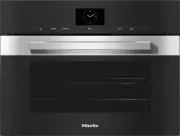
Overview 18 Steam oven DGC 7640 a Controls b Vent c Browning /Broiling element d Oven interior lighting e Convection fan with heating element f Oven floor with bottom heater element and floor filter underneath it g Drip channel h Temperature sensor i Moisture sensor j Door seal k Connection socket f...
Page 20 - Condensate container
Overview 20 a Condensate container b Condensate container compartment c Data plate d Compartment for water container e Water container
Page 21 - Data plate; Universal tray; For descaling the steam oven
Overview 21 A list of the models described in theseoperating and installation instructionscan be found on the back page. Data plate The data plate can be found at the topon the opened control panel.Here you can find the model and serialnumber.Have this information available if youneed to contact Mie...
Page 22 - FlexiClip telescopic runners HFC 71; Danger of injury caused by hot; not; extend
Overview 22 FlexiClip telescopic runners HFC 71 The FlexiClip telescopic runners can beattached to any shelf level. Push the FlexiClip telescopic runnersall the way into the oven before placingaccessories on them.The accessories will then automati-cally sit securely in between the stop-pers at eithe...
Page 24 - Control panel; Remote
Control panel 24 a Recessed On/Off button For turning the steam oven on andoff b Optical interface(for Miele Service only) c Remote sensor button For controlling the steam oven viayour mobile device d Lift Panel sensor control For opening and closing the controlpanel e Proximity sensor (MotionR...
Page 25 - The; Motion sensor; Back
Control panel 25 On/Off button The On/Off button is recessed and reacts to touch.Use this button to turn the steam ovenon and off. Motion sensor The motion sensor is located under thetouch display next to the Back sensor button. The motion sensor detectswhen you approach the touch display,e.g., ...
Page 26 - Sensor buttons; Sensor button Function
Control panel 26 Sensor buttons The sensor buttons react to touch. Every tap of a sensor button is confirmed withan audible keypad tone. You can turn this keypad tone off by selecting the Volume | Keypad tone | Off setting. If you want the sensor buttons to respond even when the steam oven is tu...
Page 27 - Touch display; header; center; OK
Control panel 27 Touch display The sensitive surface of the touch display can be scratched by pointed or sharpobjects, e.g., pens.Only touch the display with your fingers.Make sure that water cannot get behind the touch display. The touch display is split into multiple areas. 12:00 Operating Modes ...
Page 28 - Symbols; Symbol
Control panel 28 Symbols The following symbols may appear on the display: Symbol Meaning This symbol indicates that there is additional information and ad-vice about using the appliance. Select OK to confirm the informa- tion. … This indicates that there are more menu options available, whichare...
Page 29 - Using the appliance; orange; Selecting a menu option; Changing a setting in a list
Using the appliance 29 You operate the steam oven via thetouch display by touching the desiredmenu option.Each time you tap a possible option, therelevant characters (word and/or sym-bol) will light up orange . Fields for confirming an operating stepare highlighted in green (e.g., OK ). Selecting a ...
Page 30 - Entering letters
Using the appliance 30 Changing the setting with a segmentbar Some settings are represented by a bar made up of segments. If all of the segments are illuminated, themaximum value is selected.If none of the segments are illuminatedor if only one is, the minimum value isselected or th...
Page 31 - Displaying the pull-down menu; Displaying Help; Activating MobileStart
Using the appliance 31 Displaying the pull-down menu During a cooking program, you can turnsettings such as Booster or Preheat and the WiFi function on or off. Use the orange line under the headerto drag the pull-down menu down. Select the setting you want tochange.Active settings are highl...
Page 32 - Description of functions; Lift Panel; operating mode; Special Mode use a combi-
Description of functions 32 Control panel The water container and the condensatecontainer are located behind the controlpanel. The control panel is opened andclosed by pressing the Lift Panel sensor control. Before the control panel closesautomatically, a note appears in the dis-play, which you mus...
Page 33 - Cooking duration; Noises; Cooking phase; will appear in the dis-; Oven interior lighting; Light
Description of functions 33 Cooking duration Depending on the operating mode, youcan set a cooking duration of between1 minute and 6, 10, or 12 hours. The cooking durations of the Automatic,Maintenance, and Menu Cooking pro- grams are set at the factory and cannotbe altered.When cooking with steam,...
Page 34 - Availability of the Wi-Fi connection
Before first use 34 Miele@home Your steam oven is equipped with anintegrated WiFi module. To use this feature, you will need: - a WiFi network- the Miele app- a Miele user account You can create a user account via the Miele app. The Miele@mobile app will guide you asyou connect your steam oven to yo...
Page 35 - Basic settings
Before first use 35 Basic settings You must make the following settingsbefore starting up for the first time. Youcan change these settings again at alater time (see “Settings”). Danger of injury caused by hot surfaces.The steam oven gets hot during oper-ation.For safety reasons, the steam ovenmay ...
Page 36 - Cleaning for the first time; only
Before first use 36 Cleaning for the first time Remove any protective wrapping andstickers from the steam oven and ac-cessories. The appliance has undergone a func-tion test in the factory. Residual waterfrom this testing may have drippedfrom the lines into the oven cavity dur-ing transportation. ...
Page 37 - This procedure; must; be carried out; Only use cold, fresh drinking water; Heating up the steam oven; operating mode for
Before first use 37 Setting the correct boiling pointfor water Before cooking food for the first time,you must adjust the steam oven to theboiling temperature of the water, whichvaries depending on the altitude ofwhere the steam oven is located. Thisprocess also flushes out the compo-nents of the ap...
Page 38 - Settings; Settings overview; Menu option
Settings 38 Settings overview Menu option Available settings Language ... | deutsch | english | ... Location Time Display On * | Off | Night dimming Clock type Analog * | Digital Clock format 24 h * | 12 h (am/pm) Set DateLighting On“On” for 15 seconds * Off Start screen Main menu * Operating M...
Page 41 - Opening the Settings menu; Display
Settings 41 Opening the Settings menu In the Settings menu, you can person- alize your steam oven by adjusting thefactory default settings to suit your re-quirements. From the main menu: Select Settings . Select the setting you want. You can check settings or change them. You cannot chan...
Page 42 - Clock type; Date; Start screen
Settings 42 Clock type The time of day can be displayed as Analog (with a clock face) or Digital (h:min) format.With the digital display, the date is alsoshown. Clock format The time of day can be displayed in the24 or 12-hour format ( 24 h or 12 h (am/ pm) ). Set Set the hours and the minutes. Ti...
Page 44 - Units; Weight; Keeping warm
Settings 44 Units Weight For automatic programs, you can set theweight of food in grams ( g ), pounds ( lb ), or pounds/ounces ( lb/oz ). Temperature You can set the temperature inCelsius ( °C ) or Fahrenheit ( °F ). Keeping warm Using the Keep warm function, you can keep food warm at the end of a ...
Page 48 - MotionReact; Switch the light on; Switch the appliance on
Settings 48 MotionReact The motion sensor detects when youapproach the touch display, e.g., withyour hand or body. If you want the motion sensor to re-spond even when the steam oven isturned off, select the Display | Quick- Touch | On setting. Switch the light on - during cook. program As soon as ...
Page 49 - Safety; System Lock; symbol for at least; Sensor lock; The sensor lock is active. Touch; Furniture front recognition; Turn off furniture front recognition if
Settings 49 Safety System Lock The system lock prevents the steamoven being turned on by mistake.You can still set an alarm and a timer, aswell as use the MobileStart functionwhen the system lock is active. The system lock will remain activatedeven after a power outage. - On The system lock is now...
Page 50 - Performing Scan & Connect; or the Google Play StoreTM.
Settings 50 Miele@home The steam oven is a Miele@home-compatible appliance with SuperVisionfunctionality.Your steam oven is fitted with a WiFicommunication module and is suitablefor wireless communication. There are a number of ways of connect-ing your steam oven to your WiFi net-work. We recommend ...
Page 51 - SuperVision display
Settings 51 Remote Control If you have installed the Miele app onyour mobile device, have access to theMiele@home system, and have acti-vated the remote control function ( On ), you can use the MobileStart functionand, for example, retrieve informationabout steam oven cooking processesthat are in pr...
Page 52 - Activating /deactivating
Settings 52 Remote Update The Remote Update menu option is only displayed and can only be selected ifthe requirements for usingMiele@home have been met (see“Before first use – Miele@home”). The RemoteUpdate function is used forupdating the software in your steamoven. If an update is available for y...
Page 53 - Software version; Legal information; Showroom Program; Demo Mode; Factory default
Settings 53 Software version The software version menu option is foruse by Miele Technical Service. You donot need this information for domesticuse. Confirm with OK . Legal information You can find an overview of the inte-grated open-source components under Open source licenses . Confirm with OK...
Page 54 - Using the Alarm function; Setting the alarm; Changing an alarm; Deleting an alarm
Alarm + Timer 54 Using the Timer sensor button, you can set a timer (e.g., for boiling eggs) or analarm for a specific time. Using the Alarm function The alarm can be used to specify a particular time for an audible signal tosound. Setting the alarm If the Display | QuickTouch | Off setting is...
Page 55 - Using the Timer function; Setting the timer; Changing the timer; Deleting the timer
Alarm + Timer 55 Using the Timer function The timer can be used to time other activities in the kitchen, e.g., boilingeggs.The timer can also be used at the sametime as a cooking program for which thestart and finish times have been set(e.g., as a reminder to stir the food oradd seasoning, etc.)....
Page 56 - Menu
Main and submenus 56 As different countries have different preferences when it comes to preparing food,the temperatures in °F and °C may not match. The temperatures are defined asthey are specified in the table. Menu Recommended value Range Operating Modes Convection Bake 320°F (160°C) 85–45...
Page 59 - Cleaning the steam oven
Operation 59 Malfunction due to missing floor fil-ter.If the floor filter is missing, food de-posits can get into the drain. The wa-ter cannot be pumped away.Before each cooking program, checkthat the filter in the floor of the ovencompartment is correctly fitted. Turn the steam oven on. The main ...
Page 60 - Refilling the water; Changing Moisture
Operation 60 Refilling the water If water needs replenishing during thecooking program, a tone will sound andthe display will prompt you to refill thecontainer with fresh water. Remove the water container and fill itwith fresh water. Push the water container into the ap-pliance. The cooking prog...
Page 61 - Setting additional durations; Changing set durations; Deleting the set cooking durations
Operation 61 Setting additional durations Cooking results can be adversely af-fected if there is a long delay be-tween the food being placed in theoven and the start of cooking. Freshfood can change color and even spoil.When baking, the cake mixture ordough can dry out, and the raisingagents can los...
Page 62 - Canceling a cooking program; Interrupting a cooking program
Operation 62 Canceling a cooking program If you cancel a cooking program, theoven heating and lighting will turn off.Any cooking durations set will bedeleted. During a cooking program with steam, Steam reduction will appear if you have set a temperature above approx. 175°F(80°C) (steam cooking) or 1...
Page 63 - Preheating the oven
Operation 63 Preheating the oven The Booster function is used to quickly preheat the oven compartment in someoperating modes.The Preheat function can be used with any oven operating mode and has to beturned on separately for each cookingprogram.The oven compartment only needs to bepreheated in a f...
Page 64 - Preheat; Crisp function
Operation 64 Preheat You can place most dishes in the coldoven compartment to make use of theheat produced during the preheatingphase. If you have set a cooking duration, itwill only start to count down when thetarget temperature is reached and youhave placed the food in the oven.Start the cooking p...
Page 65 - Turning on Crisp function; Injecting bursts of steam
Operation 65 Turning on Crisp function The Crisp function function has to be turned on separately for each cookingprogram. You have selected an operating modeand the required settings such as thetemperature.You want to turn on the Crisp func- tion function for this cooking program. Drag down the...
Page 66 - General notes; Suitable containers; Cooking containers; if possible. The steam; Your own dishware; - Dishware must be suitable for use in; Shelf level
General notes 66 The “General Notes” section containsgeneral information. You will find moredetailed information about particularfoods and how to cook them in theother sections. The advantages of cooking withsteam Almost all vitamins and minerals are re-tained as the food is not immersed inwater.Coo...
Page 67 - Frozen food; Non-tip safety notches
General notes 67 Frozen food The heating up phase for frozen food islonger than for fresh food. The greaterthe quantity of frozen food, the longerthe preheating phase. Temperature During steam cooking, the temperaturedoes not exceed 212°F (100°C). Almostall foods can be cooked at this tempera-ture. ...
Page 68 - Notes on the cooking charts; or
Steam cooking 68 Notes on the cooking charts Follow the instructions on cooking dura-tions, temperatures, and cooking notes. Selecting the cooking duration The cooking durations given are guide-lines only. We recommend selecting the shorterduration initially. You can cook forlonger if necessary...
Page 69 - Vegetables
Steam cooking 69 Vegetables [min] Artichokes 32–38 Cauliflower, whole 27–28 Cauliflower, florets 3–8 Beans, green 3–10 Broccoli, florets 1–4 Chantenay carrots, whole 7–8 Chantenay carrots, halved 6–7 Chantenay carrots, chopped 4 Endive, halved 4–5 Chinese cabbage, chopped 3 Peas 3 Fennel, halved...
Page 71 - Fish; If using a perforated pan, grease it first.
Steam cooking 71 Fish Fresh food Prepare fresh fish in the usual way, i.e.clean, gut and filet. Frozen food Frozen fish should be slightly defrostedbefore cooking. Preparing for use Add some lemon or lime juice to fish be-fore cooking. The citric acid helps theflesh stay firm.It is not necessary to ...
Page 72 - Tips
Steam cooking 72 Tips - Adding herbs and spices, such as dill, will help bring out the full flavor of thefish. - Cook large fish in the swimming posi- tion. To help maintain the structure ofthe fish, place a small cup or similarupside down in the cooking container.Arrange the fish belly-side down ov...
Page 74 - Meat; Prepare the meat as usual.
Steam cooking 74 Meat Fresh food Prepare the meat as usual. Frozen food Meat should be thoroughly defrostedbefore cooking in the steam oven (see“Defrost” under “Special Modes”). Preparation For meat which needs to be seared be-fore being cooked, e.g. for a stew, searthe meat in a pan on the cooktop ...
Page 76 - Rice; Steam oven pan
Steam cooking 76 Rice Rice swells when cooked and needs tobe cooked in liquid. The proportion ofrice to liquid will vary depending on thetype of rice.The rice absorbs all the liquid during thecooking process so that none of the nu-trients are lost. Steam oven pan Use a solid steam oven pan. Alterna-...
Page 77 - Grains; Ratio
Steam cooking 77 Grains Grains swell when cooked and need to be cooked in liquid. The proportion of grainsto liquid depends on the type of grain.Grains can be cooked whole or cracked. Settings Automatic Programs | Grains | ... | or Operating Modes | Steam cooking Temperature: 212°F (100°C)Du...
Page 78 - Dry pasta; Fresh food
Steam cooking 78 Pasta/noodles Dry pasta Dry pasta swell when cooked and needs to be cooked in liquid. The liquid mustcover the pasta by at least 1".Cook pasta according to package directions. Fresh food Fresh pasta and noodles, such as those you can buy from the supermarket chilledcounter, do n...
Page 79 - Dumplings; Steamed dumplings
Steam cooking 79 Dumplings Ready-made dumplings in wrappers need to be covered completely with water.Otherwise they will not absorb enough water and will fall apart, even if steeped inwater prior to cooking.Cook fresh dumplings in a greased, perforated container. Settings Automatic Programs | Pa...
Page 80 - Legumes; Lentils; Soaked
Steam cooking 80 Legumes Soak legumes for at least 10 hours in cold water before cooking. Soaking makes thelegumes more digestible and shortens the cooking duration required. Soakedlegumes must be covered with liquid during cooking. Lentils do not need to be soaked before cooking. With unsoaked legu...
Page 82 - Eggs; Small
Steam cooking 82 Eggs Use a perforated container to prepare boiled eggs in the steam oven.The eggs do not need to be pierced before cooking as they are gradually warmedduring the preheating phase and so do not burst when they are cooked with steam.When using a solid container for making egg dishes s...
Page 83 - Fruit; Sausage
Steam cooking 83 Fruit Cook fruit in a solid container so thatnone of the juice is lost. If you wish tocook fruit in a perforated container,place a solid container directly under-neath it to collect the juice. Tip: You can use the collected juice to prepare a glaze. Settings Automatic Programs |...
Page 84 - Shellfish; Preparation
Steam cooking 84 Shellfish Preparation Defrost frozen shellfish before cooking with steam.Peel, clean and wash the shellfish. Cooking pan If using a perforated pan, grease it first. Cooking duration The longer shellfish are cooked, the tougher they become. Use the cooking dura-tions given in the cha...
Page 85 - Mussels
Steam cooking 85 Mussels Fresh food Danger of food poisoning from spoiled mussels. Spoiled mussels can cause food poisoning.Only cook mussels which are closed.Do not eat mussels which have not opened after being cooked. Steep fresh mussels in water for a few hours before cooking to rinse out any s...
Page 86 - Menu Cooking - Manual
Steam cooking 86 Menu Cooking - Manual Before cooking meals with the man-ual menu cooking function, turn offsteam reduction (see “Steam reduc-tion” under “Settings”). When cooking a menu, you can com-bine different foods with different cook-ing durations, e.g., fish filet with rice andbroccoli. The ...
Page 87 - Important usage notes
Sous-vide (vacuum) cooking 87 Always observe USDA/CFIA foodsafety guidelines. This gentle cooking method allows foodto be cooked slowly at a low, constanttemperature in vacuum packaging.With vacuum cooking, no moistureevaporates during the cooking processand all nutrients and flavors are re-tained.T...
Page 88 - Possible causes for poor results
Sous-vide (vacuum) cooking 88 Tips - In order to save time, you can vac- uum-seal food items 1–2 days beforethe cooking process. Store the vac-uum-sealed food in the refrigerator atno more than 40°F (5°C). In order topreserve quality and flavor, the foodshould be cooked no later than 2 daysafterward...
Page 91 - Reheating
Sous-vide (vacuum) cooking 91 Reheating Only reheat brassicas, such as kohlrabiand cauliflower, together with a sauce.Without sauce, an unpleasant cabbage-like taste and gray-brown color may de-velop. Food with a short cooking duration orwhich continues cooking during re-heating, such as fish, is no...
Page 92 - Reheating in the Sous-vide operating mode; Food
Sous-vide (vacuum) cooking 92 Reheating in the Sous-vide operating mode The durations specified in the chart are guidelines only. You can make the durationlonger if necessary. The cooking duration only begins when the set temperature isreached. Food [°F (°C)] 2 [min] Medium 1 Done 1 Meat Saddle ...
Page 93 - Special modes
Special modes 93 Reheat Always observe USDA/CFIA foodsafety guidelines. To reheat food which was cooked us-ing the sous-vide method, use the Sous-vide operating mode (see “Reheating” under “Sous-vide (vac-uum) cooking”). The steam oven is very effective at re-heating food gently, without drying ...
Page 95 - Defrost
Special modes 95 Defrost Always observe USDA/CFIA foodsafety guidelines. It is much quicker to defrost items in thesteam oven than at room temperature. Risk of infection from bacteria. Bacteria such as salmonella cancause life-threatening food poisoning.It is particularly important to observefood ...
Page 98 - Containers
Special modes 98 Miele Mix & Match The Miele Mix & Match Special Mode is available to help with simple and un-complicated preparation of platedmeals. With this application, you can re-heat food that has already been cooked(convenience food) or assemble a por-tioned-out meal using fresh food...
Page 99 - Tips for cooking plated meals
Special modes 99 Tips for cooking plated meals - You can easily make a sauce from the meat and fish stock: add 1 tsp of cornstarch to the raw meat or fish beforecooking. Stir the sauce with a fork un-til smooth before serving. You can alsouse 1 tsp of mashed potato powder(instant) or a pinch of guar...
Page 100 - cooked
Special modes 100 Using the Miele Mix & Match SpecialMode Food does not need to be coveredwhile it is being cooked. Prepare the food as required. Select Special Modes | Miele Mix & Match . If you are preparing food that is al-ready cooked , select Gentle Reheating or Crisp Reheatin...
Page 101 - Reheating food with the “Crisp Reheating” Special Mode
Special modes 101 Reheating food with the “Crisp Reheating” Special Mode Food Browning segment bar setting Apple strudel, 1 3/4" (4 cm) thick, baked Baked camembert, 0.8 oz (25 g), baked Baked camembert, 2.6 oz (75 g), baked ...
Page 103 - Cooking food with the “Crisp Cooking” Special Mode
Special modes 103 Cooking food with the “Crisp Cooking” Special Mode Food Cooking tips Browning segment bar setting Meat 1 Bratwurst, 0.8 oz (25 g), boiled – Bratwurst, 3.5 oz (100 g), boiled Scored Bratwurst, coarse, raw Scored, drizzled with a littl...
Page 107 - Food suitable for the “Gentle Cooking” Special Mode
Special modes 107 Food suitable for the “Gentle Cooking” Special Mode Food Cooking tip Meat 1 Large bockwurst/frankfurter sausage (pork),3.5 oz (100 g), cooked – Beef filet skewer, 1.7 oz (50 g) chunks, raw Marinated, with bacon Pork skewer, 1.7 oz (50 g) chunks, raw Marinated, with bell pepper and ...
Page 109 - Menu Cooking – automatic
Special modes 109 Menu Cooking – automatic When cooking a menu automatically,you can combine up to 3 different foodswith different cooking durations, e.g.,fish filet with rice and vegetables.With menu cooking, the food is placedin the steam oven compartment at dif-ferent times so that each item is r...
Page 110 - Canning; - Make use of residual heat by leaving
Special modes 110 Canning Always observe USDA/CFIA foodsafety guidelines. Only use unblemished, fresh producewhich is in good condition. Glass jars Use clean glass jars and accessoriesand check them for any defects. Glassjars with twist off lids or glass lids with arubber seal are suitable.Make sure...
Page 111 - Food to be canned
Special modes 111 The durations specified in the chart are guidelines only. Food to be canned [°F (°C)] * [min] Berries Currants 175 (80) 50 Gooseberries 175 (80) 55 Cranberries 175 (80) 55 Fruit with pits Cherries 185 (85) 55 Mirabelle plums 185 (85) 55 Plums 185 (85) 55 Peaches 185 (85) 55 Gre...
Page 112 - Canning cakes; containing fruit
Special modes 112 Canning cakes Batter, sponge, and yeast dough are suitable for canning. The cake has a shelf-lifeof 6 months.Cooked cakes containing fruit are not suitable for storage . They must be con- sumed within two days. Only use sterilized jars and accessories. The jars must be narrower at ...
Page 113 - Dehydrate; Only use the; Herbs
Special modes 113 Dehydrate Only use the Dehydrate Special Mode or the Combi Conv Bake operating mode to dry food so that moisture canbe dissipated. Bananas, pineapple, and chanterellesare not suitable for drying. Cut the food for drying into equallysized pieces. Line the rack with parchme...
Page 114 - Using Sabbath Program
Special modes 114 Using the Sabbath program andYom Tov The Sabbath Program and Yom-Tov Spe- cial Modes help to support religious ob-servance.To comply with the Sabbath regulations,follow the instructions on the display.The steam oven heats up to the temper-ature you have set and maintains thistemper...
Page 115 - disappears and the oven heating; and the set temperature will; If the message is
Special modes 115 After the end of the Special Mode, thenotification Sabbath - Do not open the door disappears and the oven heating turns off. The other messages will con-tinue to be shown on the display untilthe steam oven switches off automati-cally after 76 hours. Using Yom-Tov This Special Mode ...
Page 116 - Juicing; - Try experimenting with mild and tart; Extracting juice from fruit; Blanching
Special modes 116 Juicing This appliance is ideal for extractingjuice from soft, firm, and hard fruit.It is best to use overripe fruit, as theriper the fruit, the greater the quantity ofjuice produced. Very ripe fruit will alsoproduce a more intense flavor. Preparation Sort and rinse the fruit. Cut ...
Page 117 - Sanitizing Cookware; Keep warm; Select
Special modes 117 Sanitizing Cookware The steam oven will sanitize baby bot-tles and other cookware. Check before-hand that the manufacturer guaranteesall components are to be heat resistantto 212°F (100°C) and also steam resis-tant follow manufacturers instructions.Dismantle, clean and thoroughly r...
Page 118 - Proofing; Heating damp towels; Dissolving Gelatine; gelatine leaves
Special modes 118 Proofing Prepare the dough according to therecipe. Place the dough in an uncovered bowlin a perforated container or on the in-serted wire rack. Depending on the size of the bowl,you can also place the wire rack onthe floor of the oven compartmentwith the rack surface facing up ...
Page 119 - Decrystalize honey; Melting Chocolate; Break the chocolate into small pieces.
Special modes 119 Decrystalize honey Loosen the lid and place the jar ofhoney in a perforated steam ovenpan. Stir the honey once during theprocess. When liquefying (decrystallizing)honey at a temperature of 140°F(60°C), the main aim is to achieve aspreadable consistency again. Settings Automatic...
Page 120 - Rendering Fat; The bacon will not become brown.; Sweating Onions; Preserving Apples; Preparing custard royale
Special modes 120 Rendering Fat The bacon will not become brown. Place the bacon (diced or rashers) ina solid cooking container. Cover the container with foil that istemperature-resistant up to 212°F(100°C) and resistant to steam. Settings Automatic Programs | Special | Render Fat or Operati...
Page 121 - Fruit jam
Special modes 121 Fruit jam Only use unblemished, fresh producewhich is in good condition. Glass jars Only use sterilised jars with twist-offlids up to a maximum capacity of 1 cup(250 ml).After pouring in the jam, clean the out-side of the rim of the jar with a cloth andhot water. Preparation Sort f...
Page 122 - Making Yogurt; When using yogurt enzyme, yogurt
Special modes 122 Making Yogurt Always observe USDA/CFIA foodsafety guidelines. To prepare yogurt, you will need milkand live culture or yogurt starter pow-der, e.g., from a health food store.Use natural yogurt with live culture andwithout additives. Heat-treated yogurtis not suitable.The yogurt mus...
Page 123 - Categories
Automatic Programs 123 With the wide range of automatic pro-grams, you can achieve excellent resultswith ease. Categories The automatic programs are sorted into categories to provide a better over-view. Simply select the appropriate au-tomatic program for the type of foodyou are cooking and follo...
Page 124 - Search
Automatic Programs 124 - For some automatic programs, the start or finish time can be delayed us-ing Start at or Ready at . - The individual cooking stages of the automatic program are listed underthe Display cook. stages menu option. The Display actions menu option is also available for some automa...
Page 125 - MyMiele; Adding entries; Deleting entries
MyMiele 125 Under MyMiele , you can save fre- quently used applications.It is particularly useful with the auto-matic programs as you do not need towork through every menu level in orderto start a program. Tip: You can also set menu options that you have entered in MyMiele to appear on the start...
Page 126 - Favorites; Creating a Favorite
Favorites 126 You can create and save up to 20 ofyour own programs. - You can combine up to 9 cooking stages to accurately program your fa-vorite or most frequently used recipes.In each cooking stage, you can selectsettings such as the function, temper-ature, and cooking duration. - You can enter a ...
Page 127 - Starting Favorites
Favorites 127 Starting Favorites Place the food in the oven. Select Favorites . Select the program you want to use. Depending on the program settings, thefollowing menu options will appear onthe display: - Start now The program will start immediately.The oven heating will turn on immedi-at...
Page 128 - Renaming Favorites; Deleting a Favorite
Favorites 128 Renaming Favorites Select Favorites . Touch the program you want tochange and keep your finger on it untilthe context menu appears. Select Rename . Change the program name using thekeyboard. You can add a line break for longer pro-gram names using the symbol. Once you ...
Page 129 - Baking; Baking tips; - Always place bakeware on the wire; Using parchment paper; Use parchment paper when cooking:
Baking 129 Handling and cooking food correctlyis essential for maintaining goodhealth.Cakes, pizzas, and French friesshould be cooked until golden, notdark brown. Always observe USDA/CFIA foodsafety guidelines. Baking tips - Set a cooking duration. If used for baking, do not delay the start for tool...
Page 130 - Tips for baking; - Place cakes in rectangular bakeware; Notes on the operating modes; Recipes and additional information
Baking 130 Tips for baking - Dark bakeware is best for baking. Avoid using bright, thin-walled pansmade from a shiny material as theygive an uneven or poor browning re-sult. In certain unfavorable conditions,the food will not cook properly. - Place cakes in rectangular bakeware on the wire rack with...
Page 131 - Follow the instructions on the display.
Baking 131 Automatic Programs Follow the instructions on the display. Convection Bake Use this operating mode if you are bak-ing on multiple shelf levels at the sametime.You can use any type of bakeware madeof heat-resistant material.Because the blower distributes the heataround the oven compa...
Page 132 - Roasting; Roasting tips
Roasting 132 Always observe USDA/CFIA foodsafety guidelines. Roasting tips - Never roast frozen meat as it will dry out. Always defrost meat before roast-ing. - Remove skin and sinew before roast- ing. - Marinate and season the meat to taste. - If you are cooking several pieces of meat together, sel...
Page 133 - Convection Roast; Use the; operating
Roasting 133 Automatic Programs Follow the instructions on the display. Convection Roast This operating mode is suitable forroasting meat and poultry that needs tobe well browned.Because the blower distributes the heataround the oven compartment straightaway, you can use a lower temperaturetha...
Page 134 - Food Probe; How it works; Damage due to high tempera-; When to use the probe
Roasting 134 Food Probe The probe allows you to monitor theroasting process simply and reliably. How it works The metal tip of the food probe must befully inserted into the center of the foodall the way to the handle. There is atemperature sensor in the metal tipwhich measures the core temperatureof...
Page 136 - and; Chart with core temperatures; Veal
Roasting 136 Delaying the start of a cooking pro-gram with probe You can also delay the start of the cook-ing program to a later time. Select Start at . You can estimate approximately whenthe food will be ready as the duration ofthe cooking program is about the sameas if you were cooking food with...
Page 137 - Broiling; Broiling tips; test the food
Broiling 137 Danger of injury caused by hot surfaces.If you open the appliance door whenbroiling, the controls will get very hot.Keep the door closed during thebroiling program. Always observe USDA/CFIA foodsafety guidelines. Broiling tips - Preheating is not necessary when broiling. Place the foo...
Page 138 - Combi Broil
Broiling 138 Notes on the operating modes You can find an overview of all the oper-ating modes with their recommendedvalues in “Main and submenus”. The plastic on the probe can melt atvery high temperatures.Do not use the food probe when us-ing the broiling operating modes (ex-ception: Convection Br...
Page 139 - Cleaning and care for the steam oven
Cleaning and care for the steam oven 139 Important information on clean-ing and care Danger of injury caused by hot surfaces.The steam oven gets hot during oper-ation. You could burn yourself on theheater elements, oven compartment,side racks, or accessories.Allow the heater elements, ovencompartm...
Page 140 - Unsuitable cleaning agents; may be used; Cleaning the front
Cleaning and care for the steam oven 140 Unsuitable cleaning agents To avoid damaging the surfaces of yourappliance, do not use: - cleaning agents containing soda, am- monia, acids, or chlorides - cleaning agents containing descaling agents - abrasive cleaning agents (e.g., powder cleaners and cream...
Page 141 - PerfectClean; treated with PerfectClean
Cleaning and care for the steam oven 141 PerfectClean The oven compartment, side racks, uni-versal tray, and wire rack surfaces are treated with PerfectClean . This finish has an iridescent appearance. Perfect-Clean surfaces have very good non-stickproperties and are easy to clean.However, it is imp...
Page 142 - Oven compartment; Cleaning after a program using steam; sorbent cloth
Cleaning and care for the steam oven 142 Oven compartment The surface of the oven compart-ment has been treated with Perfect-Clean.See “PerfectClean” under “Cleaningand care for the steam oven” for in-structions on cleaning. Ensure that no cleaning agent getsinto the openings on the oven com-partmen...
Page 143 - Cleaning the floor filter; Dry the compartment if necessary.
Cleaning and care for the steam oven 143 Cleaning the floor filter The filter in the floor of the ovenshould be cleaned and dried after ev-ery use. Vinegar can be used to remove dis-coloration and limescale depositsfrom the filter in the floor of the oven.Rinse thoroughly with clean water toremo...
Page 144 - Accessories; - light soiling with a soft clean sponge; Cleaning cooking containers
Cleaning and care for the steam oven 144 Accessories Cleaning the universal tray and wirerack The surfaces of the universal tray andthe wire rack have been treated withPerfectClean.See “PerfectClean” under “Cleaningand care for the steam oven” for in-structions on cleaning. Remove: - light soiling...
Page 145 - Cleaning the side racks; Reinstall
Cleaning and care for the steam oven 145 Cleaning the side racks The surfaces of the side racks havebeen treated with PerfectClean.See “PerfectClean” under “Cleaningand care for the steam oven” for in-structions on cleaning. You can remove the side racks togetherwith the FlexiClip telescopic runners...
Page 147 - Soak
Cleaning and care for the steam oven 147 Maintenance The Ready at and Start at functions are not available in maintenance programs. Soak Stubborn soiling can be soaked usingthis maintenance program. Let the oven compartment cool down. Take all accessories out of the ovencompartment. Remove coa...
Page 149 - Removing the door; Open the door slightly.
Cleaning and care for the steam oven 149 Removing the door Prepare a suitable underlay for thedoor, such as a soft cloth. Open the door slightly. Using two hands placed on the upperedge of the door, push the doordownward briefly. The oven door is connected to thehinges by retainers. Before rem...
Page 150 - Installing the door
Cleaning and care for the steam oven 150 Hold the door on either side andevenly pull diagonally upward fromthe hinge retainers. Make sure that the door is straight. Lay the door on the previously pre-pared underlay. Installing the door Hold the door securely on both sidesand carefully install ...
Page 151 - Frequently asked questions; Problem
Frequently asked questions 151 Many malfunctions and faults that can occur in daily operation can be easily reme-died. You can save time and money in many cases, as you do not need to contactMiele Customer Service.Information to help you rectify faults yourself can be found at www.miele.com/ser-vice...
Page 153 - sor button several times.
Frequently asked questions 153 Problem Possible cause and solution During operation, an un-usually large amount ofsteam escapes or steamescapes from parts ofthe steam oven where itdoes not usually. The door is not properly closed. Close the door. The door seal is not correctly fitted. If necessa...
Page 155 - Carefully open the door.
Frequently asked questions 155 Opening the control panel man-ually Carefully open the door. Take hold of the control panel at thetop and bottom. Pull the control panel forward and outfirst. Carefully push the control panel up-ward. Closing the control panel manu-ally Take hold of the contr...
Page 156 - Optional accessories
Optional accessories 156 Miele offers a range of useful acces-sories, as well as cleaning and condi-tioning products for your appliance.These products can be easily orderedfrom the Miele webshop. Containers Miele offers a wide range of cookingcontainers. These have all been opti-mized for Miele appl...
Page 157 - Customer Service; Contact in the event of a fault
Customer Service 157 Information to help you rectify faultsyourself and about Miele spare partscan be found at www.miele.com/ser-vice. Contact in the event of a fault In the event of a fault which you cannotremedy yourself, please contact yourMiele dealer or Miele Customer Service. You can book a Mi...
Page 158 - Caring for the environment; Disposal of the packing material
Caring for the environment 158 Disposal of the packing material The cardboard box and packing materi-als protect the appliance during ship-ping. They have been designed to bebiodegradable and recyclable.Ensure that any plastic wrappings, bags,etc. are disposed of safely and kept outof the reach of c...
Page 159 - Installation; IMPORTANT SAFETY INSTRUCTIONS - INSTALLATION; Risk of damage caused by incorrect installation.; Note to the installer:
Installation *INSTALLATION* 159 IMPORTANT SAFETY INSTRUCTIONS - INSTALLATION Risk of damage caused by incorrect installation. Incorrect installation can cause damage to the steam oven.The steam oven must only be installed by a qualified specialist. The connection data (frequency and voltage) on ...
Page 160 - Installation dimensions DGC 7640; Installation in a tall cabinet; Steam ovens with glass front
Installation *INSTALLATION* 160 Installation dimensions DGC 7640 Installation in a tall cabinet Observe the required minimum installation height of 36" (914 mm). Miele Steam Ovens can be installed flush or proud. Discuss your requirementswith your architect, kitchen designer, and installer.More ...
Page 161 - Side view
Installation *INSTALLATION* 161 Side view A DGC 76xx: 1 7/8" (47 mm)
Page 162 - Swivel range for control panel
Installation *INSTALLATION* 162 Swivel range for control panel The area in front of the control panelmust not be blocked by anything(such as a door handle) that wouldhinder it from opening and closing.
Page 163 - Connections and ventilation; Electrical connection
Installation *INSTALLATION* 163 Connections and ventilation A Cutout (min. 28 sq in/18,000 mm²) for power cord and ventilation No electrical connection in this area. The socket for the electrical connectionmust be accessible, e.g., in an adjacent kitchen cabinet. E Electrical connection
Page 169 - Do; use a cordless screwdriver.
Installation *INSTALLATION* 169 Insert the bolt into the mounting aidand tighten it in the housing unit. Do not use a cordless screwdriver. Remove the mounting aid. Screw the knurled nut onto the boltby hand to fix the steam oven in thehousing unit. The door may be damaged if theknurled nuts...
Page 171 - Risk of injury due to electric shock.; Connection; Risk of electric shock from volt-
Installation *INSTALLATION* 171 Electrical connection Risk of injury due to electric shock. During installation, maintenance, andrepair work, the steam oven must bedisconnected from the electricitysupply:To disconnect the steam oven, fullyunscrew the breakers, trip the groundfault circuit interrup...
Page 172 - Radio Module; FCC ID; Compliance Statement
Declaration of conformity 172 Radio Module This device contains the following WiFimodule: FCC ID 2AC7Z-EK057 IC ID 21098-EK057 Frequency band 2.412 GHz –2.462 GHz Maximum trans-mitting power < 0.2 W Compliance Statement This device complies with Part 15 of theFCC Rules and contains licence-exemp...
Page 173 - Copyrights and licenses; in the device/appliance for the open source compo-
Copyrights and licenses 173 Miele uses their own and third party software which is not subject to any so-calledopen source license for the operation and control of the device/appliance. Thissoftware/these software components are protected by copyright. The copyrightpowers of Miele and third parties ...
Page 174 - Copyrights and licenses for the communication module
Copyrights and licenses for the communication module 174 For the purpose of operating and con-trolling the communication module,Miele uses proprietary or third-partysoftware that is not covered by opensource licensing terms. This software/these software components are pro-tected by copyright. The co...
Page 175 - National Headquarters; Canada; Headquarters and Miele Centre; International Headquarters
9 Independence WayPrinceton, NJ 08540www.mieleusa.com U.S.A. Miele, Inc. National Headquarters Please have the model and serial numberof your appliance available whencontacting Customer Service. Canada ImporterMiele Limited Headquarters and Miele Centre Customer Support Phone: 888-99-MIELE (64353)[e...