Page 2 - Contents; Language
Contents 2 Warning and Safety instructions .............................................................................. 6 Caring for the environment ......................................................................................... 14 Guide to the appliance ....................................
Page 3 - Minute minder; Interrupting a cooking process in the Steam cooking; Steam cooking; Using Steam cooking
Contents 3 Water hardness............................................................................................................... 38 Altitude............................................................................................................................. 40 Safety ...................
Page 4 - Using Moisture plus
Contents 4 Moisture plus ................................................................................................................. 60 Using Moisture plus ............................................................................................... 60 Automatic programmes ..................
Page 6 - Warning and Safety instructions; Appropriate use
Warning and Safety instructions 6 This combination steam oven complies with all current local andnational safety requirements. Inappropriate use can, however, leadto personal injury and material damage.Read the operating and installation instructions carefully beforeusing the combination steam oven....
Page 7 - Safety with children
Warning and Safety instructions 7 The combination steam oven contains 1 light source corresponding to energy efficiency class F. Safety with children Activate the system lock to ensure that children cannot switch the combination steam oven on by mistake. Children under 8 years of age must be k...
Page 9 - While the combination steam oven is under warranty, repairs
Warning and Safety instructions 9 While the combination steam oven is under warranty, repairs should only be undertaken by a service technician authorised by theMiele Customer Service Department. Otherwise the warranty will beinvalidated. Miele can only guarantee the safety of the oven when orig...
Page 10 - Correct use
Warning and Safety instructions 10 Correct use Risk of injury caused by hot surfaces and steam. The combination steam oven gets hot during operation. You could burn yourself on thesteam, heater elements, oven compartment, accessories or food.Use oven gloves when placing hot food in the appliance o...
Page 12 - The following applies to stainless steel surfaces:; Cleaning and care
Warning and Safety instructions 12 Plastic dishes that are not suitable for use in an oven will melt and may ignite at high temperatures, and can damage the combinationsteam oven.Use only plastic containers that are suitable for use in an oven. Followthe instructions from the crockery manufacturer...
Page 13 - The side runners can be removed (see “Cleaning and care” –; Accessories; Only use original Miele accessories. If other parts are used,
Warning and Safety instructions 13 The side runners can be removed (see “Cleaning and care” – “Removing the side runners with FlexiClip runners”). Refit the siderunners correctly. The catalytic enamelled back panel can be removed for cleaning purposes (see “Cleaning and care – Removing the back ...
Page 14 - Caring for the environment; Disposing of your old appliance
Caring for the environment 14 Disposing of the packagingmaterial The packaging material is used forhandling and protects the appliancefrom transport damage. The packagingmaterial used is selected from materialswhich are environmentally friendly fordisposal and can generally be recycled.Recycling the...
Page 15 - Guide to the appliance; Combination steam oven
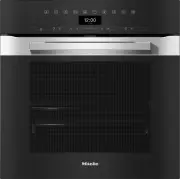
Guide to the appliance 15 Combination steam oven a Control elements b Door lock c Top heat/grill element d Steam inlet opening e Water intake pipe for the steam injection system f Air inlet for the fan with ring heating element behind it g Drip channel h Catalytic enamelled back panel i Side runners...
Page 16 - Controls; OK
Controls 16 a Recessed On/Off sensor control For switching the combination steamoven on and off b Optical interface(For Miele Service only) c sensor control For controlling the combinationsteam oven via your mobile device d sensor control For injecting the bursts of steam inthe Moisture plu...
Page 17 - On/Off sensor control; The; Display; will appear in the; Sensor controls; Sensor controls above the display
Controls 17 On/Off sensor control The On/Off sensor control is recessed and responds to touch.Use this sensor control to switch thecombination steam oven on and off. Display The display is used for showing the timeof day or information about operatingmodes, temperatures, cookingdurations, automat...
Page 18 - Sensor controls under the display; setting and touch this sensor control. The; function, you can use this sensor control to inject steam.
Controls 18 Sensor controls under the display Sensor control Function If you want to control the combination steam oven from yourmobile device, you must have the Miele@home system, switchon the Remote control setting and touch this sensor control. The sensor control then lights up and the MobileS...
Page 19 - Sensor control Function; Symbols; Symbol
Controls 19 Sensor control Function OK Functions highlighted in the display can be selected by touchingthe OK sensor control. The selected function can then be changed. Confirm with OK to save changes. If information appears in the display, select OK to confirm the message. If no cooking progra...
Page 20 - Using the appliance; Selecting a menu option; Changing a setting in a list
Using the appliance 20 Use the and arrow buttons or the area between them in the navigation area to use the combinationsteam oven.As soon as you reach a confirmablevalue, message or setting, the OK sensor control will light up orange. Selecting a menu option Touch the or ...
Page 21 - Changing the function; Entering numbers; Entering letters; Activating MobileStart
Using the appliance 21 Changing the function You can change to another functionduring a cooking programme.The sensor control for the previouslyselected function lights up orange. Touch the sensor control of the newfunction or operating mode. The new function appears in the displaywith its correspo...
Page 22 - Drawing in water; In the; and; operating modes, you will be; Only use cold, fresh drinking water; Confirm with
Using the appliance 22 Drawing in water In the Steam cooking and Moisture plus operating modes, you will be prompted to add water for the cookingprocess. Fill a suitable container with therequired amount of fresh water. Distilled or carbonated water or otherliquids could damage thecombina...
Page 23 - Features; Data plate; Side runners
Features 23 A list of the models described in theseoperating and installation instructionscan be found on the back page of thisbooklet. Data plate The data plate is located on the frontframe, visible when the door is open.The data plate states the model number,the serial number as well as connection...
Page 24 - operating; always; place the universal tray; FlexiClip runners HFC 71; Risk of injury caused by hot; do not
Features 24 These accessories are inserted into theoven between the two rails of a shelf inthe side runner.Always place the rack with the loadingsurface in the lower position.These accessories have non-tip safetynotches fitted in the middle of theirshort sides. The non-tip safety notchesprevent the ...
Page 25 - - Browning on the underside of baked; round baking and AirFry tin,; can be used for
Features 25 Hook the FlexiClip runner onto thefront of the lower rail of a shelflevel (1.) and then push it along therail into the oven compartment (2.). Then secure the FlexiClip runner tothe lower rail of the shelf level (3.). If the FlexiClip runners are difficult topull out after fitting, pu...
Page 27 - place the universal tray on shelf
Features 27 Steam cooking containers Stainless steel cookware is providedwith the combination steam oven. Othercontainers, in a variety of sizes, bothperforated and solid, are available asoptional extras. Use perforated cooking containers forsteam cooking if possible. The steamcan reach the food fro...
Page 28 - Safety features; System lock; PerfectClean treated surfaces; perforated
Features 28 Safety features - System lock (see “Settings – Safety”) - Sensor lock (see “Settings – Safety”) - Cooling fan (see “Settings – Cooling fan run-on”) - Safety switch-off This safety switch-off is activatedautomatically if the combinationsteam oven has been operating for anunusually lon...
Page 29 - Before using for the first time; Availability of the WiFi connection
Before using for the first time 29 Miele@home Your combination steam oven isequipped with an integrated WiFimodule. To use this feature, you will need: - A WiFi network- The Miele app- A Miele user account. You can create a user account via the Miele app The Miele app will guide you as youconnect yo...
Page 30 - Basic settings
Before using for the first time 30 Basic settings The following settings must be madebefore starting up for the first time. Youcan change these settings again at alater time (see “Settings”). Risk of injury caused by hot surfaces.The combination steam oven getshot during operation.For safety reaso...
Page 32 - Settings; Settings overview; Menu option; * Factory default setting
Settings 32 Settings overview Menu option Available settings Language ... | deutsch | english | ... Location Time Show On * | Off | Night dimming Clock format 12 h | 24 h * Set DateLighting On“On” for 15 seconds * Off Display Brightness QuickTouch On | Off * Volume Buzzer tone...
Page 34 - Opening the “Settings” menu; Show; Date
Settings 34 Opening the “Settings” menu In the Further | Settings menu, you can personalise your combination steamoven by adapting the factory defaultsettings to suit your requirements. Select Further . Select Settings . Select the desired setting. You can check settings or change ...
Page 36 - Temperature; Booster
Settings 36 Temperature You can set the temperature in degreesCelsius ( °C ) or degrees Fahrenheit ( °F ). Booster The Booster function is used to quickly pre-heat the oven compartment. - On The Booster function is automatically switched on during the heating-upphase of a cooking programme. Thetop ...
Page 37 - Recommended temperatures
Settings 37 - On The Keeping warm function is switched on. At the end of the cooking process,the door automatically opens a little.The cooling fan rapidly cools the foodand oven compartment down to thepreset temperature.As soon as the temperature has beenreached, the door closes againautomatically t...
Page 38 - Water hardness; l CaCO
Settings 38 Water hardness The combination steam oven must be adjusted to the local water hardness level toensure that it works correctly and to ensure that descaling is carried out at thecorrect interval. The harder the water is, the more frequently the combinationsteam oven needs to be descaled. C...
Page 40 - Altitude; Sensor lock; The sensor lock is activated. Touch the
Settings 40 Altitude The boiling temperature of water variesdepending on the altitude of where theappliance is located. This settingenables you to adjust the boilingtemperature for the water if you movehouse. You will need to do this if thenew altitude differs from the old one by300 m or more. Safet...
Page 41 - Activating /deactivating
Settings 41 immediately set up a new networkconnection. - Reset This setting is only visible if a WiFinetwork has already been set up. TheWiFi function is deactivated and theWiFi network connection will be resetto the factory default. You must set upa new WiFi network connection to beable to use Mie...
Page 42 - Running a RemoteUpdate; Software version; Demo mode; Factory default
Settings 42 Running a RemoteUpdate Information about the content andscope of an update is provided in theMiele app. A message will appear in yourcombination steam oven display if asoftware update is available.You can install the update immediatelyor postpone this until later. When thecombination ste...
Page 43 - Using the Minute minder function; Setting the minute minder
Minute minder 43 Using the Minute minder function The minute minder can be used to time other activities in the kitchen,e.g. boiling eggs.The minute minder can also be used atthe same time as a cooking programmefor which the cooking duration start andfinish times have been set (e.g. as areminder ...
Page 46 - Energy saving tips; Cooking programmes
Energy saving tips 46 Cooking programmes - If possible, use the automatic programmes for cooking food. - Remove all accessories from the oven compartment that are not required forcooking. - In general, if a range of temperatures is given in a recipe or chart, it is bestto select the lower temperatur...
Page 47 - Residual heat utilisation
Energy saving tips 47 Residual heat utilisation - In cooking processes using temperatures greater than 140 °C andwith cooking durations longer than30 minutes, the temperature can beturned down to the lowest possiblelevel about 5 minutes before the endof the cooking process. The residualheat in the o...
Page 48 - Operation
Operation 48 Switch the combination steam ovenon. The main menu will appear. Select the relevant operating mode. The operating mode and therecommended temperature will appear. Change the recommendedtemperature and adjust the cookingduration if necessary. The recommended temperature will beacce...
Page 49 - Refilling the water; Changing the temperature; Setting cooking durations
Operation 49 Refilling the water If there is not enough water in thecontainer while a cooking processinvolving moisture is in progress, abuzzer will sound and the display willprompt you to refill the container withfresh water. Risk of injury caused by hot steam.When using a cooking processinvolvin...
Page 50 - Changing the set cooking durations; Deleting the set cooking durations
Operation 50 You have placed the food in the ovencompartment, selected an operatingmode and the required settings such asthe temperature.By entering Duration , Finish at or Start at via the sensor control, you can automatically switch the cookingprocess off or on and off. - Duration Enter the req...
Page 51 - operating mode
Operation 51 Cancelling a cookingprogramme You can cancel a cooking programmeusing the function sensor control thatlights up orange or using the sensor control.The oven compartment heating andlighting will then switch off. Any cookingdurations set will be deleted.Touch the function sensor control...
Page 53 - Switching on Pre-heat
Operation 53 Switching the Booster on and off for acooking programme If you have selected the Booster | On setting, you can switch off the functionseparately for a cooking programme.On the other hand, you can also switchon the function separately for a cookingprogramme if you have selected the Boos...
Page 54 - Rapid cooling phase; Keeping warm
Operation 54 Rapid cooling phase The Rapid cooling phase function allows you to cool the food and the ovencompartment down rapidly at the end ofa cooking programme. This function is not available with the Steam cooking operating mode. Switching the Rapid cooling phasefunction on and off for a c...
Page 55 - Crisp function; Switching on Crisp function
Operation 55 The Keeping warm and Rapid cooling phase functions are switched on. At the end ofthe cooking process, the doorautomatically opens a little. The coolingfan rapidly cools the food and ovencompartment down to the presettemperature.As soon as the temperature has beenreached, the door closes...
Page 57 - Notes on the cooking charts; Vegetables
Steam cooking 57 Notes on the cooking charts You can find the cooking charts at theend of this book. Shelf levelAlways place the universal tray on shelf level 1 to collect the liquid.Place the rack or cooking container onshelf level 3.Always insert cooking containers andthe rack between the rails of...
Page 58 - Fish; . Place the fish scraps together
Steam cooking 58 Fish Fresh Prepare fresh fish in the usual way, i.e.clean, gut and fillet. Frozen food Fish does not need to be fully defrostedbefore cooking. Defrost so that thesurface is sufficiently thawed to takeherbs and seasoning. Depending on thethickness of the fish, 2 - 5 minutesshould be ...
Page 59 - Meat; Prepare the meat in the usual way.; Rice; You can use the juice which has
Steam cooking 59 Meat Fresh Prepare the meat in the usual way. Frozen food Meat should be thoroughly defrostedbefore cooking (see “Specialapplications” – “Defrost”). Preparation For meat which needs to be seared beforebeing cooked, e.g. for a stew, sear the meatin a pan on the hob first. Duration Th...
Page 60 - Suitable food items
Moisture plus 60 Using Moisture plus In the Moisture plus operating mode, you can bake, roast or cook food bycombining oven heating with moisture(see “Main and sub-menus” and“Operation – Drawing in water ”).The water drawn in is injected as 1 to3 bursts of steam into the ovencompartment duri...
Page 62 - Categories; Usage notes
Automatic programmes 62 The wide range of automaticprogrammes enables you to achieveexcellent results with ease. Categories The automatic programmes are sorted into categories to provide abetter overview. Simply select theappropriate programme for the type offood you are cooking and follow theins...
Page 63 - Further applications; Defrost; Tips; Drying
Further applications 63 This section provides information on thefollowing applications: - Defrost- Drying- Heat crockery- Prove dough- Keeping warm- Low temperature cooking- Frozen food/ready meals Defrost Gentle defrosting of frozen goodsmeans that the vitamins and mineralsare generally retained. ...
Page 64 - Removing the dried food; Heat crockery
Further applications 64 Food fordrying [°C] [h] Fruit 60–70 2–8 Vegetables 55–65 4–12 Mushrooms 45–50 5–10 Herbs* 30–35 4–8 Special application/Operating mode, Temperature, Drying time, Special application Drying, Operating mode Conventional heat * When drying herbs, alw...
Page 65 - Prove dough; Low temperature cooking
Further applications 65 Prove dough This programme is designed specificallyfor proving yeast dough. Select Further . Select Prove dough . Select the proving time. Follow the instructions in the display. Keeping warm You can keep food warm in the ovencompartment for several hours. In orde...
Page 66 - Using Conventional heat; Frozen food/Ready meals; Tips for cakes, pizza and baguettes
Further applications 66 Serve on pre-heated plates with veryhot sauce or gravy to prevent itcooling down too quickly. The meat isat the ideal temperature for eatingstraight away. Using Conventional heat Follow the information in the cookingcharts at the end of this book. Use the universal tray ...
Page 67 - User programmes; Creating User programmes
User programmes 67 You can create and save up to 20 Userprogrammes. - You can combine up to 10 cooking stages to accurately programme yourfavourite or most frequently usedrecipes. In each cooking stage, youcan select settings such as thefunction, temperature and cookingduration or core temperature. ...
Page 68 - Starting User programmes; Changing cooking stages
User programmes 68 Starting User programmes Place the food in the ovencompartment. Select Further . Select User programmes . Select the desired programme. Select Allow . Depending on the programme settings,the following menu options appear inthe display: - Start now The programme wi...
Page 69 - Changing the name; Deleting User programmes
User programmes 69 Changing the name Select Further . Select User programmes . Select the programme you want tochange. Select Change name . Change the programme name. Select . Once you have changed theprogramme name, select Save . A message will appear in the displayconfirmi...
Page 70 - Baking; Tips on baking; - Position rectangular tins with the; Using baking parchment; Selecting the
Baking 70 Handling food carefully will helpprotect your health.Cakes, pizzas and french fries shouldbe cooked until golden, not darkbrown. Tips on baking - Set a cooking duration. If used for baking, do not delay the start for toolong. Cake mixture or dough will dryout, and the raising agents will l...
Page 71 - Notes on the functions
Baking 71 Notes on the functions You can find an overview of all thefunctions with their recommendedvalues in “Main and sub-menus”. Using Automatic programmes Follow the instructions in the display. Using Fan plus Because the fan distributes the heataround the oven compartment straightaway, ...
Page 72 - Roasting; Tips for roasting
Roasting 72 Tips for roasting - You can use all crockery made from temperature-resistant materials, e.g.roasting dishes, roasting pans with lid,ovenproof glass dishes, roasting bags,dishes made from earthenware orcast iron, the universal tray, rack and/or anti-splash insert (if available) ontop of t...
Page 74 - Grilling; Tips for grilling
Grilling 74 Risk of injury caused by hot surfaces.If you grill with the door open, hot airwill escape from the oven instead ofbeing cooled by the cooling fan. Thecontrol elements will get hot.Grill with the oven door closed. Tips for grilling - Pre-heating is necessary when grilling. Pre-heat the ...
Page 75 - To
Grilling 75 Selecting the cooking duration Grill thinner cuts of meat/slices of fishfor approx. 6–8 minutes per side.It is best to grill food of a similarthickness at the same time so thatthe cooking durations do not vary toomuch. As a general rule, check whether thefood is cooked after the s...
Page 76 - Unsuitable cleaning agents
Cleaning and care 76 Risk of injury caused by hot surfaces.The combination steam oven getshot during operation. You could burnyourself on the heater elements, ovencompartment or accessories.Allow the heater elements, ovencompartment and accessories tocool before manual cleaning. Risk of injury d...
Page 77 - Cleaning the seal; It is easier to clean the appliance if; Using oven cleaners
Cleaning and care 77 Remove the condensate from theoven compartment and drip channelusing a sponge or absorbent cloth. Remove normal soiling immediatelywith warm water, washing-up liquidand a clean sponge or a clean, dampmicrofibre cloth. Remove all cleaning agent residuesthoroughly with clean...
Page 78 - Dry all surfaces with a soft cloth.; Removing oil and grease; Select the
Cleaning and care 78 Follow the instructions on thepackaging. Oven cleaners from othermanufacturers must only be used in acold oven and for no longer than amaximum of 10 minutes. You can then also use the scouring padon the back of a washing-up sponge toremove the soiling. Remove all cleaning ...
Page 79 - Cleaning the ceiling of the oven
Cleaning and care 79 The length of time required will dependon the level of soiling.If the catalytic enamel is very heavilysoiled with oil and grease, a film canform on the oven compartmentsurface during the cleaning process. Risk of injury caused by hot surfaces.The combination steam oven getshot...
Page 80 - Evaporate residual moisture
Cleaning and care 80 Evaporate residual moisture When cooking with steam or moisture,residual water may remain in the steaminjection system, for example, if acooking process with moisture ismanually interrupted or if there is apower cut.The next time Steam cooking , Moisture plus or an autom...
Page 81 - Skipping residual water evaporation; Maintenance; Soak
Cleaning and care 81 Skipping residual water evaporation Risk of infection due to contaminated water in the watercontainer.Skipping residual water evaporationcan cause germs to form in the watercontainer. This contaminated watercould be evaporated onto the foodduring the next cooking process.It is...
Page 82 - Descale
Cleaning and care 82 Drying You can use this maintenanceprogramme to dry any residual moisturein the oven compartment, including ininaccessible areas, and protect the ovenagainst corrosion.The Drying maintenance programme comprises up to 3 phases: residualwater evaporation in the empty ovencompartm...
Page 83 - Preparing the descaling process; activation phase
Cleaning and care 83 Preparing the descaling process You will need a container ofapprox. 1 litre capacity. A plastic tube (with suction cup) issupplied with your oven so that you donot have to hold the container with thedescaling agent underneath the waterintake pipe. We recommend using the descalin...
Page 84 - cold; Residual water evaporation
Cleaning and care 84 Leave the container with the tubeconnected to the water intake pipe inthe oven compartment. The system will take in liquid severaltimes during the activation phase. Youwill hear the noise of the pump.The oven interior lighting and cooling fanremain switched on for the wholedur...
Page 85 - Removing the door
Cleaning and care 85 Removing the door The door weighs approx. 9 kg. The oven door is connected to the doorhinges by retainers.Before removing the door from theretainers, the locking clamps on bothdoor hinges have to be released. Open the door fully. Release the locking clamps by turningthem as ...
Page 86 - Dismantling the door; Risk of injury caused by the door; Gently; lift the inner pane up and out
Cleaning and care 86 Dismantling the door The oven door is an open system with 3glass panes which have a heat-reflectivecoating on some of their surfaces.When the oven is operating, air isdirected through the door to keep theouter pane cool.If soiling has worked its way in betweenthe glass panes, th...
Page 87 - Lift the middle pane up; gently
Cleaning and care 87 Lift the middle pane up gently and pull it out. Clean the door panes and other partswith a clean sponge and a solution ofhot water and washing-up liquid or aclean, damp microfibre cloth. Dry all parts with a soft cloth. Then reassemble the door carefully: Refit the middl...
Page 88 - Fitting the door
Cleaning and care 88 Fitting the door Hold the door securely on both sidesand carefully fit it back into the hingeretainers.Make sure that you fit the doorstraight. Open the door fully. If the locking clamps are not locked,the door could become loose,resulting in damage.Always ensure that the lo...
Page 89 - Removing the back panel; Reassemble
Cleaning and care 89 Pull the side runners out of holder (1.)from the front and remove them (2.). Reassemble by following these instructions in reverse order. Insert the components carefully. Removing the back panel The back panel can be removed forcleaning purposes. Risk of injury caused by h...
Page 90 - Problem solving guide; Problem
Problem solving guide 90 Many malfunctions and faults that can occur in daily operation can be easilyremedied. You can save time and money in many cases, as you do not need to callthe Miele Customer Service Department.Information to help you rectify faults yourself can be found at www.miele.com/serv...
Page 94 - Service; Contact in the event of a fault
Service 94 Information to help you rectify faultsyourself and about Miele spare partscan be found at www.miele.com/service. Contact in the event of a fault In the event of any faults which youcannot remedy yourself, please contactyour Miele dealer or the MieleCustomer Service Department. You can boo...
Page 95 - Installation; Installation dimensions; Dimensions are given in mm.; Installation in a tall or housing unit
Installation *INSTALLATION* 95 Installation dimensions Dimensions are given in mm. Installation in a tall or housing unit When building the combination steam oven into a base unit underneath a hob,please also observe the installation instructions for the hob as well as the casingdepth required for t...
Page 96 - Side view
Installation *INSTALLATION* 96 Side view A DGC 735x: 43 mm DGC 745x: 47 mm
Page 97 - Connections and ventilation; Front view
Installation *INSTALLATION* 97 Connections and ventilation a Front view b Mains connection cable, length = 1500 mm c No connections permitted in this area d Ventilation cut-out, min. 150 cm ²
Page 99 - Electrical connection; or if the
Installation *INSTALLATION* 99 Electrical connection Danger of injury! Installation, repairs and othermaintenance work by unqualifiedpersons could be dangerous. Mielecannot be held liable forunauthorised work. The appliance may only beconnected to the mains electricitysupply by a qualified electri...
Page 100 - Electrical connection: Other countries
Installation *INSTALLATION* 100 Electrical connection: Other countries All electrical work should be carried outby a suitably qualified and competentMiele approved service technician instrict accordance with local and nationalsafety regulations.Connection should be made via a fusedconnection unit or...
Page 101 - Cooking charts
Cooking charts 101 Vegetables Vegetables [°C] 1 [min] Cauliflower | whole 100 3 20–40 Cauliflower | florets 100 3 10 Beans, green 100 3 15 Broccoli | florets 100 3 6 Peas 100 3 4–6 Fennel | halved 100 3 20–28 Fennel | cut into strips 100 3 6–8 Kohlrabi | cut into batons 10...
Page 102 - Dumplings
Cooking charts 102 Fish Fish (fresh or frozen) [°C] 1 [min] Perch fillet 100 3 8–10 Trout 100 3 10–13 Salmon fillet, 3 cm thick 100 3 6–10 Salmon trout 100 3 17–20 Plaice 100 3 8–14 Plaice fillet 100 3 3–5 Meat Meat [°C] 1 [min] Chicken breast fillet 100 3 8–10 Tu...
Page 103 - Creamed mixture; CF
Cooking charts 103 Creamed mixture Cakes/biscuits (accessories) [°C] [min] CF Muffins (1 tray) 150–160 – 2 25–35 – Muffins (2 trays) 150–160 – 1+3 30–40 3 – Small cakes* (1 tray) 150 – 2 30–40 – 160 2 – 3 20–30 – Small cakes* (2 trays) 150 2 – 1+3 25–35 – Madeira cake (baking and...
Page 104 - Shortcrust pastry
Cooking charts 104 Shortcrust pastry Cakes/biscuits (accessories) [°C] [min] CF Biscuits (1 tray) 140–150 – 2 25–35 – 150–160 – 2 25–35 – Biscuits (2 trays) 140–150 – 1+3 25–35 3 – Drop cookies* (1 tray) 140 – 2 35–45 – 160 2 – 3 25–35 – Drop cookies* (2 trays) 140 – 1+3 40–50 ...
Page 105 - Yeast dough
Cooking charts 105 Yeast dough Cakes/biscuits (accessories) [°C] [min] CF Bundt cake (baking and roasting rack,Bundt cake tin, 24 cm) 1 150–160 – 2 50–60 – 160–170 – 2 50–60 – Stollen (1 tray) 150–160 – 2 55–65 – 160–170 2 55–65 – Streusel cake with/without fruit(1 tray) 160...
Page 106 - Quark dough; Sponge mixture
Cooking charts 106 Quark dough Cakes/biscuits (accessories) [°C] [min] CF Fresh fruit cake (1 tray) 160–170 2 45–55 170–180 3 45–55 Apple turnovers/raisin whirls (1 tray) 160–170 – 3 25–35 Apple turnovers/raisin whirls (2 trays) 150–160 1+3 25–35 1 Operating mode, ...
Page 108 - Savoury dishes; Food
Cooking charts 108 Savoury dishes Food (accessories) [°C] [min] CF Savoury flan (1 tray) 220–230 1 1 35–45 180–190 – 1 30–40 Onion tart (1 tray) 180–190 1 2 25–35 170–180 – 2 30–40 Pizza, yeast dough (1 tray) 170–180 2 25–35 210–220 1 – 2 20–30 Pizza, quark do...
Page 109 - Beef; Burgers, meat patties
Cooking charts 109 Beef Food (accessories) [°C] [min] [°C] Braised beef, approx. 1 kg (oven dishwith lid) 2 150–160 3 2 120–130 6 – 2 170–180 3 2 120–130 6 – 180–190 – 2 160–180 7 – Fillet of beef, approx. 1 kg (universaltray) 2 180–190 3 2 25–60 45–75 Fillet of beef (rare)...
Page 110 - Veal
Cooking charts 110 Veal Food (accessories) [°C] [min] [°C] Braised veal, approx. 1.5 kg (oven dishwith lid) 2 160–170 3 2 120–130 5 – 2 170–180 3 2 120–130 5 – Fillet of veal, approx. 1 kg (universaltray) 2 160–170 3 2 30–60 45–75 Fillet of veal (pink), approx. 1 kg 1 2 80–...
Page 111 - Pork; Bacon
Cooking charts 111 Pork Food (accessories) [°C] [min] [°C] Pork joint/pork neck roast,approx. 1 kg (oven dish with lid) 160–170 2 140–150 6 80–90 170–180 2 130–140 6 80–90 Pork joint with crackling,approx. 2 kg (oven dish) 180–190 2 140–160 7,8 80–90 190–200 2 130–150 8,9...
Page 114 - Notes for test institutes; Menu cooking test food (Steam cooking; Place the universal tray on shelf level 1.; operating mode and set the temperature.
Notes for test institutes 114 Test food in accordance with EN 60350-1 (Steamcooking operating mode) Test food Cookingcontainers Quantity [g] 1 [°C] [min] Steam replenishment Broccoli (8.1) 1 x DGGL 12 Max. 2 100 6 Steam distribution Broccoli (8.2) 1 x DGGL 20 300 2 100 6 Appliance capa...
Page 115 - Test food in accordance with EN 60350-1 (oven operating modes)
Notes for test institutes 115 As soon as a time left of 16 minutes displayed, place the third test food (broccoliflorets) in the oven compartment. After cooking, select the sensor control to end the cooking process. Take the food out of the oven compartment. Test food in accordance with EN ...
Page 116 - Energy efficiency class according to EN 60350-1; - Testing is undertaken using the; Data sheet for household ovens
Notes for test institutes 116 Energy efficiency class according to EN 60350-1 The energy efficiency class is determined in accordance with EN 60350-1. Energy efficiency class: A+Please observe the following when conducting testing: - Testing is undertaken using the Eco Fan heat function. - Selec...
Page 117 - Technical data; Frequency range of the WiFi module; EU Conformity declaration; UK Conformity declaration; manuals and enter the name of the product or the serial number; This; Statement of Compliance; confirms this Miele product fully complies with the; Paul Wright
Technical data 117 Frequency range of the WiFi module 2.4000–2.4835 GHz Maximum transmission power of the WiFi module < 100 mW EU Conformity declaration Miele hereby declares that this oven complies with Directive 2014/53/EU. The complete text of the EU declaration of conformity is available from...
Page 118 - Copyrights and licences for the communication module
Technical data 118 Copyrights and licences for the communication module For the purpose of operating and controlling the communication module, Mieleuses proprietary or third-party software that is not covered by open sourcelicensing terms. These items of software/software components are protected by...
Page 119 - United Kingdom
United Kingdom Miele Co. Ltd., Fairacres, Marcham Road, Abingdon, Oxon, OX14 1TWTel: 0330 160 6600, Internet: www.miele.co.uk, E-mail: [email protected] Australia Miele Australia Pty. Ltd.ACN 005 635 398ABN 96 005 635 398Level 4, 141 Camberwell RoadHawthorn East, VIC 3123Tel: 1300 464 353E-mail: [em...


 Miele WWD380 WCS PWash&Steam&9kg User Manual
 Miele W 1614 Manual
 Miele G 5266 SCVi SFP Active Plus User Manual
 Miele Classic C1 Turbo Team PowerLine - SBAN0 User Manual
![Miele PDR 307 [EL]](https://manualsarea.com/img/product/thumbs/48/ba/fd/bafde84806e8abc8b420f34eaf8fcd6e.webp) Miele PDR 307 [EL] User Manual
Miele PDR 307 [EL] User Manual Miele F 1911 Vi Manual
![Miele PDR 908 [EL MAR 3N AC 400V 50-60Hz]](https://manualsarea.com/img/product/thumbs/48/05/b7/05b705998b251f92b271e908423e1ecb.webp) Miele PDR 908 [EL MAR 3N AC 400V 50-60Hz] Installation Manual
Miele PDR 908 [EL MAR 3N AC 400V 50-60Hz] Installation Manual Miele K 9757 iD Manual
 Miele DGC 7250 User Manual
 Miele DGC 7350 User Manual
 Miele DGC 7370 User Manual
 Miele DGC 7440 AM User Manual
 Miele DGC 7440 HC Pro User Manual
 Miele DGC 7440 HCX Pro User Manual
 Miele DGC 7460 HC Pro User Manual
 Miele DGC 7460 HCX Pro User Manual
 Miele DGC 7470 User Manual
 Miele DGC 7585 User Manual
 Miele DGC 7640 HC Pro User Manual
 Miele DGC 7660 HC Pro User Manual