Page 2 - Contents
Contents 2 Warning and Safety instructions ............................................................................... 7 Caring for the environment ......................................................................................... 15 Guide to the appliance ...................................
Page 3 - Language; Minute minder
Contents 3 Language ...................................................................................................................... 33 Time .................................................................................................................................. 33 Date ..............
Page 4 - General notes
Contents 4 General notes ................................................................................................................. 54 The advantages of cooking with steam ....................................................................... 54 Suitable containers .............................
Page 7 - Warning and Safety instructions
Warning and Safety instructions 7 This combination steam oven complies with all current local andnational safety requirements. Inappropriate use can, however, leadto personal injury and material damage.Read the operating and installation instructions carefully before us-ing the combination steam ove...
Page 8 - Correct application
Warning and Safety instructions 8 Correct application This combination steam oven is intended for domestic use and use in other similar environments. This combination steam oven is not intended for outdoor use. The combination steam oven is intended for domestic use only to steam-cook, bake, r...
Page 9 - Safety with children
Warning and Safety instructions 9 Safety with children Activate the system lock to ensure that children cannot switch the combination steam oven on by mistake. Children under 8 years of age must be kept away from the combin- ation steam oven unless they are constantly supervised. Children aged...
Page 10 - Technical safety
Warning and Safety instructions 10 Technical safety Unauthorised installation, maintenance and repairs can cause con- siderable danger for the user. Installation, maintenance and repairsmust only be carried out by a Miele authorised technician. Damage to the combination steam oven can compromise...
Page 12 - Correct use
Warning and Safety instructions 12 Correct use Risk of injury caused by hot surfaces and steam. The combination steam oven gets hot during operation. You could burn yourself on theheater elements, oven compartment, accessories, door glass, food orsteam. Wear oven gloves when placing hot food in th...
Page 14 - Cleaning and care
Warning and Safety instructions 14 When using a electrical appliance, e.g. a hand-held blender, near the combination steam oven, ensure that the mains connection cableof the appliance cannot get trapped in the combination steam ovendoor. This could damage the insulation on the cable. The steam c...
Page 15 - Caring for the environment; Disposing of your old appliance
Caring for the environment 15 Disposing of the packaging ma-terial The packaging material is used for hand-ling and protects the appliance fromtransport damage. The packaging ma-terial used is selected from materialswhich are environmentally friendly fordisposal and can generally be recycled.Recycli...
Page 16 - Guide to the appliance; Combination steam oven
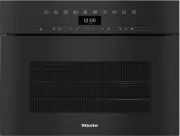
Guide to the appliance 16 Combination steam oven a Control elements b Ventilation outlet c Top heat/grill element d Distribution wheel for HydroClean cleaning e Oven interior lighting f Air inlet for the fan with ring heating element behind it g Oven compartment floor with bottom heater element and ...
Page 17 - Condensate container
Guide to the appliance 17 a Condensate container b Condensate container compartment c Compartment for water container d Water container
Page 18 - Data plate; Universal tray; For manually opening the door; HydroCleaner
Guide to the appliance 18 A list of the models described in theseoperating and installation instructionscan be found on the back page. Data plate The data plate is located on the top ofthe housing. The data plate states the model identi-fier, the serial number as well as con-nection data (mains volt...
Page 19 - Controls; OK
Controls 19 a Recessed On/Off sensor control For switching the combination steamoven on and off b Optical interface(For Miele Service only) c sensor control For controlling the combinationsteam oven via your mobile device d sensor control For opening and closing the controlpanel e DisplayFo...
Page 20 - On/Off sensor control; The; Display; will appear in the; Sensor controls; Sensor controls above the display
Controls 20 On/Off sensor control The On/Off sensor control is re- cessed and responds to touch.Use this sensor control to switch thecombination steam oven on and off. Display The display is used for showing the timeof day or information about operatingmodes, temperatures, cooking dura-tions, aut...
Page 21 - Sensor controls under the display; setting and touch this sensor control. The
Controls 21 Sensor controls under the display Sensor control Function If you want to control the combination steam oven from your mo-bile device, you must have the Miele@home system, switch onthe Remote control setting and touch this sensor control. The sensor control then lights up and the Mobil...
Page 22 - Sensor control Function; Symbols; The following symbols may appear in the display:; Symbol
Controls 22 Sensor control Function If no cooking programme is in progress, you can use this sensorcontrol to set a minute minder (e.g. when boiling eggs) at anypoint. If a cooking programme is in progress at the same time, you canset a minute minder, the cooking duration and a start or end timefo...
Page 23 - Using the appliance; Selecting a menu option; Changing a setting in a list
Using the appliance 23 Use the and arrow buttons or the area between them in the navig- ation area to use the combination steamoven.As soon as you reach a confirmablevalue, message or setting, the OK sensor control will light up orange. Selecting a menu option Touch the or...
Page 24 - Changing the function; Entering numbers; Entering letters; Activating MobileStart
Using the appliance 24 Changing the function You can change to another function dur-ing a cooking programme.The sensor control for the previously se-lected function lights up orange. Touch the sensor control of the newfunction or operating mode. The new function appears in the displaywith its corr...
Page 25 - Description of functions; Control panel; function and; application use a combination
Description of functions 25 Control panel The water container and the condensatecontainer are located behind the controlpanel. The control panel is opened andclosed by pressing the sensor con- trol. It is fitted with anti-trapping protec-tion. If the control panel senses resist-ance when opening ...
Page 26 - Cooking duration; Cooking phase; will appear in; Oven interior lighting; sensor
Description of functions 26 Cooking duration Depending on the function, you can seta cooking duration of between 1 minuteand 10 or 12 hours. The cooking durations of the automaticand maintenance programmes are set atthe factory and cannot be altered.When cooking with steam, as well as forprogrammes ...
Page 27 - Before using for the first time; Availability of the WiFi connection
Before using for the first time 27 Miele@home Your combination steam oven isequipped with an integrated WiFimodule. To use this feature, you will need: - A WiFi network- The Miele app- A Miele user account. You can create a user account via the Miele app The Miele app will guide you as youconnect yo...
Page 28 - Basic settings
Before using for the first time 28 Basic settings The following settings must be madebefore starting up for the first time. Youcan change these settings again at alater time (see “Settings”). Risk of injury caused by hot sur- faces.The combination steam oven getshot during operation.For safety rea...
Page 29 - only
Before using for the first time 29 Cleaning the combinationsteam oven for the first time Remove any protective foil and stick-ers, with the exception of the dataplate and the small plate on theopened control panel, from the com-bination steam oven and accessories. The combination steam oven is sub...
Page 30 - This procedure; must; be carried out; Only use cold, fresh drinking water; ceed as described in “Operation”.; operating mode for
Before using for the first time 30 Setting the correct boiling pointfor water Before cooking food for the first time,you must adjust the combination steamoven to the boiling temperature of thewater, which varies depending on thealtitude of where the combinationsteam oven is located. This process als...
Page 31 - Settings; Settings overview; Menu option; * Factory default setting
Settings 31 Settings overview Menu option Available settings Language ... | deutsch | english | ... Location Time Show On * | Off | Night dimming Clock format 12 h | 24 h * Set DateLighting On“On” for 15 seconds * Off Display Brightness QuickTouch On | Off * Volume Buzzer tone...
Page 33 - Opening the “Settings” menu; Show
Settings 33 Opening the “Settings” menu In the Further | Settings menu, you can personalise your combination steamoven by adapting the factory defaultsettings to suit your requirements. Select Further . Select Settings . Select the desired setting. You can check settings or change ...
Page 34 - Set; Date; Brightness
Settings 34 Set Set the hours and the minutes.If there is a power cut, the current timeof day will reappear once power hasbeen restored. The time of day is savedfor approx. 150 hours. If the combination steam oven hasbeen connected to a WiFi network andsigned into the Miele app, the time willbe sync...
Page 35 - Volume
Settings 35 Volume Buzzer tones If buzzers are switched on, a buzzer willsound when the set temperature isreached and at the end of a set time. If you want to open the door remotelyusing a voice-based service, make surethat nobody is in the area around thedoor when opening it. Make sure thatyou keep...
Page 36 - Keeping warm; Booster
Settings 36 Keeping warm Using the Keeping warm function, you can keep food warm at the end of asteam cooking programme. Food is keptwarm at a pre-set temperature for amaximum of 15 minutes. You can cancelthe keeping warm process by openingthe door. Please note that delicate food, espe-cially fish,...
Page 37 - or
Settings 37 Water hardness The combination steam oven must be adjusted to the local water hardness level toensure that it works correctly and to ensure that descaling is carried out at the cor-rect interval. The harder the water is, the more frequently the combination steamoven needs to be descaled....
Page 39 - Automatic rinsing; Following a cooking process with steam,; will appear on the dis-; Safety; Sensor lock; The sensor lock is activated. Touch the
Settings 39 Automatic rinsing Following a cooking process with steam, Appliance rinsing will appear on the dis- play after the combination steam ovenhas been switched off.This process flushes any remaining fooddeposits out of the system.You can activate or deactivate the auto-matic rinsing process. ...
Page 40 - Performing Scan & Connect; or the Google Play StoreTM.
Settings 40 Miele@home The combination steam oven is aMiele@home-compatible appliance.Your combination steam oven is fittedex-works with a WiFi communicationmodule and is suitable for wirelesscommunication. There are a number of ways of connect-ing your combination steam oven toyour WiFi network. We...
Page 41 - Activating /deactivating
Settings 41 Remote control If you have installed the Miele app onyour mobile device, have access to theMiele@home system and have activ-ated the remote control function ( On ), you can use the MobileStart functionand, for example, retrieve informationabout oven cooking processes that arein progress ...
Page 42 - Running a RemoteUpdate; Software version; Demo mode; Factory default
Settings 42 Running a RemoteUpdate Information about the content andscope of an update is provided in theMiele app. A message will appear in your combina-tion steam oven display if a software up-date is available.You can install the update immediatelyor postpone this until later. When thecombination...
Page 43 - Setting the minute minder; Changing the minute minder duration; Deleting the minute minder duration
Minute minder 43 Using the Minute minder func-tion The minute minder can be used to time other activities in the kitchen,e.g. boiling eggs.The minute minder can also be used atthe same time as a cooking programmefor which the cooking duration start andfinish times have been set (e.g. as a re-mind...
Page 46 - Energy saving tips; Cooking programmes
Energy saving tips 46 Cooking programmes - If possible, use the automatic pro- grammes for cooking food. - Remove all accessories from the oven compartment that are not required forcooking. - In general, if a range of temperatures is given in a recipe or chart, it is bestto select the lower temperat...
Page 47 - Operation
Operation 47 Malfunction due to missing floor fil-ter.If the floor filter is missing, food de-posits can get into the drain. The wa-ter cannot be pumped away.Before each cooking programme,check that the filter in the floor of theoven compartment is correctly fitted. Switch the combination steam ov...
Page 48 - Refilling the water; Changing the temperature
Operation 48 Cleaning the combination steam ovenafter a cooking process Remove the water container and con-densate container and empty them asrequired. Switch the combination steam ovenoff. Appliance rinsing appears after a cooking process involving steam. Follow the instructions on the displa...
Page 49 - Changing Moisture; Setting cooking durations
Operation 49 Changing Moisture Select the sensor control. Select Moisture and confirm with OK . Change the moisture level. Confirm with OK . The programme will continue to run atthe new moisture level. Setting cooking durations Cooking results can be impaired ifthere is a long delay betwe...
Page 50 - Changing the set cooking durations
Operation 50 Changing the set cooking durations Select the sensor. Select the desired time. Confirm with OK . Select Change , if required. Change the set time. Confirm with OK . Touch the sensor to return to the menu of the selected function. These settings will be deleted in the...
Page 51 - Interrupting a cooking process
Operation 51 Interrupting a cooking process A cooking process is interrupted assoon as the door is opened. The ovenheating switches off. The set cooking duration is saved whencooking with steam as well as for pro-grammes and applications with puresteam operation. Risk of injury caused by hot steam...
Page 52 - Switching on Pre-heat
Operation 52 Booster The Booster function is switched on as the factory default setting for the follow-ing functions ( Further | Settings | Booster | On ): - Fan plus - Conventional heat If you set a temperature above 100 °Cand the Booster function is switched on, a rapid heating-up...
Page 53 - Crisp function; Switching on Crisp function; Releasing bursts of steam
Operation 53 Crisp function The Crisp function function (moisture re- duction) allows moisture to be removedfrom the oven as required during the en-tire cooking process or at times duringthe process.It is a good idea to use this functionwhen cooking items which have a moisttopping, e.g. quiche, piz...
Page 54 - Suitable containers; Cooking containers; if possible. The steam; Your own containers; - Containers must be suitable for use in; Shelf level
General notes 54 This section contains general informa-tion. You will find more detailed informa-tion about particular foods and how tocook them in the other sections. The advantages of cooking withsteam Almost all vitamins and minerals are re-tained as the food is not immersed inwater.Cooking with ...
Page 55 - Frozen food; Non-tip safety notches
General notes 55 Frozen food The heating up phase for frozen food islonger than for fresh food. The greaterthe quantity of frozen food, the longerthe heating up phase. Temperature During steam cooking, the temperaturedoes not exceed 100 °C. Almost allfoods can be cooked at this temperat-ure. Some ty...
Page 56 - Steam cooking; You can use the; Notes on the cooking tables; Selecting the
Steam cooking 56 Eco Steam cooking You can use the Eco Steam cooking func- tion to save energy during steam cook-ing. This function is suitable mainly forcooking fish and vegetables.We recommend following the cookingdurations and temperatures from thetables specified in “Steam cooking”. You can cook...
Page 57 - Vegetables
Steam cooking 57 Vegetables Fresh Prepare fresh vegetables in the usualway, i.e. wash, clean and cut them up. Frozen food Frozen vegetables do not need to be de-frosted beforehand, unless they havebeen frozen together in a block.Frozen and fresh vegetables which takethe same length of time to cook c...
Page 60 - Fish
Steam cooking 60 Fish Fresh Prepare fresh fish in the usual way, i.e.clean, gut and fillet. Frozen food Fish does not need to be fully defrostedbefore cooking. Defrost so that the sur-face is sufficiently thawed to take herbsand seasoning. Depending on the thick-ness of the fish, 2 - 5 minutes shoul...
Page 61 - Tips; . Place the fish scraps together; au bleu
Steam cooking 61 Tips - Adding herbs and spices, such as dill, will help bring out the full flavour ofthe fish. - Cook large fish in swimming position. To help maintain the shape of the fish,place a small cup or similar upsidedown in the cooking container, and ar-range the fish belly-side down overt...
Page 63 - Meat; Prepare the meat in the usual way.
Steam cooking 63 Meat Fresh Prepare the meat in the usual way. Frozen food Meat should be thoroughly defrostedbefore cooking (see “Further applica-tions” – “Defrost”). Preparation For meat which needs to be seared be-fore being cooked, e.g. for a stew, searthe meat in a pan on the hob first. Duratio...
Page 65 - Rice; Cooking container
Steam cooking 65 Rice Rice swells when cooked and needs tobe cooked in liquid. The proportion ofrice to liquid will vary depending on thetype of rice.The rice absorbs all the liquid during thecooking process and so none of the nu-trients are lost. Cooking container Use a solid cooking container. Alt...
Page 66 - Grain; Ratio
Steam cooking 66 Grain Grains swell when cooked and need to be cooked in liquid. The proportion of grainsto liquid depends on the type of grain.Grains can be cooked whole or cracked. Settings Automatic programmes | Grain | ... | or Steam cooking Temperature: 100 °CCooking duration: see table...
Page 67 - Pasta; Dry pasta; Fresh
Steam cooking 67 Pasta Dry pasta Dry pasta swells when it is cooked and needs to be cooked in liquid. The liquidmust cover the pasta. Using hot liquid gives better results.Increase the cooking time stated by the manufacturer by approx. ¹/₃. Fresh food Fresh pasta, such as the kind you can buy from t...
Page 68 - Dumplings; Sweet dumplings
Steam cooking 68 Dumplings Ready made boil-in-the-bag dumplings need to be well covered with water as oth-erwise they can fall apart. This is because even though they have been soaked inwater beforehand they will not absorb enough moisture.Cook fresh dumplings in a greased, perforated container. Set...
Page 69 - Dried pulses; Lentils; Soaked
Steam cooking 69 Dried pulses Soak pulses for at least 10 hours in cold water before cooking. Soaking makes thepulses more digestible and shortens the cooking duration required. Soaked pulsesmust be covered with liquid during cooking. Lentils do not need to be soaked before cooking. With unsoaked pu...
Page 70 - Unsoaked
Steam cooking 70 Unsoaked Ratio Pulses : Liquid [min] Beans Kidney beans 1 : 3 130–140 Adzuki beans 1 : 3 95–105 Black beans 1 : 3 100–120 Pinto beans 1 : 3 115–135 Haricot beans 1 : 3 80–90 Lentils Brown lentils 1 : 2 13–14 Red lentils 1 : 2 7 Peas Yellow split peas 1 : 3 110–130 Green split peas...
Page 71 - Small
Steam cooking 71 Hen's eggs Use a perforated container to boil eggs.The eggs do not need to be pierced before cooking as they are gradually warmedduring the heating up phase and so do not burst when they are cooked with steam.When using a solid container for making egg dishes such as scrambled eggs,...
Page 72 - Fruit; Sausages
Steam cooking 72 Fruit Cook fruit in a solid container so thatnone of the juice is lost. If you wish tocook fruit in a perforated container,place a solid container directly under-neath it to collect the juice. Tip: You can use the juice which has collected in the solid container to makea glaze for a...
Page 73 - Shellfish; Preparation
Steam cooking 73 Shellfish Preparation Defrost frozen shellfish before cooking with steam.Peel, remove and discard the intestines, and then wash the shellfish. Cooking containers If using a perforated container, grease it first. Duration The longer shellfish are cooked, the tougher they become. Use ...
Page 74 - Mussels; Fresh food
Steam cooking 74 Mussels Fresh food Danger of food poisoning from spoiled mussels. Spoiled mussels can cause food poisoning.Only cook mussels which are closed.Do not eat mussels which have not opened after being cooked. Steep fresh mussels in water for a few hours before cooking to rinse out any s...
Page 76 - Important usage notes
Sous-vide (vacuum) cooking 76 With this gentle cooking method, foodis cooked slowly and at a low, constanttemperature in vacuum packaging.With vacuum cooking, no moistureevaporates during cooking and all nutri-ents and flavours are retained.The cooking result has an intensivetaste and food is cooked...
Page 81 - Reheating
Sous-vide (vacuum) cooking 81 Reheating Only reheat brassicas, such as kohlrabiand cauliflower, in combination with asauce. Without sauce, an unpleasantcabbage-like taste and grey-brown col-our may develop. Food with a short cooking duration orwhich continues cooking during re-heating, such as fish,...
Page 82 - Reheating with the Sous-vide function; Food
Sous-vide (vacuum) cooking 82 Reheating with the Sous-vide function The durations specified in the table are guidelines only. You can increase the dura-tion if necessary. The cooking duration only begins when the set temperature isreached. Food [°C] 2 [min] Medium 1 Done 1 Meat Saddle of lamb 58...
Page 83 - Further applications
Further applications 83 Reheat To reheat food which was cooked us-ing the sous-vide method, use the Sous-vide function (see “Sous-vide – Reheating”). The combination steam oven is very ef-fective at reheating food gently, withoutdrying it out or cooking it further. Thefood will reheat evenly and...
Page 88 - Containers
Further applications 88 Mix & Match The Mix & Match special application is available to help with simple and un-complicated preparation of platedmeals. With this application, you can re-heat food that has already been cooked(convenience food) or assemble a por-tioned-out meal using fresh fo...
Page 89 - Tips for cooking plated meals; - You can easily make a sauce from the
Further applications 89 Tips for cooking plated meals - You can easily make a sauce from the meat and fish stock: add 1 tsp of corn-flour to the raw meat or fish beforecooking. Stir the sauce with a fork un-til smooth before serving. You can alsouse 1 tsp of mashed potato powder(instant) or a pinch ...
Page 90 - Notes on the cooking charts
Further applications 90 Notes on the cooking charts As well as information on portion sizesor the way the food needs to be pro-cessed prior to cooking, the cookingcharts also provide tips on preparation.The degree of browning is representedin the display by a bar with seven seg-ments. Basically, the...
Page 91 - Reheating food with the “Crispy reheating” special application
Further applications 91 Reheating food with the “Crispy reheating” special application Food Browning segment bar setting Apple strudel, 4 cm thick, baked Baked camembert, 75 g, baked Baguette, baked Puff pastry canapés, baked ...
Page 92 - Cooking food with the “Crispy cooking” special application
Further applications 92 Cooking food with the “Crispy cooking” special application Food Cooking tips Browning segment bar setting Meat 1 Bratwurst, 100 g, boiled Slashed Meat patty, 60 g, 2.5 cm thick Ground meat, seasoned Chicken breast, 3 cm thick, r...
Page 94 - Food suitable for the “Gentle cooking” special application
Further applications 94 Food suitable for the “Gentle cooking” special application Food Cooking tip Meat 1 Sausage (pork), 100 g, cooked – Beef filet skewer, 50 g chunks, raw Marinated, with bacon Pork skewer, 50 g chunks, raw Marinated, with bell pepper and onion Chicken breast, 3 cm thick, raw On ...
Page 96 - Menu cooking – automatic
Further applications 96 Menu cooking – automatic When cooking a menu automatically,you can combine up to 3 different foodsin a single menu, e.g. fish fillet with riceand vegetables.With menu cooking, the food is placedin the steam oven compartment at dif-ferent times so that each item is readyat the...
Page 97 - Bottling; - Make use of residual heat by leaving
Further applications 97 Bottling Only use unblemished, fresh producewhich is in good condition for bottling. Glass jars Use clean glass jars and accessoriesand check them for any defects. Glassjars with twist off lids or glass lids with arubber seal are suitable.Make sure that all the jars are the s...
Page 98 - Food to be bottled
Further applications 98 The durations specified in the chart are guidelines only. Food to be bottled [°C] * [min] Berries Currants 80 50 Gooseberries 80 55 Cranberries 80 55 Fruit with stones Cherries 85 55 Mirabelle plums 85 55 Plums 85 55 Peaches 85 55 Greengages 85 55 Fruit with pips Apples 9...
Page 99 - Bottling cakes
Further applications 99 Bottling cakes Creamed, sponge and yeast dough mixtures are all suitable for bottling. Cakes willkeep for approx. 6 months.Cakes made with fresh fruit are not suitable for long term storage , and must be consumed within 2 days of being made. Only use sterilised jars and acces...
Page 100 - Drying; Only use the; Herbs
Further applications 100 Drying Only use the Drying special application or the Combi Fan plus operating mode to dry food so that moisture can be dissip-ated. Bananas, pineapple and chanterellesare not suitable for drying. Cut the food for drying into equallysized pieces. Line the rack with bak...
Page 101 - Extracting juice with steam; - Try experimenting with mild and tart; Extracting juice from fruit
Further applications 101 Extracting juice with steam This combination steam oven is ideal forextracting juice from soft and firm fruit.It is best to use overripe fruit, as theriper the fruit, the greater the quantity ofjuice produced. Very ripe fruit will alsoproduce a more intense flavour. Preparat...
Page 102 - Blanching; Disinfect items
Further applications 102 Blanching Blanch vegetables before freezing them.Blanching helps maintain the quality ofthe produce when it is frozen.Blanching vegetables also helps themretain their original colour. Put the prepared vegetables into aperforated cooking container. Once blanched, plunge t...
Page 103 - Heat crockery; Select
Further applications 103 Heat crockery If the crockery is pre-heated, the fooddoes not cool down as quickly. Use heat-resistant crockery. Place the rack on shelf level 2 andplace the crockery to be warmed onit. Depending on the size of the crock-ery, you can also place the rack on thefloor of the ...
Page 104 - Prove dough; Heating damp flannels; Dissolve gelatine; gelatine leaves
Further applications 104 Prove dough Prepare the dough according to therecipe. Place the dough in an uncovered bowlin a perforated container or on the in-serted rack. Depending on the size of the bowl,you can also place the rack on thefloor of the oven compartment withthe rack surface facing up ...
Page 105 - Decrystallise honey; Melt chocolate; Break the chocolate into small pieces.
Further applications 105 Decrystallise honey Loosen the lid and place the jar ofhoney in a perforated cooking con-tainer. Stir the honey once during the cook-ing duration. When liquefying (decrystallising)honey at a temperature of 60 °C, themain aim is to achieve a spreadableconsistency again. S...
Page 106 - Cook bacon; The bacon does not brown.; Sweat onions; Conserving apples; Making eierstich
Further applications 106 Cook bacon The bacon does not brown. Place the bacon (diced or rashers) ina solid cooking container. Cover the container with foil that istemperature-resistant up to 100 °Cand resistant to steam. Settings Automatic programmes | Special | Render fat or Steam cooking ...
Page 107 - Fruit preserve; Skinning vegetables and fruit
Further applications 107 Fruit preserve Only use unblemished, fresh producewhich is in good condition. Glass jars Only use sterilised jars with twist-offlids up to a maximum capacity of250 ml.After pouring in the fruit, clean the rimof the jar with a clean cloth and hot wa-ter. Preparation Sort frui...
Page 108 - Make yoghurt; When using yoghurt enzyme,
Further applications 108 Make yoghurt To make yoghurt, you will need eitherfresh live yoghurt or yoghurt culture, ob-tainable from health food shops.Use natural yoghurt with live culture andwithout additives. Heat-treated yoghurtis not suitable.The yoghurt must be fresh (short stor-age time).You can...
Page 109 - Categories
Automatic programmes 109 The wide range of automatic pro-grammes enables you to achieve excel-lent results with ease. Categories The automatic programmes are sor- ted into categories to provide a betteroverview. Simply select the appropriateprogramme for the type of food you arecooking and follow...
Page 110 - User programmes; Creating user programmes
User programmes 110 You can create and save up to 20 ofyour own programmes. - You can combine up to 9 cooking stages to accurately programme yourfavourite or most frequently used re-cipes. In each cooking stage, you canselect settings such as the function,temperature and cooking duration. - You can ...
Page 111 - Starting user programmes
User programmes 111 Starting user programmes Place the food in the oven compart-ment. Select User programmes . Select the programme you want touse. Select Allow . Depending on the programme settings,the following menu options appear onthe display: - Start now The programme will start imm...
Page 112 - Changing the name; Deleting user programmes
User programmes 112 Changing the name Select User programmes . Select the programme you want tochange. Select Change name . Change the programme name. Select . A message will appear in the displayconfirming that the programme namehas been saved. Confirm with OK . The programme ha...
Page 113 - Baking; Baking tips; - Small items of frozen food such as; Using baking parchment; Use baking parchment when cooking:
Baking 113 Handling food carefully will help pro-tect your health.Cakes, pizzas and french fries shouldbe cooked until golden, not darkbrown. Baking tips - Set a cooking duration. When baking, the oven should not be set to start along time off. Otherwise the cake mix-ture or dough will dry out, and ...
Page 114 - Tips on baking; - Position rectangular tins with the; Notes on the functions; Recipes and comprehensive cook-
Baking 114 Tips on baking - Dark tins are best for baking. Avoid us- ing bright, thin-walled tins as they givean uneven or poor browning result. Incertain unfavourable conditions, thefood will not cook properly. - Position rectangular tins with the longer side across the width of theoven compartment...
Page 115 - Follow the instructions on the display.
Baking 115 Automatic programmes Follow the instructions on the display. Fan plus Use this function if you are baking onmultiple shelves at the same time.You can use any type of baking tin madeof heat-resistant material.Because the fan distributes the heataround the oven compartment straightawa...
Page 116 - Roasting; Tips for roasting
Roasting 116 Tips for roasting - Frozen meat must be defrosted before it is cooked as otherwise it would dryout. Always defrost meat before roast-ing. - Remove skin and sinew before roast- ing. - Marinate and season the meat to taste. - If you are cooking several pieces of meat together, use pieces ...
Page 117 - Conventional heat; Use the; function towards; function
Roasting 117 Automatic programmes Follow the instructions on the display. Fan plus This function is suitable for roastingmeat and poultry that needs to be wellbrowned.Because the fan distributes the heataround the oven compartment straightaway, it allows you to use a lower tem-perature than yo...
Page 118 - Grilling; Grilling tips; test the food
Grilling 118 Risk of injury caused by hot sur- faces.If you open the appliance door duringgrilling, the control elements will getvery hot.Keep the door closed during thegrilling programme. Grilling tips - Pre-heating is not necessary when grilling. Place the food in the cold ovencompartment. - Use...
Page 119 - Combi Grill
Grilling 119 Notes on the functions You can find an overview of all the func-tions with their recommended values in“Main and sub-menus”. Combi Grill This function is suitable for grilling foodthat should be brown on the outside,but not dry, e.g. corn on the cob. Full grill Use this function to grill...
Page 120 - Risk of injury caused by hot sur-
Cleaning and care 120 Important information on clean-ing and care Risk of injury caused by hot sur- faces.The combination steam oven getshot during operation. You could burnyourself on the heater elements, ovencompartment, side runners or ac-cessories.Allow the heater elements, ovencompartment, si...
Page 121 - Unsuitable cleaning agents
Cleaning and care 121 Unsuitable cleaning agents To avoid damaging the surfaces of yourappliance, do not use: - Cleaning agents containing soda, am- monia, acids or chlorides - Cleaning agents containing descaling agents - Abrasive cleaning agents (e.g. powder cleaners, scouring milk, scouringpads) ...
Page 122 - PerfectClean; treated with
Cleaning and care 122 PerfectClean The surfaces of the universal tray andthe combi rack have been treated with PerfectClean . This finish has an irides- cent appearance. PerfectClean surfaceshave very good anti-stick properties andare easy to clean.However, it is important to clean thesurfaces each ...
Page 123 - Oven compartment; sorbent cloth; Soaking the soiling for a few
Cleaning and care 123 Oven compartment It is normal for the oven compartmentto have a yellow tinge after prolongeduse. This will not affect functionality inany way. Ensure that no cleaning agent getsinto the openings on the oven com-partment rear panel. To make cleaning the oven compart-ment easy, y...
Page 124 - Cleaning the floor filter; care programme
Cleaning and care 124 Cleaning the floor filter The filter in the floor of the ovenshould be cleaned and dried afterevery use. Vinegar can be used to remove dis-colouration and limescale depositsfrom the filter in the floor of the oven.Rinse thoroughly with clean water af-terwards. Cleaning the ...
Page 125 - Accessories; - light soiling with a clean sponge and a; Cleaning cooking containers
Cleaning and care 125 Accessories Cleaning the universal tray and combirack The surfaces of the universal tray andthe combi rack have been treatedwith PerfectClean.Please see “PerfectClean” in the“Cleaning and care” chapter for in-structions on cleaning. Remove: - light soiling with a clean sponge...
Page 126 - Cleaning the side runners; Reassemble; by following these in-
Cleaning and care 126 Cleaning the side runners Risk of injury caused by hot sur- faces.The combination steam oven getshot during operation. You could burnyourself on the heater elements, ovencompartment or accessories.Allow the heater elements, ovencompartment and accessories tocool before removi...
Page 128 - Maintenance; Soak
Cleaning and care 128 Maintenance The Finish at and Start at functions are not available with maintenance pro-grammes. Soak Stubborn soiling can be soaked usingthis maintenance programme. Allow the oven compartment to cooldown. Take all accessories out of the ovencompartment. Remove coarse so...
Page 129 - Carrying out the descaling process; Finalising the descaling process
Cleaning and care 129 Carrying out the descaling process Take all accessories out of the ovencompartment. Select Descale . The message Please wait will appear on the display. The descaling process is be-ing prepared. This may take a fewminutes. As soon as the appliance isready, you will be p...
Page 130 - to; Risk of injury caused by cleaning; Degree of soiling 1; for visible, but not; Degree of soiling 3; for heavy soiling
Cleaning and care 130 HydroClean Instead of cleaning the oven compart-ment manually you can run the Hydro- Clean care programme. Odours after preparing fish as well asheavy, stubborn soiling caused by roast-ing and grilling, for example, can be re-moved easily with this programme.We recommend using...
Page 131 - Sequence of a cleaning process
Cleaning and care 131 Sequence of a cleaning process HydroClean takes place in several phases: 1. Preparation2. Cleaning phase3. Wash phase4. Subsequent manual cleaning5. Drying phase You will be guided through the entirecleaning process by the combinationsteam oven. To prepare for the process,you w...
Page 133 - Completing the cleaning process
Cleaning and care 133 Place the condensate container intothe compartment and confirm with OK . Once the time left has elapsed, Finished appears on the display and a buzzersounds. Completing the cleaning process Switch the combination steam ovenoff. Risk of injury caused by hot sur- faces.The c...
Page 134 - Removing the door; Open the door a fraction.
Cleaning and care 134 Removing the door Prepare a suitable underlay for thedoor, such as a soft cloth. Open the door a fraction. Using both hands, press down on thetop edge of the door briefly. The oven door is connected to thedoor hinges by retainers. Before re-moving the door from the retain...
Page 135 - Fitting the door
Cleaning and care 135 Hold the door securely at both sidesand lift it evenly upwards off the hingeretainers. Make sure that the door is straight. Place the door on the previously pre-pared surface. Fitting the door Hold the door securely on both sidesand carefully fit it back into the doorhing...
Page 136 - Problem solving guide; Messages on the display; Problem; Correct the position of the suction hose:
Problem solving guide 136 Many malfunctions and faults that can occur in daily operation can be easilyremedied. You can save time and money in many cases, as you do not need to callthe Miele Customer Service Department.Information to help you rectify faults yourself can be found at www.miele.com/ser...
Page 138 - Unexpected behaviour; During cleaning with; and
Problem solving guide 138 Unexpected behaviour Problem Cause and remedy The oven compartmentdoes not heat up. Demo mode is activated.The combination steam oven can be operated, how-ever the heating elements will not work. Deactivate demo mode (see “Settings” – “Show-room programme”). The oven comp...
Page 139 - You have selected the
Problem solving guide 139 Problem Cause and remedy The sensor controls donot respond. You have selected the Display | QuickTouch | Off setting. When the combination steam oven is switched off,the sensor controls do not respond. As soon as the combination steam oven is switchedon, the sensor con...
Page 140 - Noises; Unsatisfactory results
Problem solving guide 140 Noises Problem Cause and remedy A humming sound canbe heard during opera-tion and after switchingoff the combinationsteam oven. This noise does not indicate incorrect operation or anappliance fault. The noise is made by water beingpumped through the system. The fan can stil...
Page 141 - General problems or technical faults
Problem solving guide 141 General problems or technical faults Problem Cause and remedy The combination steamoven cannot beswitched on. The circuit breaker has tripped. Reset the trip switch in the circuit breaker box (seedata plate for minimum protection rating). There may be a technical fault. ...
Page 143 - Carefully open the door.
Problem solving guide 143 Opening the control panelmanually Carefully open the door. Take hold of the control panel at thetop and bottom. Pull the control panel forwards andout first. Carefully push the control panel up-wards. Closing the control panel manu-ally Take hold of the control pa...
Page 144 - Opening the door manually
Problem solving guide 144 Opening the door manually Risk of injury caused by hot sur- faces.The door glass can get hot. You canburn yourself on the door glass.Wear oven gloves when opening thehot door. Risk of injury caused by steam. When using a cooking process in-volving steam, a lot of steam ...
Page 145 - Optional accessories; ous sizes; Other; with a width of 325 mm; Cleaning and care products
Optional accessories 145 Miele offer a comprehensive range ofuseful accessories as well as cleaningand conditioning products for yourMiele appliances.These products can be ordered throughthe Miele Webshop.They can also be ordered from Miele(see end of this booklet for contact de-tails) or from your ...
Page 146 - Service; Contact in the event of a fault
Service 146 Information to help you rectify faultsyourself and about Miele spare partscan be found at www.miele.com/ser-vice. Contact in the event of a fault In the event of any faults which you can-not remedy yourself, please contactyour Miele dealer or the Miele Cus-tomer Service Department. You c...
Page 147 - Installation; Safety instructions for installation
Installation *INSTALLATION* 147 Safety instructions for installation Risk of damage from incorrect installation. Incorrect installation can cause damage to the combination steamoven.The combination steam oven must only be installed by a specialist. The connection data (voltage and frequency) on ...
Page 148 - Building-in dimensions; All dimensions are given in mm.; Installation in a tall unit
Installation *INSTALLATION* 148 Building-in dimensions All dimensions are given in mm. Installation in a tall unit The furniture housing unit must not have a back panel fitted behind the building-in niche.
Page 149 - Installation in a base unit
Installation *INSTALLATION* 149 Installation in a base unit The furniture housing unit must not have a back panel fitted behind the building-in niche.
Page 150 - Side view
Page 151 - Swivel range for control panel
Installation *INSTALLATION* 151 Swivel range for control panel The area in front of the control panelmust not be blocked by anything(such as a door handle) that wouldhinder it from opening and closing.
Page 152 - Connection and ventilation; Front view
Installation *INSTALLATION* 152 Connection and ventilation a Front view b Mains connection cable, L = 2000 mm c Ventilation cut-out, min. 180 cm 2 d No connections permitted in this area
Page 154 - Electrical connection; Risk of damage from incorrect
Installation *INSTALLATION* 154 Electrical connection If the mains connection cable is sup-plied with a plug, connect the combina-tion steam oven to the electrical supplyusing a suitable electrical socket. Thismakes it easier to perform servicingwork. The socket must be easily access-ible after the ...
Page 155 - See data plate
Installation *INSTALLATION* 155 Total power rating See data plate Connection data The connection data is quoted on thedata plate. Please ensure these matchthe household mains supply.Please see wiring diagrams for connec-tion. (N.B. This appliance is suppliedsingle phase only in the UK / AUS / NZ). R...
Page 156 - Note for test institutes; Menu cooking test food
Note for test institutes 156 Test food according to EN 60350-1 (steam cooking operatingmodes) Test food Cooking con-tainer Quantity [g] 1 [°C] [min] Steam replenishment Broccoli (8.1) 1 x DGGL 12 Max. 2 100 3 Steam distribution Broccoli (8.2) 1 x DGGL 20 300 2 100 3 Appliance capacity Pe...
Page 157 - Test food in accordance with EN 60350-1 (oven operating modes)
Note for test institutes 157 Test food in accordance with EN 60350-1 (oven operating modes) Test food Accessories [°C] 2 [min] Pre-heat Drop cookies (7.5.2) 1 baking tray 2 140 34–36 (35) No No 2 baking trays 1 140 39–41 (40) No No 3 1 36–38 (37) 1 baking tray 2 140 29-31 (29) Yes Ye...
Page 158 - Energy efficiency class according to EN 60350-1; - Testing is undertaken using the; the drain until you can see the surface of the water.
Note for test institutes 158 Energy efficiency class according to EN 60350-1 The energy efficiency class is determined in accordance with EN 60350-1. Energy efficiency class: A+Please observe the following when conducting testing: - Testing is undertaken using the Eco Fan heat operating mode. -...
Page 159 - Data sheet for household ovens
Note for test institutes 159 Data sheet for household ovens In acc. with delegated regulation (EU) No. 65/2014 and regulation (EU) No.66/2014 MIELE Model name/identifier DGC 7440 HCX Pro Energy efficiency index/cavity (EEI cavity ) 81,6 Energy efficiency class/cavity A+++ (most efficient) to D (leas...
Page 160 - Technical data; Frequency range of the WiFi module; EU Conformity declaration; UK Conformity declaration; manuals and enter the name of the product or the serial number; This; Statement of Compliance; confirms this Miele product fully complies with the; Paul Wright
Technical data 160 Frequency range of the WiFi module 2.4000–2.4835 GHz Maximum transmission power of theWiFi module < 100 mW EU Conformity declaration Miele hereby declares that this steam combination oven complies with Directive2014/53/EU. The complete text of the EU declaration of conformity i...
Page 161 - Copyrights and licences for the communication module
Technical data 161 Copyrights and licences for the communication module For the purpose of operating and controlling the communication module, Mieleuses proprietary or third-party software that is not covered by open source licens-ing terms. These items of software/software components are protected ...
Page 163 - United Kingdom
United Kingdom Miele Co. Ltd., Fairacres, Marcham Road, Abingdon, Oxon, OX14 1TWTel: 0330 160 6600, Internet: www.miele.co.uk, E-mail: [email protected] Australia Miele Australia Pty. Ltd.ACN 005 635 398ABN 96 005 635 398Level 4, 141 Camberwell RoadHawthorn East, VIC 3123Tel: 1300 464 353E-mail: [em...


 Miele WWD380 WCS PWash&Steam&9kg User Manual
 Miele W 1614 Manual
 Miele G 5266 SCVi SFP Active Plus User Manual
 Miele Classic C1 Turbo Team PowerLine - SBAN0 User Manual
![Miele PDR 307 [EL]](https://manualsarea.com/img/product/thumbs/48/ba/fd/bafde84806e8abc8b420f34eaf8fcd6e.webp) Miele PDR 307 [EL] User Manual
Miele PDR 307 [EL] User Manual Miele F 1911 Vi Manual
![Miele PDR 908 [EL MAR 3N AC 400V 50-60Hz]](https://manualsarea.com/img/product/thumbs/48/05/b7/05b705998b251f92b271e908423e1ecb.webp) Miele PDR 908 [EL MAR 3N AC 400V 50-60Hz] Installation Manual
Miele PDR 908 [EL MAR 3N AC 400V 50-60Hz] Installation Manual Miele K 9757 iD Manual
 Miele DGC 5085 XL Manual
 Miele DGC 7250 User Manual
 Miele DGC 7350 User Manual
 Miele DGC 7370 User Manual
 Miele DGC 7440 AM User Manual
 Miele DGC 7440 HC Pro User Manual
 Miele DGC 7450 User Manual
 Miele DGC 7460 HC Pro User Manual
 Miele DGC 7460 HCX Pro User Manual
 Miele DGC 7470 User Manual
 Miele DGC 7585 User Manual
 Miele DGC 7640 HC Pro User Manual