LG WH16NS60 - User Manual
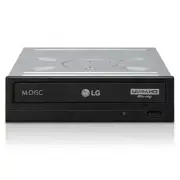
This user manual details the LG Blu-ray/DVD writer device, covering its controls, installation, safety precautions, and operational guidelines. The document emphasizes essential topics like handling environmental risks–such as avoiding moisture or extreme temperatures–and proper disc management to prevent data loss or damage. It also outlines setup procedures for connecting the drive via SATA cables and installing necessary drivers and software, including warnings about compatibility issues with previous burning tools. Additionally, it addresses troubleshooting common hardware and media-related problems before seeking service, alongside regulatory compliance information, including laser safety and FCC certification details.


Table of Contents:
- Page 1 – Product Identification and Support Information
- Page 2 – Safety Precautions for Device Operation
- Page 3 – Handling Discs and Drive Safety
- Page 4 – Manual Table of Contents
- Page 5 – Drive Control Layout and Connectors
- Page 6 – Drive Installation Procedure
- Page 7 – SATA Cable Connection Guide
- Page 8 – Driver Installation and Management
- Page 9 – Disc Usage and Ejection Guidelines
- Page 10 – Troubleshooting Guide
- Page 11 – Regulatory and Laser Safety Information
- Page 12 – BD Media Playback FAQ
To enjoy fully all the features and functions of your product,
please read this owner ’s manual carefully and completely.
OWNER’S MANUAL
Blu-ray Disc Rewriter
BH14
ENGLISH
Blu-ray/DVD Writer
BD-ROM/DVD Writer
To enjoy fully all the features and functions of your product,
please read this owner ’s manual carefully and completely.
"Loading the manual" means you need to wait until the file loads and becomes available for online reading. Some manuals are very large, and the time they take to appear depends on your internet speed.
Was this manual helpful?
About this manual
- Brand
- LG
- Model
- WH16NS60
- Document type
- User Manual
- Category
- Drive
- Language(s)
- English
- Pages
- 13
- File size
- 860.7 KB
- Format
Summary
Owner's manual cover, product identification, and support resources.
Warnings regarding laser eye damage, electric shock, disc hazards, and environmental exposure when using the Writer.
Precautions for handling drives and discs, including preventing data loss, managing environmental conditions, proper positioning, and power management.
Ask a question
Related manuals
Popular LG Drives


More LG Drives models
 LG SP80NB80 User Manual
 LG UH12NS30 User Manual
 LG WH10LS30 User Manual
 LG WH14NS40 User Manual
 LG WH16NS40 User Manual
 LG WH16NS48 User Manual
 LG WP50NB40 User Manual
 LG BE06LU10 User Manual
 LG BE12LU38 User Manual
 LG BE14NU40 User Manual
 LG BE16NU50 User Manual
 LG BH08LS20 User Manual
 LG BH10LS30 User Manual
 LG BH12LS35 User Manual
 LG BH12LS38 User Manual
 LG BH14NS40 User Manual
 LG BH16NS40 User Manual