LG GH24NSB0 - User Manual
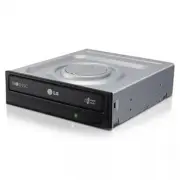
A Quick Guide for installing and configuring the LG Super Multi DVD Writer GH24 covers essential setup procedures, including hardware installation steps like connecting power and data cables while ensuring electrostatic safety. The guide also outlines system requirements–such as compatible CPU, memory, and operating systems–and performance considerations, including supported disc types, read/write speeds, and environmental conditions. It highlights software prerequisites for optimal operation alongside recommended media brands to maximize reliability.


Table of Contents:
- Page 1 – Drive Installation Procedure and Power Disconnection
- Page 2 – SATA Drive Connection and System Setup
- Page 3 – Quick Set-up Guide and Environmental Requirements
- Page 4 – Safety Warnings and Compliance Statements
Before installing the drive, turn off
the system power.
Disconnect the power cord,
and remove the cover.
• Remove a vacant 5.25” drive bay panel from
the computer. Slide the drive into the drive
bay.
Connecting the SATA Power
Cable
• Connect the power cable so the projection of
the cable connector side to come to the left
side. Be careful not to connect upside down.
NOTE:
Improper connection may damage the drive
and void the warranty. Generally, the power
connector can only fit one way.
Installing the Drive
Connect to the power connector of the PC.
Red
"Loading the manual" means you need to wait until the file loads and becomes available for online reading. Some manuals are very large, and the time they take to appear depends on your internet speed.
Was this manual helpful?
About this manual
- Brand
- LG
- Model
- GH24NSB0
- Document type
- User Manual
- Category
- Drive
- Language(s)
- English
- Pages
- 4
- File size
- 240.3 KB
- Format
Summary
Step-by-step instructions for installing a drive, including turning off power, disconnecting the cord, removing the case cover, and connecting SATA power cables to prevent damage.
Instructions for connecting the SATA data cable to the motherboard, replacing the case cover, reconnecting power, and restarting the computer, along with precautions for handling electrostatic-sensitive devices.
Features of the LG Super Multi DVD Writer GH24, system environment requirements (CPU, memory, OS), supported disc types, read/write speeds, power needs, software setup, and recommended media manufacturers.
Ask a question
Related manuals
Popular LG Drives


More LG Drives models
 LG GH22NS30 User Manual
 LG GH22NS40 User Manual
 LG GH22NS50 User Manual
 LG GH24NS50 User Manual
 LG GH24NS90 User Manual
 LG GH24NS95 User Manual
 LG GH24NSC0 User Manual
 LG GP08NU6B User Manual
 LG GP08NU20 User Manual
 LG GP10NB20 User Manual
 LG GP50NB40 User Manual
 LG GP55EX70 User Manual
 LG GP60NB50 User Manual
 LG GP60NS50 User Manual
 LG GP65NB60 User Manual
 LG GP65NG60 User Manual
 LG GP65NS60 User Manual