Page 2 - TABLE OF CONTENTS
TABLE OF CONTENTS 2 3 IMPORTANT SAFETY INSTRUCTIONS 3 READ ALL INSTRUCTIONS BEFORE USE 4 WARNING STATEMENTS 8 PRODUCT OVERVIEW 8 Product Features 10 INSTALLATION 10 Before Installing 11 Choosing the Proper Location 14 Leveling the Appliance 14 Reversing the Door 15 Installing the Vent Kit 17 Venting...
Page 3 - IMPORTANT SAFETY INSTRUCTIONS; READ ALL INSTRUCTIONS BEFORE USE; WARNING
3 IMPORTANT SAFETY INSTRUCTIONS ENGLISH IMPORTANT SAFETY INSTRUCTIONS READ ALL INSTRUCTIONS BEFORE USE Safety for a Dryer WARNING Fire HazardFailure to follow safety warnings exactly could result in serious injury, death or property damage. • Do not install a booster fan in the exhaust duct. • Insta...
Page 4 - Safety Messages; WARNING STATEMENTS; Installation; dryer airflow and increase the risk of fire.
4 IMPORTANT SAFETY INSTRUCTIONS Safety Messages Your safety and the safety of others are very important. We have provided many important safety messages in this manual and on your appliance. Always read and follow all safety messages. WARNING STATEMENTS WARNING • To reduce the risk of explosion, fir...
Page 5 - Operation
5 IMPORTANT SAFETY INSTRUCTIONS ENGLISH • The appliance must be installed and electrically grounded by qualified service personnel in accordance with local codes. • Disconnect the power cord, house fuse or circuit breaker before installing or servicing the appliance.• When moving or installing the a...
Page 7 - SAVE THESE INSTRUCTIONS; Maintenance; Grounding Instructions
7 IMPORTANT SAFETY INSTRUCTIONS ENGLISH SAVE THESE INSTRUCTIONS • Do not put living animals such as pets inside the appliance.• Do not put any part of your body, such as your hands or feet, or metal objects under the appliance.• Do not let your hand get pinched when opening or closing the dryer door...
Page 8 - PRODUCT OVERVIEW; Product Features; Front View; Rear View
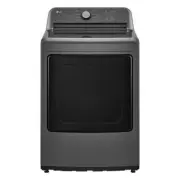
8 PRODUCT OVERVIEW PRODUCT OVERVIEW Product Features The images in this guide may be different from the actual components and accessories, which are subject to change by the manufacturer without prior notice for product improvement purposes. Front View a Control panel b Lint filters c Leveling feet ...
Page 9 - Product Specifications
9 PRODUCT OVERVIEW ENGLISH d Water inlet hose connection (for steam models) e Exhaust duct oulet Product Specifications Accessories Optional Accessories (sold separately) a Drying rack (No. 3750EL001C) b Side vent kit (Kit No. 383EEL9001B) NOTE • For your safety and extended product life, use only a...
Page 10 - INSTALLATION; Before Installing; Installation Overview
10 INSTALLATION INSTALLATION Before Installing Installation Overview Please read the following installation instructions first after purchasing this dryer or transporting it to another location. a Choose the proper location. b Level the appliance. c Vent the appliance. d Connect the Gas / Electric d...
Page 11 - Choosing the Proper; Exhaust; Flooring; Ambient Temperature
11 INSTALLATION ENGLISH Choosing the Proper Location WARNING • Read all installation instructions completely before installing and operating the appliance. It is important that you review this entire manual before installing and using the appliance. Detailed instructions concerning electrical connec...
Page 12 - Dimensions and Clearances; Installation Spacing for Recessed Area or Closet Installation
12 INSTALLATION Dimensions and Clearances The following clearances are recommended for the appliance.• Additional clearances should be considered for ease of installation and servicing.• Additional clearances should be considered on all sides of the dryer to reduce noise transfer. Installation Spaci...
Page 13 - Installation Spacing for Cabinet
13 INSTALLATION ENGLISH NOTE • There should be at least a little space around the dryer (or any other appliance) to eliminate the transfer of vibration from one appliance to another. If there is enough vibration, it could cause appliances to make noise or come into contact, causing paint damage and ...
Page 14 - Leveling the Appliance; Checking the Level; Adjusting the Leveling Feet; Reversing the Door; Tools Required
14 INSTALLATION Leveling the Appliance WARNING • Use long-sleeved gloves and safety glasses.• The appliance is heavy. Two or more people are required when installing the appliance. Checking the Level Position the appliance in the final location and place a level across the top of the appliance. a Le...
Page 15 - Installing the Vent Kit
15 INSTALLATION ENGLISH 2 While supporting the door, remove the 2 screws b on the door hinge, two from each hinge. Set the door aside face down on a protected surface to prevent damage to the door or the work surface. WARNING • The edges of the door cover may be sharp. Take care when handling, or we...
Page 16 - Side Venting
16 INSTALLATION The appliance is configured to vent to the rear. It can also vent to the bottom or side. NOTE • An adapter kit, part number 383EEL9001B, may be purchased from your LG retailer. This kit contains duct components necessary to change the appliance vent location. • Right-side venting is ...
Page 17 - Venting the Dryer; Ductwork; Routing and Connecting Ductwork
17 INSTALLATION ENGLISH Venting the Dryer WARNING • Gas dryers MUST exhaust to the outdoors.• To reduce the risk of fire, combustion, or accumulation of combustible gases, DO NOT exhaust dryer air into an enclosed and unventilated area, such as an attic, wall, ceiling, crawl space, chimney, gas vent...
Page 18 - Connecting Gas Dryers; Electrical Requirements for Gas; Gas Supply Requirements
18 INSTALLATION • Incorrect or inadequate exhaust systems are not covered by the dryer warranty. Dryer failures or service required because of such exhaust systems will not be covered by the dryer warranty. Correct Venting Incorrect Venting Connecting Gas Dryers WARNING • To reduce the risk of fire ...
Page 19 - Connecting the Gas Supply; High-Altitude Installations; Connecting Electric Dryers; Electrical Requirements for Electric
19 INSTALLATION ENGLISH Connecting the Gas Supply NOTE • In the Commonwealth of Massachusetts: This product must be installed by a licensed plumber or gas fitter. When using ball-type gas shut off valves, they must be T-handle-type. A flexible gas connector, when used, must not exceed 3 feet. • Inst...
Page 21 - Four-Wire Direct Wire
21 INSTALLATION ENGLISH 6 Attach the neutral (white) wire to the center screw of the terminal block. 7 Attach the power cord ground wire to the green ground screw. 8 Tighten all screws securely. 9 Reinstall the terminal block access cover. a White Wire moved from Ground Screw b Hot Leads of Power Co...
Page 22 - Three-Wire Power Cord
22 INSTALLATION 10 Reinstall the terminal block access cover. a White Wire moved from Ground Screw b Hot Leads of Power Cord (Black and Red) c Neutral Wire (White) d Power Cord Ground Wire e Ground Screw Three-Wire Power Cord 1 Remove the terminal block access cover on the upper back of the applianc...
Page 23 - Final Installation Check; Test Dryer Heating; Gas Models; Electric Models; Checking Airflow
23 INSTALLATION ENGLISH insulation from each wire. Bend the ends of the three wires into a hook shape. 2 Remove the terminal block access cover on the upper back of the appliance. 3 Install UL-listed strain relief into the power cord through-hole. 4 Thread the 3-wire, #10 AWG minimum copper conducto...
Page 24 - Checking Levelness; Activating the Installation Test; Check the Duct Condition
24 INSTALLATION the exhaust duct can be measured with a manometer, placed on the exhaust duct approximately 2 ft. (60.9 cm) from the dryer. Static pressure in the exhaust duct should not exceed 0.6 inch (1.5 cm). The dryer should be checked while the dryer is running with no load. Checking Levelness...
Page 25 - Error Codes
25 INSTALLATION ENGLISH However, since the test performed during normal operation provides more accurate information on the condition of the exhaust duct than the installation test, the number of bars displayed during the two tests may not be the same. • Do not interrupt the test cycle, as this coul...
Page 26 - OPERATION; Before Use; Operation Overview
26 OPERATION OPERATION Before Use WARNING • To reduce the risk of fire, electric shock, or injury to persons, read the IMPORTANT SAFETY INSTRUCTIONS before operating this appliance. Operation Overview 1 Clean the Lint Filter• If the lint filter has not already been cleaned, lift out the filter and r...
Page 27 - Loading the Dryer; General Tips
27 OPERATION ENGLISH Always ensure that the lint filter is properly installed before running the dryer. Running the dryer with a loose or missing lint filter will damage the dryer and articles in the dryer. Loading the Dryer NOTE • For the best drying performance and most efficient energy usage, do ...
Page 29 - Control Panel; Control Panel Features; Status Display
29 OPERATION ENGLISH Control Panel Control Panel Features a Power Button • Press the button to turn the appliance on. Press again to turn the appliance off. NOTE • Pressing the Power button during a cycle will cancel that cycle, and any load settings will be lost. b Cycle Selector Knob • Turn this k...
Page 31 - Dry Cycles; Sensor Dry Cycles
31 OPERATION ENGLISH Dry Cycles Turn the knob or press the button to select the desired cycle. When you select a dry cycle the light for the corresponding dry cycle will turn on. Sensor Dry Cycles Sensor dry cycles utilize LG's unique dual sensor system to detect and compare the moisture level in cl...
Page 32 - Manual Dry Cycles
32 OPERATION Manual Dry Cycles Cycle Air Dry Description Use this cycle to dry all items (such as plastics or rubber) that can be tumble dried without using heat. Dry Level Not adjustable Temperature Not adjustable Cycle 60 min / 40 min / 20 min Description Use this cycle to select a specific amount...
Page 33 - Cycle Modifiers; About Modifier Buttons
33 OPERATION ENGLISH Cycle Modifiers About Modifier Buttons Each cycle has default settings that are selected automatically. Customize these settings using the cycle modifier buttons. Repeatedly press the button for the desired modifier until the indicator light for the desired setting is lit. Not e...
Page 34 - Options and Extra Functions; Control Lock; Energy Saver
34 OPERATION Options and Extra Functions Your dryer includes several additional cycle options to customize cycles to meet your individual needs.Select the desired option after selecting the desired cycle and settings. NOTE • The LED for the option will light up when the option is selected. • To prot...
Page 35 - SMART FUNCTIONS; LG ThinQ Application; LG ThinQ Application Features; Installing the LG ThinQ Application; Smart Diagnosis; Function; Using Audible Diagnosis to
35 SMART FUNCTIONS ENGLISH SMART FUNCTIONS LG ThinQ Application The LG ThinQ application allows you to communicate with the appliance using a smartphone. LG ThinQ Application Features • Smart Diagnosis TM - This function provides useful information for diagnosing and solving issues with the applianc...
Page 36 - MAINTENANCE; Regular Cleaning; Cleaning the Exterior; Cleaning the Interior; Maintaining Ductwork; Cleaning the Lint Filter
36 MAINTENANCE MAINTENANCE WARNING • Unplug the appliance before cleaning.• Never use harsh chemicals, abrasive cleaners, or solvents to clean the appliance. They will damage the finish. Regular Cleaning Cleaning the Exterior Proper care of your appliance can extend its life. The outside of the appl...
Page 38 - TROUBLESHOOTING; FAQs; Frequently Asked Questions
38 TROUBLESHOOTING TROUBLESHOOTING FAQs Frequently Asked Questions User Support Videos For further assistance, there are videos and tutorials available through the lg.com website. 1 On the lg.com/us home page, click on the Support menu tab to bring up the menu selections. Select Video Tutorials . 2 ...
Page 39 - Before Calling for Service; Error Messages
39 TROUBLESHOOTING ENGLISH Before Calling for Service The dryer is equipped with an automatic error-monitoring system to detect and diagnose problems at an early stage. If the dryer does not function properly or does not function at all, check the following before you call for service. Error Message...
Page 41 - Performance
41 TROUBLESHOOTING ENGLISH Performance Problem Possible Cause & Solution Clothes are wrinkled. Clothes dried too long (overdried). • Overdrying a load of laundry can lead to wrinkled clothes. Try a shorter drying time or use a lower dry level setting and remove items while they still retain a sl...
Page 42 - Odors
42 TROUBLESHOOTING Odors Clothes have damp spots after a Sensor Dry cycle. Very large load or very small load. Single large item such as a blanket or comforter. • If items are too tightly packed or too sparse the sensor may have trouble reading the dryness level of the load. Use a Manual Dry cycle f...
Page 43 - WARRANTY; USA; TERMS AND CONDITIONS; THIS LIMITED WARRANTY DOES NOT COVER:
43 WARRANTY ENGLISH WARRANTY USA TERMS AND CONDITIONS ARBITRATION NOTICE: THIS LIMITED WARRANTY CONTAINS AN ARBITRATION PROVISION THAT REQUIRES YOU AND LG ELECTRONICS (“LG”) TO RESOLVE DISPUTES BY BINDING ARBITRATION INSTEAD OF IN COURT, UNLESS YOU CHOOSE TO OPT OUT. IN ARBITRATION, CLASS ACTIONS AN...
Page 44 - PROCEDURE FOR RESOLVING DISPUTES:
44 WARRANTY • Damage or failure of the Product resulting from operating the Product in a corrosive atmosphere or contrary to the Product owner’s manual. • Damage or failure of the Product caused by accidents, pests and vermin, lightning, wind, fire, floods, acts of nature, or any other causes beyond...
Page 48 - For inquiries or comments,
LG Customer Information Center Register your product Online! www.lg.com For inquiries or comments, visit www.lg.com or call: 1-800-243-0000 U.S.A. 1-888-542-2623 CANADA