Page 2 - TABLE OF CONTENTS
2 TABLE OF CONTENTS TABLE OF CONTENTS 3 SAFETY INSTRUCTIONS 5 IMPORTANT SAFETY INSTRUCTIONS 7 GROUNDING INSTRUCTIONS 8 PRODUCT FEATURES 9 PRODUCT OVERVIEW 9 Parts9 Accessories 10 INSTALLATION 10 Installation Overview10 Product Specifications11 Installation Location Requirements11 Clearances13 Leveli...
Page 3 - SAFETY INSTRUCTIONS; READ ALL INSTRUCTIONS BEFORE USE; WARNING; vicinity of this or any other appliance.
3 SAFETY INSTRUCTIONS SAFETY INSTRUCTIONS READ ALL INSTRUCTIONS BEFORE USE Safety for a Dryer WARNING WARNING: Fire HazardFailure to follow safety warnings exactly could result in serious injury, death or property damage.Do not install a booster fan in the exhaust duct.Install all clothes dryer in a...
Page 4 - WARNING - RISK OF FIRE; and increase the risk of fire.; DANGER
4 SAFETY INSTRUCTIONS WARNING - RISK OF FIRE Install the clothes dryer according to the manufacturer’s instructions and local codes. • Clothes dryer installation must be performed by a qualified installer.• Do not install a clothes dryer with flexible plastic venting materials. If flexible metal (fo...
Page 6 - SAVE THESE INSTRUCTIONS
6 SAFETY INSTRUCTIONS Operation • Read all instructions before using the appliance. • Do not dry articles that have been previously cleaned in, washed in, soaked in, or spotted with gasoline, dry-cleaning solvents, or other flammable or explosive substances, as they give off vapors that could ignite...
Page 7 - GROUNDING INSTRUCTIONS
7 SAFETY INSTRUCTIONS GROUNDING INSTRUCTIONS WARNING Improper connection of the equipment-grounding conductor may result in a risk of electric shock. Check with a qualified electrician or service person if you are in doubt that the appliance is properly grounded. • This appliance must be grounded. I...
Page 8 - PRODUCT FEATURES; Easy-Access Reversible Door; Flow Sense; Smart DiagnosisTM
8 PRODUCT FEATURES PRODUCT FEATURES Easy-to-Use Control Panel An entire selection of user-friendly functions make operating the dryer easy. Easy-Access Reversible Door The wide-opening door provides easy access for loading and unloading. The door hinge can be reversed to adjust for installation loca...
Page 9 - PRODUCT OVERVIEW; Parts; Accessories
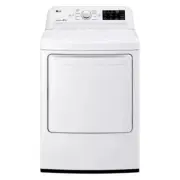
9 PRODUCT OVERVIEW PRODUCT OVERVIEW Parts Control panel Leveling feet Reversible door Power cord location (gas models) Water inlet valve (on some models) Exhaust duct outlet Terminal block access panel (electric models) Gas connection location (gas models) Lint filter Accessories Optional Accessorie...
Page 10 - INSTALLATION; Installation Overview; Dryer Models
10 INSTALLATION INSTALLATION Installation Overview Please read the following installation instructions first after purchasing this product or transporting it to another location. Check and choose the proper location Connect gas dryers Connect electric dryers Plug in the power cord Installation test ...
Page 11 - Installation Location Requirements; Clearances; Installation Spacing for Recessed Area or Closet Installation
11 INSTALLATION Installation Location Requirements WARNING Read all installation instructions completely before installing and operating the dryer! It is important that you review this entire manual before installing and using the dryer. Detailed instructions concerning electrical connections, gas c...
Page 12 - Installation Spacing for Recessed Area or Closet; Installation Spacing for Cabinet
12 INSTALLATION Closet Ventilation Requirements Closets with doors must have both an upper and lower vent to prevent heat and moisture buildup in the closet. One upper vent opening with a minimum opening of 48 sq. in. (310 cm 2 ) must be installed no lower than 6 feet above the floor. One lower vent...
Page 13 - Leveling the Dryer
13 INSTALLATION Leveling the Dryer WARNING To reduce the risk of injury to persons, adhere to all industry recommended safety procedures including the use of long-sleeved gloves and safety glasses. Failure to follow this warning may result in serious injury or death. • The appliance is heavy. Two or...
Page 14 - Reversing the Door
14 INSTALLATION Reversing the Door WARNING THE DRYER DOOR IS VERY LARGE AND HEAVY. Failure to follow the instructions below can result in damage to the dryer, property damage or injury to persons. • To avoid damage to the dryer or the door, support the door with a stool or box that fits under the do...
Page 15 - Installing the Side Vent Kit; Option 1: Side Venting
15 INSTALLATION Installing the Side Vent Kit WARNING • Use a heavy metal vent. • Do not use plastic or thin foil ducts. • Clean old ducts before installing this dryer. • To reduce the risk of injury to persons, adhere to all industry recommended safety procedures including the use of long-sleeved gl...
Page 16 - Venting the Dryer; Ductwork
16 INSTALLATION Venting the Dryer WARNING To reduce the risk of fire or explosion, electric shock, property damage, injury to persons or death when using this appliance, follow basic safety precautions, including the following: • Do not crush or collapse ductwork. Failure to follow these instruction...
Page 17 - Routing And Connecting Ductwork; Correct Venting
17 INSTALLATION Routing And Connecting Ductwork NOTE Follow the guidelines below to maximize drying performance and reduce lint buildup and condensation in the ductwork. Ductwork and fittings are NOT included and must be purchased separately. • Use 4-inch (10.2 cm) diameter rigid, semi-rigid or flex...
Page 18 - Connecting Gas Dryers; Gas Supply Requirements
18 INSTALLATION Connecting Gas Dryers WARNING To reduce the risk of fire or explosion, electric shock, property damage, injury to persons, or death when using this appliance, follow basic safety precautions. Gas Supply Requirements • As shipped from the factory, this dryer is configured for use with...
Page 19 - Connecting the Gas Supply; High-Altitude Installations
19 INSTALLATION Connecting the Gas Supply • Installation and service must be performed by a qualified installer, service agency, or the gas supplier. Failure to do so may result in fire, explosion, or death. • Use only a new stainless steel flexible connector and a new AGA-certified connector. Failu...
Page 20 - Connecting Electric Dryers; Electrical Requirements for Electric
20 INSTALLATION Connecting Electric Dryers Electrical Requirements for Electric Models Only WARNING To help prevent fire, electric shock, serious injury, or death, the wiring and grounding must conform to the latest edition of the National Electrical Code, ANSI/NFPA 70 and all applicable local regul...
Page 22 - Four-Wire Direct Wire
22 INSTALLATION Four-Wire Direct Wire • A UL-listed strain relief is required. • Use UL-listed 4-wire #10 AWG- minimum copper conductor cable. Allow at least 5 ft. (1.5 m) of wire to allow for removal and reinstallation of the dryer. 1 Remove 5 inches (12.7 cm) of the outer covering from the wire. R...
Page 23 - Three-Wire Power Cord
23 INSTALLATION WARNING Connect the power cord to the terminal block. Connect each wire in the power cord to the terminal block screw with the matching colored wire. The terminal block wire colors are indicated in the manual. Failure to follow these instructions may result in a short or overload.Gro...
Page 24 - Three-Wire Direct Wire; Final Installation Check; Testing Dryer Heating; Checking Airflow
24 INSTALLATION Three-Wire Direct Wire • A 3-wire connection is NOT permitted on new construction after January 1, 1996. • A UL-listed strain relief is required. • Use UL-listed 3-wire, #10 AWG-minimum copper conductor cable. Allow at least 5 ft. (1.5 m) length to allow for removal and installation ...
Page 26 - Restricted or Blocked Airflow
26 INSTALLATION • Check the duct condition If the Flow Sense TM LED is turned on, check the exhaust system for restrictions and damage. Repair or replace the exhaust system as needed. NOTE When the dryer is first installed, this test should be performed to alert you to any existing problems with the...
Page 27 - OPERATION; Using the Dryer
27 OPERATION OPERATION WARNING To reduce the risk of fire, electric shock, or injury to persons, read this entire manual, including the IMPORTANT SAFETY INSTRUCTIONS, before operating this dryer. Using the Dryer 1 Clean the Lint Filter If the lint filter has not already been cleaned, lift out the fi...
Page 28 - Check the Lint Filter Before; Fabric Care Labels; Loading the Dryer
28 OPERATION Check the Lint Filter Before Every Load Always make sure the lint filter is clean before starting a new load; a clogged lint filter will increase drying time. To clean, pull the lint filter straight up and roll any lint off the filter with your fingers. Do not rinse or wash the filter t...
Page 29 - Control Panel
29 OPERATION 1 2 3 5 4 7 6 1 2 3 5 4 7 6 1 POWER Button Press to turn the dryer ON. Press again to turn the dryer OFF. NOTE Pressing the POWER button during a cycle will cancel that cycle and any load settings will be lost. 2 Cycle Selector Knob Turn this knob to select the desired cycle. Once the d...
Page 31 - Cycle Guide
31 OPERATION Cycle Guide Cycle Fabric Type Dry Level Temp. More Time/ Less Time Wrinkle Care Damp Dry Signal Energy Saver Bedding Comforters, pillows, shirts Normal Dry Medium Adjustable Heavy Duty Jeans, heavyweight items Normal Dry High Adjustable Normal Work clothes, corduroys, etc. Normal Dry Me...
Page 33 - Cycle Settings and Options; Cycle Modifier Buttons; Cycle Option Buttons
33 OPERATION Cycle Settings and Options Cycle Modifier Buttons SENSOR DRY cycles have preset settings that are selected automatically. MANUAL DRY cycles have default settings, but you may also customize the settings using the cycle modifier buttons. Press the button for that option to view and selec...
Page 34 - Special Functions
34 OPERATION Special Functions Some cycle option buttons also activate secondary functions. These special functions are marked with an asterisk (*). Press and hold the option button marked with the special function to activate it. * Control Lock Use this option to prevent unwanted use of the dryer o...
Page 35 - SMART FUNCTIONS; LG ThinQ Application; Installing the LG ThinQ Application; Smart DiagnosisTM Feature; Using Audible Diagnosis to Diagnose
35 SMART FUNCTIONS SMART FUNCTIONS LG ThinQ Application Installing the LG ThinQ Application Search for the LG ThinQ application from the Google Play Store or Apple App Store on a smartphone. Follow instructions to download and install the application. LG ThinQ Application Features • Smart Diagnosis™...
Page 36 - MAINTENANCE; Regular Cleaning; Cleaning the Exterior; Cleaning the Interior
36 MAINTENANCE MAINTENANCE Regular Cleaning WARNING To reduce the risk of fire, electric shock, or injury to persons when using this appliance, follow basic precautions, including the following: • Unplug the dryer before cleaning to avoid the risk of electric shock. Failure to follow this warning ma...
Page 37 - TROUBLESHOOTING; FAQs: Frequently Asked Questions; User Support Videos
37 TROUBLESHOOTING TROUBLESHOOTING FAQs: Frequently Asked Questions Q: When I press a button, why does my dryer beep and then nothing happens? A: The Control Lock feature is turned on. To turn off Control Lock, turn the dryer on, then press and hold the button that has *Control Lock on or under it f...
Page 38 - Before Calling for Service; Operation
38 TROUBLESHOOTING Before Calling for Service This dryer is equipped with an automatic error-monitoring system to detect and diagnose problems at an early stage. If the dryer does not function properly or does not function at all, check the following before you call for service. Operation Problem Po...
Page 41 - Performance
41 TROUBLESHOOTING Performance Problem Possible Cause Solutions Greasy or dirty spots on clothes Fabric softener used incorrectly. Confirm and follow the instructions provided with your fabric softener. Clean and dirty clothes are being dried together. Use your dryer to dry only clean items. Soil fr...
Page 43 - Error Codes
43 TROUBLESHOOTING Error Codes Problem Possible Cause Solutions Error code: tE1 through tE7 Temperature sensor failure. Turn off the dryer and call for service. Display shows error code: PS (electric dryers only) Power cord is connected incorrectly. Check the connection of the power cord to the term...
Page 49 - Memo
Memo Hearings and Location. If your claim is for $25,000 or less, you may choose to have the arbitration conducted solely on the basis of (1) documents submitted to the arbitrator, (2) through a telephonic hearing, or (3) by an in-person hearing as established by the AAA Rules. If your claim exceeds...