LG 34WP50S-W - User Manual
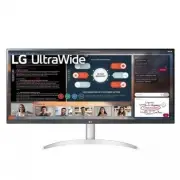
LG 34WP50S-W Monitor – User Manual, read for free online in PDF format. We hope this helps you resolve any issues you may have. If you have further questions, please contact us through the contact form.


Table of Contents:
- Page 2 – ENG; ENGLISH; Precautions in installing the Product; WARNING
- Page 3 – Precautions in Using/Cleaning the Product; Precautions in Moving the Product
- Page 4 – PRÉCAUTIONS IMPORTANTES; Précautions à prendre avec l’adaptateur c.a. et l’alimentation; AVERTISSEMENTS; AVERTISSEMENT
- Page 5 – Précautions lors de l’installation de l’appareil
- Page 6 – Précautions lors de l’utilisation et du nettoyage de l’appareil; Précautions concernant le déplacement de l’appareil
- Page 7 – DEUTSCH
- Page 8 – ITALIANO
- Page 9 – ESPAÑOL; DDC (Canal de despliegue de; PORTUGUÊS
- Page 10 – РУССКИЙ; Канал обмена данных между; NEDERLANDS
- Page 11 – 한국어; 日本語; DDC(ディスプレイ • データ • チャンネル)
- Page 12 – ةيبرعلا
- Page 13 – Energy Saving Design; Note
- Page 14 – 절전디자인; 참 고; 모니터 절전 기능은 절전 기능이 있는 컴퓨터
- Page 15 – MAGYAR; Energiatakarékos kialakítás; Megjegyzés
- Page 16 – Diseño de ahorro de energía; Nota
- Page 17 – ҚАЗАҚША; Энергия үнемдейтін дизайн; Ескертпе; Energiebesparend ontwerp; Opmerking
- Page 18 – ΕΛΛΗΝΙΚΆ; Σχεδίαση εξοικονόμησης ενέργειας; Σημείωση; Design d’économie d’énergie
- Page 19 – УКРАЇНСЬКА; Програма енергозбереження; Примітка; Programma di risparmio energetico
- Page 20 – POLSKI; Oszczędzanie energii; Uwaga; Функция сохранения энергии; Примечание
- Page 21 – 繁體中文; 節能設計; ةقاطلل رفوم ميمصت
- Page 22 – Service; Wartun
- Page 23 – Maintenance du Moniteur
- Page 24 – Servicio
- Page 25 – Onderhoud
- Page 26 – ةمدخلا
- Page 27 – 保守および修理; 警告
- Page 29 – JORDAN ONLY; WEEE; EPEAT
- Page 31 – 简体中文
- Page 32 – Türkçe
1
ENG
ENGLISH
Important precautIons
IMPORTANT PRECAUTIONS
Please read these safety precautions carefully before using the product. All precautions and
safety information applies to LCD and OLED models.
Precautions to the AC Adapter and Electrical Power
WARNING
y
y
If water or any foreign substance goes inside the product (TV, monitor, power cord, or AC adapter),
disconnect the power cord immediately and contact the service center.
»
Otherwise, this may cause a fire or electric shock due to damage to the product.
y
y
Do not touch the power plug or AC adapter with wet hands. If the pins of the plug are wet or dusty,
wipe and dry them before use.
»
Otherwise, this may cause a fire or electric shock.
y
y
Make sure to completely insert the power cord into the AC adapter.
»
If loosely connected, the poor connection may cause a fire or electric shock.
y
y
Be sure to use power cords and AC adapters provided or approved by LG Electronics, Inc.
»
The use of non-approved products may cause a fire or electric shock.
y
y
When unplugging the power cord, always pull it by the plug. Do not bend the power cord with
excessive force.
»
The power line can be damaged, which may cause electric shock or fire.
y
y
Be careful not to step or place heavy objects (electronic appliances, clothing, etc.) on the power cord
or AC adapter. Be careful not to damage the power cord or AC adapter with sharp objects.
»
Damaged power cords may cause a fire or electric shock.
y
y
Never disassemble, repair or modify the power cord or AC adapter.
»
This may cause a fire or electric shock.
y
y
Use only the power cord supplied with the unit or another manufacturer's authorized cord.
»
Failure to do so may result in fire or electrical shock or damage to the product.
y
y
Use only a properly grounded plug and receptacle.
»
If you do not you may be electrocuted or injured. Or the product might be damaged.
y
y
Do not use a damaged or loose plug.
»
This may cause electrical shock or fire.
y
y
Operate the display only from a power source(i.e. voltage) indicated in the product specification.
»
Otherwise the product can be damaged, fire can occur or you may be electrocuted. If you are not sure what type of
power supply you have, consult a certified electrician.
y
y
In the presence of thunder and lightning, never touch the power cord and signal cable because it can
be very dangerous.
»
It can cause electric shock.
y
y
Do not connect several extension cords, electrical appliances or electrical heaters to a single outlet.
Use a power bar with a grounding terminal designed for exclusive use with the computer.
»
A fire can break out due to overheating.
y
y
Do not touch the power plug with wet hands. Additionally, if the cord pin is wet or covered with dust,
dry the power plug completely or wipe dust off before plugging in the cord.
»
You may be electrocuted due to excess moisture.
y
y
If you don’t intend to use the product for a long time, unplug the power cable from the product.
»
Covering dust can cause a fire, or insulation deterioration can cause electric leakage, electric shock or fire.
y
y
Insert the power plug firm so it cannot come loose.
»
A loose connection can cause fire.
Failure to follow those warnings may result in death, serious injury or damage to the product or other
property.
WARNING
"Loading the manual" means you need to wait until the file loads and becomes available for online reading. Some manuals are very large, and the time they take to appear depends on your internet speed.
Summary
2 ENG ENGLISH Important precautIons Precautions in installing the Product WARNING y y Do not insert metal or other conductive materials into the product openings. Additionally, do not touch the power cable right after plugging into the wall input terminal. » You may be electrocuted. y y The AC Plug ...
3 ENG ENGLISH Important precautIons מים ÁGUA Precautions in Using/Cleaning the Product WARNING y y Do not attempt to disassemble, repair or modify the product yourself. » Fire or electric shock can occur. » Contact LG Customer Service for repair. y y When cleaning the product, unplug the power cord ...
1 ENG FRANÇAIS PRÉCAUTIONS IMPORTANTES PRÉCAUTIONS IMPORTANTES Veuillez lire avec attention ces mesures de sécurité avant d’utiliser le produit. Toutes les précautions et tous les renseignements de sécurité s’appliquent aux modèles ACL et OLED. Précautions à prendre avec l’adaptateur c.a. et l’alime...



