LG 27UL500 - User Manual
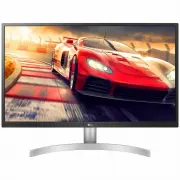
A user manual for LG LED LCD computer monitors outlines their setup, operation, and troubleshooting across multiple models like 27UL550, 27BL55U, and others. The guide covers essential topics such as installation–including wall mounting, stand adjustments, and safety precautions–and connectivity via DisplayPort or HDMI for PC integration. It also details user settings, including brightness, contrast, picture modes (SDR/HDR), and game-specific optimizations like FreeSync support. Safety warnings emphasize proper handling, genuine component use, and compliance with standards like VESA. Technical specs and troubleshooting address common issues like display failures or audio problems, ensuring compatibility with PCs while highlighting environmental and power requirements.


Table of Contents:
- Page 1 – Product Identification and Support Information
- Page 2 – Manual Structure and Standards
- Page 3 – Safety Guidelines and Driver Installation
- Page 4 – Physical Controls and Handling Instructions
- Page 5 – Monitor Installation and Adjustment
- Page 6 – Screen Rotation Functionality
- Page 7 – Mounting Options
- Page 8 – Wall Mounting Specifications
- Page 9 – PC Connectivity
- Page 10 – Audio Connection Notes
- Page 11 – Main Menu Navigation
- Page 12 – Main Menu Overview
- Page 13 – Quick Settings Adjustments
- Page 14 – Input Aspect Ratio Settings
- Page 15 – SDR Picture Mode Settings
- Page 16 – HDR Picture Mode Settings
- Page 17 – Detailed Picture Adjustments
- Page 18 – Game Display Settings
- Page 19 – Color Customization
- Page 20 – General System Settings
- Page 21 – Deep Color Configurations
- Page 22 – Display Troubleshooting
- Page 23 – Audio and Display Troubleshooting
- Page 24 – Technical Specifications for 27UL500
- Page 25 – Technical Specifications for 27UK500
- Page 26 – Technical Specifications for 27UL550
- Page 27 – Technical Specifications for 27BL55U
- Page 28 – DisplayPort Factory Support Modes
- Page 29 – HDMI Preset Modes
- Page 30 – Service Information and Certification
* Disclaimer : LG LED Monitor applies LCD screen with LED backlights.
This product is a computer monitor and not for television purpose.
Please read this manual carefully before operating your set and retain it for
future reference.
27UL550
27UL500
27UK500
27BL55U
OWNER’S MANUAL
LED LCD COMPUTER
MONITOR
(LED Computer Monitor*)
www.lg.com
Copyright © 2018 LG Electronics Inc. All Rights Reserved.
"Loading the manual" means you need to wait until the file loads and becomes available for online reading. Some manuals are very large, and the time they take to appear depends on your internet speed.
Was this manual helpful?
About this manual
- Brand
- LG
- Model
- 27UL500
- Document type
- User Manual
- Category
- Monitor
- Language(s)
- English
- Pages
- 30
- File size
- 3 MB
- Format
Summary
Identification details for monitors with LED backlights, compatible model numbers, copyright notice, and support website information.
Table of contents listing sections including License, Assembly, Usage, Settings, Troubleshooting, and trademark information regarding HDMI and DisplayPort standards.
Safety warnings for assembly, requirement to use genuine components, and priority order for installing monitor drivers and software.


