LG 32SR85U-W - User Manual
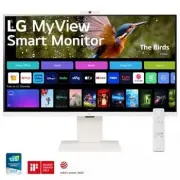
LG 32SR85U-W Monitor – User Manual, read for free online in PDF format. We hope this helps you resolve any issues you may have. If you have further questions, please contact us through the contact form.


Table of Contents:
- Page 2 – Before reading this manual; Separate Purchase; Important Precautions; Precautions to the AC Adapter and Electrical Power
- Page 3 – Precautions in installing the Product
- Page 4 – Precautions in Moving the Product
- Page 5 – Precautions in Using/Cleaning the Product
- Page 6 – Installation; Lifting and moving the Monitor
- Page 7 – Installing on a Table
- Page 8 – Adjusting the Angle
- Page 9 – Adjusting the Stand Height; Using the Kensington Lock
- Page 10 – Installing on the Wall
- Page 12 – Connections; Connecting to a Port
- Page 13 – HDMI Connection
- Page 15 – Starting Monitor; Parts and Buttons; Quick Menu
- Page 16 – Using Remote Control; Replacing the Remote Control Battery
- Page 17 – Product Information
- Page 21 – Webcam Specifications
- Page 22 – Troubleshooting
ENGLISH
_in
de
x
OWNER’S MANUAL
Copyright © 2023 LG Electronics Inc. All
Rights Reserved.
The model and serial number of the product are located on the
back and on one side of the product. Record them below in case
you ever need service.
Model
Serial No.
LG MyView
Smart Monitor
Please read this manual carefully before
operating your set and retain it for future
reference.
32SR85U
Supplier's Declaration of Conformity
Trade Name LG
Responsible
Party
LG Electronics USA,
Inc.
Address
111 Sylvan Avenue,
North Building,
Englewood Cliffs,
NJ 07632
lg.environmental@
lge.com
"Loading the manual" means you need to wait until the file loads and becomes available for online reading. Some manuals are very large, and the time they take to appear depends on your internet speed.
Was this manual helpful?
About this manual
- Brand
- LG
- Model
- 32SR85U-W
- Document type
- User Manual
- Category
- Monitor
- Language(s)
- English
- Pages
- 23
- File size
- 3.9 MB
- Format
Summary
2 Before reading this manual • Read this manual thoroughly before operating your Monitor, and keep it for future reference. • On the website you can download the manual including installation, using, troubleshooting, specifications, license etc and view its contents on your PC or mobile device. • Us...
3 • Never disassemble, repair or modify the power cord or AC adapter. - This may cause a fire or electric shock. • Use only the power cord supplied with the unit or another manufacturer's authorized cord. - Failure to do so may result in fire or electrical shock or damage to the product. • Use only ...
4 • If you smell smoke or other odors or hear a strange sound from the product unplug the power cord and contact LG Customer Service. - If you continue to use without taking proper measures, electrical shock or fire can occur. • If you dropped the product or the case is broken, turn off the product ...


