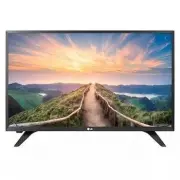
Page 2 - D B
Kg VIDE O/ Y P B P R L/MONO AUDIO R VIDE O/ Y P B P R L/MONO AUDIO R VIDE O AUDIO VIDE O L/MONO AUDIO R VIDE O/ Y P B P R L/MONO AUDIO R VIDE O/ Y P B P R L/MONO AUDIO R VIDE O AUDIO VIDE O L/MONO AUDIO R A B C D E F F G 32LM500BPUA 32LM505BBUA 730 (28.7) 730 (28,7) 476 (18.7) 476 (18,7) 184.1 (7.2)...
Page 3 - OWNER’S MANUAL; Please read this manual carefully before operating; Safety and Reference
Printed in Korea LED TV* OWNER’S MANUAL Please read this manual carefully before operating your set and retain it for future reference. * LG LED TV applies LCD screen with LED backlights. Safety and Reference 32LM500BPUA32LM505BBUA 43LM5000PUA 28LM400B-PU28LM430B-PU28TL430D-PU www.lg.com Copyright ©...
Page 4 - Important Safety Instruction
2 ENGLISH Important Safety Instruction • Read these instructions.• Keep these instructions.• Heed all warnings. • Follow all instructions.• Do not use this apparatus near water.• Clean only with dry cloth.• Do not block any ventilation openings. Install in accordance with the manufacturer’s i...
Page 5 - Warning! Safety Instructions
ENGLISH 3 Warning! Safety Instructions CAUTION RISK OF ELECTRIC SHOCK DO NOT OPEN CAUTION: TO REDUCE THE RISK OF ELECTRIC SHOCK, DO NOT REMOVE COVER (OR BACK). NO USER-SERVICEABLE PARTS INSIDE. REFER TO QUALIFIED SERVICE PERSONNEL. This symbol is intended to alert the user to the presence of uninsu...
Page 7 - Preparing; Optional Extras; Wall Mounting Bracket
ENGLISH 5 Preparing • When the TV is turned on for the first time after being shipped from the factory, initialization of the TV may take approximately one minute. • Image shown may differ from your TV.• Your TV’s OSD (On Screen Display) may differ slightly from that shown in this manual. • Th...
Page 8 - Lifting and moving the TV
6 ENGLISH Lifting and moving the TV When moving or lifting the TV, read the following to prevent the TV from being scratched or damaged and for safe transportation regardless of its type and size. • It is recommended to move the TV in the box or packing material that the TV originally came in. • ...
Page 9 - Securing TV to the Wall; Mounting to the Wall
ENGLISH 7 Securing TV to the Wall (Depending upon model) 1 Insert and tighten the eye-bolts, or TV brackets and bolts on the back of the TV. • If there are bolts inserted at the eye-bolts position, remove the bolts first. 2 Mount the wall brackets with the bolts to the wall. Match the locatio...
Page 10 - Connections; Other connections; Using Button; Basic functions
8 ENGLISH Connections You can connect various external devices to the TV. For more information on external device’s connection, refer to the manual provided with each device. Antenna/Cable Connect an antenna, cable, or cable box to watch TV while referring to the following. The illustrations may dif...
Page 11 - Using Remote Control
ENGLISH 9 Using Remote Control (Depending upon model)The descriptions in this manual are based on the buttons on the remote control. Please read this manual carefully and use the TV correctly.To install batteries, open the battery cover, replace batteries (1.5 V AAA) matching the and ends to the...
Page 12 - Settings
10 ENGLISH Settings To select Picture Mode (Settings) → [Picture] → [Picture Mode Settings] → [Picture Mode] Select the picture mode optimized for the viewing environment or the program. • [Vivid]: Heightens contrast, brightness, and sharpness to display vivid images. • [Standard]: Display...
Page 18 - Troubleshooting
16 ENGLISH Troubleshooting Cannot control the TV with the remote control. • Check if anything such as tape has been placed over the receiver.• Check if there is any obstacle between the product and the remote control. • Replace the batteries with new fresh ones. No image display and no sound is ...
Page 19 - Specifications
ENGLISH 17 Specifications Product specifications may be changed without prior notice due to upgrade of product functions.Estimated yearly energy consumption indicated on the FTC label is measured in accordance with the Test Procedures for Television Sets (USA only).The actual energy consumption depe...
Page 20 - HDMI-PC supported mode
18 ENGLISH HDMI-PC supported mode Resolution Horizontal Frequency (kHz) Vertical Frequency (Hz) 720 x 400 31.469 70.00 640 x 480 31.469 59.94 800 x 600 35.15637.879 56.25 60.317 1024 x 768 48.363 60.004 1280 x 720 45.00 60.00 1280 x 768 1 47.776 59.870 1366 x 768 49.10 60.00 1280 x 960 2 60.00 60.00...
Page 21 - Licenses
ENGLISH 19 Licenses The terms HDMI, HDMI High-Definition Multimedia Interface, and the HDMI Logo are trademarks or registered trademarks of HDMI Licensing Administrator, Inc. Manufactured under license from Dolby Laboratories. Dolby, Dolby Vision, Dolby Audio, Dolby Atmos, and the double-D symbol ar...
Page 22 - NOTE TO CABLE/TV INSTALLER
20 ENGLISH (1) (2) (3) (4) NOTE TO CABLE/TV INSTALLER (For USA and Canada)This reminder is provided to call the CATV system installer’s attention to Article 820-40 of the National Electric Code (U.S.A.). The code provides guidelines f...
Page 23 - Symbols
ENGLISH 21 WARNING! Never place a television set in an unstable location. A television set may fall, causing serious personal injury or death. Many injuries, particularly to children, can be avoided by taking simple precautions such as: • Using cabinets or stands recommended by the manufacturer of ...
Page 24 - THE CONSUMER ELECTRONICS INDUSTRY CARES; TUNE IN TO SAFETY; MOVING AN OLDER TELEVISION TO A NEW PLACE IN; PROPER TELEVISION PLACEMENT MATTERS
THE CONSUMER ELECTRONICS INDUSTRY CARES • Manufacturers, retailers and the rest of the consumer electronics industry are committed to making home entertainment safe and enjoyable. • As you enjoy your television, please note that all televisions – new and old- must be supported on proper stands or in...
Page 26 - MANUEL D’UTILISATION; et conservez-le pour pouvoir vous y reporter ultérieurement.
Printed in Korea TÉLÉVISEUR À DEL* MANUEL D’UTILISATION Veuillez lire ce manuel attentivement avant d’utiliser l’appareil et conservez-le pour pouvoir vous y reporter ultérieurement. * Téléviseur à DEL de LG s’applique à l’écran ACL avec rétroéclairage à DEL. Sécurité et références www.lg.com Copyri...
Page 27 - Directives de sécurité importantes
2 FR ANÇ AIS FR ANÇ AIS Directives de sécurité importantes • Lisez ces directives.• Conservez ces directives.• Soyez attentif à tous les avertissements. • Suivez toutes les directives.• N’utilisez pas cet appareil près de l’eau.• Nettoyez uniquement avec un linge sec.• Ne bloquez pas les ouve...
Page 28 - Avertissement! Directives de
3 FR ANÇ AIS FR ANÇ AIS Avertissement! Directives de sécurité MISE EN GARDE RISQUE DE DÉCHARGE ÉLECTRIQUE NE PAS OUVRIR MISE EN GARDE : AFIN DE RÉDUIRE LE RISQUE DE DÉCHARGE ÉLECTRIQUE, NE RETIREZ PAS LE COUVERCLE (OU LE PANNEAU ARRIÈRE). AUCUNE PIÈCE N’EST RÉPARABLE PAR L’UTILISATEUR LUI-MÊME. CONF...
Page 30 - Préparation; Articles supplémentaires en; Support mural
5 FR ANÇ AIS FR ANÇ AIS Préparation • Lorsque le téléviseur est allumé pour la première fois après sa sortie de l’usine, son initialisation peut prendre environ une minute. • L’image présentée peut ne pas correspondre à votre téléviseur.• L’affichage à l’écran de votre téléviseur peut différer l...
Page 31 - Soulèvement et
6 FR ANÇ AIS FR ANÇ AIS Soulèvement et déplacement du téléviseur Lorsque vous désirez déplacer ou soulever le téléviseur, lisez tout d’abord ce qui suit pour éviter d’égratigner ou d’endommager le téléviseur ainsi que pour effectuer un transport sécuritaire sans égard au type et à la taille du télév...
Page 32 - Fixation du téléviseur au mur; Fixation murale
7 FR ANÇ AIS FR ANÇ AIS Fixation du téléviseur au mur (Selon le modèle.) 1 Insérez et serrez les boulons à œil ou les supports et les boulons à l’arrière du téléviseur. • Si des boulons sont insérés dans les emplacements des boulons à œil, retirez tout d’abord les boulons. 2 Fixez les supports...
Page 33 - Connexions; Autres connexions; Utilisation du bouton; Fonctions de base
8 FR ANÇ AIS FR ANÇ AIS Connexions Vous pouvez connecter différents appareils externes sur le téléviseur. Pour plus d’information sur la connectivité des appareils externes, consultez le manuel fourni avec chaque appareil. Antenne/Câble Pour regarder la télévision, raccordez le téléviseur à une ante...
Page 34 - Utilisation de la
9 FR ANÇ AIS FR ANÇ AIS Utilisation de la télécommande (Selon le modèle.)Les descriptions qui se trouvent dans le présent manuel font référence aux touches qui se trouvent sur la télécommande. Veuillez lire le présent manuel attentivement et utiliser le téléviseur correctement.Pour installer les pil...
Page 35 - Réglages
10 FR ANÇ AIS FR ANÇ AIS Réglages Sélection du mode image (Paramètres) → [Image] → [Paramètres du mode Image] → [Mode Image]Sélectionnez le mode image optimisé pour l’environnement de visionnement ou le programme. • [Clair] : Augmente les niveaux de contraste, de brillance et de netteté po...
Page 41 - Dépannage
16 FR ANÇ AIS FR ANÇ AIS Dépannage La télécommande ne fonctionne pas. • Assurez-vous que rien n’a été placé sur le récepteur (du ruban adhésif, par exemple). • Vérifiez qu’aucun obstacle n’empêche la communication entre l’appareil et la télécommande. • Remplacez les piles par de nouvelles. Le t...
Page 42 - Caractéristiques
17 FR ANÇ AIS FR ANÇ AIS Caractéristiques Les caractéristiques techniques sont susceptibles d’être modifiées sans préavis en raison des mises à niveau des fonctions des produits.La consommation d’énergie annuelle estimée indiquée sur l’étiquette FTC est mesurée conformément aux procédures de test po...
Page 43 - Prise en charge du mode HDMI-PC
18 FR ANÇ AIS FR ANÇ AIS Prise en charge du mode HDMI-PC Résolution Fréquence horizontale (kHz) Fréquence verticale (Hz) 720 x 400 31,469 70,00 640 x 480 31,469 59,94 800 x 600 35,15637,879 56,25 60,317 1 024 x 768 48,363 60,004 1 280 x 720 45,00 60,00 1 280 x 768 1 47,776 59,870 1 366 x 768 49,10 6...
Page 44 - Licences
19 FR ANÇ AIS FR ANÇ AIS Licences Les termes HDMI et HDMI High-Definition Multimedia Interface, de même que le logo HDMI sont des marques commerciales ou des marques déposées de HDMI Licensing Administrator, Inc. aux États-Unis et dans d’autres pays. Fabriqué sous licence de Dolby Laboratories. Dolb...
Page 45 - REMARQUE À L’INTENTION DES
20 FR ANÇ AIS FR ANÇ AIS (1) (2) (3) (4) REMARQUE À L’INTENTION DES INSTALLATEURS DE RÉSEAUX CÂBLÉS (Pour les États-Unis et le Canada)Cette remarque a pour but d’attirer l’attention des installateurs de réseaux câblés ...
Page 46 - Symboles
21 FR ANÇ AIS FR ANÇ AIS AVERTISSEMENT! Ne placez jamais un téléviseur sur une surface instable. Le téléviseur pourrait tomber et causer des blessures importantes, pouvant aller jusqu’à la mort. De nombreuses blessures, en particulier chez les enfants, peuvent être évitées en prenant des précautions...
Page 47 - LA SÉCURITÉ DES ENFANTS :
L’INDUSTRIE DE L’ÉLECTRONIQUE GRAND PUBLIC EST SOUCIEUSE DE VOTRE SÉCURITÉ ˍG Les fabricants, les détaillants et l’industrie de l’électronique grand public dans son ensemble sont déterminés à faire en sorte que le divertissement domestique soit sûr et plaisant. ˍG Alors que vous vous divertissez dev...