Lenovo Legion K500 - User Manual
This user manual provides comprehensive instructions for the Lenovo Legion K500 RGB Mechanical Gaming Keyboard. It covers product overview, package contents, system requirements, assembly, and software download. The core content explains how to use the Legion key to activate game mode, disable Windows keys, program keys, record macros, and customize dynamic multicolor lighting effects. Instructions are available in multiple languages. The manual also includes copyright and trademark information.
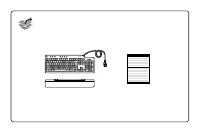
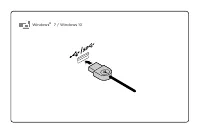
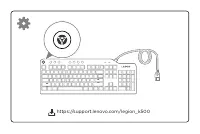
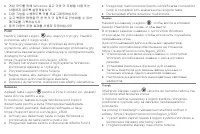
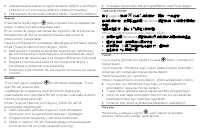
Table of Contents:
- Page 1 – Product Overview
- Page 2 – Package Contents
- Page 3 – System Requirements
- Page 4 – Assembly Instructions
- Page 5 – Software Download
- Page 6 – Game Mode and Advanced Settings (Part 1)
- Page 7 – Game Mode and Advanced Settings (Part 2)
- Page 8 – Game Mode and Advanced Settings (Part 3)
- Page 9 – Game Mode and Advanced Settings (Part 4)
- Page 10 – Game Mode and Advanced Settings (Part 5)
- Page 11 – Ukrainian Instructions
- Page 12 – Copyright and Trademark Information
Lenovo Legion
K500 RGB Mechanical Gaming Keyboard
"Loading the manual" means you need to wait until the file loads and becomes available for online reading. Some manuals are very large, and the time they take to appear depends on your internet speed.
Was this manual helpful?
About this manual
- Brand
- Lenovo
- Model
- Legion K500
- Document type
- User Manual
- Category
- Keyboard
- Language(s)
- German, English, Spanish, French, Italian, Dutch, Polish, Russian, Swedish
- Pages
- 12
- File size
- 295.7 KB
- Format
Summary
Title page showing the Lenovo Legion K500 RGB Mechanical Gaming Keyboard.
Illustration of the keyboard with attached cable, separate wrist rest, and a document.
Diagram of a USB connector with text indicating compatibility with Windows 7 and Windows 10.
Tips
- For advanced customization, download the Legion software from the provided support URL.
- Use game mode to prevent accidental interruption during gameplay.
- Experiment with macro recording to consolidate complex commands into single keystrokes.
- Personalize the dynamic lighting effects to suit your preference or create a unique gaming atmosphere.
Ask a question
Related manuals
More Lenovo Keyboards models

Other Lenovo appliances
 Lenovo 0A33932 Manual
 Lenovo 0A33942 User Manual
 Lenovo 0B47190 User Manual
 Lenovo 04N7322 Manual
 Lenovo 9 Manual
 Lenovo 10 User Manual
 Lenovo 10AA Manual
 Lenovo 11 User Manual
 Lenovo 11S User Manual
- Lenovo 13 User Manual
 Lenovo 14 User Manual
 Lenovo 15 G2 User Manual
 Lenovo 40AY0090 User Manual
 Lenovo 41A1757 Manual
 Lenovo 50-30 User Manual
 Lenovo 65W Manual
 Lenovo 70A69000NA Manual
 Lenovo 83A100ECUS User Manual
 Lenovo 104 User Manual