Laser MMC-B18 - User Manual
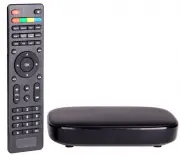
Laser MMC-B18 Player – User Manual, read for free online in PDF format. We hope this helps you resolve any issues you may have. If you have further questions, please contact us through the contact form.


Table of Contents:
- Page 2 – QUICK USER MANUAL; Index
- Page 3 – THE REMOTE CONTROL
- Page 5 – BEST – via HDMI Cable
- Page 9 – APP OVERVIEW
- Page 10 – Add apps to
- Page 12 – Select PCM for use
- Page 13 – SETTINGS – SELECTING THE HDMI RESOLUTION; Before; SETTINGS – SELECTING THE SCREEN SCALE
- Page 14 – ) How to use the time shift feature; First time setup
- Page 15 – is set to Australia
- Page 17 – PVR Menu
- Page 18 – Subtitle Language; System Setup Menu
- Page 19 – Digital Surround Sound
- Page 20 – FAQ; Why is google play not responding?
- Page 21 – SPECIFICATIONS; Interface; Warranty Against Defects
QUICK USER MANUAL
MMC-B18
1
SMART MEDIA PLAYER
WITH SET TOP BOX
"Loading the manual" means you need to wait until the file loads and becomes available for online reading. Some manuals are very large, and the time they take to appear depends on your internet speed.
Summary
QUICK USER MANUAL MMC-B18 2 Index The Remote control 3 The Player Outputs 4 Connecting to TV 5 Connection to Internet 6 The Home Screen 9 The Apps Centre 10 Smart Apps 11 Settings 12 Operating Live TV 14 Feature Overview 19 FAQ 20 Specifications 21 IMPORTANT SAFETY INSTRUCTIONS AND PRECAUTIONS - Rea...
QUICK USER MANUAL MMC-B18 3 THE REMOTE CONTROL 1 Power On / Off 9 Setup 2 (Red button) Picture size *WHILE WATCHING TV 10 Play / Pause (Green button) Channel information *WHILE WATCHING TV 11 Volume Up / Down (Blue button) Multi-function 12 Turn Air Mouse On / Off (Yellow button) Multi-function 3 Go...
QUICK USER MANUAL MMC-B18 5 CONNECTING TO TV GOOD – via RCA Cables BEST – via HDMI Cable Note: RCA A/V Cable not supplied Note: HDMI A/V Cable not supplied


