Page 2 - QUICK USER MANUAL; Index
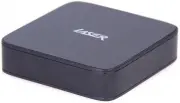
QUICK USER MANUAL MMC-X40 2 Index The Remote control 3 Wireless Screen Pointer 4 Player outputs 5 Connecting to TV 6 Connecting to the Internet 7 Cable connection to the internet using a Modem/Router 8 Wi-Fi connection to the internet using a Modem/Router 8 The home Screen 11 The apps Centre 12 Smar...
Page 3 - THE REMOTE CONTROL; Air Mouse Calibration
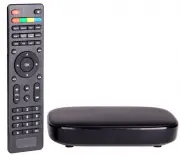
QUICK USER MANUAL MMC-X40 3 9 8 1 14 2 4 5 6 7 Not available with this model 10 11 3 13 12 THE REMOTE CONTROL 1 Power ON, Power OFF 2 Rewind, Fast forward Previous, Next 3 Search / Play Pause / Zoom In and Out 4 Menu, Home, back page 5 Navigate UP, DOWN, LEFT, RIGHT ENTER or CONFIRM (OK) 6 Volume UP...
Page 4 - press the down arrow button.
QUICK USER MANUAL MMC-X40 4 WIRELESS SCREEN POINTER Connect the USB dongle to operate the on screen pointer, a virtual mouse, which you can use to navigate by simply pointing your remote at your TV screen. Please remember to press the TV NAVIGATION TYPE and or CALIBRATION button on your remote contr...
Page 5 - REAR PANEL; USB PORTS
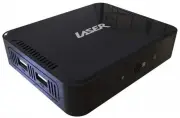
QUICK USER MANUAL MMC-X40 5 THE PLAYER OUTPUTS FRONT PANEL REAR PANEL USB PORTS Power Connector 3.5mm AV Connector Optical Audio Output (SPDIF) Rj45 Network Ethernet Port HDMI Output for Audio & Video Micro SD card slot Factory Reset
Page 6 - BEST – via HDMI Cable
QUICK USER MANUAL MMC-X40 6 CONNECTING TO TV GOOD – via RCA Cables BEST – via HDMI Cable Note: RCA A/V Cable not supplied Note: HDMI A/V Cable not supplied
Page 8 - Cable connection to the internet using a Modem/Router
QUICK USER MANUAL MMC-X40 8 Cable connection to the internet using a Modem/Router - Connect the network cable to the Media Player and your Modem/Router. - In most cases your Modem/Router will automatically assign network settings to your media player and display the screen below. Then click OK. If n...
Page 12 - Add apps to
QUICK USER MANUAL MMC-X40 12 The Apps Centre FileBrowser Browse your files My APPs View app the installed apps Media Player Play Media through the device + Add apps to the Apps Centre screen
Page 15 - FEATURE OVERVIEW
QUICK USER MANUAL MMC-X40 15 FEATURE OVERVIEW 8Core GPU & QUAD Core CPU Fast Processor & memory designed for video With a Quad core 2Ghz processor & 8GB storage/1GB flash of processor memory, movies will play smoothly & load faster 4k Ultra HDR resolution ready Stunning clarity, vivi...
Page 16 - CALIBRATING THE AIR MOUSE; I cannot connect with my WiFi network
QUICK USER MANUAL MMC-X40 16 Note: Although this android Media Player can support all the above features, you must have the correct hardware and compatible video files. For example, if you would like to playback a 3D movie you must have a 3D TV and a 3D movie file first, in order for this feature to...
Page 17 - SPECIFICATIONS; Interface
QUICK USER MANUAL MMC-X40 17 SPECIFICATIONS Interface Composite AV Out (Jack to RCA) HDMI USB x 3 LAN Micro SD Card Power Supply 5V Dimensions 110 x 110 x 27mm Warranty Against Defects Laser Corporation Pty Ltd (“Laser”) warrants your new product to be free from defects in materials and workmanship ...