Page 3 - Front View
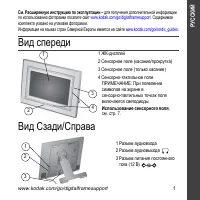
Product features www.kodak.com/go/support i Front View Back/Right View 1 LCD screen 2 Touch border (tap/slide) 3 Touch border (tap only) 4 Lights 5 Raised guide 3 1 2 To use the touch border , see page 3. NOTE: When screen icons appear, Lights turn on at touch-sensitive points near the raised guide....
Page 5 - Table of contents
www.kodak.com/go/support iii Table of contents 1 1 Getting started ...................................................................................... 1 Setting up your frame .................................................................................... 1Turning on your frame .................
Page 7 - Getting started; Setting up your frame; Setting up the stand
www.kodak.com/go/support 1 1 Getting started Welcome to your Kodak EasyShare M820/M1020 digital frame. Viewing your pictures couldn’t be simpler! Setting up your frame Setting up the stand Your frame displays pictures in landscape orientation. To change to portrait orientation, see page 6 . Stand (p...
Page 8 - Attaching the power cable; Turning on your frame
2 www.kodak.com/go/support Getting started Attaching the power cable CAUTION:Do not use this power cable with other devices, including digital cameras. Turning on your frame 1 2 Your power cable may look different from the one pictured. Use the plug that accommodates your type of power outlet. Power...
Page 9 - Using your frame’s touch border
Getting started www.kodak.com/go/support 3 Using your frame’s touch border Touch at the bottom (tap/slide) or right (tap only) border to find/highlight menu items or pictures. Press OK to select them. NOTE: The screen is not touch-sensitive. Do not touch. Lights appear on the border to show you wher...
Page 10 - Setting your language; Enjoying your pictures immediately!
4 www.kodak.com/go/support Getting started Setting your language The language screen appears the first time you turn on your frame. ■ Slide or tap below slider arrows to find your language, then tap OK. To change the language at a later time: ■ Tap (Home) → (Settings) → Language. The language screen...
Page 11 - Inserting a memory card
Getting started www.kodak.com/go/support 5 Inserting a memory card Connecting a digital camera or other USB device Secure Digital MultiMedia Card Memory Stick xD To insert a card, push the card firmly into the slot until it stops. top card slot - push in the card to release it side card slot - pull ...
Page 12 - Turning off your frame; Changing your frame orientation
6 www.kodak.com/go/support Getting started Turning off your frame ■ Standby mode —Press and hold the power button (for about 2 seconds), then release. ■ Power off —Unplug the power cable. Changing your frame orientation Change the frame orientation setting if you change to portrait orientation. Chan...
Page 13 - Mounting your frame on the wall
Getting started www.kodak.com/go/support 7 Mounting your frame on the wall Use wall-anchoring hardware (not included) to anchor your frame securely to your wall. Clip (use to reroute, secure, and center the power cable) Power cable Wall mounting holes To change to portrait orientation, turn your fra...
Page 14 - Viewing pictures; Accessing your pictures
8 www.kodak.com/go/support 2 Viewing pictures Accessing your pictures Tap Home to access pictures, videos, music from internal memory, your memory card, and all connected devices. Use the touch borders to make your selections (see page 3 ). 1 Tap (Home) → ( Pictures and Videos). The frame’s internal...
Page 15 - Running a slide show
Viewing pictures www.kodak.com/go/support 9 Running a slide show There are two ways to start a slide show on your frame: ■ Turn on the frame, then insert a card or connect a USB device—a new slide show starts automatically, replacing a currently running slide show or single view picture. ■ Select a ...
Page 16 - Viewing a single picture
10 www.kodak.com/go/support Viewing pictures Viewing thumbnails (multi-up) There are two ways to view your pictures as thumbnails: ■ Tap (Home) → ( Pictures and Videos), then select a picture source (see page 8 ). Tap OK. OR, ■ From a slide show (tap the touch-sensitive border to display the icons) ...
Page 17 - Viewing pictures by filename
Viewing pictures www.kodak.com/go/support 11 Viewing pictures by filename By default, the pictures on your frame are arranged and played by date, starting with the oldest. You can play the arrangement or order by date, newest to oldest, or alphabetically by filename. NOTE: If a picture source with n...
Page 18 - Doing more with your frame; Playing music only
12 www.kodak.com/go/support 3 Doing more with your frame Playing music only 1 Tap the touch border to pause your slide show and to display the screen icons. 2 Tap (Home), then (Music) to view music sources. 3 Slide to the right/left to move up/down the music source list, then tap OK. 4 Slide right/l...
Page 19 - Playing a video
Doing more with your frame www.kodak.com/go/support 13 Playing a video ■ During a slide show, videos play automatically. When the video ends, the slide show resumes. To play a video from thumbnails view, highlight a video thumbnail, then tap OK. ■ Videos in thumbnail view: – MOV videos are indicated...
Page 20 - Printing pictures; Printing to a PictBridge enabled printer
14 www.kodak.com/go/support Doing more with your frame Printing pictures Your frame is compatible with PictBridge technology, so you can print directly to PictBridge enabled printers. 1 Turn off the frame and printer. 2 Make sure your frame is disconnected from the printer. 3 On the frame, change yo...
Page 21 - Manually changing USB connection mode
Doing more with your frame www.kodak.com/go/support 15 Manually changing USB connection mode The connection mode must match the device you connect the frame to: Computer or Printer. The default is Connect to computer. You can change the connection mode manually. 1 Disconnect the printer or computer ...
Page 22 - Copying on your frame
16 www.kodak.com/go/support Doing more with your frame Copying on your frame Copy pictures from your current viewing location to other connected devices (see page 5 ). CAUTION:Removing a card or disconnecting a device while copying may damage your card, pictures, or device. 1 Highlight a picture to ...
Page 23 - Copying between your frame and computer; Connecting to your computer
Doing more with your frame www.kodak.com/go/support 17 Copying between your frame and computer Copy pictures, videos, and music via a USB cable. Connecting to your computer Copying pictures to/from your computer Drag and drop pictures, videos, and music easily between your frame and computer, then p...
Page 25 - Copying pictures from EasyShare software
Doing more with your frame www.kodak.com/go/support 19 Copying pictures from EasyShare software It’s easy to copy pictures/videos from My Collection to your frame. 1 Install the software that came with your frame (see page 27 ). 2 Set the USB connection mode to Computer (see page 15 ), then connect ...
Page 26 - Deleting pictures; Selecting multiple pictures
20 www.kodak.com/go/support Doing more with your frame Deleting pictures CAUTION:Removing a card or disconnecting a device while deleting may damage your card, pictures, or device. 1 Highlight a picture to delete:In thumbnails view, slide or tap below the slider arrows to find a picture; or, display...
Page 28 - Changing settings and more; Changing frame settings; Settings menus
22 www.kodak.com/go/support 4 Changing settings and more Changing frame settings The options in the Settings menu let you customize and configure your frame. 1 Tap (Home), then (Settings). 2 Slide or tap below the slider arrows to highlight a setting, then tap OK. 3 Follow the on-screen instructions...
Page 31 - Setting the clock and timer; Manually setting the clock; Setting automatic on/off
Changing settings and more www.kodak.com/go/support 25 Setting the clock and timer Manually setting the clock 1 Tap (Home), then (Settings). 2 Highlight Clock and timer, then tap OK. 3 Highlight Set time, then tap OK. 4 Slide to set the hour. Tap the right arrow to highlight the next setting (minute...
Page 32 - Upgrading your firmware
26 www.kodak.com/go/support Changing settings and more Upgrading your firmware Firmware is the software that runs on your frame. To check for the latest version, visit www.kodak.com/go/digitalframedownloads . Download the firmware to your computer, then upgrade your frame: 1 On your computer, go to ...
Page 33 - Installing the software
Changing settings and more www.kodak.com/go/support 27 Installing the software Follow these directions to install the software CD that was packaged with your frame. The CD contains the Kodak EasyShare software and the Kodak EasyShare digital display software. While these software applications work w...
Page 34 - Customizing your frame; Learning more about your frame
28 www.kodak.com/go/support Changing settings and more Customizing your frame For a custom look, remove the adhesive matte (included) from its liner, align it carefully, then attach it to your frame. Maintaining your frame and mattes IMPORTANT: Always disconnect the power before cleaning. Do not use...
Page 35 - Troubleshooting and support; Picture frame problems
www.kodak.com/go/support 29 5 Troubleshooting and support For step-by-step product support, visit www.kodak.com/go/digitalframesupport and select Interactive Troubleshooting & Repairs. Picture frame problems If... Try one or more of the following Frame does not turn on. ■ Make sure the power cab...
Page 36 - Resetting the clock after losing power; Picture frame/computer communications
30 www.kodak.com/go/support Troubleshooting and support Resetting the clock after losing power If you turn off the power on the frame or otherwise lose power for half a day or more, the clock time returns to the factory setting and the automatic on/off times, if set, are disabled. ■ When you turn th...
Page 37 - Screen messages
Troubleshooting and support www.kodak.com/go/support 31 Screen messages Cannot copy pictures from Kodak EasyShare software. ■ Make sure your frame and computer are on. ■ Make sure the USB cable is securely connected ( page 17 ). ■ Make sure to install the software that was packaged with your frame (...
Page 39 - Appendix; Digital frame specifications
www.kodak.com/go/support 33 6 Appendix Digital frame specifications For more specifications, visit www.kodak.com/go/digitalframesupport . Kodak EasyShare M820/M1020 digital frame Color display M820 20.3 cm (8 in.) diagonal digital LCD, 800 x 480 pixels, 4:3 or 16:9 aspect ratio,17.6 x 10 cm (6.9 x 3...
Page 41 - Important safety instructions
Appendix www.kodak.com/go/support 35 Important safety instructions CAUTION:Do not disassemble this product; there are no user-serviceable parts inside. Refer servicing to qualified service personnel. Do not expose this product to liquid, moisture, or extreme temperatures. The use of controls, adjust...
Page 42 - Additional care and maintenance; Limited warranty; Limited warranty coverage
36 www.kodak.com/go/support Appendix Additional care and maintenance ■ Wipe the frame and the LCD gently with a soft, lint-free cloth (included). Do not use cleaning solutions unless designed specifically for LCD screens. Do not allow chemicals, such as suntan lotion, to contact painted surfaces. ■ ...
Page 43 - Limitations
Appendix www.kodak.com/go/support 37 materials are warranted for the remaining warranty term of the original Product, or 90 days after the date of repair or replacement, whichever is longer. Limitations This warranty does not cover circumstances beyond Kodak's control. This warranty does not apply w...
Page 44 - Outside the United States and Canada; FCC compliance and advisory
38 www.kodak.com/go/support Appendix Outside the United States and Canada In countries other than the United States and Canada, the terms and conditions of this warranty may be different. Unless a specific Kodak warranty is communicated to the purchaser in writing by a Kodak company, no warranty or ...
Page 45 - FCC and Industry Canada
Appendix www.kodak.com/go/support 39 FCC and Industry Canada This device complies with Industry Canada RSS-210 and FCC Rules. Operation is subject to the following two conditions: (1) this device may not cause harmful interference, and (2) this device must accept any interference received, including...
Page 46 - Waste Electrical and Electronic Equipment labeling
40 www.kodak.com/go/support Appendix Waste Electrical and Electronic Equipment labeling Australian C-Tick MPEG-4 Use of this product in any manner that complies with the MPEG-4 visual standard is prohibited, except for use by a consumer engaging in personal and non-commercial activities. Russian GOS...
Page 47 - China RoHS
Appendix www.kodak.com/go/support 41 China RoHS Korean Class B ITE Licensing Supply of this product does not convey a license nor imply any right to distribute content created with this product in revenue-generating broadcast systems (terrestrial, satellite, cable and/or other distribution channels)...
Page 49 - Index
www.kodak.com/go/support 43 Index 1 A about, frame, 24appendix, 33automatic on/off, 23, 25 B battery safety, 35 button macro/landscape, ii C cables USB, connecting, 5 camera, connecting, 5changing picture locations, 8clock and timer, setting, 23, 25computer connecting to frame, 17copying to/from, 17...


 Kodak 1 Manual
 Kodak 3 Manual
 Kodak 3.1 Manual
 Kodak 3.2 Manual
 Kodak 7 Manual
 Kodak 10/100 Network Interface Card Manual
 Kodak 35 mm Camera Manual
 Kodak 65MM Manual
 Kodak 125PX Manual
 Kodak 160NC Manual
 Kodak 200 Manual
 Kodak 250D Manual
 Kodak 300 Manual
 Kodak 305 Manual
 Kodak 350 Manual