Klein Tools ET600 - User Manual
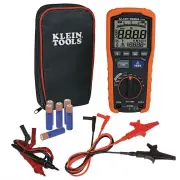
The Klein Tools ET600 digital insulation resistance tester is a specialized electrical measurement device designed primarily for assessing insulation integrity in low-voltage systems, covering safety-critical applications up to 1000V CAT IV. This manual focuses on its technical specifications–including test voltages (125V–1000V), resistance range up to 4000 MΩ, and compliance with safety standards like CAT III/IV ratings–and operational principles such as proper lead connection for different voltage categories, measurement accuracy considerations, and safety warnings. It also addresses broader functional areas like continuity testing, low-resistance checks, and device maintenance, emphasizing hands-free operation features and display symbol interpretation to ensure accurate diagnostics in field use.


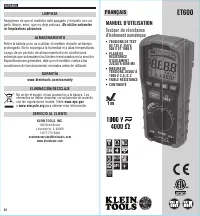
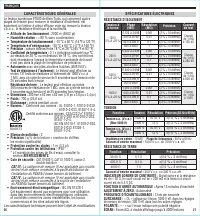
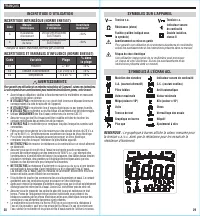
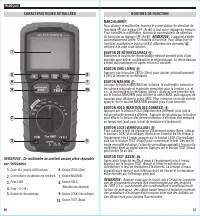
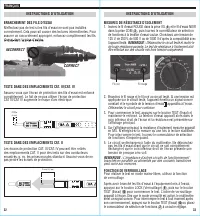
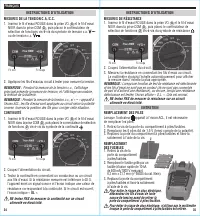
Table of Contents:
- Page 1 – Product Identification and Safety Ratings
- Page 2 – Technical Specifications
- Page 3 – Operational Uncertainty and Symbol Legend
- Page 4 – Multimeter Front Panel and Controls
- Page 5 – Insulation Resistance Testing Procedures
- Page 6 – Multimeter Measurement and Maintenance
- Page 7 – Care, Warranty, and Specifications
- Page 8 – General Electrical Characteristics
- Page 9 – Measurement Accuracy and Safety Symbols
- Page 10 – Multimeter Function Buttons Diagram
- Page 11 – Insulation Resistance Measurement Instructions
- Page 12 – AC/DC Voltage, Resistance, and Continuity Tests
- Page 13 – Key Specifications and Documentation
- Page 14 – Electrical Specifications and Measurement Ranges
- Page 15 – Safety Warnings and Symbol Definitions
- Page 16 – Multimeter Features and Components
- Page 17 – Insulation Resistance Testing Procedures
- Page 18 – AC/DC Measurement and Maintenance Procedures
- Page 19 – Post-Sale Information and Service
INSTRUCTION MANUAL
ENGLISH
FRANÇAIS p. 25
ESPAÑOL
pg. 13
Digital Insulation
Resistance Tester
• 125V, 250V,
500V, AND
1000V TEST
VOLTAGES
• INSULATION
RESISTANCE
RANGE UP TO
4000 MΩ
• MEASURES
1000V AC/DC
• LOW RESISTANCE
• CONTINUITY
ET600
1000V
1 m
5000573
4000
Ω
"Loading the manual" means you need to wait until the file loads and becomes available for online reading. Some manuals are very large, and the time they take to appear depends on your internet speed.
Was this manual helpful?
About this manual
- Brand
- Klein Tools
- Model
- ET600
- Document type
- User Manual
- Category
- Multimeter
- Language(s)
- English, Spanish, French
- Pages
- 19
- File size
- 2.5 MB
- Format
Summary
Identification of the Klein Tools ET600 Digital Insulation Resistance Tester, listing key features, test voltages (125V, 250V, 500V, 1000V), insulation resistance range up to 4000 MΩ, and safety certifications.
Detailed electrical performance including insulation resistance, voltage, earth-bond resistance, continuity measurements, safety ratings, standards compliance, and display characteristics for the tester.
Explanation of operational uncertainty, influence variables, critical usage precautions, and a comprehensive legend detailing symbols for voltage, resistance, continuity, and other measurements displayed on the meter.
Ask a question
Related manuals
Popular Klein Tools Multimeters


More Klein Tools Multimeters models
 Klein Tools CL445 User Manual
 Klein Tools CL600 User Manual
 Klein Tools CL700 User Manual
 Klein Tools CL800 User Manual
 Klein Tools CL900 User Manual
 Klein Tools ET270 User Manual
 Klein Tools MM320KIT User Manual
 Klein Tools MM400 User Manual
 Klein Tools MM420 User Manual
 Klein Tools MM450 User Manual
 Klein Tools MM720 User Manual
 Klein Tools 69149P User Manual
 Klein Tools CL120 User Manual
 Klein Tools CL120KIT User Manual
 Klein Tools CL120VP User Manual
 Klein Tools CL220 User Manual
 Klein Tools CL320 User Manual
 Klein Tools CL320KIT User Manual