Page 2 - Dear Customer
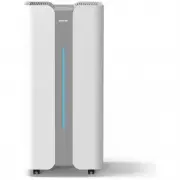
Dear Customer Thank you for purchasing the Ionmax+ Aire air purifier. The Ionmax+ Aire air purifier can help to improve the indoor air quality in your home or office. Paired with the Ionmax WiFi app, you can easily control and monitor your air purifier and indoor air quality from your mobile phone. ...
Page 3 - Table of Contents
Table of Contents Safety Instructions 4 Product Diagram 5 Specifications 6 Purification System 7 Unit Setup 8 Operating Instructions 9 Power Button 9 IONX-Shield Button 10 Child Lock Button 10 UVX-Shield Button 10 Sleep Button 10 Timer Button 10 Filter Reset 11 Fan Speed Button 11 WiFi Button 11 Mob...
Page 4 - Safety Instructions
Safety Instructions PLEASE READ ALL THE TIPS AND WARNINGS BELOW BEFORE USING THEAIR PURIFIER. ● Use the unit only as directed in the User Manual.● Do not allow children or persons with reduced physical, sensory, or mental capabilities to operate the unit without adult supervision. ● Only designed fo...
Page 5 - Product Diagram
Product Diagram Ionmax+ Aire Ionmax+ Aire X Ⓐ Air Outlet Ⓔ Air Inlet Ⓑ Control Panel Ⓕ Air Quality Sensor Ⓒ Air Quality Indicator Ⓖ Power Cord Ⓓ Body Ⓗ Universal Wheels 5
Page 6 - Specifications
Specifications Ionmax+ Aire Ionmax+ Aire X SKU ION900PRO ION1000PRO Room Size 77 m 2 (1) - 234 m 2 (2) 1) ANSI/AHAM AC-1 2015 2) NRCC-54013-2011 85 m 2 (1) - 260 m 2 (2) 1) ANSI/AHAM AC-1 2015 2) NRCC-54013-2011 CADR (m 3 /h) 900 m 3 /h 1000 m 3 /h Air Flow Top Top HEPA Filter H13 H13 Ion-X Shield I...
Page 7 - Purification System
Purification System ① Pre-Filter Traps large airborne particles, such as hair, dust, and pet dander. ② Antibacterial HEPA H13 Filter Captures 99.97% of microscopic allergens and germs as small as 0.3 microns from the airwith a proven ability to kill bacteria and prevent mould growth. ③ Activated Car...
Page 9 - Operating Instructions; Power Button
Operating Instructions Power Button Connect the unit to a suitable power supply, then touch the Power Button. The unit will switch on with a notification sound and begin operation in Auto mode. The AirQuality Indicator will flash for about 30 seconds while the Air Quality Sensor starts up. The unit ...
Page 11 - Filter Reset; Fan Speed Button; WiFi Button
Filter Reset When the Filter Replacement Indicator (below) starts blinking, the unit’s filters requirereplacement. Replace the filters following the Filter Replacement Instructions . After replacing the filters, hold the Filter Reset Button for 3 seconds until the FilterReplacement Indicator bar sto...
Page 12 - Mobile App Setup; Download the Ionmax app on your phone.
Mobile App Setup Download the Ionmax app on your phone. Scan the QR code or visit bit.ly/ionmax-app EZ Mode Connection This is the default connection mode in the Ionmax app and the easiest way to connect. ① Log in to an existing account for the Ionmax app, or register a new account. *If your account...
Page 14 - Cleaning and Maintenance
Cleaning and Maintenance Proper use and regular maintenance can ensure efficient operation and extend the unit's life. Always switch off the unit and unplug the power supply before cleaning the unit. Clean the unit at least once a month. Wipe down the outer case of the unit using a soft,damp cloth. ...
Page 15 - Filter Replacement; Filter Replacement Indicator
Storage Instructions If the unit will not be in use for a long time, please pack and store the unit properly. ● Unplug the unit's power supply. ● Clean the pre-filter. ● Use a soft cloth to clean the air intake and air outlet. ● Pack and store the unit away from moisture and direct sunlight. Filter ...
Page 17 - Troubleshooting Guide
Troubleshooting Guide Before carrying out any of the following service checks, unplug the unit from the powersupply. DO NOT attempt to repair or adjust this unit's electrical or mechanical functions. All servicing should be performed by qualified personnel only. Problem Probable Cause Solution Unit ...
Page 18 - WARRANTY DETAILS
WARRANTY DETAILS Congratulations on your purchase! It is our aim to provide you with quality products that you can trust.Our goods come with guarantees that cannot be excluded under the Australian Consumer Law. Youare entitled to a replacement or refund for a major failure and compensation for any o...
Page 19 - WARRANTY REGISTRATION
WARRANTY REGISTRATION Register your Ionmax+ Aire online at my.andatech.com.au or fill out this form and forward to the address below with a copy of your proof of purchase. Contact us on 1300 800 200 or visit ionmax.com.au for options to extend your warranty. Andatech Pty Ltd PO Box 3038, Nunawading ...