Ionmax ION420 - User Manual
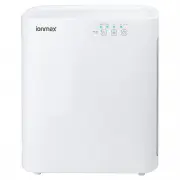
Ionmax ION420 Air Purifier – User Manual, read for free online in PDF format. We hope this helps you resolve any issues you may have. If you have further questions, please contact us through the contact form.


Table of Contents:
- Page 6 – three timer lights are off.; REPLACE FILTER; When the unit is not in use, switch it off and unplug it.
- Page 7 – Timer button; Press this button to select the timer settings for 2, 4 or 8 hours.; OPERATING INSTRUCTIONS; Press this button to turn the unit on or off. The Negative Ion; Fan speed button; Press this button one or more times to select the desired fan speed.
- Page 9 – FILTER REPLACEMENT INDICATOR; and Activated Carbon filters need to be replaced.; REPLACING THE FILTERS; It can be gently vacuumed using hand tool attachments (no rotating; HEPA / ACTIVATED CARBON FILTER REPLACEMENT; The HEPA / Activated Carbon filter is not washable.; FILTER REPLACEMENT
- Page 10 – FILTER REPLACEMENT INSTRUCTIONS
- Page 13 – WARRANTY DETAILS
- Page 15 – WARRANTY REGISTRATION; Andatech Corporation Pty Ltd
"Loading the manual" means you need to wait until the file loads and becomes available for online reading. Some manuals are very large, and the time they take to appear depends on your internet speed.
Was this manual helpful?
About this manual
- Brand
- Ionmax
- Model
- ION420
- Document type
- User Manual
- Category
- Air Purifier
- Language(s)
- English
- Pages
- 16
- File size
- 972.1 KB
- Format
Summary
OPERATING INSTRUCTIONS CONTROL PANEL “POWER / UV-C” BUTTON Press this button to turn on or switch off the unit. The UV-C light and Ion generator are also controlled by this button.Note: Ion generator is controlled by the same settings as the UV-C light. “FAN SPEED” BUTTON The fan speed of the unit c...
3. Timer button Press this button to select the timer settings for 2, 4 or 8 hours. OPERATING INSTRUCTIONS USING THE APPLIANCE 1. Power / UV-C button Press this button to turn the unit on or off. The Negative Ion generator automatically starts up and shuts down at the same time as the UV-C light. 2....
FILTER REPLACEMENT INDICATOR When the “Power” indicator flashes during operation, it indicates that the HEPA and Activated Carbon filters need to be replaced. REPLACING THE FILTERS Follow the Filter Replacement Instructions (page 8) to change the filters. After replacing the filters, with the power ...


