Ionmax ION420 - Manuals
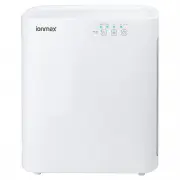
User Manual Ionmax ION420


Summary
OPERATING INSTRUCTIONS CONTROL PANEL “POWER / UV-C” BUTTON Press this button to turn on or switch off the unit. The UV-C light and Ion generator are also controlled by this button.Note: Ion generator is controlled by the same settings as the UV-C light. “FAN SPEED” BUTTON The fan speed of the unit c...
3. Timer button Press this button to select the timer settings for 2, 4 or 8 hours. OPERATING INSTRUCTIONS USING THE APPLIANCE 1. Power / UV-C button Press this button to turn the unit on or off. The Negative Ion generator automatically starts up and shuts down at the same time as the UV-C light. 2....
FILTER REPLACEMENT INDICATOR When the “Power” indicator flashes during operation, it indicates that the HEPA and Activated Carbon filters need to be replaced. REPLACING THE FILTERS Follow the Filter Replacement Instructions (page 8) to change the filters. After replacing the filters, with the power ...