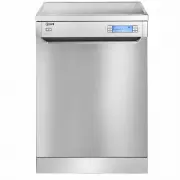
Page 2 - Thank you for choosing this product.; book for future reference.
Thank you for choosing this product. This User Manual contains important information on safety and instructions intended to assist you in the operation and maintenance of your appliance. Please take the time to read this User Manual before using your appliance and keep this book for future reference...
Page 3 - CONTENTS
CONTENTS 1.SAFETY INSTRUCTIONS ................................................................................................ 1 1.1. General Safety Warnings .............................................................................................. 11.2. Installation Warnings .....................
Page 5 - SAFETY INSTRUCTIONS
EN - 1 1. SAFETY INSTRUCTIONS 1.1. General Safety Warnings • Read these instructions carefully before using your appliance and keep this manual for future reference. Please check the packaging of your machine before installation and the outer surface of the machine once the packaging has been remove...
Page 8 - RECYCLING; containers for recycling.; PACKAGING AND THE ENVIRONMENT; therefore decreases waste production.
EN - 4 be performed by an authorised service company, otherwise the warranty will be void. Before repair work, the machine should be disconnected from the mains. Do not pull the cable to unplug the machine. Switch off the water tap. Operation at a low voltage will cause a decline in performance leve...
Page 9 - where the product was purchased.
CE Declaration of Conformity We declare that our products meet the applicable European Directives, Decisions and Regulations and the requirements listed in the standards referenced. Disposal of your old machine The symbol on the product or on its packaging indicates that this product may not be trea...
Page 12 - TECHNICAL SPECIFICATIONS
EN - 8 3. TECHNICAL SPECIFICATIONS 13 3.1. General appearance1. Worktop 2. Upper basket with racks 3. Upper spray arm 4. Lower basket 5. Lower spray arm 6. Filters 7. Rating plate 8. Control panel 9. Detergent and rinse-aid dispenser 10. Salt dispenser 11. Upper basket track latch 12. Upper Cutlery ...
Page 13 - THE APPLIANCE; Dishwasher for first use; • Make sure the electricity and supply
EN - 9 4. BEFORE USING THE APPLIANCE 4.1. Preparing your Dishwasher for first use • Make sure the electricity and supply water specifications match the values indicated in the installation instructions for the machine. • Remove all packaging material inside the machine. • Set the water softener leve...
Page 14 - • Enter the “Settings Menu” and select “2. Water Hardness: X”
EN - 1 0 4.4. Water Hardness Table Level German dH French dF British dE Indicator 1 0-5 0-9 0-6 L1 is shown on the display. 2 6-11 10-20 7-14 L2 is shown on the display. 3 12-17 21-30 15-21 L3 is shown on the display. 4 18-22 31-40 22-28 L4 is shown on the display. 5 23-31 41-55 29-39 L5 is shown on...
Page 15 - In order to change the rinse aid level,
EN - 1 1 4.8. Filling the detergent Push the latch to open the dispenser and pour in the detergent. Close the lid and press it until it locks in place. The dispenser should be refilled just before the start of each programme. If the dishes are heavily soiled, place additional detergent in the pre-wa...
Page 16 - Upper Basket; to place the fine stemmed glass.; Foldable racks
EN - 1 Upper Basket The upper basket includes a mechanism which enables the height of the basket to be adjusted up (1) or down (2) without having to remove the basket. Hold the basket on both sides and pull it up or push it down, ensuring both sides of the upper basket are in the same position. 1 2 ...
Page 17 - Upper Cutlery Basket
EN - 1 Four Folding Racks (15 pc) The folding racks allow easier placement of larger items, such as pots and pans. Each section can be folded separately. The racks can be raised up, or folded down, as shown in the images. 1 2 Upper Cutlery Basket The upper cutlery basket is designed for the placemen...
Page 21 - THE CONTROL PANEL; a b c d
EN - 1 7. THE CONTROL PANEL 1 7 6 5 4 3 8 2 a b c d 8 9 10 11 12 13 14 15 16 17 18 19 20 21 22 1. On/Off button 2. Confirmation button 3. Option button 4. Delay button 5. Start/Pause button 6. Up Selection button 7. Down Selection button 8. Extra Hygiene Indicator 9. Tablet Indicator 10. Half Load I...
Page 22 - Option Compatibility
EN - 18 to add extra drying steps to a programme in order to obtain drier dishes. The Extra Drying Indicator ( 13 ) will illuminate. 4. Press the Start/Pause button ( 5 ) to start the selected programme. The display will show ‘Program Activated’. 5. The display ( 21 ) will show the symbols correspon...
Page 24 - Settings Menu; Keep; Language settings; where ‘X’ represents
EN - 0 Activated’ will show on the display.-The new programme will resume the course of the old programme. 7.3. Cancelling a Programme Follow the steps below to cancel a programme while in operation.- Press and hold the Start/Pause button ( 5 ) for 3 seconds.- The display will count down 3 seconds a...
Page 25 - ‘Child Lock OFF’; Turn on the Tap
EN - 2 1 ‘YES’ or ‘NO’ . Select an option for ‘X’ and press the Confirmation button again to save your selection. If the factory settings are restored, the machine will return to the following settings: 1. Language : English 2. Water hardness : L3 3. Volume : L2 4. Brightness : L2 5. Eco mode : No C...
Page 26 - Call Service; Selecting Eco/Normal Mode
EN - 2 2. Make sure the hydrant is closed 3. Call a qualified technician if this is not the case. If an error occurs that you cannot fix, the warning shown below will be displayed. Calla qualified technician if this is the case. Call Service You can find more information in the “FAILURE CODES AND WH...
Page 27 - MAINTENANCE; Cleaning your Dishwasher is important
EN - 2 8. CLEANING AND MAINTENANCE Cleaning your Dishwasher is important to maintain the machine’s service life.Oil and lime may build up in your Dishwasher over time. If this occurs: • Fill the detergent compartment but do not load any dishes. Select a programme which runs at high temperature and r...
Page 30 - AUTOMATIC FAULT WARNINGS AND WHAT TO DO; PRACTICAL INFORMATION
EN - AUTOMATIC FAULT WARNINGS AND WHAT TO DO TROUBLE CODE POSSIBLE FAULT WHAT TO DO F5 Insufficient water Make sure the water inlet tap is open and water is flowing Separate the inlet hose from the tap and clean the filter of the hose. Contact for service if the error continues. F3 Continuous water ...
Page 31 - ILVE LIMITED WARRANTY; WARRANTY REGISTRATION; any specified instructions for use or installation
ILVE LIMITED WARRANTY Eurolinx Pty Limited A.B.N. 50 001 473 347 trading as ILVE (“ILVE”) Office: 48-50 Moore Street, Leichhardt N.S.W 2040 Post: Locked Bag 3000, Annandale, N.S.W 2038P: 1300 MY ILVE (694 583) WARRANTY REGISTRATION Your ongoing satisfaction with your ILVE product is important to us....
Page 32 - Please complete and send to ilve at: REPLY PAID 83617; MODEL NUMBER
6. Claiming under the WarrantyCustomers will bear the cost of claiming under thisWarranty unless ILVE determines the expenses arereasonable, in which case the customer must claimthose expenses by providing written evidence ofeach expense to ILVE at the address on the WarrantyRegistration Card. 7. St...