Page 2 - TABLE OF CONTENTS
TABLE OF CONTENTS CHAPTER 1 BEFORE USING YOUR PHONE . . . . . . . . .1 Package Includes . . . . . . . . . . . . . . . . . . . . . . . . . . . . . . . . . .2Handset Description . . . . . . . . . . . . . . . . . . . . . . . . . . . . . . . .3B a s i c F u n c t i o n s . . . . . . . . . . . . . . . . ...
Page 4 - CHAPTER 1; BEFORE USING YOUR PHONE
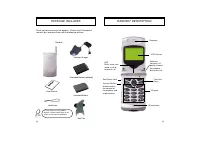
Please read this chapter before using this product. u Package Includes v Handset Description w Basic Functions x Display Indicators y Using the Battery z Charging the Battery { Important Battery Information CHAPTER 1 BEFORE USING YOUR PHONE [1] S t o p w a t c h . . . . . . . . . . . . . . . . . . ....
Page 6 - THE FUNCTION KEYS
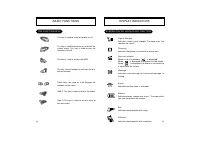
[4] DISPLAY INDICATORS BASIC FUNCTIONS This key is used to make or receive a call. This key is used to terminate a call or exit thecurrent menu. This key is used to turn thehandset on or off. This key is used to access the WEB. This key clears the digits or text from the dis-play or memory. These ke...
Page 7 - USING THE BATTERY
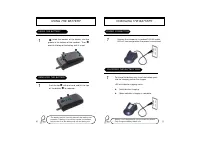
[6] [7] CHARGING THE BATTERY USING THE BATTERY u Insert the bottom of the battery into the groove at the bottom of the handset. Then v press in the top of the battery until it snaps. USING THE BATTERY REMOVING THE BATTERY Push the tab u with one hand and lift the top of the battery v to separate. Th...
Page 8 - CHARGING THE BATTERY WITH THE HANDSET; TIME TO COMPLETE BATTERY CHARGING (ONLY FOR ITS TURN OFF CONDITION)
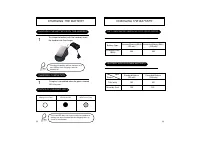
[8] [9] CHARGING THE BATTERY CHARGING THE BATTERY To charge the battery with the handset, insertthe handset into the charger. CHARGING THE BATTERY WITH THE HANDSET CHARGING COMPLETION Charging is completed when the green-coloredLED stays on. Charging the battery with the handset on isless efficient ...
Page 9 - CHAPTER 2; BASIC OPERATION; IMPORTANT BATTERY INFORMATION
[10] [11] u Turning the Phone On and Off v How to Use the Menu w Menu Summary x Basic Functions y Functions During a Call CHAPTER 2 BASIC OPERATION Use only batteries and chargers approved by the phone manufacturer. When a charger is not in use, disconnect it from the power source. Donot leave the b...
Page 10 - TURNING THE PHONE ON
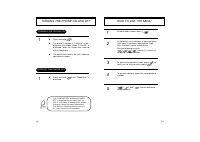
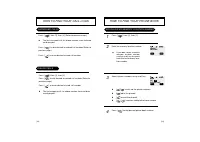
[13] [12] HOW TO USE THE MENU 1 2 3 4 5 TURNING THE PHONE ON AND OFF 1 TURNING THE PHONE ON TURNING THE PHONE OFF 1 • If the “LOW BATTERY WARNING POWER OFF” is displayed and the power goes off,there is a possibility of damaging the memory.Change or charge the battery immediately. • If the battery is...
Page 11 - PAUSES; MENU SUMMARY; CHECK BILLING
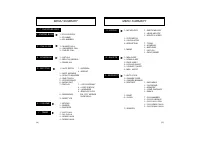
MENU SUMMARY 8 : SPECIAL 9 : ALERTS 0 : SECURITY 9 : SECURITY u u u PAUSES 1 : WRITE MELODY2 : HEAR MELODY3 : MELODY SPEED 1 : TODAY2 : SOMEDAY3 : BIRTHDAY1 : LIST ALL2 : INPUT MEMO 1 : INCOMING2 : OUTGOING3 : MEMORY4 : LONG DISTANCE5 : 900#’S 1 : CLR NUMBER2 : CLR SCHEDULE3 : CLR CALL LOGS4 : CLR H...
Page 12 - PAUSE FEATURE; BASIC FUNCTIONS; MAKING A C A L L
[16] [17] BASIC FUNCTIONS - When in receiving call status: 1 : SEND PHONE # 2 : SCRATCH PAD 3 : MUTE 4 : VIEW PHONE # 5 : VOICE PRIVACY - When in idling status: 1 : STORE 2 : BY NUMBER 3 : HARD PAUSE 4 : ONE HYPHEN 1 PAUSE FEATURE Pauses are used for automated systems (e.g., voice mail andcalling ca...
Page 14 - MUTE; SENDING YOUR NUMBER TO A PAGER
[20] [21] FUNCTIONS DURING A C A L L 1 MUTE To unmute, press [ ],then[3] “Mute” again. FUNCTIONS DURING A C A L L 1 SENDING YOUR NUMBER TO A PAGER This function enables the phone number of the handset to betransmitted automatically to a pager, depending on pager ser-vice. SCRATCH PA D 2 1 00:00:38 M...
Page 15 - CHAPTER 3; MEMORY FUNCTION
[23] [22] CHAPTER 3 MEMORY FUNCTION u How to Store a Phone Number v How to Make a Call Using a Stored Phone Number w How to Find Your Call Logs x How to Find Your Phone Book
Page 16 - How to Enter Letters and Characters Using the Dial Buttons; HOW TO STORE A PHONE NUMBER
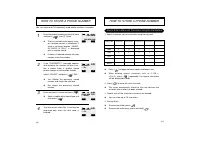
[24] [25] HOW TO STORE A PHONE NUMBER How to Enter Letters and Characters Using the Dial Buttons Key Pad 1 2ABC 3DEF 4GHI : 9WXYZ 1 Repetition 1 A D G : W 2 Repetition B E H : X 3 Repetition C F I : Y 4 Repetition 2 3 4 : Z 5 Repetition : 9 1. Select characters you wish to enter using the key pad. H...
Page 17 - MISSED CALLS; ONE TOUCH/TWO TOUCH DIALING
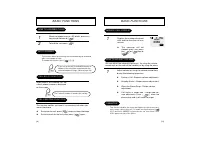
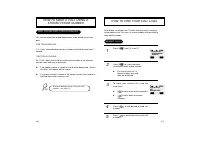
[26] [27] HOW TO MAKE A C A L L USING A STORED PHONE NUMBER HOW TO FIND YOUR CALL LOGS 1 Your phone can display the 10 most recent missed, incoming,and outgoing calls. You can call those numbers without dialingtheir whole number. MISSED CALLS 4 2 3 5 ONE TOUCH/TWO TOUCH DIALING This feature allows t...
Page 18 - HOW TO FIND YOUR PHONE BOOK; RECALLING BY MEMORY LOCATION NUMBER; HOW TO FIND YOUR CALL LOGS; ANSWERED CALLS
[ 28] [29] HOW TO FIND YOUR PHONE BOOK l If you don’t enter a specificmemory location number,use the scroll key to searchfrom the first memory loca-tion number. 1 RECALLING BY MEMORY LOCATION NUMBER 2 4 3 HOW TO FIND YOUR CALL LOGS ANSWERED CALLS DIALED CALLS SEARCHLOCATION? _ STO PREV DAVID[01]XXX-...
Page 19 - CHAPTER 4
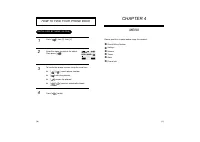
[30] [31] HOW TO FIND YOUR PHONE BOOK 1 RECALLING BY NAME (ALPHA) 2 4 3 SEARCHRECALL NAME? STO PREV Please read this chapter before using this product. u Check Billing Feature v Settings w Volume x Timers y Alerts z Phone Info CHAPTER 4 MENU Press [ ], then [2], then [2]. Enter the alpha (or part of...
Page 20 - SETTINGS; AUTO RETRY; CHECK BILLING FEATURE
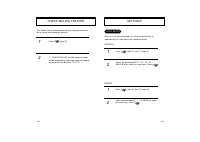
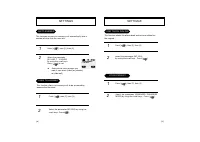
[33] [32] SETTINGS 1 2 When a call is not connected, this function retries the callautomatically at a set interval or amount of retries. INTERVA L AUTO RETRY 1 2 CHECK BILLING FEATURE 1 2 This allows you to automatically dial our customer care cen-ter to check your phone bill balance. REPEAT Press [...
Page 21 - ONE TOUCH DIALING; OPEN TO ANSWER
[34] [35] SETTINGS Press [ ], then [5], then [4]. Select the parameter (NO, YES) by using the scroll keys. Press [ ]. 1 2 ONE TOUCH DIALING This function allows the phone book entries to be dialed viathe keypad. 1 2 VOICE PRIVACY SETTINGS 1 2 This function answers an incoming call automatically afte...
Page 22 - BACKLIGHT; DISPLAY
1 2 GRAPHIC ICON GRAPHIC ICON 墌 YES SEL PREV [36] [37] SETTINGS 1 2 This function allows you to adjust the time to light up the screen, so that you can conveniently use the phone even in dark places. This function adjusts the LCD screen contrast. BACKLIGHT SETTINGS 1 2 1 2 DISPLAY LOGO DISPLAY 墌 DAT...
Page 23 - VOLUME; KEY PA D; RING MODE
[38] [39] VOLUME 1 KEY PA D 2 SETTINGS 1 2 RING MODE 3 1 2 RING TYPE RINGER 墌 RINGER 6 3 3 SEL PREV Press [ ], then [5], then [8]. Select the parameter (ON, OFF, VIBRATE,SLIDEBELL) by using the scroll keys. Press [ ]. Press [ ], then [5], then [9]. Select the parameter (1-18) by usingthe scroll keys...
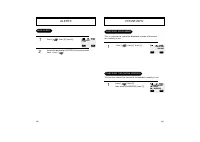
Page 25 - ROAM ALERT; ALERTS; MIN ALERT
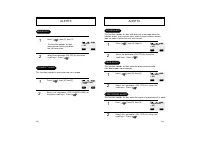
[43] [42] ALERTS 1 2 ROAM ALERT 1 2 FADE ALERT This function sounds an alert when the phone cannot makecalls due to poor signal strength. This function sounds an alert and gives out a message when thehandset enters a new service area, when it enters another servicearea, or when it leaves the user se...
Page 26 - PHONE INFO
[45] [44] CHECKING MY NUMBER 1 CHECKING THE PHONE VERSION This function checks the version of the handset currently in use. This is a function to check the telephone number of the hand-set currently in use. PHONE VERSION SW : XXXXXHW : XXXXXXXX PHONE INFO OK PREV 1 DIGITAL 000 000-0000 OK PREV 1 2 M...
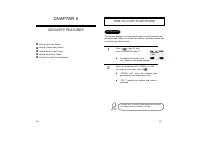
Page 27 - HOW TO LOCK YOUR PHONE; AUTO LOCK; CHAPTER 5; SECURITY FEATURES
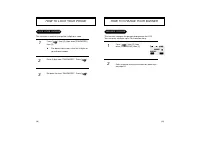
[46] [47] HOW TO LOCK YOUR PHONE 1 AUTO LOCK This function prevents any other person from using the handset with-out permission. When it is locked, the handset cannot be used to dialor activate any other function. 2 Incoming calls, emergency dialing and alarm functionsare enabled when the handset is...
Page 28 - HOW TO CHANGE YOUR BANNER; BANNER CHANGE; LOCK CODE CHANGE
[49] [48] HOW TO CHANGE YOUR BANNER 1 BANNER CHANGE This function changes the banner displayed on the LCD.You can enter a banner up to 16 characters long. 2 BANNER XXXXXXX STO PREV HOW TO LOCK YOUR PHONE 1 LOCK CODE CHANGE 2 3 This function is used to change the 4-digit lock code. Press [ ], then [0...
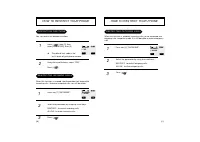
Page 29 - RESTRICTING OUTGOING CALLS; HOW TO RESTRICT YOUR PHONE; RESTRICTION FUNCTIONS; RESTRICTING INCOMING CALLS
[51] [50] HOW TO RESTRICT YOUR PHONE RESTRICTING OUTGOING CALLS 1 When this function is enabled, incoming calls can be answered, butoutgoing calls cannot be made. It is still possible to make emergencycalls. 2 3 OUTGOING? 墌 ALLOW SEL PREV HOW TO RESTRICT YOUR PHONE 1 RESTRICTION FUNCTIONS You can re...
Page 30 - RESTRICTING CALLS TO 900 NUMBERS; RESTRICTING THE PHONE BOOK
[53] [52] HOW TO RESTRICT YOUR PHONE RESTRICTING CALLS TO 900 NUMBERS 1 2 3 The message “THIS PHONE’S RESTRICTED” is dis-played on the screen. 900#’s 墌 ALLOW SEL PREV HOW TO RESTRICT YOUR PHONE RESTRICTING THE PHONE BOOK 1 This function blocks the storage of phone numbers or the use ofstored phone n...
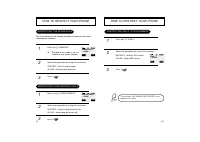
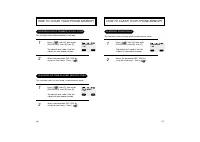
Page 31 - HOW TO CLEAR YOUR PHONE MEMORY; CLEARING STORED PHONE NUMBERS; CLEARING SCHEDULE CONTENTS; HOW TO RESET YOUR PHONE
[55] [54] HOW TO CLEAR YOUR PHONE MEMORY 1 2 CLEARING STORED PHONE NUMBERS This function clears all stored numbers. 1 2 CLEARING SCHEDULE CONTENTS This function clears all schedule contents and reserved call information. CLR PHONENO? 墌 NO RESET SCHEDULE? 墌 NO SEL PREV SEL PREV HOW TO RESET YOUR PHON...
Page 32 - CLEARING ROAM CALLS; CLEARING DIALED NUMBER IN CALL LOGS; CLEARING AIR TIME IN HOME SERVICE AREA
[56] [57] HOW TO CLEAR YOUR PHONE MEMORY 1 2 CLEARING ROAM CALLS This function clears air time used in other service areas. CLEAR ROAM? 墌 NO SEL PREV HOW TO CLEAR YOUR PHONE MEMORY 1 2 CLEARING DIALED NUMBER IN CALL LOGS This function clears dialed number in call logs. 1 2 This function clears air t...
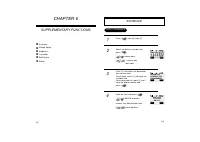
Page 33 - SCHEDULE; INPUT SCHEDULE; CHAPTER 6; SUPPLEMENTA RY FUNCTIONS
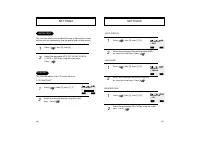
[59] SCHEDULE INPUT SCHEDULE 1 2 3 4 SEL PREV 1:ALARM TYPE2:SCHEDULE TITLE3:PHONE NUMBER OK PREV INPUT DATE 11/12/1999 AM 12:12 OK PREV 06/30/00 u Schedule v Melody Setup w Stopwatch x Calculator y Bio-Rhythm z Memo [58] CHAPTER 6 SUPPLEMENTA RY FUNCTIONS Press [ ], then [4], then [2]. Select the da...
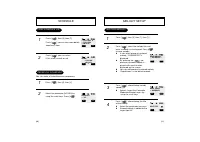
Page 34 - MELODY SETUP; WRITING MELODY; VIEW SCHEDULE LIST; PAUSE A L L SCHEDULE
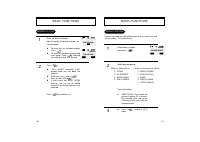
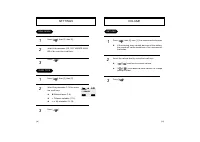
[60] [61] MELODY SETUP 2 WRITING MELODY 1 3 4 MUSIC TEMPO? 墌 MODERATO INPUT TITLE WRITE MELODY? 墌 MY MELODY 1 SEL PREV SEL PREV STO PREV SCHEDULE VIEW SCHEDULE LIST 1 2 墌 11/12/1999 X 墌 11/12/1999 墌 AM 12:10 DTAL DEL ALARM 11/12/1999 AM 12:12 SET ON DEL PAUSE A L L SCHEDULE You can make all schedule...
Page 35 - MELODY SPEED; ENTERING MELODY
[63] MELODY SETUP 1 2 MELODY SPEED 3 4 MELODY SPEED? 墌 MY MELODY 1 SEL PREV MUSIC TEMPO 墌 MODERATO SEL PREV [62] MELODY SETUP ENTERING MELODY HEARING MELODY 1 2 HEAR MELODY? 墌 XXXXX SEL PREV l When you press dial key j , a quarter note is displayed. l The dial keys j , k , l , m , n , o , p correspo...
Page 36 - CALCULATOR; STOPWATCH
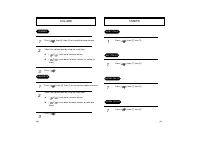
[65] [64] CALCULATOR CALCULATOR 1 2 CALCULATOR 0. [ Ⳮ : ▲ ][ ⳮ CAL PREV STOPWATCH 1 3 STOPWATCH 2 STA PREV Press [ ], then [8], then [2]. Press [ / ] to control the stopwatch. l [ ] controls Start/Stop/Split. l [ ] controls Split/Split Release /Reset. l The time unit displayed on the LCD in1/100 of ...
Page 37 - MEMO; VIEW MEMO LIST; INPUT MEMO
墌 0:MEETING 墌 1:CELEBRATION 墌 2:SCRIBBLE DEL 12/12/1999 MEETING WITHCOOPERATION CO. DEL DTAL ALAM MEMO VIEW MEMO LIST 1 2 MEMO TEXT? PREV SET ALARM? 墌 YES PREV STO SEL INPUT MEMO 1 2 [66] [67] BIO-RHYTHM 2 1 3 This function identifies the bio-rhythms of today or a specific day usingsolar calendar. l...
Page 39 - VOICE MAIL AND TEXT MESSAGE; CHAPTER 7
[71] [70] VOICE MAIL AND TEXT MESSAGE This chapter describes convenient functions that allow you to checkvoice mail and receive text messages with the handset. u Receiving a Message v Checking Received Message w Direct View CHAPTER 7
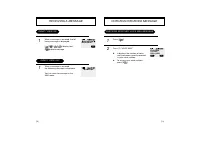
Page 40 - CHECKING RECEIVED MESSAGE; CHECKING RECEIVED VOICE MAIL MESSAGE; RECEIVING A MESSAGE; DIRECT VIEW OFF
[73] CHECKING RECEIVED MESSAGE 1 CHECKING RECEIVED VOICE MAIL MESSAGE 2 0 VOICE MAILTO LISTENPRESS [SEND] DEL [72] RECEIVING A MESSAGE 1 DIRECT VIEW OFF 1 DIRECT VIEW ON TEXT MESSAGE ABCDEFGHIJKL..... DEL NEW MESSAGE When a message is received, the fol-lowing message is displayed. [ ][ ][ ][ ]-displ...
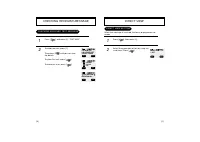
Page 41 - DIRECT VIEW SETTING; CHECKING RECEIVED TEXT MESSAGE
[75] DIRECT VIEW 1 2 DIRECT VIEW SETTING When text message is received, the text is displayed on thescreen DIRECT VIEW 墌 OFF SEL PREV [74] CHECKING RECEIVED MESSAGE Press [ ], and press [2], “TEXT MAIL”. To read new mail, press [1]. Then press [ ] and you can view the details. To store this mail, pr...
Page 42 - CHAPTER 8; SAFETY
u Safety Information for Wireless Handheld Phones. v Safety Information for FCC RF Exposure. [77] CHAPTER 8 SAFETY [76]
Page 43 - DRIVING SAFETY; SAFETY INFORMATION FOR
[79] DRIVING SAFETY SAFETY INFORMATION FOR WIRELESS HANDHELD PHONES Talking on the phone while driving is extremely dangerous and is ille-gal in some states. Remember, safety comes first. Check the lawsand regulations on the use of phones in the areas where you drive.Always obey them. Also, if using...
Page 44 - ELECTRONIC DEVICES
[81] Other Medical Devices If you use any other personal medical device, consult the manufactur-er of your device to determine if it is adequately shielded from exter-nal RF energy. Your physician may be able to assist you in obtainingthis information. Turn your phone OFF in healthcare facilities wh...
Page 45 - PRECAUTIONS; OTHER SAFETY GUIDELINES
[83] Your Handheld Portable Telephone is a high quality piece of equip-ment. Before operating the equipment, read all instructions and cau-tionary markings on (1) AC Adaptor (2) Battery and (3) Product UsingBattery. 1. DO NOT use this equipment in an extreme environment wherehigh temperature or high...
Page 46 - CAUTIONS; WARNING! Read this Information brfore using your phone; WARNING
[85] In August 1996 the Federal Communications Commissions (FCC) ofthe United States with its action in Report and Order FCC 96-326adopted an updated safety standard for human exposure to radiofrequency electromagnetic energy emitted by FCC regulated trans-mitters. Those guidelines are consistent wi...
Page 47 - CHAPTER 9; WARRANTY
[87] CHAPTER 9 WARRANTY [86] u Protect Your Warranty v 12 Month Limited Warranty
Page 48 - ing
12 MONTH LIMITED WARRANTY PROTECT YOUR WARRANTY Read your Warranty carefully, with the special considerationto paragraph seven of the Limited Warranty for your unit. “Warranty does not apply to... or to any product or part thereof which has suffered through alteration... mishand- ing misuse, neglect...
Page 49 - Audiovox Canada Ltd.
12 MONTH LIMITED WARRANTY 12 MONTH LIMITED WARRANTY Call toll free to (800) 229-1235 (in N. Y. State. (631)233-3410)for reference to an Authorized Warranty Station in your area. THE EXTENT OF THE COMPANY’S LIABILITY UNDER THISWARRANTY IS LIMITED TO THE REPAIR OR REPLACEMENTPROVIDED ABOVE AND, IN NO ...