Honeywell L7224U1002 - Installation Manual
This troubleshooting guide covers the Honeywell L7224 Series Oil Electronic Aquastat Controller, focusing on interpreting its LED indicators, error codes, and operational responses to boiler conditions. The document explains how to read display symbols like boiler temperature ("bt") or low limit ("LL"), alongside a table of common errors (Err1–Err8) and their causes. It also details the system’s logic for adjusting high/low limits, disabling cold-start functions, and diagnosing issues based on LED states–such as a cold boiler or house–using diagnostic checklists and troubleshooting tables.


Table of Contents:
- Page 1 – Controller Setting Adjustment and Display Reading
- Page 2 – Display Readouts and Error Code Definitions
- Page 3 – System Operation Sequence and Troubleshooting Response
- Page 4 – Detailed Boiler System Troubleshooting Guide
TECHNICIAN’S QUICK REFERENCE GUIDE
69-1957—1
L7224 Series
Oil Electronic
Aquastat® Controller
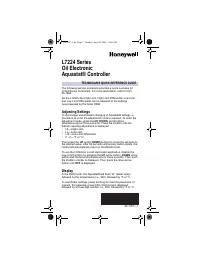
The following service procedure provides a quick overview for
L7224 Series Controllers. For more information, refer to form
69-1384.
On the L7224U the High Limit, High Limit Differential, Low Limit,
and Low Limit Differential can be adjusted to the settings
recommended by the boiler OEM.
Adjusting Settings
To discourage unauthorized changing of Aquastat® settings, a
procedure to enter the adjustment mode is required. To enter the
adjustment mode, press the
UP
,
DOWN
, and
I
buttons
simultaneously for three seconds. Press the
I
button until the
feature requiring adjustment is displayed:
•
HL—High Limit.
•
LL—Low Limit.
•
Ldf—Low Limit differential.
•
F - C—°F or °C.
Then press the
UP
and/or
DOWN
buttons to move the set point to
the desired value. After 60 seconds without any button inputs, the
control will automatically return to the READ mode.
To use the L7224U in a cold start boiler application, disable the
Low Limit function by pressing the
UP
arrow button,
DOWN
arrow
button and
I
buttons simultaneously for three seconds. Then push
the
I
button until
LL
is displayed. Then press the down arrow
button until
OFF
is displayed.
Display
In the RUN mode, the Aquastat® will flash “bt” (boiler temp)
followed by the temperature (i.e., 220), followed by °F or °C.
To read boiler settings, press the
I
key to read the parameter of
interest. For example, press
I
(HL) High Limit is displayed,
followed by a three-digit number, i.e., 220, followed by °F or °C.
69-1957-1.fm Page 1 Tuesday, June 20, 2006 11:06 AM
"Loading the manual" means you need to wait until the file loads and becomes available for online reading. Some manuals are very large, and the time they take to appear depends on your internet speed.
Was this manual helpful?
About this manual
- Brand
- Honeywell
- Model
- L7224U1002
- Document type
- Installation Manual
- Language(s)
- English
- Pages
- 4
- File size
- 273.1 KB
- Format
Other Manuals for Honeywell L7224U1002
Summary
Instructions for adjusting settings such as High Limit, Low Limit, temperature units (°F/°C), disabling the Low Limit function for cold start boiler applications, and reading boiler settings and temperatures.
Explanation of display symbols like 'bt' and 'LL', and a table detailing error codes Err1 through Err8 along with their causes and recommended actions.
Operating sequence of the controller, system response to thermostat calls and temperature limits, and troubleshooting guidance for various error conditions (1–8) and common issues like a cold boiler based on LED readings.