Page 3 - FCC Compliance Statement; Explanation of Graphical Symbols; WARNING
Document 900.0856 Rev B 3 02/08 FCC Compliance Statement INFORMATION TO THE USER: This equipment has been tested and found to comply with the limits for a Class A digital device, pursuant to part 15 of the FCC rules. These limits are designed to provide reasonable protection against harmful interfer...
Page 4 - Compliance; WEEE (Waste Electrical and Electronic Equipment); RoHS
4 Compliance WEEE (Waste Electrical and Electronic Equipment) Correct Disposal of this Product (Applicable in the European Union and other European countries with separate collection systems) RoHS This marking shown on the product or its literature, indicates that it should not be disposed with othe...
Page 5 - C o n t e n t s
Contents Document 900.0856 Rev B 5 02/08 C o n t e n t s FCC Compliance Statement . . . . . . . . . . . . . . . . . . . . . . . . . . . . . . . . . . 3Explanation of Graphical Symbols . . . . . . . . . . . . . . . . . . . . . . . . . . . . . . . 3Compliance . . . . . . . . . . . . . . . . . . . . . ...
Page 9 - F i g u r e s
Figures Document 900.0856 Rev B 9 02/08 F i g u r e s Figure 1-1 Typical DVR Installation . . . . . . . . . . . . . . . . . . . . . . . . . . . . . . . 19 Figure 2-1 16-Channel DVR Rear Panel . . . . . . . . . . . . . . . . . . . . . . . . . . . . . 22 Figure 2-2 Video Input Connectors . . . . . . ....
Page 13 - A b o u t T h i s D o c u m e n t; Overview of Contents
Document 900.0856 Rev B 13 02/08 A b o u t T h i s D o c u m e n t This document introduces the HRXD Series Digital Video Recorder (DVR) and describes how to install, configure, and operate the DVR. This guide covers the 9- and 16-channel HRXD Series DVRs. The DVRs are identical except for the numbe...
Page 14 - Important Safeguards
14 • Appendix H, Map of Screens , provides a graphical illustration of the menu screens. • Appendix I, System Log Notices , lists all of the System Log notices. • Appendix J, Error Code Notices , lists the system upgrade and clip copy Error Code notices. • Appendix K, Specifications , lists the DVR ...
Page 17 - I n t r o d u c t i o n; Features
Introduction Document 900.0856 Rev B 17 02/08 1 I n t r o d u c t i o n Features Your color digital video recorder (DVR) provides recording capabilities for nine or 16 camera inputs. It provides exceptional picture quality in both live and playback modes, and offers the following features: • 9 or 16...
Page 18 - Technical Overview
Introduction 18 Technical Overview In addition to replacing both a time-lapse VCR and a multiplexer in a security installation, your DVR has many features that make it much more powerful and easier to use than even the most advanced VCR. The DVR converts analog NTSC or PAL video to digital images an...
Page 21 - I n s t a l l a t i o n; Package Contents
Installation Document 900.0856 Rev B 21 02/08 2 I n s t a l l a t i o n Package Contents The package contains the following: • Digital Video Recorder • Power cord • User Guide (this document) • Multilingual User Guide (RASplus CD-ROM) • RASplus User Guide • Multilingual RASplus Software CD and User ...
Page 22 - Connecting the Video Input; Connecting the Loop-Through Video
Installation 22 Figure 2-1 16-Channel DVR Rear Panel Your DVR can be used with either NTSC or PAL equipment. Note You cannot mix NTSC and PAL equipment. For example, you cannot use a PAL camera and an NTSC monitor. Connecting the Video Input Figure 2-2 Video Input Connectors Connect the coaxial cabl...
Page 23 - Connecting the Monitor
Installation Document 900.0856 Rev B 23 02/08 If you would like to connect your video source to another device, you can use the Loop BNC connectors. Note The Loop BNC connectors are auto terminated. Do NOT connect a cable to the Loop BNC unless it is connected to a terminated device because it will ...
Page 24 - Connecting a VGA Monitor; Connecting Audio
Installation 24 Connecting a VGA Monitor Figure 2-5 VGA Connector A VGA connector is provided so that you can use a standard, multi-sync computer monitor as your main monitor. Use the cable supplied with your monitor to connect it to the DVR. Note Pressing and holding DISPLAY on the front panel for ...
Page 25 - Connecting Alarms
Installation Document 900.0856 Rev B 25 02/08 Your DVR can record audio from up to four sources. Connect the audio sources to Audio In 1, Audio In 2, Audio In 3 and Audio In 4 as needed using RCA jacks. Connect Audio Out to your amplifier. Note The DVR does not have amplified audio output, so you wi...
Page 27 - Connecting to the RS485 Port; Connecting to the USB Ports
Installation Document 900.0856 Rev B 27 02/08 Connecting to the RS485 Port Figure 2-10 RS485 Connector The DVR can be controlled remotely by an external device or control system, such as a control keyboard, using RS485 half-duplex serial communications signals. The RS485 connector can also be used t...
Page 28 - Connecting to the RS232 Port; Connecting to the Ultra Wide SCSI Port
Installation 28 Connecting to the RS232 Port Figure 2-13 RS232 Connector An RS232 port is provided to connect an external modem for remote monitoring, configuration and software upgrades, and to connect a remote control keyboard. Use a modem cable with a DB-9S (female) connector to connect to the DV...
Page 29 - Connecting to the Network Port
Installation Document 900.0856 Rev B 29 02/08 Caution Do NOT connect or disconnect SCSI devices while the DVR power is on. The DVR must be powered down to connect or disconnect SCSI devices. Power up SCSI devices so they are ready for operation before powering up the DVR. Power down SCSI devices aft...
Page 30 - Factory Reset
Installation 30 Factory Reset Figure 2-16 Factory Reset Switch The DVR has a Factory Reset switch to the left of the USB port on the rear panel. This switch will only be used on the rare occasions that you want to return all the settings to the original factory settings. Caution When using the Facto...
Page 31 - Connecting the Power Cord
Installation Document 900.0856 Rev B 31 02/08 Connecting the Power Cord Figure 2-17 Power Cord Connector Connect the AC power cord to the DVR and then to a wall outlet. WARNING! ROUTE POWER CORDS SO THAT THEY ARE NOT A TRIPPING HAZARD. MAKE CERTAIN THE POWER CORD WILL NOT BE PINCHED OR ABRADED BY FU...
Page 33 - C o n f i g u r a t i o n; Front Panel Controls
Configuration Document 900.0856 Rev B 33 02/08 3 C o n f i g u r a t i o n Note Your DVR should be completely installed before proceeding. Refer to Chapter 2, Installation . Front Panel Controls Figure 3-1 16-Channel DVR Front Panel The front panel looks and operates much like a VCR combined with a ...
Page 39 - System Information
Configuration Document 900.0856 Rev B 39 02/08 Press MENU to enter the setup screen. While setting up the DVR, there will be many opportunities to enter names and titles. When making these entries, a Virtual Keyboard will appear. Figure 3-5 Virtual Keyboard Use the arrow keys to highlight the charac...
Page 45 - Storage Screen
Configuration Document 900.0856 Rev B 45 02/08 Note You can use the domain name instead of an IP address if you already set up the DVRNS Server when setting up the LAN. 14. Highlight the box beside Interval and press . Set the time interval for synchronization from 30 minutes to 1 day at various tim...
Page 50 - Shutdown Screen
Configuration 50 • System Check — The user can view the remote system status or check the remote system status as a batch process on a PC running RAS. • Record Setup — The user can establish all Record settings on a local system or a PC running RAS. • Search — The user can access Search mode on a lo...
Page 51 - Network and Notification Setup; Network Screen
Configuration Document 900.0856 Rev B 51 02/08 Figure 3-21 Shutdown Screen After selecting Shutdown and pressing , a screen will appear telling you when it is safe to disconnect power. Logout Screen Highlight Logout in the System menu and press . The Logout screen displays asking you to confirm whet...
Page 52 - LAN Setup Screen
Configuration 52 Figure 3-24 Network Setup Screen 2. Highlight the first box beside Transfer Speed. Press the Up and Down arrow buttons to set the Transfer Speed from 50 Kbps to 100 Mbps. 3. Highlight the second box beside Transfer Speed. You can select the unit of measure for the transfer speed bet...
Page 56 - Modem Setup
Configuration 56 Note If the DVR is configured for DHCP or an ADSL network, the DVR’s IP address might change whenever the unit is turned on. Modem Setup 1. Highlight the Modem tab, and the Modem screen ( Figure 3-29 ) displays. Figure 3-29 Modem Setup Screen Note If the RS232 port is in use for rem...
Page 57 - DVRNS Setup
Configuration Document 900.0856 Rev B 57 02/08 DVRNS Setup 1. Highlight the DVRNS tab, and the DVRNS screen ( Figure 3-30 ) displays. Figure 3-30 DVRNS Setup Screen Note When LAN settings have been changed, set up the DVRNS after saving your LAN changes by highlighting Save and pressing . 2. Highlig...
Page 58 - WebGuard Setup
Configuration 58 Note You can use the domain name instead of IP address if you already set up the DNS Server when setting up the LAN. 4. Highlight the box beside Port and press . Set the port number of the DVRNS server using the Up and Down arrow buttons to increase or decrease the numbers. 5. Highl...
Page 59 - Notification Setup
Configuration Document 900.0856 Rev B 59 02/08 Figure 3-31 WebGuard Setup Screen 2. Highlight Use WebGuard Service and press to toggle between On and Off. See Appendix D, WebGuard for detailed descriptions of the WebGuard service. 3. Highlight the box beside Port and press . Set the port number used...
Page 61 - Configuring Devices
Configuration Document 900.0856 Rev B 61 02/08 Figure 3-34 Notification Callback Setup Screen 10. Highlight LAN and press to toggle between On and Off. When LAN is turned On you can change the IP addresses. 11. Highlight the IP Address box that you want to change and press . Enter the IP address of ...
Page 66 - Display Screen
Configuration 66 a. The Day box allows you to select the days that the alarm schedule will be active. The choices are: Sun, Mon, Tue, Wed, Thu, Fri, Sat, M~F, Hol and All. b. The Range box allows you to set the time that the alarm schedule will be active in 15-minute increments from 00:00 to 24:00. ...
Page 69 - Remote Control Screen
Configuration Document 900.0856 Rev B 69 02/08 Figure 3-46 Spot Monitor Screen 10. You can define which cameras display sequentially on the Spot Monitors. Highlight the box in the Channels column for the desired Spot Monitor and press . 11. You can save your Display settings by highlighting Save and...
Page 70 - Recording Settings; Record Screen
Configuration 70 4. Highlight the box beside Remote Control Product and select the device from the list. 5. You can save your Remote Control settings by highlighting Save and pressing . Selecting Cancel exits the screen without saving the changes. Recording Settings Your DVR offers a variety of flex...
Page 71 - Schedule Screen
Configuration Document 900.0856 Rev B 71 02/08 2. Highlighting Recycle and pressing toggles between On and Off. In the Recycle mode, the DVR records over the oldest video data once all available storage space has been used. When Recycle is turned off, the DVR stops recording once all available stora...
Page 74 - Archive Screen
Configuration 74 When the DVR is in the Event Record mode it is possible to have it record images before the event occurs. The Pre-Event screen allows you to define how to handle pre-event recording. 2. You can turn individual cameras On or Off for pre-event recording. The image speed can be set fro...
Page 78 - Motion Detection Screen
Configuration 78 Figure 3-58 Alarm-In Actions 2 Screen 11. In the Actions 2 tab, highlight the desired box under the PTZ heading, and press . A list of PTZ presets appears. Select the preset position for each PTZ camera, where you want PTZ cameras to move to whenever the DVR detects an input on the ...
Page 83 - Video Loss Screen
Configuration Document 900.0856 Rev B 83 02/08 Video Loss Screen 1. Highlight Video Loss in the Event menu and press . The Video Loss setup screen ( Figure 3-67 ) appears. Figure 3-67 Video Loss Settings Screen 2. The DVR checks to see if anything is obscuring the camera. Highlight the slider bar be...
Page 89 - System Event Screen
Configuration Document 900.0856 Rev B 89 02/08 Note For the Notify action, the notify item you select should be enabled in the Notification setup screen and the DVR should be registered in the RAS (Remote Administration System). Figure 3-74 Text-In Actions 2 Screen 19. Highlight the desired box unde...
Page 95 - O p e r a t i o n; Turning on the Power
Operation Document 900.0856 Rev B 95 02/08 4 O p e r a t i o n Note This chapter assumes your DVR has been installed and configured. If it has not, please refer to Chapter 2 and Chapter 3 . The DVR’s controls are similar to a VCR. As with a VCR, the main functions are recording and playing back vide...
Page 96 - Live Monitoring
Operation 96 Live Monitoring As soon as the DVR completes its initialization process, it will begin showing live video on the attached monitor and playing live audio through the attached speaker. The default mode is to display all cameras at once. Pressing any camera button will cause that camera to...
Page 100 - Image Adjustment; Event Monitoring
Operation 100 8. Clicking on the left side closes the toolbar. If you want to display the toolbar again, position the mouse pointer at the bottom of the screen. Change the toolbar location by clicking the empty space on the left side of the toolbar and drag it to where you want it located on the scr...
Page 101 - Covert Camera; Spot Monitoring
Operation Document 900.0856 Rev B 101 02/08 How the cameras are displayed depends on the number of cameras associated with the event. If one camera is associated with the event, the DVR will display the camera full screen. If two to four cameras are associated with the event, the DVR will display th...
Page 103 - Using a Mouse
Operation Document 900.0856 Rev B 103 02/08 Using a Mouse You can use a mouse instead of the front panel buttons to perform many of the DVR functions. The following operations are supported when using a mouse during live monitoring: • When in one of the multi-view formats (for example, PIP, 2x2, 3x3...
Page 104 - Recording Video
Operation 104 Figure 4-9 Mouse Display Menu • Clicking Camera and selecting the camera number is the same as pressing the individual camera buttons on the front panel which displays the selected camera full screen. When in the PIP display mode, clicking the right mouse button and selecting PIP chang...
Page 105 - Recording Audio; Playing Recorded Video
Operation Document 900.0856 Rev B 105 02/08 Pressing PANIC starts panic recording of all cameras, and pressing the button again stops panic recording. If you set the Panic Recording Duration in the Record Screen (see Record Screen , page 70 ), panic recording will stop automatically according to the...
Page 106 - BACKWARD Button
Operation 106 Note While playing back video, the recording speed might decrease. Note Only the administrator and users with Covert Camera View authority can view video from covert cameras. The covert cameras in the playback mode are determined by the current camera settings. Pressing PLAY/PAUSE agai...
Page 107 - SEARCH Button; DISPLAY Button; Shuttle Ring; Jog Dial
Operation Document 900.0856 Rev B 107 02/08 SEARCH Button Pressing SEARCH while in the Playback mode returns the DVR to the Live Monitoring mode. Pressing SEARCH while in the Live Monitoring mode returns the DVR to the Search mode. Camera Buttons (1 to 16) Pressing a camera button will display that ...
Page 108 - Searching Video
Operation 108 You can also use a mouse for convenient playback control. Position the mouse pointer on the search screen, and the following search toolbar will display. Figure 4-10 Mouse Playback Controls Clicking on the left side exits the toolbar. If you want to display the toolbar again, position ...
Page 110 - Calendar Search
Operation 110 2. You can use the Left and Right arrow buttons to highlight the year, month, day, hours, minutes and seconds. Use the Up and Down arrow buttons to change to the date and time you want to search for video. 3. Once you have set the date and time you want, press . Then highlight Go and p...
Page 111 - Event Log Search
Operation Document 900.0856 Rev B 111 02/08 4. If the DVR’s time and date have been reset to a time that is earlier than some recorded video, it is possible for the DVR to have more than one video stream in the same time range. Move to Select a Segment, and select the video stream you want to search...
Page 115 - Motion Search
Operation Document 900.0856 Rev B 115 02/08 e. Highlighting + and pressing allows you to add a new search parameter. Set up the desired search parameter. Refer to Appendix B, Text In Search Examples for more information on setting up search parameters. The column can be used to delete a single searc...
Page 121 - U S B H a r d D i s k D r i v e P r e p a r a t i o n
USB Hard Disk Drive Preparation Document 900.0856 Rev B 121 02/08 A U S B H a r d D i s k D r i v e P r e p a r a t i o n Preparing the USB-IDE Hard Disk Drive in Windows 2000 Note Preparing a USB-IDE hard disk drive under Windows XP is almost identical to Windows 2000. 1. Connect the USB-IDE hard d...
Page 122 - Preparing the USB-IDE Hard Disk Drive in Windows 98
USB Hard Disk Drive Preparation 122 After formatting is complete, the USB-IDE hard disk drive will be added to My Computer. 7. Connect the USB-IDE hard disk drive to the DVR. Preparing the USB-IDE Hard Disk Drive in Windows 98 Note Preparing a USB-IDE hard disk drive under Windows ME is almost ident...
Page 123 - T e x t I n S e a r c h E x a m p l e s; Search Example 1
Text In Search Examples Document 900.0856 Rev B 123 02/08 B T e x t I n S e a r c h E x a m p l e s Search Example 1 In the above text-in data, you can find that the comparison value is located at 17 th (Unit price, $ mark will be ignored automatically), 28 th (Qty) and 40 th (amount) characters (in...
Page 124 - Search Example 2
Text In Search Examples 124 Figure B-1 Text-In Search Option Example 1 Search Example 2 In the above text-in data, you can find that the comparison value is located at 17 th (Unit price, $ mark will be ignored automatically), 28 th (Qty) and 40 th (amount) characters (including spaces) from the left...
Page 127 - R e v i e w i n g V i d e o C l i p s
Reviewing Video Clips Document 900.0856 Rev B 127 02/08 C R e v i e w i n g V i d e o C l i p s You do not need to install any special software on your personal computer to review the video clips. The copied video clip contains the Clip Player program. 1. If you used a USB device, disconnect either ...
Page 131 - W e b G u a r d
WebGuard Document 900.0856 Rev B 131 02/08 D W e b G u a r d WebGuard allows you to access a remote DVR, monitor live video images and search recorded video using Internet Explorer web browser anytime from virtually anywhere. Computer system requirements for using the WebGuard program are: • Operati...
Page 133 - Web Monitoring Mode
WebGuard Document 900.0856 Rev B 133 02/08 Web Monitoring Mode WebWatch is a remote web monitoring program that allows you to monitor live video transmitted in real-time from the remote DVR. Figure D-2 WebGuard Screen 1. Click to log out of the WebGuard program. 2. Click to access the web search mod...
Page 135 - Web Search Mode
WebGuard Document 900.0856 Rev B 135 02/08 Web Search Mode WebSearch is a remote web search program that allows you to search recorded video on the remote DVR. Note The remote site connection in the Web Search mode will automatically be disconnected if there is no activity for 30 minutes. Figure D-3...
Page 139 - T i m e O v e r l a p
Time Overlap Document 900.0856 Rev B 139 02/08 E T i m e O v e r l a p If the DVR’s time and date have been reset to a time that is earlier than the existing recorded video, it is possible for the DVR to have more than one video stream in the same time range. In this case, you can search overlapping...
Page 141 - T r o u b l e s h o o t i n g
Troubleshooting Document 900.0856 Rev B 141 02/08 F T r o u b l e s h o o t i n g Table F-1 Troubleshooting Problem Possible Solution No Power • Check power cord connections. • Confirm that there is power at the outlet. No Live Video • Check camera video cable and connections. • Check monitor video ...
Page 143 - C o n n e c t o r P i n O u t s; I/O Connector Pin Outs
Connector Pin Outs Document 900.0856 Rev B 143 02/08 G C o n n e c t o r P i n O u t s I/O Connector Pin Outs AI (1 to 16) Alarm Inputs 1 to 16 GND Chassis Ground (9 connectors) AO (1 to 16) Alarm Outputs 1 to 16 ARI Alarm Reset In
Page 144 - RS485 Connector Pin Outs
Connector Pin Outs 144 RS485 Connector Pin Outs Master Unit Slave Unit + ! To ! TX+ – ! To ! TX– + ! To ! RX+ – ! To ! RX–
Page 145 - M a p o f S c r e e n s
Map of Screens Document 900.0856 Rev B 145 02/08 H M a p o f S c r e e n s
Page 147 - S y s t e m L o g N o t i c e s
System Log Notices Document 900.0856 Rev B 147 02/08 I S y s t e m L o g N o t i c e s Boot Up Schedule On Shutdown Schedule Off Restart Panic On Upgrade Panic Off Upgrade Fail Clear All Data Power Failure Clear Disk Time Change Format Disk Time Zone Change Disk Full Time Sync Auto Deletion Time Syn...
Page 149 - E r r o r C o d e N o t i c e s
Error Code Notices Document 900.0856 Rev B 149 02/08 J E r r o r C o d e N o t i c e s System Upgrade Related Number Description 0 Unknown error 1 File version error 2 Operating system version error 3 Software version error 4 Kernel version error 100 Upgrade device mounting failed 101 Package is not...
Page 151 - S p e c i f i c a t i o n s
Specifications Document 900.0856 Rev B 151 02/08 K S p e c i f i c a t i o n s Note Specifications are subject to change without notice. Video Signal Format NTSC or PAL (Auto Detect) Video Input Composite: 9 or 16 looping inputs, 1 Vp-p,auto-terminating, 75 Ohms Monitor Outputs Composite: 1 BNC, 1 V...




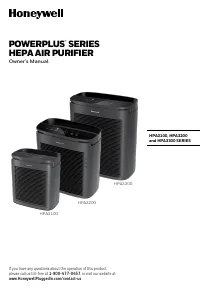 Honeywell HPA3100B User Manual
 Honeywell HPA5100B User Manual
 Honeywell HPA5300B User Manual
 Honeywell HR230 User Manual
 Honeywell HRF AP1 User Manual
 Honeywell HS-160R User Manual
 Honeywell HSF600B User Manual
 Honeywell HT 900 User Manual
 Honeywell HT908 User Manual
 Honeywell HTF210B User Manual
 Honeywell HUL520B Manual