Hisense F28 - User Manual

Hisense F28 – User Manual, read for free online in PDF format. We hope this helps you resolve any issues you may have. If you have further questions, please contact us through the contact form.


Table of Contents:
- Page 2 – Contents
- Page 3 – Specification
- Page 4 – New Device; Device at a glance
- Page 5 – Power button
- Page 6 – Inserting and removing cards; Turning your device on/off; Turning on the phone
- Page 7 – Turning off the phone; Charging the battery; Battery charging tips and precautions
- Page 9 – Screen and Display; Touchscreen gestures; Tapping; Tapping and holding
- Page 10 – Swiping; Spreading and pinching
- Page 11 – Dragging
- Page 12 – Locking and unlocking screen; Locking the screen; Unlocking the screen; Open notification center
- Page 13 – Set notification options; Settings; Close notification center; Screenshot; How to take a screenshot?
- Page 14 – Calls; Making calls; Making calls from contacts; Receiving calls; Answering or rejecting a call
- Page 15 – Contacts; Importing contacts; SAVE; Adding from the keypad; Create new contact; Adding from received calls; Create new
- Page 16 – contact; Searching for contacts; Messaging; Sending messages
- Page 17 – Camera; Taking photos; Video; Gallery; Viewing photos or videos
- Page 18 – Sharing photos or videos; Browser; Using browser; Clock; Alarms; ALARM; Adding an alarm
- Page 19 – Configuring the alarm settings; Deleting an alarm; CLOCK; Adding a city; Timer; TIMER
- Page 20 – Stopwatch; STOPWATCH; Calculator; Making calculation; FM Radio
- Page 21 – Music; Listening to music; Recorder; Recording sound; Done; Discard; Playing a recording
- Page 22 – Managing recordings; Phone storage
- Page 23 – Security and Privacy; Enrolling a fingerprint; Fingerprint; DONE; Deleting fingerprint; Adding fingerprint; Add fingerprint
- Page 24 – Appendix; Important information; Disclaimer
- Page 25 – Troubleshooting; Device does not turn on
- Page 26 – Device powered off automatically; Applications cannot be used; Standby time is short
- Page 28 – Internet or calls are not available; tings; Calls are not connected; No calls alerting sound
- Page 29 – Safety precautions; General safety information
- Page 31 – Hearing protection
Hisense F28
User Manual
EN
Before using the device, read the User Manual thoroughly.
Manufactured by Hisense Communications Co., Ltd.
"Loading the manual" means you need to wait until the file loads and becomes available for online reading. Some manuals are very large, and the time they take to appear depends on your internet speed.
Was this manual helpful?
About this manual
- Brand
- Hisense
- Model
- F28
- Document type
- User Manual
- Language(s)
- English
- Pages
- 37
- File size
- 649.4 KB
- Format
Summary
New Device Device at a glance 1 Inserting and removing cards 3 Turning your device on/off 3 Charging the battery 4 Screen and Display Touchscreen gestures 6 Locking and unlocking screen 9 Notification center 9 Screenshot 10 Calls Making calls 11 Receiving calls 11 Contacts Importing contacts 12 Crea...
Browser Using browser 15 Clock Alarms 15 Clock 16Timer 16Stopwatch 17 Calculator Making calculation 17 FM RadioMusic Listening to music 18 Recorder Recording sound 18 Playing a recording 18 Managing recordings 19 Security and Privacy Fingerprint 20 Appendix Important information 21 IMEI Identificati...
1 New Device Device at a glance 1 2 3 4 5 6 7 8 9 10 11 12 13 14 1. Back camera 8. Headset socket 2. Flashlight 9. Front camera 3. Fingerprint sensor 10. Receiver 4. Card slot 11. Light sensor 5. Speaker 12. Flashlight 6. USB port 13. Volume button 7. Microphone 14. Power button
Ask a question
Related manuals
Popular Hisense Other





More Hisense Other models
 Hisense F10 User Manual
 Hisense F15 User Manual
 Hisense F18 User Manual
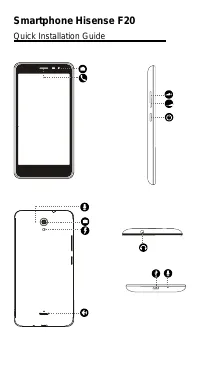 Hisense F20 User Manual
 Hisense F23 User Manual
 Hisense F24 User Manual
- Hisense F102 User Manual
 Hisense FRIDGE 2088 User Manual
 Hisense HAW0821CW1W User Manual
 Hisense HCF7S1014 User Manual
- Hisense HCF7S1014B User Manual
 Hisense HDFS90HAB User Manual