Hisense F10 - User Manual

Hisense F10 – User Manual, read for free online in PDF format. We hope this helps you resolve any issues you may have. If you have further questions, please contact us through the contact form.


Table of Contents:
- Page 2 – Content
- Page 3 – Safety Precautions
- Page 5 – Power Supply & Charging
- Page 8 – Copyright
- Page 9 – Getting to Know Your Phone; Phone Overiew
- Page 10 – Key’s function
- Page 12 – Charging the Battery; Charging Battery
- Page 13 – Basic Operations; Turning Your Device On/Off; Configuring Your Phone on Start up
- Page 16 – Opening the notifications panel
- Page 17 – Customizing Your Screen
- Page 18 – Access to Applications; Main Function; Making and Receiving a Call
- Page 19 – Sending Messages
- Page 20 – Music; Camera
- Page 21 – Chrome
- Page 24 – Troubleshooting
Hisense F102 User Manual
Manufactured by Hisense Communications Co.,Ltd.
4G LTE Ready
* Please check with your network operator if 4G LTE is
available on your SIM.
•
5“HD 2.5D,
13MAF+8MFF
•
Screen displays and
illustrations may differ
from those you see on
actual phone.Some of
the contents of this
guide may not apply to
your phone, depending
on the software and
your service provider.
All information in this
document is subject to
change without notice.
"Loading the manual" means you need to wait until the file loads and becomes available for online reading. Some manuals are very large, and the time they take to appear depends on your internet speed.
Was this manual helpful?
About this manual
- Brand
- Hisense
- Model
- F10
- Document type
- User Manual
- Language(s)
- English
- Pages
- 29
- File size
- 1.6 MB
- Format
Summary
1 Content Safety Precautions ......................................................... 1 Medical Device ......................................................... 2 Road Safety .............................................................. 2 Power Supply & Charging ..................................
1 Safety Precautions Please read the safety precautions carefully to ensure the correct use of your mobile phone. 1. Do not crash, throw, or puncture your mobile phone. Avoid the falling, squeezing, and bending of your mobile phone. 2. Do not use your mobile phone in a moist environment, such as the...
3 governing the use of electronic devices by the driver may be applicable in your country and/or jurisdiction. 3. Give full attention to driving. 4. Pull off the road and park before making or answering a call if driving conditions so require. 5. RF energy may affect some electronic systems in your ...
Ask a question
Related manuals
Popular Hisense Other





More Hisense Other models
 Hisense DH3524K1W User Manual
 Hisense DH5019K1G User Manual
 Hisense DH5024K1W User Manual
- Hisense DH5024KP1G User Manual
 Hisense DH6024KP1WG User Manual
 Hisense DH10019TP1WG User Manual
 Hisense F15 User Manual
 Hisense F18 User Manual
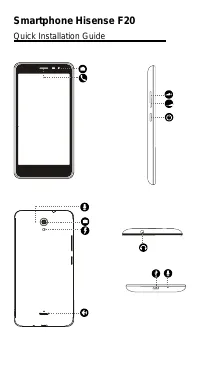 Hisense F20 User Manual
 Hisense F23 User Manual
 Hisense F24 User Manual
 Hisense F28 User Manual