Hessaire W6100 - User Manual
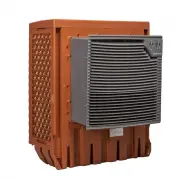
The Hessaire Window Evaporative Cooler (W6100) manual covers essential operational and maintenance topics to ensure safe and effective use. Key areas include electrical safety precautions, installation guidance–such as mounting through windows or walls and extending fan assemblies–and troubleshooting common issues like power failures, fan malfunctions, or water-related problems. Maintenance instructions emphasize cleaning, storage, and internal component access while highlighting the importance of proper setup before operation. The document also references technical specifications and a parts breakdown for repairs.


Table of Contents:
- Page 1 – Safety Precautions and Initial Setup for Window Evaporative Cooler
- Page 2 – Installation and Operation of Window Cooler
- Page 3 – Maintenance, Specifications, and Troubleshooting for Cooler
- Page 4 – Parts Illustration and Warranty Information
- Page 5 – Introduction and Unpacking Instructions
- Page 6 – Installation Guide for Wall-Mounted Refrigerator
- Page 7 – Maintenance, Specifications, and Troubleshooting Guide
- Page 8 – Component Parts List and Warranty Policy
W6100 Manual Online 04/08/22 Hessaire.com
1
2
3
4
5
6
7
Window Evaporative
Cooler
Use & Care Guide
Model: W6100
6700 CFM
INDEX
Safety Rules/Getting Started....
Installation
………...…………….
Operation/Controls/Specs
……..
Dimensions/Maintenance
….…..
Troubleshooting
…………………
Parts Illustration
…………………
Warranty
………..……………….
General Safety Precautions
Use only with a 115v, 60Hz, Single Phase grounded circuit.
Always unplug the unit and switch to off position when servicing.
Use qualified electricians when replacing electrical components.
Do not operate with rear media panel or front guard/louvers removed.
Do not operate with damaged power cords, outlets or other visible damage.
Do not route the power cord under carpet or other flooring.
Do not use with plug adapters or 2 prong connectors.
WARNING: Read and follow all instructions, cautions and warnings.
Failure to do so could result in personal injury, death or property
damage and could void the warranty.
EN1
Getting Started
To reduce risk of electrical shock or fire, DO NOT use with any solid state
speed control device.
Contents: (1) cooler unit, (1) hardware pack, (1) manual
Suggested Tools/Materials Needed:
•
Drill
•
Adjustable Wrench
•
Drill Bits For Mounting Screws
•
#2 Phillips Screwdriver
•
Caulking/Sealant
•
1/4” Plastic Drain Tubing
•
Support Brackets
•
Spacer material: wood strips
1.
Extend out and fasten in place.
Collapsed
For Shipping
Protection
2.
Remove back panel.
3.
Remove & discard
cardboard protectors.
Fasten with 12
screws (provided)
Unpacking:
Carefully unpack and inspect the entire unit prior to installing. Ensure there is no
visible damage and all contents are included.
Note: The fan assembly portion that protrudes into living area is recessed for shipping
purposes.
1.
Pull fan assembly outward (approx. 9”) and fasten in place with the
12
provided screws.
2.
Remove back panel(
see page 4
).
3.
Remove and discard both
side cardboard pad protectors (cardboard pieces protect media pads while extending).
"Loading the manual" means you need to wait until the file loads and becomes available for online reading. Some manuals are very large, and the time they take to appear depends on your internet speed.
Was this manual helpful?
About this manual
- Brand
- Hessaire
- Model
- W6100
- Document type
- User Manual
- Category
- Evaporative Cooler
- Language(s)
- English, Spanish
- Pages
- 8
- File size
- 1.4 MB
- Format
Summary
Safety precautions, required tools, unpacking procedures, installation steps, and diagrams for extending fan assemblies and removing packaging.
Instructions for installing the window cooler through windows or walls, controlling functions via labeled diagrams, and technical specifications for the W6100 model.
Technical specifications, maintenance procedures, access steps for internal components, cleaning/storage methods, and troubleshooting table for issues like unit failure or water leakage.
Ask a question
Related manuals
More Hessaire Evaporative Coolers models
 Hessaire DX4800D User Manual
 Hessaire DX6800 User Manual
 Hessaire M150 User Manual
 Hessaire M250 User Manual
 Hessaire M350 User Manual
 Hessaire MC18MT User Manual
 Hessaire MC18V User Manual
 Hessaire MC26A User Manual
 Hessaire MC37V User Manual
 Hessaire MC61V User Manual
 Hessaire MC61VT User Manual
 Hessaire MC92V User Manual


