Haier HDV70E1 - User Manual
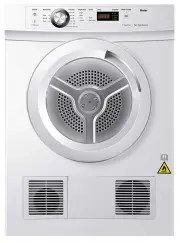
Haier HDV70E1 Dryer – User Manual, read for free online in PDF format. We hope this helps you resolve any issues you may have. If you have further questions, please contact us through the contact form.


Table of Contents:
- Page 3 – CONTENTS; SAVE THESE INSTRUCTIONS
- Page 4 – SAFETY AND WARNINGS; Fire Hazard; IMPORTANT SAFETY INSTRUCTIONS; Dryer use
- Page 5 – Lint
- Page 6 – Spontaneous combustion
- Page 7 – INSTALLATION INSTRUCTIONS; Please read and follow the ‘Safety and warnings’ and ‘Installation
- Page 8 – Venting; from appliances burning gas or other fuels.; External venting; Eliminates condensation on walls and ceilings.; The external venting system should be:
- Page 9 – Free standing
- Page 10 – Mounting dryer on wall; the lid of the washer.
- Page 11 – Stacking installation; ■ The models of Haier front load washing machine that
- Page 12 – Internal venting; Hose connector
- Page 13 – Electrical connection; electrical supply.; Product specifications
- Page 14 – CONTROL PANEL; button presses.
- Page 15 – DRYING CYCLES; Sensor dry
- Page 16 – USING YOUR DRYER
- Page 18 – CLEANING YOUR DRYER; ■ Failure to follow the ad
- Page 19 – BEFORE YOU CALL FOR SERVICE; To clean the filter:; Open the dryer door.; damage to your dryer.; correct yourself.; User warnings
- Page 20 – TROUBLESHOOTING; please contact your Haier Repairer.
Vented clothes dryer
INSTALLATION INSTRUCTIONS
USER GUIDE
Model: HDV70E1 and HDV50E1
"Loading the manual" means you need to wait until the file loads and becomes available for online reading. Some manuals are very large, and the time they take to appear depends on your internet speed.
Was this manual helpful?
About this manual
- Brand
- Haier
- Model
- HDV70E1
- Document type
- User Manual
- Category
- Dryer
- Language(s)
- English
- Pages
- 24
- File size
- 10.5 MB
- Format
Summary
CONTENTS 1 SAFETY AND WARNINGS INSTALLATION INSTRUCTIONS CONTROL PANEL DRYING CYCLES USING YOUR DRYER CLEANING YOUR DRYER BEFORE YOU CALL FOR SERVICE TROUBLESHOOTING IMPORTANT! SAVE THESE INSTRUCTIONS Please read these instructions carefully before using your tumble dryer. The instructions contain i...
SAFETY AND WARNINGS 2 ! WARNING! Fire Hazard ■ Only dry fabrics that have been washed with water. ■ Do not use heat t o dry articles c ontaining f oam rubber or similarly textured rubber–li ke m at erials, dry on ‘Air ing ’. ■ Do not st op a tumble clothes dr y er bef o re the end of the drying unle...
SAFETY AND WARNINGS 3 ■ Do not operate this product without the lint filter in place or allow lint to accumulate in or around the dryer. ■ This dryer is not intended for use by persons (including children) with reduced physical, sensory or mental capabilities, or lack of experience and knowledge, un...
Ask a question
Related manuals
More Haier Dryers models


Other Haier appliances
 Haier 15F6B, 21TA1(B) Manual
- Haier 21F9D, 21T9D, 21F9K, 21TA1(S), 21TA1(D), 21FA1, 21TA1, 21T9D(D), 21T9D(S), 21T9D(B), 21F7A, HT-3728, HT-3768, 37T6D-T, 15F6B, 21TA1(B), 21TA1(BG) Manual
 Haier 21T3A, 21F9K, 21F3A, 21T9D, 21F9D, 21FA1(D), 21TA1-BG Manual
 Haier 23PG27 Manual
 Haier 25F3A-T Manual
 Haier 29T9D-P Manual
 Haier 50FREE-1 Manual
 Haier 55 Mini LED Manual
 Haier 65 Mini LED Manual
 Haier 75 Mini LED Manual