Haier HDHP80ANB1 - User Manual
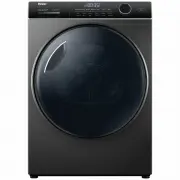
Haier HDHP80ANB1 Dryer – User Manual, read for free online in PDF format. We hope this helps you resolve any issues you may have. If you have further questions, please contact us through the contact form.


Table of Contents:
- Page 2 – Thank you; Disposal; Risk of injury or suff ocation!; Legend; NZ AU
- Page 3 – CONTENT
- Page 5 – WARNING: Never stop a tumble dryer before the end of the
- Page 7 – Notice; Intended use; Environmentally responsible use; Loosen up the laundry:
- Page 8 – Picture of appliance; er; Product Description
- Page 9 – Wrink le F ree; Sanitise indicator; Anti-crease indicator; Press the; Speed Up indicator; Press the; ECO indicator; Press the; Keylock; Dry LEVEL
- Page 10 – Digital display screen; APP
- Page 11 – ee; Press to set; Sanitise; The dryer has the function of sterilization.; Speed Up; Use the; Time; Press to start or pause the selected dry cycle.; Control dial
- Page 12 – Wrinkle Free
- Page 14 – Dry Preparation
- Page 16 – POWER; Set program; Dry level; -Getting Started Quickly; the water tank is empty and properly
- Page 17 – Start the cycle; Make sure the catches are inserted in the hole of; -Getting Started Quickly; Press; Drying rack; The dryer rack is designed for use with items which
- Page 18 – Condenser filter cleaning
- Page 19 – ying
- Page 20 – leaning; Clean the dryer
- Page 21 – -Before you call for service
- Page 22 – Fault Codes; Code Cause
- Page 26 – Free; Reversing the door swing
- Page 31 – Customer Care; If you cannot fi nd a solution there, please contact
USER GUIDE
HEAT PUMP CLOTHES DRYER
NZ AU
HDHP
8
0AN1
HDHP80ANB1
"Loading the manual" means you need to wait until the file loads and becomes available for online reading. Some manuals are very large, and the time they take to appear depends on your internet speed.
Was this manual helpful?
About this manual
- Brand
- Haier
- Model
- HDHP80ANB1
- Document type
- User Manual
- Category
- Dryer
- Language(s)
- English
- Pages
- 32
- File size
- 8.1 MB
- Format
Summary
Thank you 2 Disposal Help protect the environment and human health. Put the packaging in applicable containers to recycle it. Help to recycle waste of electrical and electronic ap- pliances. Do not dispose appliances marked with this symbol with the household waste. Return the product to your local ...
CONTENT 3 Safety information .......................................................................................................................... 4 Intended use ........................................................................................................................................
1-Safety Information 5 WARNING! Daily use ˜ Do not dry following items in the appliance: ˜ Items which have been contaminated with inflammable sub- stances such as cooking oil, acetone, alcohol, benzine, petrol, kerosene, spot removers, turpentine, waxes, wax removers or other chemicals. The fumes ca...
Ask a question
Related manuals
More Haier Dryers models


Other Haier appliances
 Haier 15F6B, 21TA1(B) Manual
- Haier 21F9D, 21T9D, 21F9K, 21TA1(S), 21TA1(D), 21FA1, 21TA1, 21T9D(D), 21T9D(S), 21T9D(B), 21F7A, HT-3728, HT-3768, 37T6D-T, 15F6B, 21TA1(B), 21TA1(BG) Manual
 Haier 21T3A, 21F9K, 21F3A, 21T9D, 21F9D, 21FA1(D), 21TA1-BG Manual
 Haier 23PG27 Manual
 Haier 25F3A-T Manual
 Haier 29T9D-P Manual
 Haier 50FREE-1 Manual
 Haier 55 Mini LED Manual
 Haier 65 Mini LED Manual
 Haier 75 Mini LED Manual