Google VBO2KR2018 - User Manual
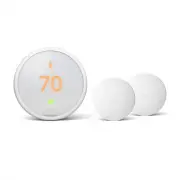
Google VBO2KR2018 Thermostat – User Manual, read for free online in PDF format. We hope this helps you resolve any issues you may have. If you have further questions, please contact us through the contact form.


Table of Contents:
- Page 2 – Compatibility; We take your privacy seriously; Watch the video
- Page 3 – or; In the box
- Page 4 – Take a picture of the wires; Incompatible wiring and voltage; Stranded wires
- Page 5 – Remove any jumper wires; Use the compatibility checker
- Page 6 – Wiring tips
- Page 7 – Install the Nest base; If you have an electrical box; Optional in most homes
- Page 8 – Attach the display; Switch the power back on
- Page 10 – Limited Warranty
- Page 12 – REVISION HISTORY; PRODUCTION ARTIST: kb; Kryptonite; SPOT; PRINTING STATIONS
Thermostat E
Installation Guide
"Loading the manual" means you need to wait until the file loads and becomes available for online reading. Some manuals are very large, and the time they take to appear depends on your internet speed.
Summary
Compatibility The Nest Thermostat E works with most 24V systems, including forced air, variable speed, heat pump and radiant systems, as well as common fuel types such as natural gas, electricity and oil. It can control:• Heating and cooling: one stage of heating and cooling, and a second stage of e...
Breaker box System switch or In the box 1. Switch off power This protects you and avoids blowing a fuse in your equipment. To make sure the power is off, change the temperature with your current thermostat and wait at least five minutes to be sure that your system doesn’t turn on. 2. Remove the cove...
B O G Y W A AC NOT USED 3. Take a picture of the wires Take a picture of your thermostat’s wires and save it for reference. Make sure you can read the wire terminal labels. Incompatible wiring and voltage Stranded wires Stranded wires aren’t compatible with the Nest Thermostat. High-voltage wires If...


