Google GA01334-US - User Manual
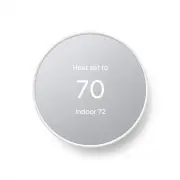
A user manual for the Nest Thermostat outlines its core functionality as an intelligent climate control device designed for energy efficiency and personalized comfort. The guide covers essential operational aspects like temperature adjustments via touchscreen controls, programmable modes (e.g., auto, away), and HVAC system integration to optimize heating and cooling. It also highlights advanced features such as remote management through mobile apps, voice assistants (Google Assistant/Alexa), and smart safety integrations with devices like Nest Protect. Safety and energy-saving tips further emphasize its role in automated climate management and home automation ecosystems.


Table of Contents:
- Page 1 – Initial Setup Display
- Page 2 – Thermostat Controls and Features
- Page 3 – Smart Thermostat Optimization and Integration
- Page 4 – Remote Control and Privacy Notice
Welcome home
Welcome home
"Loading the manual" means you need to wait until the file loads and becomes available for online reading. Some manuals are very large, and the time they take to appear depends on your internet speed.
Was this manual helpful?
About this manual
- Brand
- Model
- GA01334-US
- Document type
- User Manual
- Category
- Thermostat
- Language(s)
- English
- Pages
- 4
- File size
- 7.2 MB
- Format
Summary
Introduction to the smart thermostat interface showing temperature settings, indoor readings, and a welcome message during setup.
Explanation of using the touch bar for temperature adjustment, accessing menus, and details regarding operational modes, fan settings, and various configuration options.
Tips for energy saving, HVAC monitoring, voice control integration with Google Assistant or Alexa, safety integration with Nest Protect, and comfort fine-tuning using the Nest Leaf indicator.

