GE GFE28GMKES - User Manual
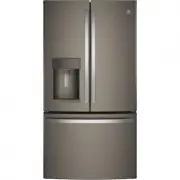
GE GFE28GMKES Refrigerator – User Manual, read for free online in PDF format. We hope this helps you resolve any issues you may have. If you have further questions, please contact us through the contact form.


Table of Contents:
- Page 2 – For more information on your refrigerator’s operation, visit; REFRIGERATOR SAFETY INFORMATION; SAFETY; IMPORTANT SAFETY INSTRUCTIONS; refrigerator follow these basic safety precautions:; CAUTION; State of California Proposition 65 Warnings:; WARNING
- Page 3 – For personal safety, this appliance must be properly grounded.; CONNECTING ELECTRICITY; Electrical Shock Hazard.; Plug into a grounded 3-prong outlet; Explosion Hazard.; INSTALLATION
- Page 4 – Scalding Hazard.; disabled, and the elderly are at highest risk of being scalded.; HOT WATER DISPENSER; IMPORTANT SAFETY INFORMATION.; Suffocation and child entrapment hazard.; Refrigerants; PROPER DISPOSAL OF YOUR OLD REFRIGERATOR
- Page 6 – confirm if you live above 5000 feet (high; Filter Bypass Plug
- Page 7 – About the controls with temperature settings.; Refrigerator; Actual Set; Door Alarm
- Page 8 – Changing the Temperature for Control Style A
- Page 9 – Control Style A, External Controls
- Page 10 – Controls Style D, Internal Controls; Lock Controls
- Page 11 – Important Facts About Your Dispenser; To Use the Internal Water Dispenser*
- Page 12 – To Use HANDS FREE AUTOFILL:; • Center container on Recess Dispenser Tray as far back as; To Stop AUTOFILL; • Press AUTOFILL to stop.; Important Facts about AUTOFILL
- Page 13 – Heating button for 3 seconds. To abort the brew dispense cycle,
- Page 14 – Appliance Communication; GE WiFi Connect Optional *
- Page 15 – Water Filter Cartridge; installed filter cartridge will cause water to spurt from the
- Page 16 – About the fresh food storage options.
- Page 17 – Adjustable Bins on the Door; Non-Dispense Models
- Page 18 – Laceration Hazard.; Do not store glass bottles at this setting. If; About the climate zone and temperature
- Page 20 – Freezer Basket and Drawer; Basket Removal
- Page 21 – About the automatic ice maker.; How to Turn the Ice Maker On/Off; the refrigerator is plugged in.; Ice Bucket and Dispenser*; Ice Maker (Available on Non Dispense
- Page 22 – Care and cleaning of the refrigerator.; Cleaning the Outside; The stainless steel panels, door handles and trim.; Cleaning the Inside; Behind the Refrigerator; Preparing for Vacation; Do not clean glass shelves or covers
- Page 23 – Replacing the lights.
- Page 24 – TOOLS YOU MAY NEED; Installation; GE and GE ProfileTM models; BEFORE YOU BEGIN; IMPORTANT; Observe all governing codes and; PREPARATION; Ȓμ
- Page 25 – Installation Instructions; MOVING THE REFRIGERATOR; DIMENSIONS
- Page 26 – REMOVE THE FREEZER DOOR HANDLE; INSTALLING THE REFRIGERATOR; REFRIGERATOR LOCATION; • Do not install the refrigerator in a location exposed to; CLEARANCES; NOTE: If the handle mounting fasteners need to be; REMOVING THE REFRIGERATOR DOORS
- Page 27 – Single person lift could cause injury. Use assistance; REMOVE THE REFRIGERATOR DOORS
- Page 28 – REINSTALLING THE REFRIGERATOR DOORS
- Page 29 – PREPARE FOR INSTALLATION; REPLACE FREEZER DOOR; Lifting Hazard; REMOVE FREEZER BASKET
- Page 30 – RE-INSTALL FREEZER DRAWER; FREEZER: Place the ice bucket in the drawer and
- Page 31 – Instructions for adjusting freezer door gaps:
- Page 32 – LEVEL THE FREEZER DOOR
- Page 33 – LOCATING THE ANTI-TIP FLOOR; Anti-Tip Floor Bracket; Instructions; CWE, and ZWE Models Only
- Page 34 – Figure 2 – Acceptable; ANTI-TIP BRACKET INSTALLATION; Figure 3 – Attachment to Wall and Floor
- Page 35 – CONNECTING THE REFRIGERATOR
- Page 36 – TURN ON THE WATER SUPPLY; LEVEL THE REFRIGERATOR DOORS
- Page 37 – Refrigerator Assembly Instructions, suggested assembly.; To place bins into doors:
- Page 38 – INSTALLING THE WATER LINE
- Page 39 – DQGIHUUXOHVVOHHYHV3WRFRQQHFWWKHFRSSHU; WHAT YOU WILL NEED
- Page 40 – CONNECT THE TUBING TO THE VALVE; NOTE: Commonwealth of Massachusetts; FASTEN THE SHUTOFF VALVE
- Page 41 – Normal operating conditions.; Newer refrigerators sound different from older refrigerators.; CRACKS and SNAPS; Do you hear what I hear? These sounds are normal.; START UP COOLING
- Page 42 – Before you call for service...; Problem
- Page 45 – Truth or Myth; SERVICE
- Page 47 – Refrigerator Warranty.; What GE Appliances Will Not Cover:; GE Appliances Will Replace; the data to GE Appliances at the time of service.
- Page 48 – RPWFE Water Filter Cartridge Limited Warranty.; For Purchases Made In Iowa:; RPWFE
Refrigerators
Bottom Freezer
239D4106P022 49-60748-1 04-16 GE
Write the model and serial
numbers here:
Model # ____________________
Serial # ____________________
Find these numbers on a label
on the left side, near the middle
of the refrigerator compartment.
GE and GE Profile™ models
Models that start with PFE, GFE, DFE, PFH,
and GNE are Standard Depth Models (SD)
Models that start with DYE, GYE, PYE and
PWE are Counter Depth Models (CD)
Owner’s Manual and
Installation Instructions
*Select Models Only
Modèles GE et GE Profile™
Manuel d’utilisation
et instructions
d’installation
Les numéros de modèle commençant par PFE, GFE,
DFE, PFH, et GNE sont des modèles
de profondeur normale (PN).
Les numéros de modèle commençant par DYE, GYE,
PYE et PWE sont des modèles de profondeur
de comptoir (PC).
Réfrigérateurs
GE y GE Profile™ modelos
Manual del Propietario e
Instrucciones de Instalación
Los modelos que comienzan con las letras
DFE, PFE, GFE, DFE, PFH, y GNE son Modelos
con Profundidad Estándar (SD)
Los modelos que comienzan con las
letras GYE, PYE y PWE son Modelos con
Profundidad de Mesada (CD)
Refrigeradores
Safety Instructions
. . . . . . . . . . . .2, 4
Operating Instructions
Features . . . . . . . . . . . . . . . . . . . . . . . . . .5, 6
Controls . . . . . . . . . . . . . . . . . . . . . . . . 7–10
Dispenser* . . . . . . . . . . . . . . . . . . . . . . . . .11
Autofill* . . . . . . . . . . . . . . . . . . . . . . . . . . . .12
Single Serve Brewer* . . . . . . . . . . . . . . .13
About Appliance Communication . . .14
Water Filter . . . . . . . . . . . . . . . . . . . . . . . .15
Fresh Food Storage Options . . . . . 16,17
Climate Zone & Temperature
Controlled Drawer . . . . . . . . . . . . . . . 18,19
Freezer . . . . . . . . . . . . . . . . . . . . . . . . . . . .20
Automatic Ice maker . . . . . . . . . . . . . . .21
Care and Cleaning . . . . . . . . . . . . . . . . 22
Replacing the Lights . . . . . . . . . . . . . . . .23
Installation Instructions
Preparing to Install the
Refrigerator . . . . . . . . . . . . . . . . . 24, 25
Installing the Refrigerator . . . . . . . 26-37
Installing the Water Line . . . . . . . . 38-40
Troubleshooting Tips
. . . . . . 42-44
Normal Operating Conditions . . . . . . .41
Truth or Myth . . . . . . . . . . . . . . . . . . .45 46
Consumer Support
Warranty . . . . . . . . . . . . . . . . . . . . . . . . . .47
RPWFE Water Filter Cartridge Limited
Warranty . . . . . . . . . . . . . . . . . . . . . . . . .48
Performance Data Sheet . . . . . . . . . . .49
Consumer Support . . . . . . . . . . . . . . . . .50
"Loading the manual" means you need to wait until the file loads and becomes available for online reading. Some manuals are very large, and the time they take to appear depends on your internet speed.
Was this manual helpful?
About this manual
- Brand
- GE
- Model
- GFE28GMKES
- Document type
- User Manual
- Category
- Refrigerator
- Language(s)
- English
- Pages
- 50
- File size
- 7.1 MB
- Format
Summary
IMPORTANT SAFETY INFORMATION. READ ALL INSTRUCTIONS BEFORE USING. 2 GE Appliances website For more information on your refrigerator’s operation, visit www. GEAppliances.com This is the safety alert symbol. This symbol alerts you to potential hazards that can kill or hurt you and others. All safety m...
3 GEAppliances.com Do not, under any circumstances, cut or remove the third (ground) prong from the power cord. For personal safety, this appliance must be properly grounded. The power cord of this appliance is equipped with a 3-prong (grounding) plug which mates with a standard 3-prong (grounding) ...
WARNING Scalding Hazard. The hot water dispenser is capable of heating water to a temperature of approximately 185°F (85°C). Water temperatures above 125°F (52°C) can cause severe burns or death from scalding. Children, the disabled, and the elderly are at highest risk of being scalded. Use this app...
Ask a question
Related manuals
Popular GE Refrigerators


More GE Refrigerators models
 GE GFE26JEMDS User Manual
 GE GFE26JGMBB User Manual
 GE GFE26JGMWW User Manual
 GE GFE26JMMES User Manual
 GE GFE26JYMFS User Manual
 GE GIE17GSNRSS User Manual
 GE GIE18GSNRSS User Manual
 GE GIE19JSNRSS User Manual
 GE GIE22JSNRSS User Manual
 GE GLE12HSPSS User Manual
 GE GME04GGKWW User Manual
 GE GME04GLKLB User Manual