Fellowes Jupiter 2 A3 fs 57335 - User Manual
Fellowes Jupiter 2 A3 fs 57335 Laminator – User Manual, read for free online in PDF format. We hope this helps you resolve any issues you may have. If you have further questions, please contact us through the contact form.
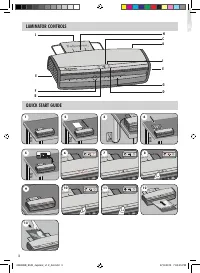
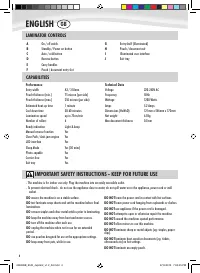
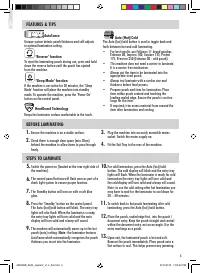
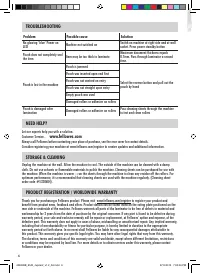
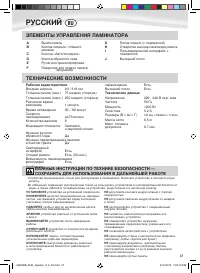
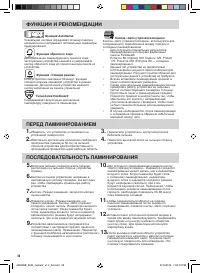
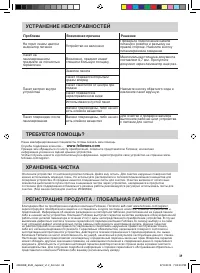

Table of Contents:
- Page 2 – Office Laminator; CONTENTS; Leia estas instruções antes da utilização.
- Page 4 – LAMINATOR CONTROLS; IMPORTANT SAFETY INSTRUCTIONS - KEEP FOR FUTURE USE; CAPABILITIES; ENGLISH
- Page 5 – BEFORE LAMINATING; Note
- Page 6 – TROUBLESHOOTING; Problem; PRODUCT REGISTRATION / WORLDWIDE WARRANTY
- Page 8 – ФУНКЦИИ И РЕКОМЕНДАЦИИ; ПЕРЕД ЛАМИНИРОВАНИЕМ
- Page 9 – УСТРАНЕНИЕ НЕИСПРАВНОСТЕЙ; РЕГИСТРАЦИЯ ПРОДУКТА / ГЛОБАЛЬНАЯ ГАРАНТИЯ
- Page 10 – Declaration of Conformity; Fellowes Manufacturing Company; Help Line
fellowes.com
1789 Norwood Avenue, Itasca, Illinois 60143-1095 • USA • 630-893-1600
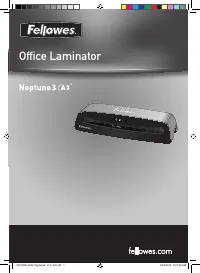
Office Laminator
Auto
Cold
fellowes.com
1789 Norwood Avenue, Itasca, Illinois 60143-1095 • USA • 630-893-1600
Office Laminator
Auto
Cold
406809B_EUR_Jupiter2_v1.2_A5.indd 1
8/15/2013 7:00:02 PM
"Loading the manual" means you need to wait until the file loads and becomes available for online reading. Some manuals are very large, and the time they take to appear depends on your internet speed.
Summary
fellowes.com 1789 Norwood Avenue, Itasca, Illinois 60143-1095 • USA • 630-893-1600 Office Laminator Auto Cold CONTENTS Please read these instructions before use. Lire ces instructions avant utilisation. Lea estas instrucciones antes de usar la máquina.Diese Anleitungen vor Gebrauch genau durchlesen....
LAMINATOR CONTROLS IMPORTANT SAFETY INSTRUCTIONS - KEEP FOR FUTURE USE 4 A On / off switch B Standby / Power on button C Auto / cold button D Reverse button E Carry handles F Pouch / document entry slot G Entry shelf (illuminated) H Pouch / document exit I Illuminated user interface J Exit tray CAPA...
FEATURES & TIPS AutoSense Unique system detects pouch thickness and self-adjusts to optimal lamination setting. ’Reverse’ function To eject the laminating pouch during use, press and hold down the reverse button until the pouch has ejected from the machine. ‘Sleep Mode’ function If the machine i...