Page 2 - Table of Contents; 5 Using Your RoboVac; Google Assistant; 9 Cleaning and Maintenance; Voice Alert
EN 01 Thank you for purchasing RoboVac. Carefully read all the instructions below before using this device, and keep this manual for future reference. Table of Contents 02 Important Safety Instructions09 About Your RoboVac What's in the Box RoboVac AnatomyLED IndicationMap Navigation and Management ...
Page 3 - Important Safety Instructions; WARNING SYMBOLS USED
02 EN EN 03 Important Safety Instructions To reduce the risk of injury or damage, keep these instructions at hand when setting up, using, and maintaining this device. WARNING SYMBOLS USED This is the safety alert symbol. This symbol alerts you to potential hazards that could result in property damag...
Page 4 - Notice; FCC Statement
04 EN EN 05 • This device has been designed to be used on floors without scratching them. We still recommend that you test this device on a small area of the room to be cleaned to ensure no scratches are made before cleaning the whole room. • Only use attachments recommended or described in this man...
Page 6 - Trademark Notice; • Amazon, Echo, Alexa and all related logos are trademarks; About Your RoboVac
08 EN EN 09 Trademark Notice • Amazon, Echo, Alexa and all related logos are trademarks of Amazon.com, Inc. or its affiliates. • Apple and the Apple logo are trademarks of Apple Inc., registered in the U.S. and other countries. App Store is a service mark of Apple Inc., registered in the U.S. and ot...
Page 7 - RoboVac Anatomy
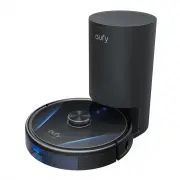
10 EN EN 11 RoboVac Anatomy A. Top • Press to start or pause cleaning.• Press and hold for 3 seconds to turn on or off. • Press to return to the auto empty station or pause.• Press and hold for 3 seconds to enable / disable the child safety lock. • Laser distance sensor (LDS) Press and hold both but...
Page 8 - G. Auto Empty Station
12 EN EN 13 E. Mopping Module Washable mopping cloth Cloth attachment area F. Suction Inlet Suction inlet Suction inlet G. Auto Empty Station Top cover Charging contact pins IR window Debris evacuation port Dust bag Charging socket Dust bag handle Exhaust vent Power indicator
Page 9 - LED Indication; Map Navigation and Management; Navigation; Real-Time Mapping and Floor Plan; Using Your RoboVac; Important Tips Before Use
14 EN EN 15 LED Indication You can see the status of RoboVac from the LED indicators. and Status Pulsing blue Charging Solid blue Standby / Cleaning / Fully charged Solid red Low power and returning to auto empty station Off • RoboVac is off.• To conserve power, the light automatically turns off whe...
Page 10 - Preparation
16 EN EN 17 Remove power cords and small objects from the floor that may entangle RoboVac. Fold tasseled edges of rugs underneath to prevent tangling RoboVac. Avoid cleaning dark-colored high-pile rugs or rugs thicker than 1.02 in / 26 mm as they may cause RoboVac to malfunction. It is strongly reco...
Page 11 - Use the Auto Empty Station
18 EN EN 19 5 Connect the adapter to the auto empty station and a wall outlet. When the auto empty station connects to AC power, the LED indicator on the auto empty station is solid blue. • Install the auto empty station in a location that RoboVac can easily access. It is recommended to place the au...
Page 12 - Use Your RoboVac with the EufyHome App
20 EN EN 21 Switch to Power Saving Mode 1 When the auto empty station is connected to power, lift open the top cover. 2 Pull the dust bag handle up to remove the dust bag. Then replace it. 3 Repeat Step 2 three times within 5 seconds. The auto empty station will switch to power saving mode automatic...
Page 13 - Start / Stop Cleaning; Select a Cleaning Mode; Auto Cleaning Mode; Spot Cleaning Mode (Only Available via the EufyHome App)
22 EN EN 23 Schedule Cleaning With the EufyHome app, you can schedule RoboVac to start cleaning at a particular time. • You can set the time and customize the cleaning schedules from Sunday to Saturday on the EufyHome app. This function is only available on the app. Start / Stop Cleaning • You can a...
Page 14 - Select a Suction Power Level; Select BoostIQTM feature; Use Mopping System
24 EN EN 25 Room Cleaning Mode (Only Available via the EufyHome App) In this mode, your house is automatically divided into several rooms for cleaning in the EufyHome app. You can also customize your room settings in the app. RoboVac will clean the selected rooms only and return to the auto empty st...
Page 16 - To control RoboVac with Amazon Alexa or the Google; Enable / Disable the Child Safety Lock; Cleaning and Maintenance; Clean the Dust Box, Water Tank, and Filter
28 EN EN 29 Use Your RoboVac with Amazon Alexa / the Google Assistant Amazon Alexa or the Google Assistant is a smart voice control device that enables you to control RoboVac with your voice. Before you start, make sure that: • RoboVac is attached to the auto empty station to ensure there is enough ...
Page 18 - Clean the Rolling Brush; Clean the Side Brushes
32 EN EN 33 Clean the Rolling Brush 1 Pull on the release tabs to unlock the brush guard as shown. 2 Lift the rolling brush to remove. 3 Clean the rolling brush with the cleaning tool. 4 Reinstall the rolling brush by inserting the fixed protruding end first. 5 Press down to snap the brush guard int...
Page 19 - Replace the Side Brushes; Clean the Sensors and Charging Pins
34 EN EN 35 Replace the Side Brushes The side brushes may become damaged after being used for a period of time. Follow the instructions below to replace them. • Pull off the old side brushes and snap the new ones into place until you hear a click. • Make sure the left side brush marked with an L (Le...
Page 21 - Troubleshooting
38 EN EN 39 3 Discard the used dust bag. 4 Install a new dust bag. 5 Press down to close the top cover. Troubleshooting The solutions below are for general questions. If your problem persists, visit www. eufylife.com, go to the EufyHome app, or contact [email protected] for help. Problems Solutions ...
Page 23 - Specifications; Customer Service
42 EN EN 43 Voice Prompt Cause and Solution Error S1: Battery error • Open the battery compartment and check whether the battery is connected and restart the device. • Battery temperature may be too high or low. Wait until the battery falls to normal temperatures before use (0 °C - 40 °C / 32 °F - 1...
Page 24 - Español; Índice; 5 Uso del RoboVac
ES 44 Español Gracias por adquirir el RoboVac. Lea detenidamente todas las instrucciones a continuación antes de utilizar este dispositivo y conserve este manual para referencia. Índice 02 Instrucciones de seguridad09 Acerca del RoboVac QUÉ HAY EN LA CAJAAnatomía del RoboVacIndicación LEDNavegación ...
Page 25 - Instrucciones de seguridad importantes; SÍMBOLOS DE ADVERTENCIA UTILIZADOS
45 ES ES 46 Español Español Instrucciones de seguridad importantes A fin de reducir el riesgo de lesiones o daños, conserve las instrucciones a mano durante la configuración, el uso y el mantenimiento de este dispositivo. SÍMBOLOS DE ADVERTENCIA UTILIZADOS Este es el símbolo de alerta de seguridad. ...
Page 26 - Aviso; Declaración de conformidad
47 ES ES 48 Español Español • No utilice el dispositivo sobre suelos en bruto, sin sellar, encerados o ásperos. De lo contrario, podría provocar daños en el suelo y el dispositivo. Utilice el dispositivo únicamente sobre suelos duros o alfombras de pelo corto; no lo utilice sobre alfombras que tenga...
Page 27 - Aviso de marcas registradas; Información sobre el RoboVac; QUÉ HAY EN LA CAJA
49 ES ES 50 Español Español según las regulaciones en materia de equipos eléctricos y electrónicos de 2012. El texto completo de la declaración de conformidad de Reino Unido está disponible en el siguiente sitio web: https://support.eufylife.com/s/articleRecommen d?type=DownLoad. Aviso de marcas reg...
Page 28 - Anatomía del RoboVac
51 ES ES 52 Español Español Anatomía del RoboVac A. Parte superior • Pulse este botón para iniciar o pausar la limpieza. • Manténgalo pulsado durante 3 segundos para activarlo o desactivarlo. • Pulse este botón para que regrese a la base de vaciado automático o hacer que pare. • Manténgalo pulsado d...
Page 29 - F. Entrada de succión
53 ES ES 54 Español Español E. Módulo de la mopa Paño de fregado lavable Zona de sujeción del paño F. Entrada de succión Entrada de aspiración Entrada de aspiración G. Base de vaciado automático Tapa superior Contactos de carga Panel de infrarrojos Salida de vaciado de residuos Bolsa para polvo Puer...
Page 30 - Indicación LED; Navegación con mapa y gestión; Navegación; Uso del RoboVac; Consejos importantes antes del uso
55 ES ES 56 Español Español Indicación LED Puede ver el estado del RoboVac en los indicadores LED. y Estado Azul intermitente Cargando Azul fijo En espera/Limpieza/Completamente cargado Rojo fijo Batería baja y regreso a la base de vaciado automático Apagado • RoboVac está apagado.• Para ahorrar ene...
Page 31 - Preparación
57 ES ES 58 Español Español Retire los cables de alimentación y los objetos pequeños del suelo que puedan enredarse en el RoboVac. Doble los bordes con borlas de las alfombras para evitar que el RoboVac se atasque. Evite limpiar alfombras de pelo alto y colores oscuros o alfombras de más de 26 mm, y...
Page 32 - Uso de la base de vaciado automático
59 ES ES 60 Español Español 5 Conecte el adaptador a la base de vaciado automático y a una toma de corriente de pared. Al enchufar la base de vaciado automático a una toma de corriente de CA, el indicador LED de esta se quedará en azul fijo. • Coloque la base de vaciado automático en una zona a la q...
Page 33 - Uso del RoboVac con la aplicación EufyHome
61 ES ES 62 Español Español Activación del modo de ahorro de energía 1 Cuando la base de vaciado automático esté conectada a la corriente, levante y abra la tapa superior. 2 Tire del asa de la bolsa para polvo hacia arriba para extraerla. Después, vuelva a colocarla. 3 Repita el paso 2 tres veces en...
Page 34 - Inicio/detención de la limpieza; Selección de un modo de limpieza; Modo de limpieza automática; Modo de limpieza localizada (solo disponible en la aplicación
63 ES ES 64 Español Español Programación de la limpieza En la aplicación EufyHome, puede programar el RoboVac para que inicie la limpieza a una hora específica. • Puede configurar la hora y personalizar la programación de la limpieza de domingo a sábado en la aplicación EufyHome. Esta función solo e...
Page 35 - Modo de limpieza de habitaciones (solo disponible en la; Modo de limpieza por zonas (solo disponible en la aplicación; Selección de un nivel de potencia de aspiración; Selección de la función BoostIQTM; Uso del sistema de fregado
65 ES ES 66 Español Español 4.9 ft / 1.5 m 4. 9 f t / 1.5 m Modo de limpieza de habitaciones (solo disponible en la aplicación EufyHome) En este modo, su hogar se divide automáticamente en varias habitaciones para la limpieza en la aplicación EufyHome. Puede personalizar la configuración de las habi...
Page 37 - Use su RoboVac con Amazon Alexa/Google Assistant; Cómo controlar el RoboVac con Amazon Alexa o el Asistente; Activación y desactivación del bloqueo de seguridad; Limpieza y mantenimiento; Limpieza del contenedor para polvo, el depósito de
69 ES ES 70 Español Español Use su RoboVac con Amazon Alexa/Google Assistant Tanto Alexa de Amazon como el Asistente de Google son dispositivos de control por voz inteligentes que le permiten controlar el RoboVac con la voz. Antes de empezar, asegúrese de que: • El RoboVac esté conectado a la base d...
Page 39 - Limpieza del cepillo giratorio; Limpie los cepillos laterales
73 ES ES 74 Español Español Limpieza del cepillo giratorio 1 Tire de las pestañas de liberación para desbloquear la protección del cepillo como se muestra. 2 Levante el cepillo giratorio para quitarlo. 3 Limpie el cepillo giratorio con la herramienta de limpieza. 4 Vuelva a colocar el cepillo girato...
Page 40 - Reemplace los cepillos laterales; Limpieza de los sensores y los contactos de carga; Limpieza de la rueda giratoria
75 ES ES 76 Español Español Reemplace los cepillos laterales Los cepillos laterales pueden dañarse después de utilizarse durante un período de tiempo. Siga las instrucciones a continuación para reemplazarlos. • Retire los cepillos laterales antiguos y coloque los nuevos en su lugar hasta que oiga un...
Page 41 - Limpieza de la mopa
77 ES ES 78 Español Español 2 Extraiga la rueda giratoria con una herramienta (como un destornillador). 3 Limpie cualquier suciedad o pelo enrollado alrededor de la rueda o enredado dentro de la cavidad de la rueda. 4 Vuelva a instalar la rueda y empújela hasta que encaje en su lugar. • No limpie la...
Page 43 - Alerta de voz
81 ES ES 82 Español Español Problemas Soluciones El RoboVac no se carga. • Compruebe si se ilumina el indicador de la base de vaciado automático. De lo contrario, vuelva a conectar el adaptador a la base de vaciado automático y pruebe con una nueva toma de corriente. Si el problema continúa, póngase...
Page 44 - Especificaciones
83 ES ES 84 Español Español Mensaje de voz Causa y solución Error 1: Paragolpes frontal atascado. El paragolpes frontal está atascado.Dele unos toques varias veces para quitar el polvo o mueva el dispositivo a otra posición e inténtelo de nuevo. Error 2: Rueda atascada Puede que la rueda esté atasca...
Page 45 - Servicio de atención al cliente
85 ES Español Servicio de atención al cliente Para ver tutoriales en vídeo, preguntas frecuentes, manuales y demás información, visite: https://support.eufylife.com Contacte con nosotros [email protected] (US) +1 (800) 988 7973 Mon-Sat 6:15 AM - 6:45 PM (PT); Sun 6:15 AM - 5:45 PM (PT)(UK) +44 (0) 1...