Page 2 - Table of Contents; 3 Get Started; 5 Cleaning and Maintenance; 7 Customer Service; English
01 Thank you for purchasing RoboVac. Carefully read all the instructions below before using this device, and keep this manual for future reference. Table of Contents 02 Important Safety Instructions17 About Your RoboVac What's in the BoxRoboVac AnatomyMap Navigation and Management 23 Get Started Imp...
Page 3 - Important Safety Instructions; WARNING SYMBOLS USED
02 03 English English the screws on the bottom, then remove the back cover. Remove the battery by disconnecting the quick connector. • The used battery should be placed in a sealed plastic bag and disposed of safely according to local environmental regulations. • The external flexible cable or cord ...
Page 4 - Notice; FCC Statement
04 05 English English Notice This symbol on the device or its packaging indicates:Do not dispose of electrical appliances as unsorted municipal waste; use separate collection facilities. Contact your local authority for information regarding the collection systems available. If electrical appliances...
Page 5 - GB Declaration of Conformity
06 07 English English Maximum output power: 18 dBm (For EU) Frequency band: 2.4G band (2.4000GHz - 2.4835GHz) GB Declaration of Conformity Hereby, Anker Innovations Limited declares that the product type T2261 is in compliance with Radio Equipment Regulations 2017 and The Restriction of the Use of C...
Page 6 - AUSTRALIA & NEW ZEALAND WARRANTY
08 09 English English damage. You are also entitled to have the goods repaired or replaced if the goods fail to be of acceptable quality and the failure does not amount to a major failure.In order to claim the warranty, you must return the product to the retailer from which it was purchased or if th...
Page 7 - Consignes de sécurité importantes; SYMBOLES D'AVERTISSEMENT UTILISÉS
10 11 Français Français GSCS1000S024V24T; UE : GSCV1000S024V24T) fourni avec cet appareil. • La batterie doit être retirée de cet appareil avant de le mettre au rebut. Pour retirer la batterie, desserrez les vis du fond, puis retirez le capot arrière. Retirez la batterie en débranchant le connecteur...
Page 9 - Déclaration de conformité avec les normes d'exposition; Avis; Déclaration FCC
14 15 Français Français interference in a residential installation.Cet appareil génère, utilise et peut émettre des fréquences radio qui peuvent causer des interférences nuisibles aux radiocommunications si l’appareil n’est pas installé et utilisé conformément aux instructions. However, there is no ...
Page 10 - About Your RoboVac; Déclaration de conformité
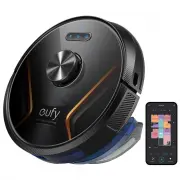
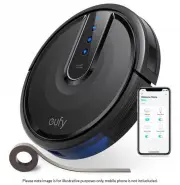
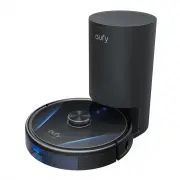
17 English 16 Français About Your RoboVac What's in the Box RoboVac Charging Base Power Adapter Additional Filter Owner’s Manual & Other Documents Waterproof Pad Water Tank Washable Mopping Cloth Disposable Mopping Cloths (x5) Additional Side Brush Cable Ties (x5) Déclaration de conformité Ce pr...
Page 11 - RoboVac Anatomy
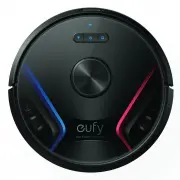
18 19 English English C. Dust Collector Filter Cleaning tool D. Suction Inlet Dust collector Suction inlet Suction inlet E. Charging Base Power cord storage compartment Slot winding Wire slot exit Charging contact pins Power socket Status light RoboVac Anatomy A. Top & Side Recharge button Bumpe...
Page 13 - Get Started; Important Tips Before Use; Map Navigation and Management; Navigation
22 23 English English • When using for the first time, make sure RoboVac starts cleaning from the Charging Base. • During cleaning, do not move RoboVac frequently. If moved, place RoboVac back to the original position. Get Started Important Tips Before Use a b c d e f Remove power cords and small ob...
Page 14 - Charge Your RoboVac
24 25 English English • Install the Charging Base in a location that RoboVac can easily access. It is recommended to place the Charging Base against a wall, and on a hard-level surface rather than on rugs or carpets. • Always keep the Charging Base plugged in, otherwise RoboVac will not automaticall...
Page 15 - Use Your RoboVac with the EufyHome App; Using Your RoboVac; Start Cleaning
26 27 English English 1 Press to start cleaning in Auto cleaning mode. RoboVac moves around to scan the environment and builds a map automatically. 2 Press again to pause cleaning. Press to resume cleaning. When cleaning is paused, docking RoboVac onto the Charging Base will stop the cleaning. If cl...
Page 16 - Schedule Cleaning; Select a Cleaning Mode; Auto Cleaning Mode; Reset the Wi-Fi connection
28 29 English English Schedule Cleaning With the EufyHome app, you can schedule RoboVac to start cleaning at a particular time. You can set the time and customize the cleaning schedules from Sunday to Saturday on the EufyHome app. This function is available in the app only. Select a Cleaning Mode • ...
Page 18 - Use Your RoboVac with Amazon Alexa /
32 33 English English 5. Select a cleaning mode to start cleaning. RoboVac automatically sweeps and mops in the selected mode.6. When RoboVac finishes working and returns to the Charging Base, remove the water tank, empty any remaining water, and clean the mopping cloth to prevent mildew or unpleasa...
Page 19 - Cleaning and Maintenance; Set Up Virtual Wall / Boundary Strip; Virtual Wall
34 35 English English Cleaning and Maintenance Before cleaning and maintaining, turn off the device and unplug the adapter. For optimal performance, follow the instructions below to clean and maintain RoboVac regularly. The cleaning / replacement frequency will depend on your RoboVac usage habits. R...
Page 20 - Clean the Rolling Brush; min
36 37 English English 6 Air-dry the dust collector and filter completely before next use. You may use another filter if the original one is not dry. 24h 7 Place the filter back into the dust collector. 8 Push the dust collector back into the main unit. Clean the Rolling Brush 1 Pull on the release t...
Page 21 - Replace the Side Brush
38 39 English English 3 Carefully unwind and pull off any hair or string that is wrapped between the main unit and the side brush. 4 Clean the side brush with water. 1 min Only use the side brush when it is completely dry. Replace the Side Brush The side brushes may become bent or damaged after bein...
Page 22 - Clean the Mopping Cloth and Water Tank; Troubleshooting; Clean the Sensors and Charging Pins
40 41 English English 2 Clean any hair or debris wrapped around the wheel or entangled inside the wheel cavity. 3 Reinstall the wheel and push in until it clicks into place. Do not clean the swivel wheel with water. Clean the Mopping Cloth and Water Tank It is recommended to clean the washable moppi...
Page 25 - Customer Service; Specifications
46 47 English English Customer Service For tutorial videos, FAQs, manuals, and more information,please visit: http://support.eufylife.com . Contact Us [email protected] (US) +1 (800) 988 7973 Mon-Fri 6:15 - 17:00 (PT); Sat-Sun 6:30-16:30 (PT)(UK) +44 (0) 1604 936200 Mon-Sun 6:00 - 17:00; Sat-Sun 6:0...
Page 26 - Índice; 3 Primeros pasos; 6 Limpieza y mantenimiento; 2 Solución de problemas; 9 Servicio de atención al cliente
49 Español Gracias por adquirir el RoboVac.Lea detenidamente todas las instrucciones a continuación antes de utilizar este dispositivo y conserve este manual para referencia. Índice 50 Instrucciones de seguridad importantes57 Información sobre el RoboVac QUÉ HAY EN LA CAJAAnatomía del RoboVacNavegac...
Page 27 - Instrucciones de seguridad importantes; SÍMBOLOS DE ADVERTENCIA UTILIZADOS
50 51 Español Español Instrucciones de seguridad importantes A fin de reducir el riesgo de lesiones o daños, conserve las instrucciones a mano durante la configuración, el uso y el mantenimiento de este dispositivo. SÍMBOLOS DE ADVERTENCIA UTILIZADOS Este es el símbolo de alerta de seguridad.Este sí...
Page 28 - Aviso; Declaración de la FCC
52 53 Español Español • No utilice el dispositivo en zonas en las que haya tomas de corriente en el suelo. • No exponga el sistema electrónico del dispositivo, su batería ni la base de carga integrada.No contiene piezas que el usuario pueda reparar. • No utilice el dispositivo sobre suelos en bruto,...
Page 29 - Declaración de cumplimiento de ISED
54 55 Español Español podría anular la autorización del usuario para utilizar el equipo.Nota: Se ha comprobado que este equipo cumple los límites para dispositivos digitales de Clase B, de conformidad con la Parte 15 de las normas de la FCC.Estos límites se han diseñado para proporcionar una protecc...
Page 30 - Aviso de marcas registradas; Amazon, Echo, Alexa y todos los logotipos relacionados son; Información sobre el RoboVac; QUÉ HAY EN LA CAJA
56 57 Español Español Aviso de marcas registradas • Amazon, Echo, Alexa y todos los logotipos relacionados son marcas comerciales de Amazon.com, Inc. o sus filiales. • Apple y su logotipo son marcas comerciales de Apple Inc., registradas en los EE. UU. y en otros países. App Store es una marca de se...
Page 31 - Anatomía del RoboVac; A.Parte superior y lateral
58 59 Español Español Anatomía del RoboVac A.Parte superior y lateral Botón para recargar Paragolpes Luz de estado de Wi-Fi Sensor de distancia láser(LDS) Botón para la limpieza localizada & Botón para iniciar/pausar la limpieza automática • Pulsar para devolver el RoboVac a la base de carga; pu...
Page 32 - Botones e indicadores
60 61 Español Español F.Depósito de agua Ranura Filtro de depósito de agua Zona de sujeción del paño Enganches a presión Enganches a presión Tapa de la entrada de aguaEntrada de agua Paño de limpieza lavable Botones e indicadores Encender/Apagar (mantener pulsado durante 3 segundos)Iniciar/pausar li...
Page 33 - Navegación con mapa y gestión; Navegación; Generación de mapas y planos de planta en tiempo real; Primeros pasos; Consejos importantes antes del uso
62 63 Español Español Navegación con mapa y gestión Navegación Cuando se inicia la limpieza automática, el RoboVac se desplaza desde la base de carga, realiza una detección automática para generar mapas, determina de forma inteligente su ruta de limpieza y divide el espacio en zonas.Las rutas de lim...
Page 34 - Preparación
64 65 Español Español Preparación 1 Retire los bloques de espuma al lado del parachoques antes del uso. 2 Coloque la base de carga en una superficie nivelada y contra una pared. 3 Retire los objetos a menos de 1 m del lado izquierdo y derecho y a 2 m del frente de la base de carga.Si no puede retira...
Page 35 - Recarga automática y reanudación; Uso del RoboVac; Empezar a limpiar
66 67 Español Español • Si el RoboVac no se usa durante mucho tiempo, para preservar la vida útil de la batería, recárguela al menos una vez cada 6 meses. • Cuando se está cargando el RoboVac, para activar el modo de reposo de bajo consumo para ahorrar energía, presione y mantenga presionados simult...
Page 36 - Luz de estado de Wi-Fi; Restablecer la conexión Wi-Fi; Selección de un modo de limpieza; Modo de limpieza automática
68 69 Español Español • La luz de estado de Wi-Fi del RoboVac parpadee lentamente en azul. • Su smartphone o tableta tenga Bluetooth activado para garantizar una conexión óptima. • RoboVac tenga batería suficiente durante la configuración. EufyHome 1.Descargue la aplicación EufyHome desde App Store ...
Page 38 - Uso del sistema de fregado
72 73 Español Español Uso del sistema de fregado • El modo de mopa solo está diseñado para un suelo limpio sin manchas persistentes ni líquidos.Para evitar manchar los suelos, no utilice la función de mopa cuando el polvo se mezcle con líquidos como café o tinta. • El sistema de mopa limpia mejor en...
Page 39 - Uso del RoboVac con Alexa de Amazon; Pared virtual (disponible solo en la aplicación); Tiras delimitadoras
74 75 Español Español 6.Cuando el RoboVac termine la tarea y regrese a la base de carga, retire el depósito de agua, vacíe el agua restante y limpie el paño de limpieza para evitar el moho u olores desagradables.El paño de fregado desechable es de un solo uso.Para saber cómo limpiar y mantener el de...
Page 40 - Limpieza y mantenimiento; Limpieza de los filtros y el recolector de polvo
76 77 Español Español Limpieza y mantenimiento Antes de proceder a la limpieza y el mantenimiento, apague el dispositivo y desenchufe el adaptador.Para obtener un rendimiento óptimo, siga las siguientes instrucciones para realizar la limpieza y el mantenimiento regulares del RoboVac.La frecuencia de...
Page 41 - Limpieza del cepillo giratorio
78 79 Español Español 6 Seque al aire el depósito de polvo y el filtro completamente antes del próximo uso.Puede utilizar otro filtro si el original no está seco. 24h 7 Vuelva a colocar el filtro en el depósito de polvo. 8 Devuelva el depósito de polvo a su lugar presionándolo sobre la unidad princi...
Page 42 - Sustitución del cepillo lateral
80 81 Español Español 3 Desenrolle y retire con cuidado cualquier cabello o cuerda que esté enrollada entre la unidad principal y el cepillo lateral. 4 Limpie el cepillo lateral con agua. 1 min Utilice el cepillo lateral solo cuando esté completamente seco. Sustitución del cepillo lateral Es posible...
Page 43 - Limpieza del paño de fregado y el depósito de agua; Solución de problemas
82 83 Español Español 2 Limpie cualquier suciedad o pelo enrollado alrededor de la rueda o enredado dentro de la cavidad de la rueda. 3 Vuelva a instalar la rueda y empújela hasta que encaje en su lugar. No limpie la rueda giratoria con agua. Limpieza del paño de fregado y el depósito de agua Se rec...
Page 46 - Especificaciones
88 89 Español Español Mensaje de voz Causa y solución Error S2: Error del módulo de la rueda.Consulte el Manual del propietario o la aplicación para obtener ayuda. - Compruebe si las ruedas están atascadas o si hay polvo atrapado en el interior antes de reiniciar el dispositivo.- Si el problema pers...