Page 2 - About Your RoboVac; Table of Contents; 1 About Your RoboVac; Select a Cleaning Mode; 2 Cleaning and Maintenance
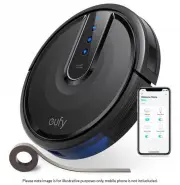
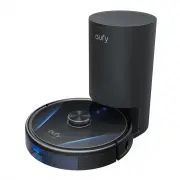
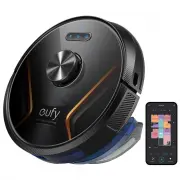
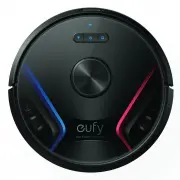
EN 01 Thank you for purchasing RoboVac. Carefully read all the instructions below before using this device, and keep this manual for future reference. About Your RoboVac What's in the Box Mopping Module Cleaning Tool Documents RoboVac Charging Base ( T2266 only ) Power Adapter ( T2266 only ) Waterpr...
Page 3 - RoboVac Anatomy; Button
02 EN EN 03 Reset Top cover Wi-Fi indicator Dust box Filter assembly • To restart RoboVac, open the top cover and press the Reset button with sharp-pointed objects. B. Side Charging contact pins (×2) Water tank Water tank release button Mopping module Water inlet BumperVentilation holes C. Bottom Ch...
Page 4 - Using Your RoboVac; Important Tips Before Use; You can see the status of RoboVac from the LED indicators.
04 EN EN 05 Remove power cords and small objects from the floor that may entangle RoboVac. Fold tasseled edges of rugs underneath to prevent tangling RoboVac. Avoid cleaning high-pile rugs or rugs thicker than 1.02 in / 26 mm as they may cause RoboVac to malfunction. It is strongly recommended to pl...
Page 5 - Charge Your RoboVac; Preparation
06 EN EN 07 Charge Your RoboVac • Make sure the power cord is connected to a power outlet. • To preserve the battery's lifespan, recharge at least once every 6 months. • RoboVac will return to the Self-Empty Station / Charging Base at the end of a cleaning cycle or when its battery is running low. •...
Page 6 - Reset the Wi-Fi Connection; Use Your RoboVac with the eufy Clean
08 EN EN 09 1 Download the eufy Clean app from the App Store (iOS devices) or Google Play (Android devices), or by scanning the QR code. 2 Open the app and create a user account. 3 Tap the “+” icon to add RoboVac to your eufy Clean account. 4 Follow the instructions in the app to set up the Wi-Fi co...
Page 7 - Select a Suction Power Level; Select BoostIQTM Feature; Use the Mopping System; Spot Cleaning Mode
10 EN EN 11 Select a Suction Power Level In the eufy Clean app, select a suction power level according to your needs: Quiet, Standard (Default), Turbo, and Max. • When RoboVac starts cleaning next time, it will clean according to the suction power level you previously selected. Select BoostIQ™ Featu...
Page 8 - Cleaning and Maintenance; Recommended Cleaning and Replacement Frequency; RoboVac Part; Use RoboVac with Amazon Alexa / The; Set Up Virtual Wall (Available on the
12 EN EN 13 • No-Mop Zone: RoboVac will not enter the zone to mop. • To set a virtual wall, RoboVac must initially perform a cleaning run to create a floor plan. • Although a virtual wall is set, RoboVac may still enter the restricted zone due to repositioning failure or abnormal sensors. • Moving t...
Page 9 - Clean the Side Brush; Clean the Sensors and Charging Pins; Clean the Rolling Brush
14 EN EN 15 4 Press down to snap the brush guard into place. 1 2 4 3 Clean the Side Brush Foreign substances, such as hair, can easily get tangled in the side brush, so it is best to clean it regularly. 1 Remove the side brush. 2 Carefully unwind and pull off any hair or substances that are wrapped ...
Page 10 - Troubleshooting
16 EN EN 17 Clean the Mopping Cloth and Water Tank 24h 1 After each use, remove the mopping cloth and the water tank. 2 Rinse the mopping cloth and water tank thoroughly with water. 3 Air-dry the mopping cloth completely to prevent mildew or unpleasant smells. Replace the Dust Bag (T2276 Only) 1 2 3...
Page 12 - Contact Us
20 EN EN 21 Specifications Input 20V 1.2A Battery 14.4V / 5,200mAh lithium battery Dust Box Capacity 335ml Water Tank Capacity 270ml Rated Power Consumption 650W (For 2276) Input 20V 1.2A (For 2266) Customer Service Contact Us [email protected] www.eufy.com (US/CA) +1 (800) 994 3056 (UK) +44 (0) 160...