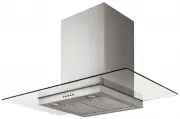
Esatto RH94G Range Hood – User Manual, read for free online in PDF format. We hope this helps you resolve any issues you may have. If you have further questions, please contact us through the contact form.
1
2
3
4
5
6
7
8
9
10
11
12
13
14
15
16
Table of Contents:
Page 2 – The Residentia Team
Page 3 – Page; Residentia
Page 4 – Safety Instructions
Page 5 – User Manual; Your Rangehood
Page 6 – Operating Your Rangehood
Page 7 – Installation Instructions
Page 9 – Cleaning & Maintenance
Page 10 – Troubleshooting & Technical Data
Page 11 – Notes
Page 12 – Warranty
Page 14 – Purchase Details
Page 15 – Receipt
Page 16 – Model Code
Loading the manual
RH94G
"Loading the manual" means you need to wait until the file loads and becomes available for online reading. Some manuals are very large, and the time they take to appear depends on your internet speed.
Summary
Page 2 - The Residentia Team
Dear Customer, Congratulations on purchasing your new rangehood. The Residentia brand is proudly distributed within Australia by Residentia Group Pty Ltd. Please refer to the warranty card at the rear of this manual for information regarding your product’s parts and labour warranty, or visit us onli...
Page 3 - Page; Residentia
Contents \ Page Safety Instructions \ 04 Your Rangehood \ 05 Operating Your Rangehood \ 06 Installation Instructions \ 07 Cleaning & Maintenance \ 09 Troubleshooting & Technical Data \ 10 Notes \ 11 Warranty Information \ 12 Purchase Details \ 14 Receipt \ 15 Residentia \ User Manual
Page 4 - Safety Instructions
Residentia \ 04 This rangehood must only be installed in accordance with the instructions provided. Incorrect installation may cause harm to persons, damage property and void the product’s warranty. Important Please ensure that you read the entire instructions before beginning the installation of yo...
Page 5 - User Manual; Your Rangehood
User Manual \ 05 Specifications RH94G Model Product dimensions (W,D,H mm) Model Extraction Other features: Rangehood components RH94G RH94G 750 m3/hr extraction - 3 speed push button control - 2 X 1.5W LED Lamp - 2 X Baffle Filters 895mm,500m,554-1034mm Your Residentia Canopy Rangehood is supplied w...
Page 6 - Operating Your Rangehood
Residentia \ 06 Operating Your Rangehood \ Controls Push button Off button It’s used for turning off the fan. Low Speed button It’s used for Ventilation on the kitchen. It is suitable for simmering and cooking which do not make much steam. Medium Speed button Airflow speed is ideally for ventilation...
Page 7 - Installation Instructions
User Manual \ 07 Installation Instructions \ It’s important to carefully read the following installation instructions before beginning the installation of your oven. Important installation safety notes: – Always switch the power off prior to beginning the installation. – Stainless steel is very easi...
Page 9 - Cleaning & Maintenance
User Manual \ 09 By ensuring proper cleaning and maintenance of your Residentia rangehood, you can ensure that it will have a long and fault free operation. Cleaning the grease filters Keeping this filter clean will keep the rangehood extraction performance at an optimum. Please strictly follow the ...
Page 10 - Troubleshooting & Technical Data
Residentia \ 10 Operation in case of emergency In the event of an emergency you should: – Switch off all rangehood controls. – Switch the rangehood off at the power outlet and immediately unplug. – Call the Residentia Support Team on 1300 11 HELP (4357). Some minor faults can be fixed by referring t...
Page 11 - Notes
Page 12 - Warranty
Residentia \ 12 Warranty terms and conditions Cooking appliances (rangehoods) This document sets out the terms and conditions of the product warranties for Residentia Group Appliances. It is an important document. Please keep it with your proof of purchase documents in a safe place for future refere...
Page 14 - Purchase Details
Residentia \ 14 Purchase Details \ For your records, please record details of your purchase below and staple your receipt on the opposite page. Store details Store name | Address | Telephone | Purchase date | Product details Model no. | Serial no.* | * Note. Your serial number can be found inside of...