Dimplex DC10RC - User Manual
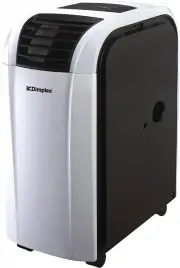
A user manual for the Dimplex DC10RC portable air conditioner covers essential operational aspects, from basic controls and display functions to advanced features like fan speed adjustments, timers, and sleep modes. The guide also addresses setup requirements–such as proper ventilation, exhaust pipe installation, and placement–to ensure safe and efficient use. Maintenance instructions include filter cleaning, error code troubleshooting (e.g., E4 for water drainage), and warnings about overheating or incorrect operation. Safety precautions emphasize childproofing and handling guidelines to protect users.


Table of Contents:
- Page 1 – Safety and Operational Guidelines
- Page 2 – Package Contents and Control Panel
- Page 3 – Climate Control Functions and Settings
- Page 4 – Remote Operation and Installation Procedures
- Page 5 – Installation and Water Drainage Troubleshooting
- Page 6 – Maintenance, Safety, and Error Codes
- Page 7 – Warranty and Disposal Information
- Page 8 – Technical Specifications
MODEL:
DC10RC
INSTRUCTION MANUAL
PORTABLE AIR CONDITIONER
IMPORTANT INFORMATION
Carefully read this instruction manual before you install or
use your portable air conditioner. Please retain this
manual for product warranty and for future reference.
CAUTION
even surface when operating to avoid water
leakage.
explosive or corrosive atmosphere.
17
°
C and 43
°
C. For heating, only operate this unit in ambient temperatures
between 5
°
C and 23
°
C
.
to ensure efficient operation.
unit has been operating and is turned off,
please wait at least 3 minutes before restarting.
10. Open the adjustable air vent and extend the exhaust pipe (and drain pipe, if fitted) to
the closest window before using.
11. Only ever have a professional technician, manufacturer or service agent replace a
damaged power cord.
12. The batteries from the remote control must be removed and disposed of safely,
before the appliance is scrapped.
13. This appliance is not intended for use by persons (including children) with reduced
physical, sensory or mental capabilities, or lack of experience and knowledge,
unless they have been given supervision or instruction concerning use of the
appliance by a person responsible for their safety.
14. Children should be supervised to ensure that they do not play with the appliance.
Important.
The air conditioner must always be stored and
transported upright. In case of doubt we suggest you
wait for at least 24 hours before operation.
(Please keep unit upright at all times)
1. Make sure the inlet and outlet vents are never blocked.
2. Ensure the appliance is on a stable,
3. Do not operate this unit in an
4. When switched to cooling, only operate this unit in ambient temperatures between
5. Clean the air filter frequently
6. To prevent compressor damage when the
7. This unit needs to be plugged into a 220-240V ~ 50Hz AC, 10 Amp power outlet.
8. Do not use any extension cords with this unit.
9. This unit is for indoor operation only.
1
"Loading the manual" means you need to wait until the file loads and becomes available for online reading. Some manuals are very large, and the time they take to appear depends on your internet speed.
Was this manual helpful?
About this manual
- Brand
- Dimplex
- Model
- DC10RC
- Document type
- User Manual
- Category
- Air Conditioner
- Language(s)
- English
- Pages
- 8
- File size
- 3.3 MB
- Format
Summary
Safety warnings, operational guidelines including ventilation requirements, temperature limits, power needs, and precautions for children and vulnerable individuals. Unit storage and transport requirements.
Details of included parts with diagrams of exterior and interior components, and explanations of control panel buttons for power, function selection, and temperature adjustment.
Instructions for using the display, fan speed settings (LOW, MEDIUM, HIGH, AUTO), timer functions, and sleep mode to adjust temperature and operate the climate control unit automatically.


