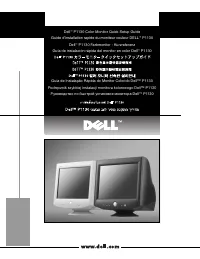
Dell P790 - Manual

This user manual covers the Dell UltraScan P790 color monitor, focusing on its setup, operation, and troubleshooting for display issues like poor image quality, no video signal, or power-related problems. Key areas include connecting the monitor to a computer, installing necessary drivers (particularly for legacy Windows 95/98 systems), understanding control buttons and indicators, and adhering to safety guidelines such as proper ventilation, electrical precautions, and environmental handling. The document also highlights ENERGY STAR compliance and provides access methods for additional user guides via online or CD-ROM resources.


Table of Contents:
- Page 1 – Product Setup Guide
- Page 2 – Initial Connection and Driver Installation
- Page 3 – Troubleshooting and Safety Guidelines
- Page 4 – Monitor Connection and Driver Installation
- Page 5 – Display Troubleshooting and Maintenance Safety
- Page 6 – Monitor Operation and Adjustments
- Page 7 – Guide Access and Image Troubleshooting
- Page 8 – Control System and Connection Diagrams
- Page 9 – Display Issues and Environmental Safety
- Page 10 – Software Installation and Control Functions
- Page 11 – Safety Compliance and Troubleshooting
- Page 12 – Connection Setup and Control Details
- Page 13 – Display Troubleshooting and Placement Safety
- Page 14 – Setup Procedures and Indicator Explanation
- Page 15 – Display Troubleshooting and Damage Prevention
- Page 16 – Driver Installation and Adjustment Controls
- Page 17 – Maintenance and Problem Resolution
- Page 18 – Driver Software and Control Functions
- Page 19 – Guide Access and Final Safety Information
- Page 20 – Printing Mark and Product Identification
www.dell.com
UltraScan P790 Color Monitor Quick Setup
Moniteur couleur P790 Installation rapide
Monitor a color UltraScan P790 Instalación rápida
UltraScan P790 Farbmonitor Schnell-Setup
Monitor a cores UltraScan P790 Configuração rápida
Monitor a colori UltraScan P790 Installazione rapida
UltraScan P790 kleurenscherm Quick Set-up
Monitor kolorowy UltraScan P790 Szybka instalacja
UltraScan P790 färgskärm Snabinstalltion
®
"Loading the manual" means you need to wait until the file loads and becomes available for online reading. Some manuals are very large, and the time they take to appear depends on your internet speed.
Was this manual helpful?
About this manual
- Brand
- Dell
- Model
- P790
- Document type
- Manual
- Language(s)
- German, English, Spanish, French, Italian, Dutch, Polish, Russian, Swedish
- Pages
- 20
- File size
- 1.3 MB
- Format
Summary
Cover page for the UltraScan P790 Color Monitor Quick Setup guide.
Instructions for connecting the monitor to a computer, installing drivers for Windows 98 and Windows 95, and understanding monitor controls and indicators.
Guidance on accessing the user guide, troubleshooting poor picture images (no video/LED issues), and safety precautions for monitor use, including avoiding electric shock and ensuring ventilation.