Dell OptiPlex 960 - User Manual
Dell OptiPlex 960 – User Manual, read for free online in PDF format. We hope this helps you resolve any issues you may have. If you have further questions, please contact us through the contact form.

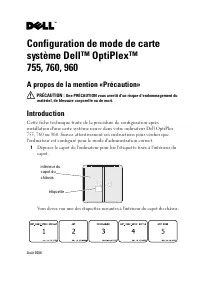


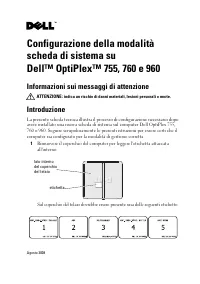
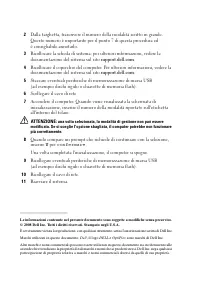
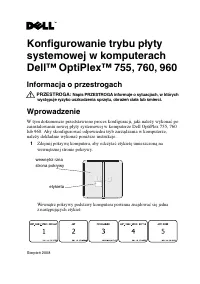


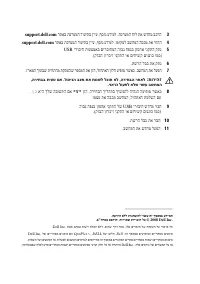
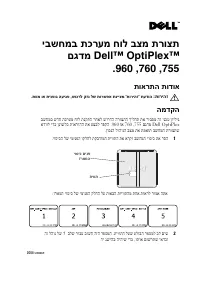
Table of Contents:
- Page 2 – yes
- Page 3 – A propos de la mention «Précaution»; Introduction
- Page 4 – Débranchez le câble réseau.; pour
- Page 5 – Über Vorsichtshinweise; Einführung
- Page 6 – Trennen Sie das Netzwerkkabel.; für
- Page 7 – Informazioni sui messaggi di attenzione; Introduzione
- Page 8 – Scollegare il cavo di rete.; per
- Page 9 – Informacja o przestrogach; Wprowadzenie
- Page 11 – Sobre Advertências; Introdução
- Page 12 – sim
- Page 13 – Mensajes de precaución; Introducción
- Page 14 – Desconecte el cable de red.; Cuando se le pregunte si desea continuar con la selección, pulse
- Page 15 – USB; תוריהז; ןכ
- Page 16 – יבשחמב תכרעמ חול בצמ תרוצת; DellTM OptiPlexTM; תוארתה תודוא; המדקה; Dell OptiPlex
Dell™ OptiPlex™ 755, 760, 960
System Board Mode Configuration
About Cautions
CAUTION:
A CAUTION indicates a potential for property damage, personal injury,
or death.
Introduction
This tech sheet covers the configuration process required after installing
a new system board in your Dell OptiPlex 755, 760, or 960 computer. Follow
these instructions carefully to make sure that the computer is configured for
the correct management mode.
1
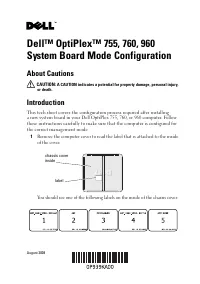
Remove the computer cover to read the label that is attached to the inside
of the cover.
You should see one of the following labels on the inside of the chassis cover:
chassis cover
inside
label
August 2008
"Loading the manual" means you need to wait until the file loads and becomes available for online reading. Some manuals are very large, and the time they take to appear depends on your internet speed.
Was this manual helpful?
About this manual
- Brand
- Dell
- Model
- OptiPlex 960
- Document type
- User Manual
- Language(s)
- German, English, Spanish, French, Italian, Polish
- Pages
- 16
- File size
- 495.3 KB
- Format
Summary
2 Note the large mode number on the label. This number is important for step 7 of this procedure and you may want to write it down. 3 Replace the system board. For more information, see your system documentation on support.dell.com . 4 Replace the computer cover. For more information, see your syste...
Configuration de mode de carte système Dell™ OptiPlex™ 755, 760, 960 A propos de la mention «Précaution» PRÉCAUTION : Une PRÉCAUTION vous avertit d'un risque d'endommagement du matériel, de blessure corporelle ou de mort. Introduction Cette fiche technique traite de la procédure de configuration apr...
2 Notez le numéro de mode en gros sur l'étiquette. Ce numéro est important pour l'étape 7 de cette procédure et vous devriez le noter. 3 Reposez la carte système. Pour plus d'informations, voir la documentation de votre système sur support.dell.com . 4 Reposez le capot de l'ordinateur en place. Pour...
Ask a question
Related manuals
Popular Dell Other


More Dell Other models
 Dell OptiPlex 740 User Manual
- Dell OptiPlex 745 User Manual
 Dell OptiPlex 755 User Manual
 Dell OptiPlex 760 User Manual
 Dell OptiPlex 760 Small Form Factor User Manual
 Dell OptiPlex 780 SFF User Manual
 Dell OptiPlex 980 User Manual
 Dell OPTIPLEX 3010 Desktop User Manual
 Dell OptiPlex 3020M User Manual
 Dell OptiPlex 7010 User Manual
 Dell OptiPlex 9010 User Manual
 Dell OPTIPLEX 9010 ALL-IN-ONE User Manual